OneMoreCard: Flashcards
Study cards written by hand
Designed for iPhone, iPad
In-app purchases
- Age rating4+
- CategoryEducation
- Developerser.soft GmbH
- LanguagesGerman+ 1 more
- Size34.3 MB
Links to the official App Store page
Download.org hosts no file of OneMoreCard: Flashcards. The button opens its official App Store page, published by ser.soft GmbH. Listing last checked on Nov 8, 2026.
Screenshots


About
OneMoreCard is a flashcard app for people who want to learn with structure. Organize your knowledge in nested folders, choose between four study algorithms, write cards by hand with Apple Pencil on iPad, and track your progress in clear statistics — all synced across your devices with iCloud.
The starting point.
Most flashcard apps treat you either like a child who needs points and trophies to stay engaged, or like an engineer who should be happy digging through endless settings. OneMoreCard takes your learning seriously without making it harder than it needs to be.
Order that thinks with you.
Create folders, nest them into subfolders, and spread your decks exactly the way your curriculum, your degree, or your project actually works. Every folder shows you, at a glance, how many cards are due and how far you've come — with a progress ring right on the tile.
Four algorithms, one truth.
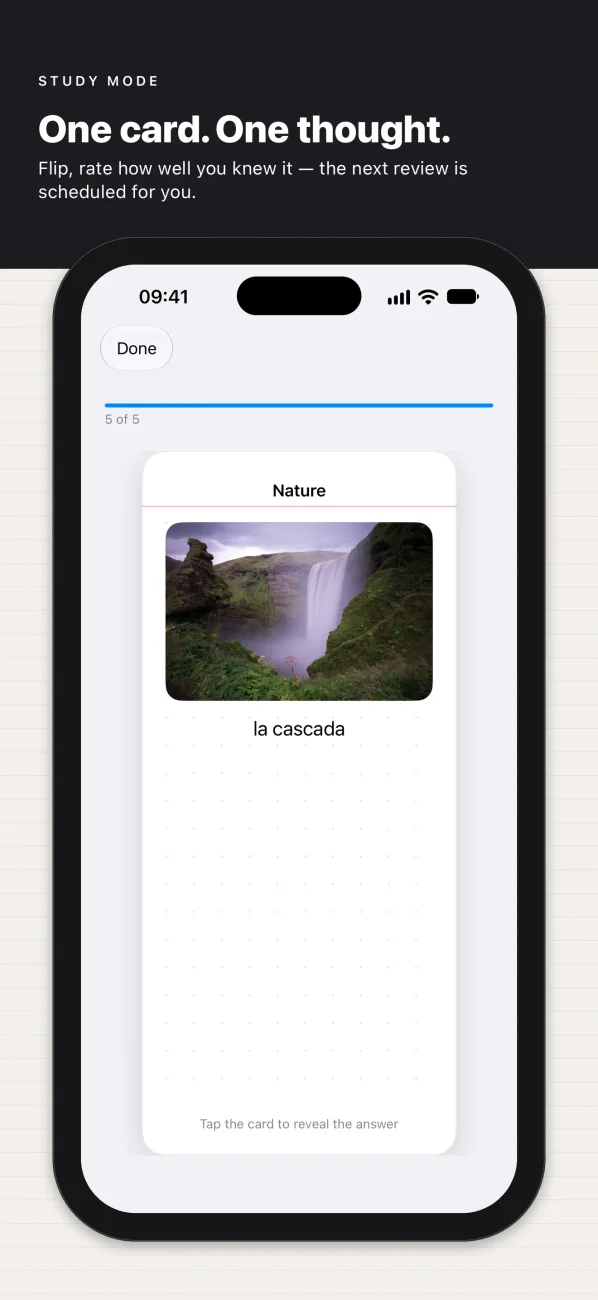
Some people learn best in a fixed order. Others need randomness so nothing becomes predictable. Others swear by the Leitner system, or by spaced repetition that brings a card back right when you're about to forget it. OneMoreCard doesn't force one method on you — you choose, per deck, what fits how you think, with a plain-language explanation built right into the picker.
A card style like your own notebook.
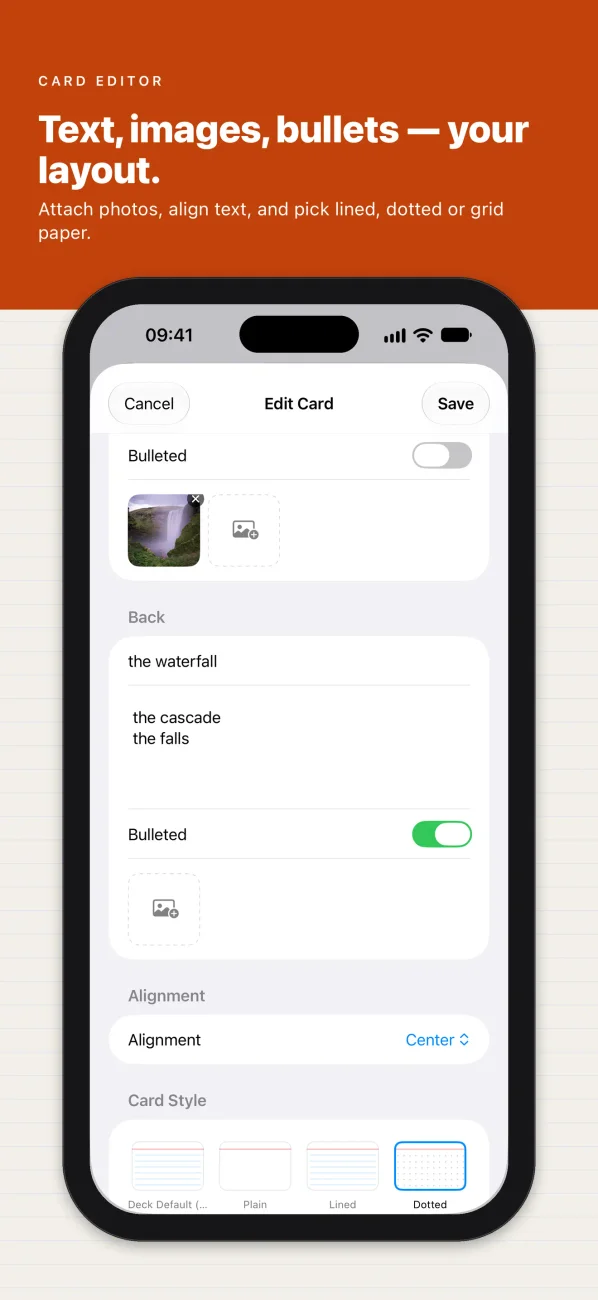
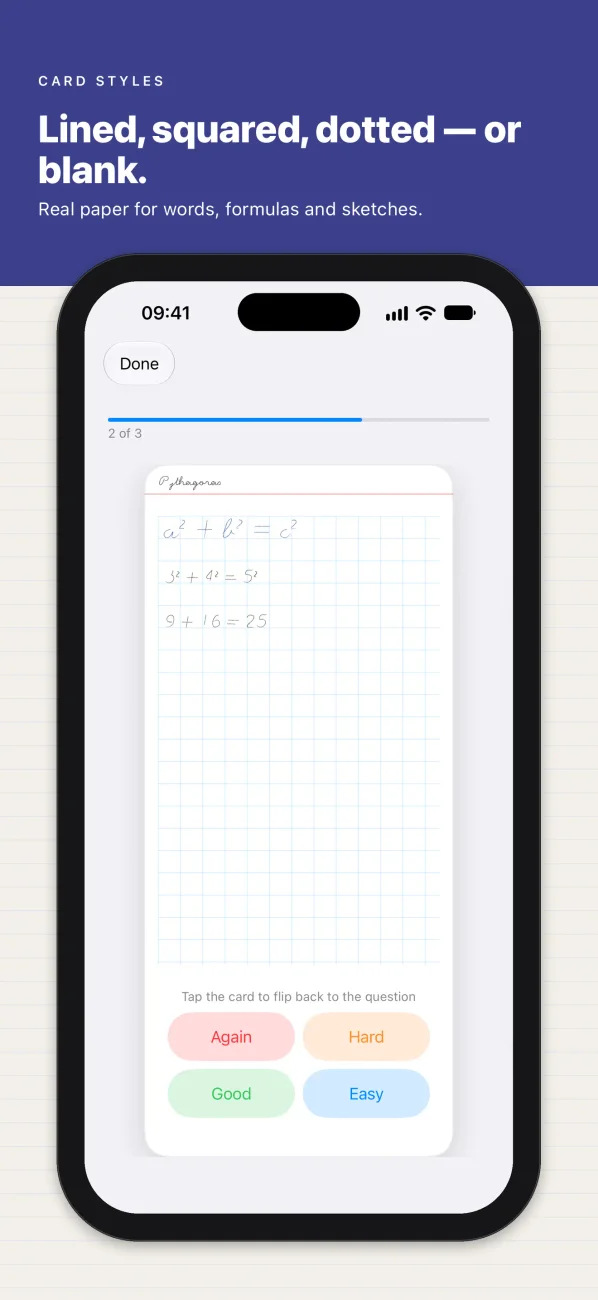
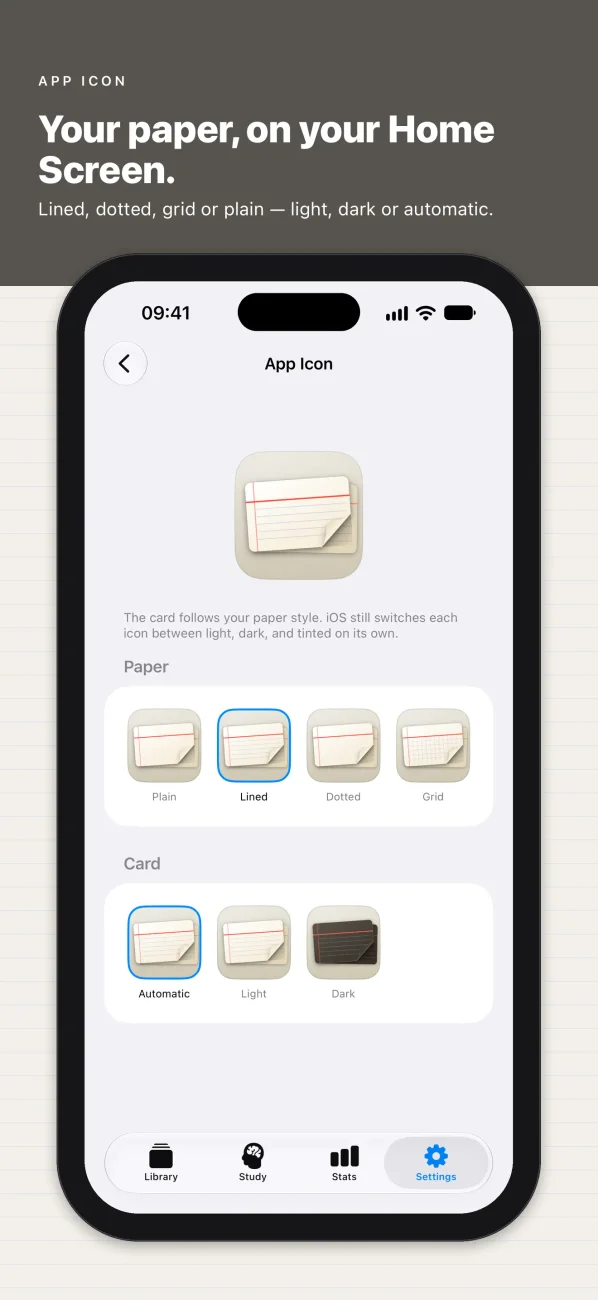
Lined paper with a red margin. Squared paper for formulas and diagrams. Dotted paper for anyone who prefers to sketch freely. Or simply blank. OneMoreCard recreates real paper formats — adjustable per card, with its own alignment and bullet points. And if one style really clicks, Settings lets you make it your app icon on the Home Screen — light, dark, or matching the system.
Images where words fall short.
Anatomy, art history, vocabulary tied to a place or a face — add images to the front and back of any card, exactly where they actually help you learn.
Written by hand.
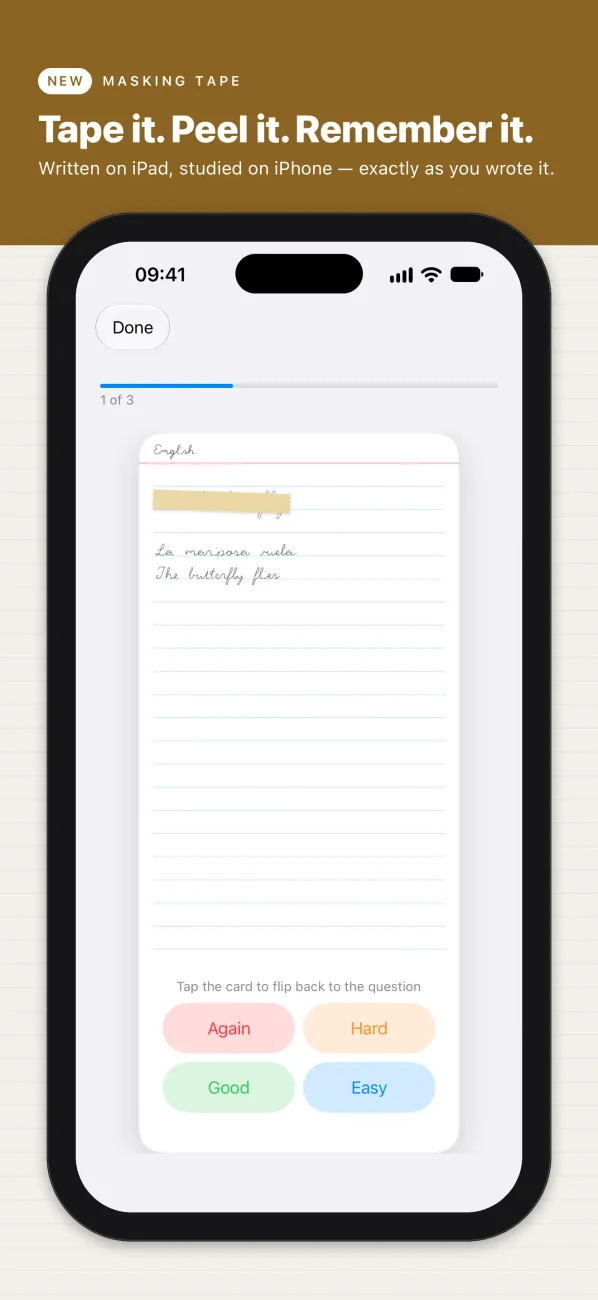
On iPad with Apple Pencil (iPadOS 27), write straight onto the card, on the deck's own lined, squared or dotted paper, with pencil, fountain pen, pen, marker or watercolor. Squeeze Apple Pencil Pro to turn the card over. OneMoreCard reads your handwriting right on your device, so you can search it and VoiceOver can read it aloud. Tape over part of your writing to hide it until you peel it off while studying, or answer a card in your own hand and let OneMoreCard check it and suggest a rating. Handwritten cards sync to iPhone, where you study them exactly as you wrote them.
Progress you can actually see.
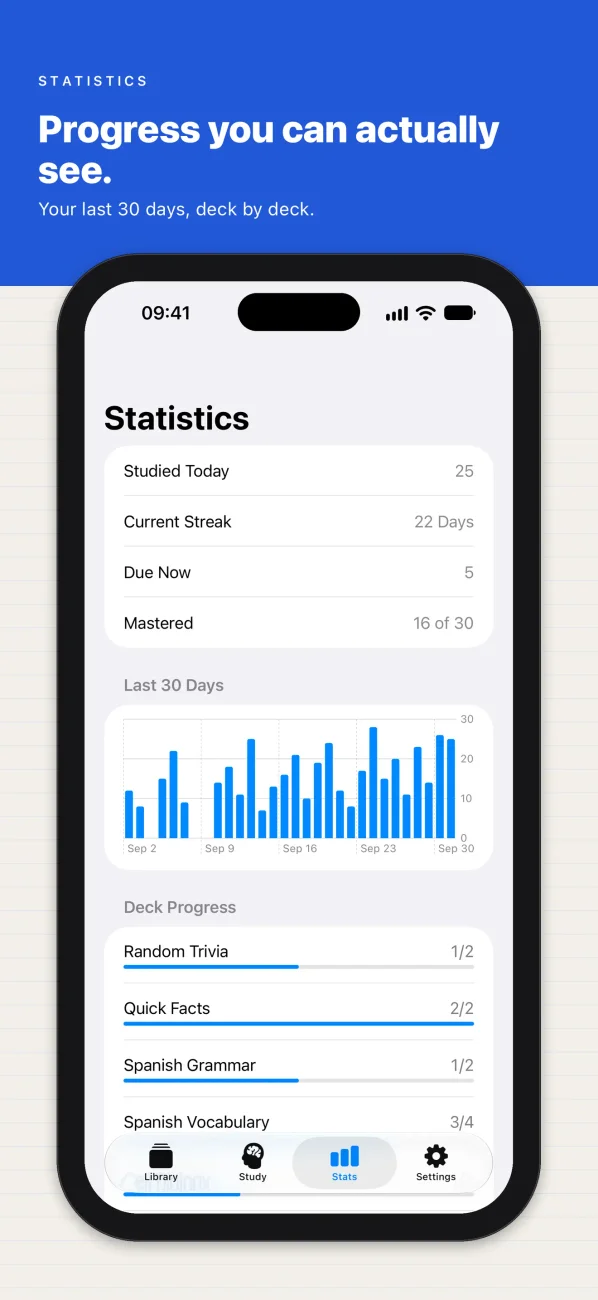
No points system, no artificial streak pressuring you forward. Instead, a statistics section that answers the question every learner asks: is this actually working? Cards studied today, your current streak, cards due, cards mastered per deck — plus a 30-day history that makes progress visible instead of just felt.
One library. Every device.
Your entire structure — folders, decks, cards, statistics — syncs via iCloud between iPhone and iPad. On iPad, OneMoreCard even opens into its own wider layout with a persistent sidebar, instead of just stretching a phone app across a bigger screen.
Right on your Home Screen.
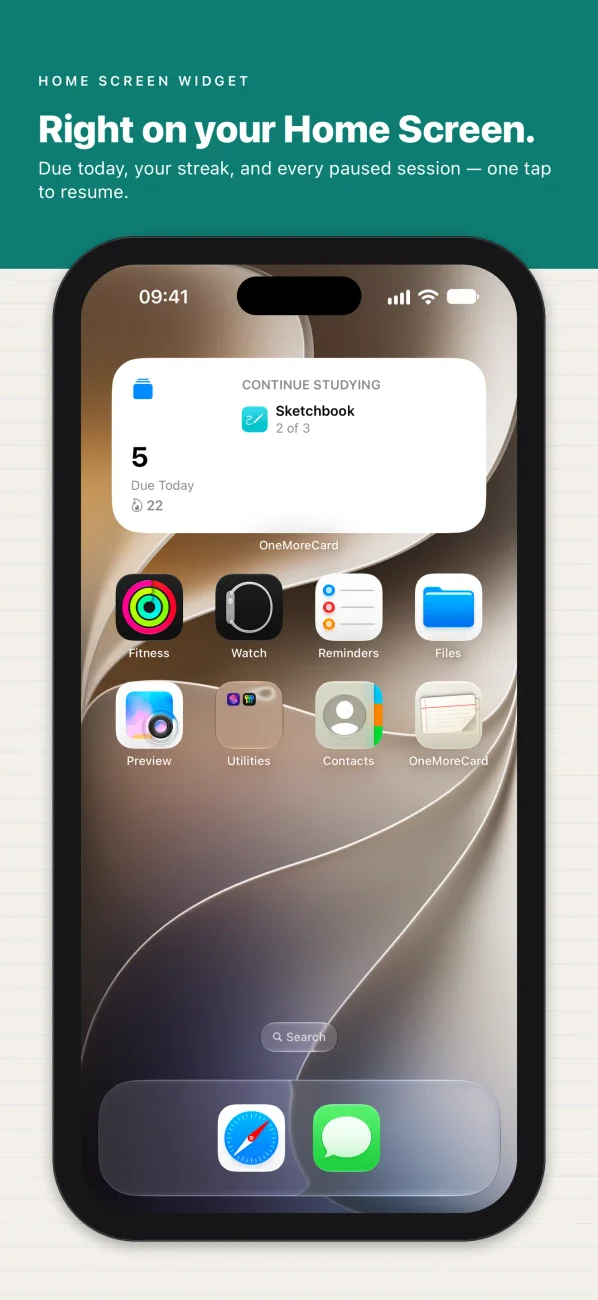
See what's due today, your current streak, and every study session you've paused — right from your Home Screen, without opening the app. Tap through and pick up exactly where you left off.
Grows with you.
OneMoreCard starts free, with up to 50 cards. Anyone who needs more can unlock unlimited cards with a single in-app purchase — along with the ability to share complete folders, decks, and cards with friends, classmates, or colleagues.
What’s new
Version 1.1.1 · Oct 17, 2026
Calmer paper, more reliable sync status.
- Handwritten cards: the lines, dots and squares on the paper now match the spacing of typed cards and scale with the card, in the editor and while you study.
- iCloud sync: Settings now shows when your cards last synced instead of always saying "Not synced", and the status title fits on iPhone.
- Feedback: when you send feedback from Settings, you can attach a diagnostic log to help us find problems faster. It never contains your cards, and you decide with a switch.
Which feature is still missing for you? Write to us from the app’s settings.
App privacy
What ser.soft GmbH declares on the App Store about how this app handles data.
-
Data not linked to you
May be collected but is not linked to your identity.
- Identifiers
- Usage data
Privacy practices may vary, for example with the features you use or your age.
Information
- Seller
- ser.soft GmbH
- Category
- Education
- Version
- 1.1.1
- Updated
- Oct 17, 2026
- Released
- Aug 14, 2026
- Size
- 34.3 MB
- Requires
- iOS 26.5 or later
- Age rating
- 4+
- In-app purchases
- Yes
- Languages
- German, English
- Copyright
- © 2026 by ser.soft GmbH
You might also like
-
 FührungPlusEducation
-
 Kartei: Spaced RepetitionAI Flashcard Maker from PDF
-
 FlySoloReady: PPL & RadioBZF I, BZF II & AZF free
-
 ZettelBibEducation
-
 FluidNotes – Your NotebookHandwritten Notes & PDFs
-
 Learn Russian Vocabulary WordsFlashcard Quiz Grammar & Audio
-
 VinoPrep: WSET StudyFlashcards, Maps & Tasting SAT
-
 InkDeck: FlashcardsHandwriting, Spaced Repetition
-
 Langula: Learn LanguagesVocabulary & Pronunciation
-
 Froggipedia by EmbibeExplore the amphibian in AR