OnlyText: TXT & EPUB Reader
Novels, PDF, ebooks & comics
Designed for iPhone, iPad, Mac
Free · In-app purchases
- Age rating4+
- CategoryBooks
- DeveloperSTUDIOJIN
- LanguagesEnglish+ 17 more
- Size26.2 MB
Links to the official App Store page
Download.org hosts no file of OnlyText: TXT & EPUB Reader. The button opens its official App Store page, published by STUDIOJIN. Listing last checked on Nov 23, 2026.
Screenshots


About
OnlyText is a reader that does one thing: show your plain-text files, ebooks and comics well. No ads, no subscription.
• Read your files as they are
Import TXT, EPUB, PDF, MOBI, AZW3, FB2, Markdown, DOCX, ODT, RTF, HTML and CBZ files—or whole folders—from the Files app, or drop them into the OnlyText folder in Files. Your folder structure is kept. Read PDFs as they are, or as text with your own font. EPUB images appear in the text, and covers show in your library. Finder on a Mac and the Apple Devices app on Windows work too.
• Comics and scanned books
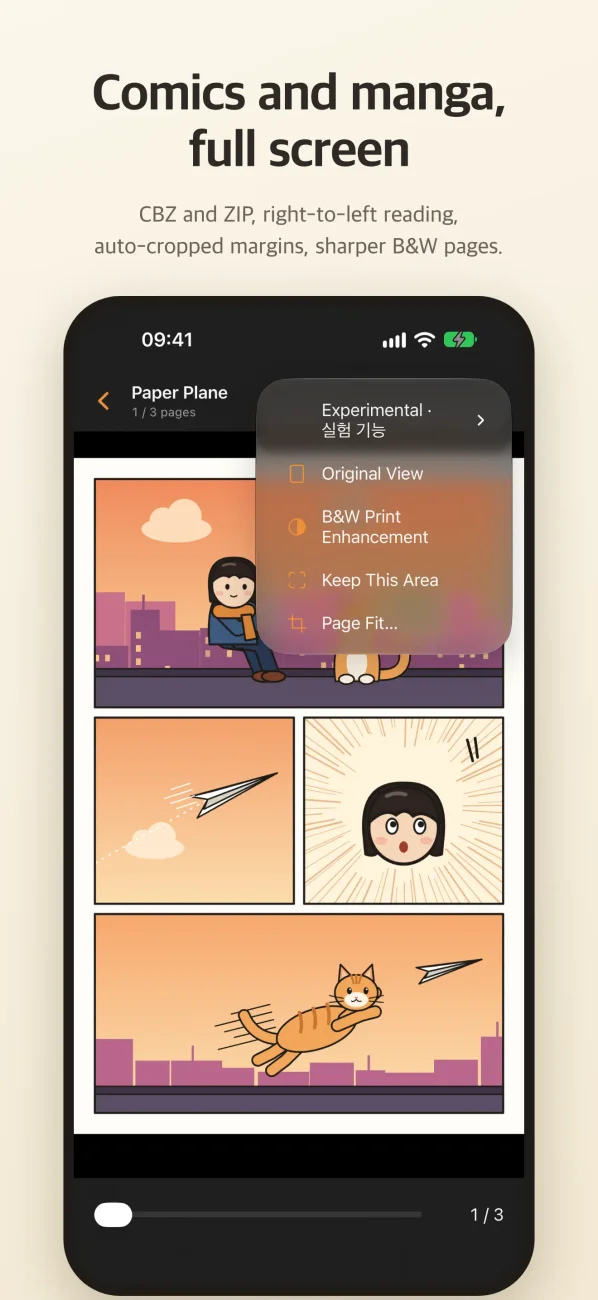
Read CBZ and ZIP comics page by page; loose images are bundled into one comic when you import them, and right-to-left manga works too. Two-page spreads in scanned PDFs and comics are split down the middle, and margins are cropped automatically. Comics printed in black and white from color artwork look clearer with B&W Print Enhancement: white paper, black ink. Experimental Panel zoom shows one panel at a time.
• Import from WebDAV and OPDS
Add a WebDAV server—a NAS such as Synology or QNAP, Nextcloud or ownCloud—and download books or whole folders, or browse OPDS catalogs such as Calibre, Kavita and Komga.
• Text that just works
EUC-KR, Shift_JIS, GB18030, Big5, Windows-1252 and more are detected automatically. If text still looks wrong, switch the encoding or convert to UTF-8.
• Markdown
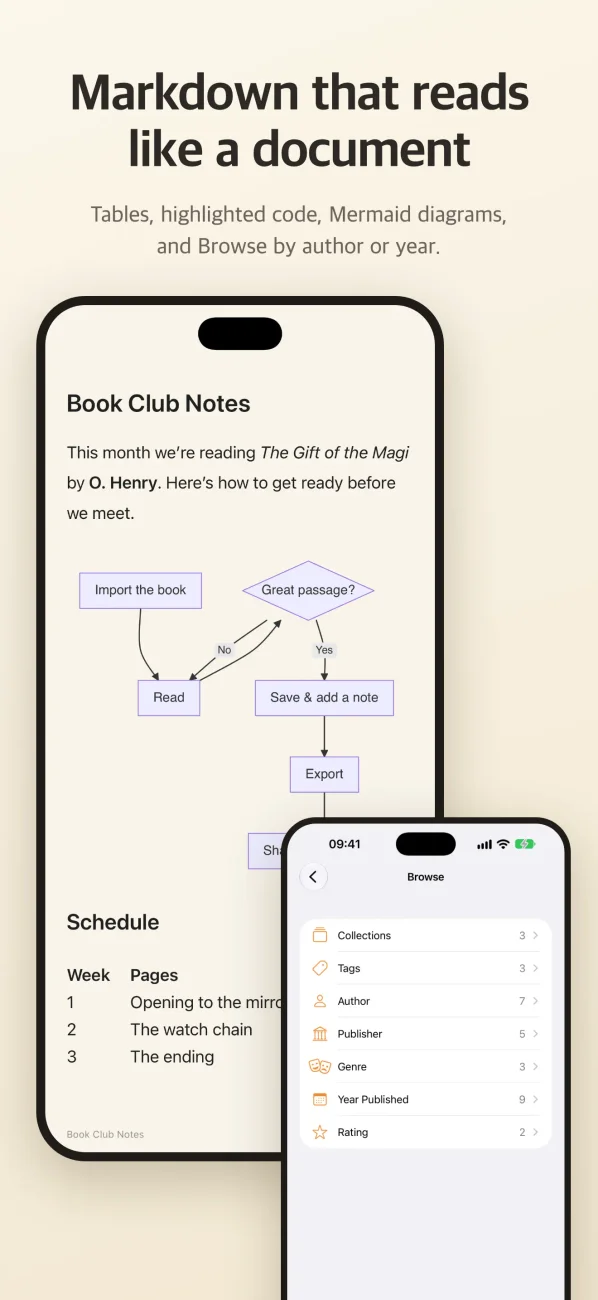
Headings, lists, tables and quotes look like a document, with highlighted code and Mermaid diagrams you can tap to enlarge.
• Make it yours
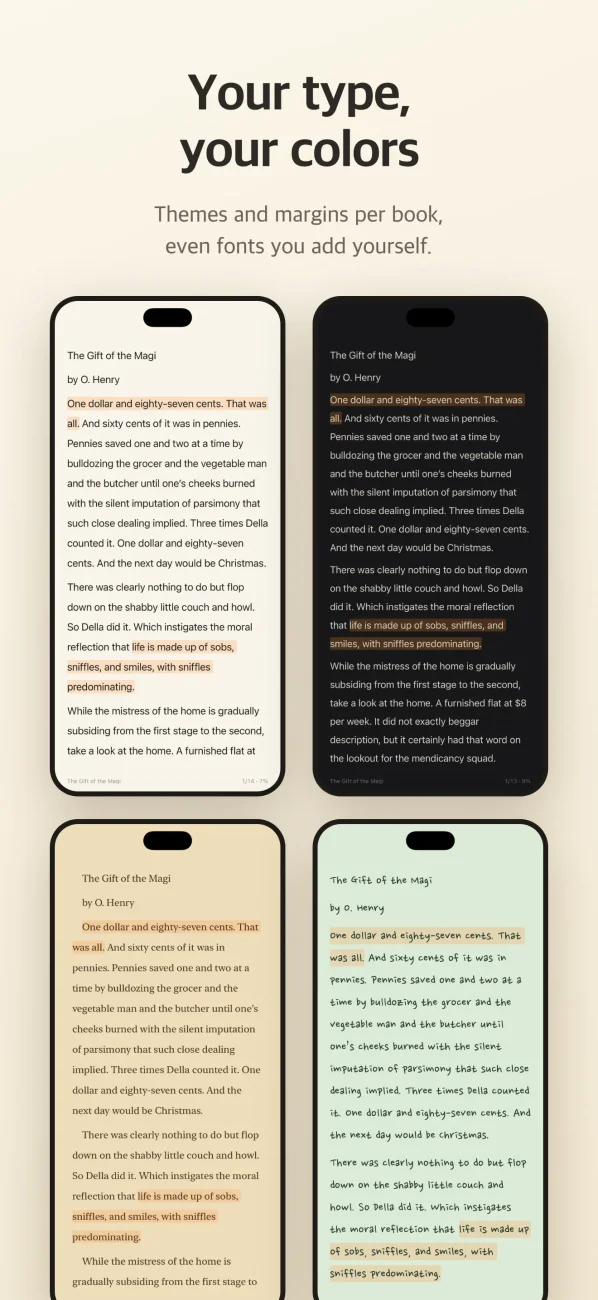
Change the font, size, spacing, colors and margins, per book if you like. Fonts from your device or the Files app work too. Turn on justified text and hyphenation, and reading colors follow Dark Mode. On large screens or in landscape, read two pages side by side.
• Turn pages your way
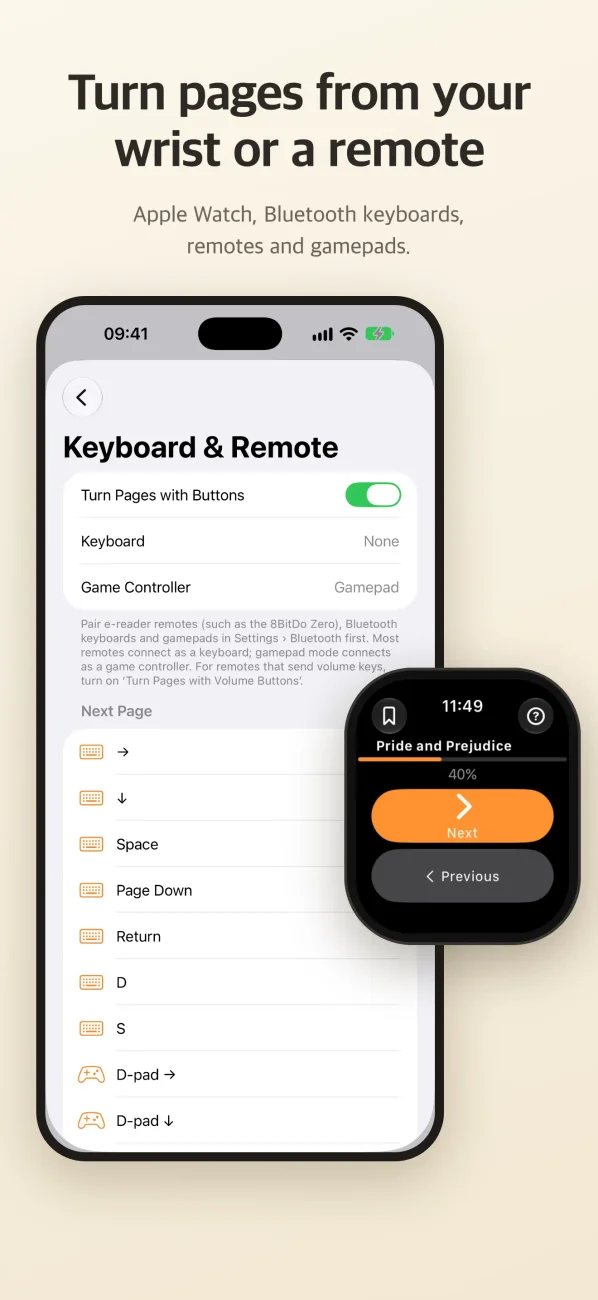
Tap, swipe or use the volume buttons, with your own tap zones. Assign any button on a Bluetooth keyboard, page-turner remote or gamepad. Or scroll vertically, straight on into the next chapter.
• Read aloud and auto reading
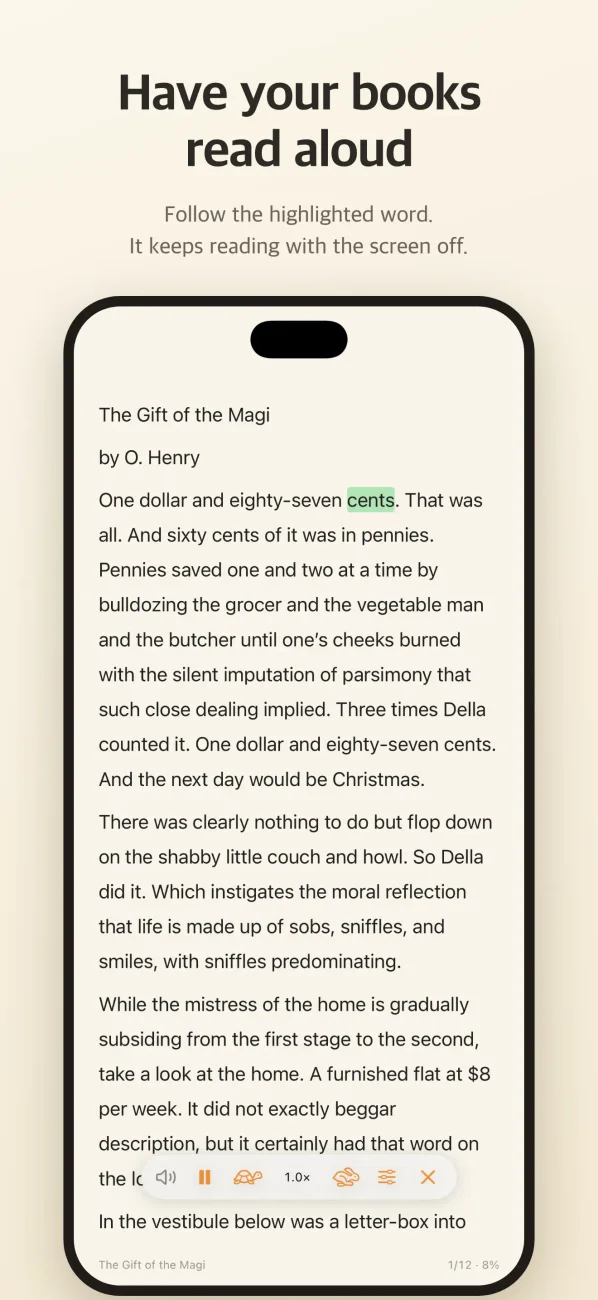
Pick a voice and speed and follow the highlighted word as OnlyText reads aloud, even with the screen off, with controls on the Lock Screen and in Control Center. Or try Auto Page Turn, Word Highlight or One Word at a Time.
• Pick up where you left off
Recent books are on the first screen and in Home Screen and Lock Screen widgets. The last page opens the next book in the folder, and Shortcuts can turn pages. Reading Statistics show your time today and this week, your streak and a daily goal.
• Search
Search titles, authors, notes and the full text of every book. Inside a book, find a word and jump straight to it, or look up a word in the dictionary.
• Bookmarks, highlights and notes
Bookmark the page, or touch and hold text to save a passage. Saved passages are highlighted and collected with your bookmarks. Add notes, and export everything as Markdown or as a CSV for Readwise.
• Book info and collections
Rate and review books, add tags, genre, publisher and year, group them into collections, and browse by any of these. Move or delete several books at once.
• Secret Folder and locked books
Keep private books in the Secret Folder, opened only with Face ID or your passcode and hidden from recents and Browse. You can also lock a single book.
• iCloud sync
Reading positions, bookmarks, book info and view settings sync through iCloud across your devices. Import the same book on each one and pick up where you left off. Book files aren’t synced.
• Apple Watch remote and bookmarks
Turn pages on your iPhone from your Apple Watch with a tap, Double Tap or the Digital Crown, and see your bookmarks by book.
• Private by design
Book files stay on your device, synced data lives in your own iCloud account, and the developer collects no data. Read-aloud voices run on your device, and WebDAV and OPDS passwords stay in this device’s keychain.
Use every feature free for 14 days—the trial never charges you. To keep reading after that, buy once.
What’s new
Version 1.6.5 · Nov 22, 2026
• Auto Reading settings and Settings › Help now show how to get more natural Premium and Enhanced voices for free, and list the voices installed for each language.
• In Vertical Scrolling, you can now turn off Tap to Turn in Reading Settings so tapping the screen edges doesn’t move the text. A tap in the middle still opens the menu.
App privacy
What STUDIOJIN declares on the App Store about how this app handles data.
-
Data not collected
The developer does not collect any data from this app.
Privacy practices may vary, for example with the features you use or your age.
Information
- Seller
- STUDIOJIN
- Category
- Books
- Version
- 1.6.5
- Updated
- Nov 22, 2026
- Released
- Oct 10, 2026
- Size
- 26.2 MB
- Requires
- iOS 18.0 or later
- Age rating
- 4+
- Price
- Free
- In-app purchases
- Yes
- Languages
- English, Dutch, French, German, Hindi, Indonesian, Italian, Japanese, Korean, Polish, Portuguese, Russian + 6 more
- Copyright
- © 2026 Jeongjin Kim
You might also like
-
 Lu Reader: EPUB & Ebook ReaderEPUB, PDF, TXT reader & TTS
-
 Koofy Reader - EPUB, TXT & TTSRead and listen to your books
-
 Lithe Reader: EPUB & PDFRead offline & hear text aloud
-
 Timebound EPUB ReaderRead your own EPUBs
-
 WristReader:Ebook & PDF ViewerBooks, Video & Audio Player
-
 Unfold: TXT, Comic, PDF ReaderYour files, no garbled text
-
 Bookbreath - Calm Paper ReaderDuo two-page · TXT EPUB PDF
-
 Eluna Reader: Books, EPUB PDFEbook, Manga, Comics, Library
-
 Realbook: EPUB PDF Book Reader3D Page Flip & Audiobook TTS
-
 Moonread: TXT ReaderNovel & ebook reader, no ads