- Age rating4+
- CategoryProductivity
- DeveloperJEAHOON BANG
- LanguagesEnglish+ 5 more
- Size13.6 MB
Links to the official App Store page
Download.org hosts no file of OpenBookLM. The button opens its official App Store page, published by JEAHOON BANG. Listing last checked on Nov 18, 2026.
Screenshots

About
OpenBookLM is an AI knowledge workspace for iPad that connects to an Obsidian Vault or document folder so you can search, ask questions, read, and translate your notes.
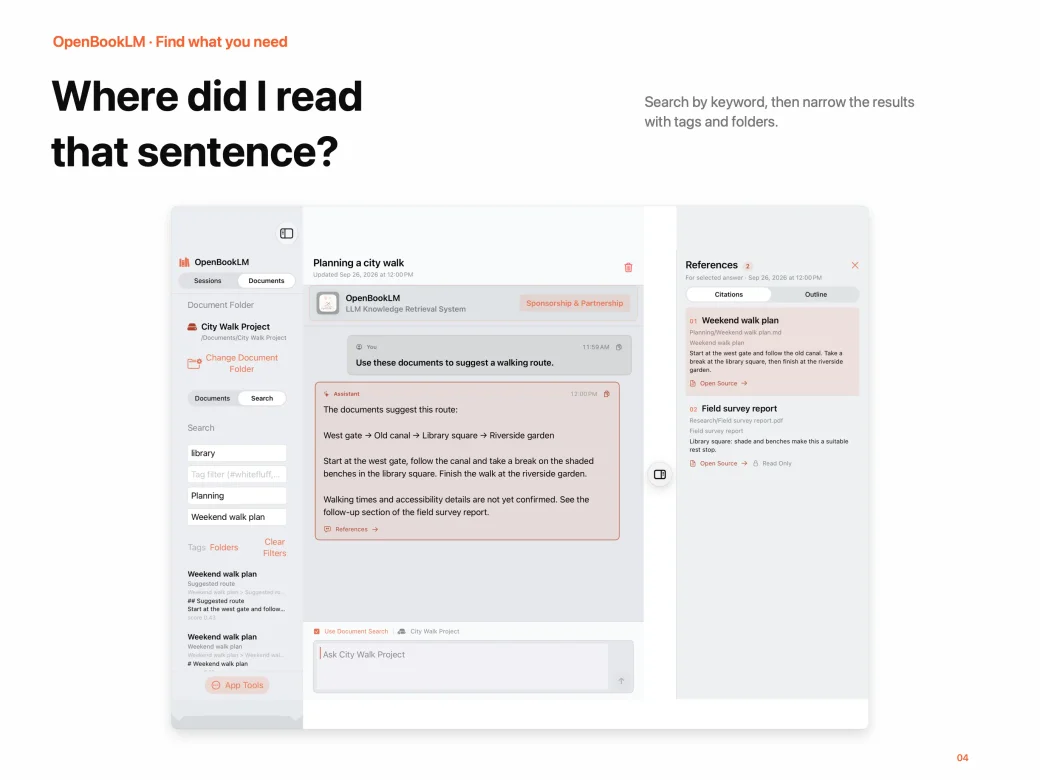
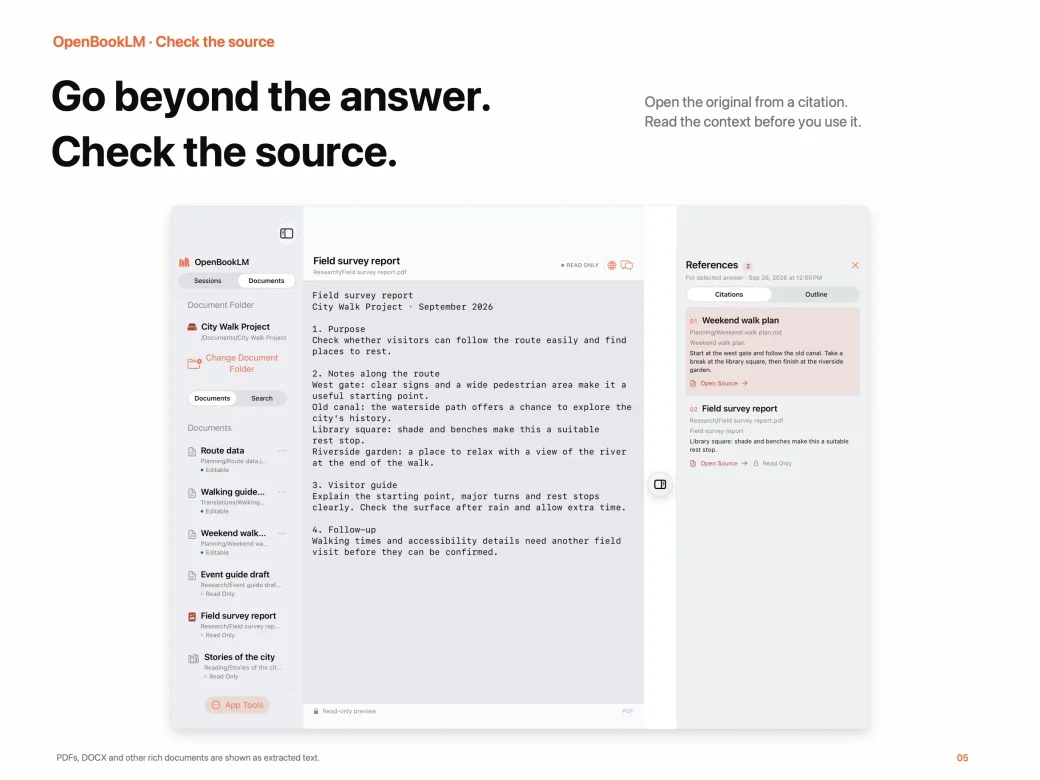
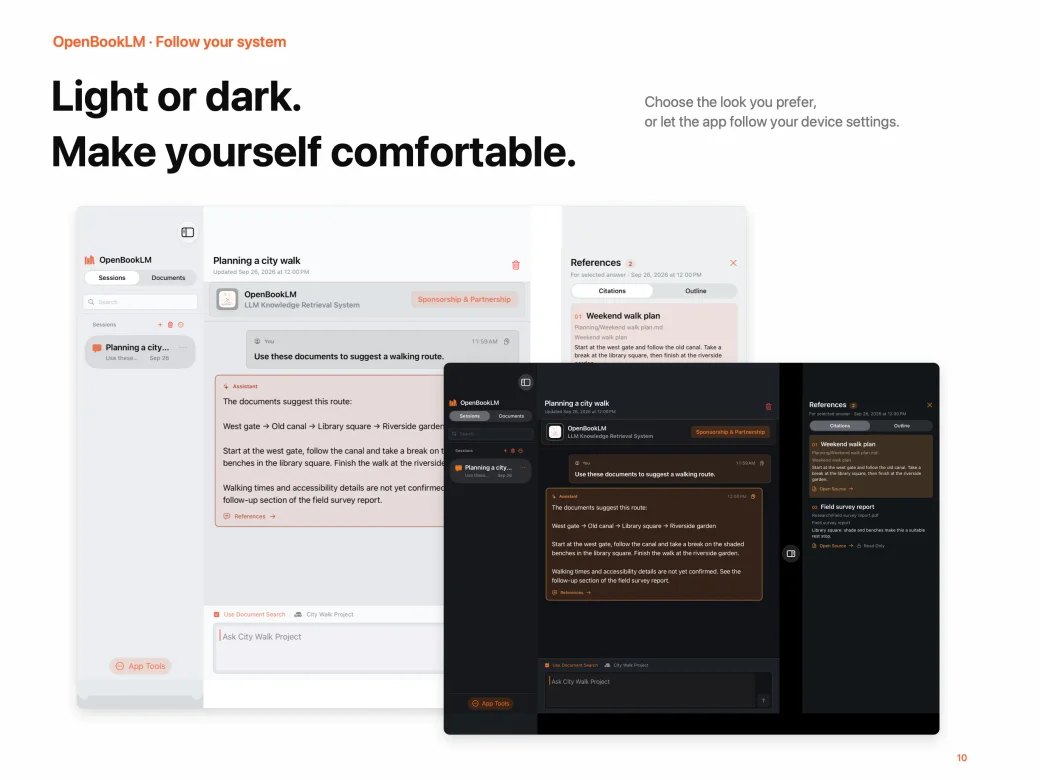
Gather your notes, study materials, research documents, meeting records, drafts, and personal archives in one place, then ask questions. OpenBookLM finds relevant documents in your connected Vault and shows supporting references with its answers. You can go beyond the answer and open cited documents directly to review the original context.
This update adds a consistency review feature to help you find conflicting content inside your Vault. You can choose a basis file or folder, check for opposing settings and content, save review results, and clear them when needed. Vault-based answers can also warn you when conflicting information is detected in the referenced materials.
Key features:
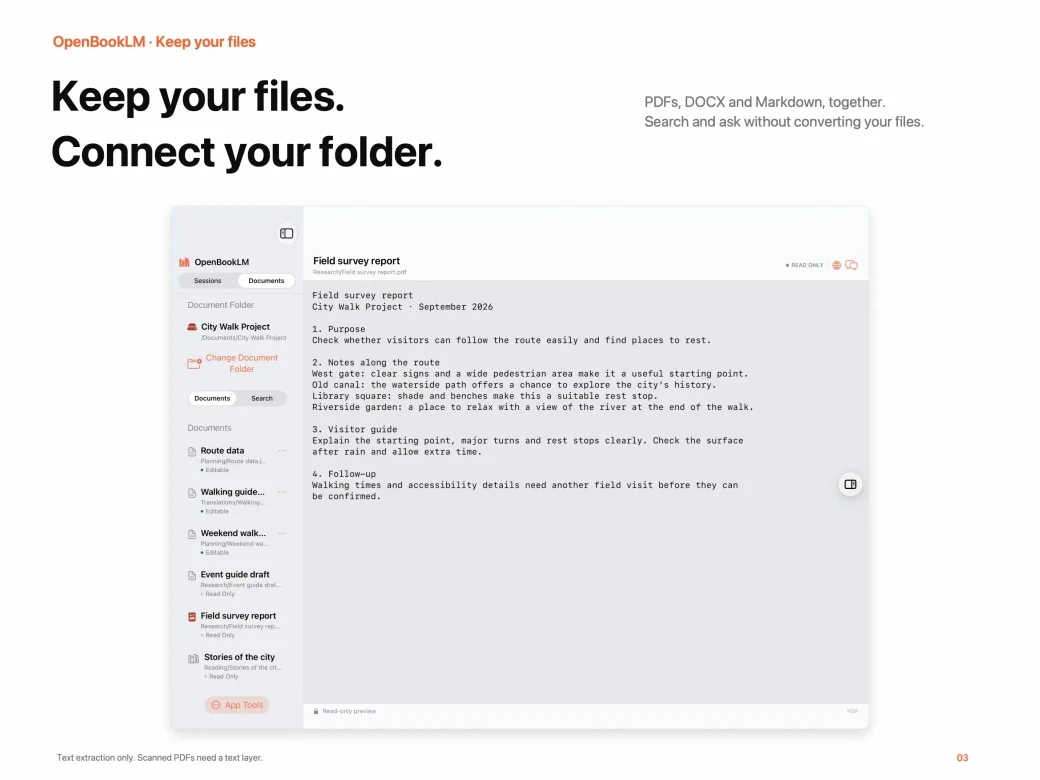
- Connect an Obsidian Vault or document folder
- Vault-based search and AI Q&A
- View references and citations for each answer
- Open cited source documents from answers
- Vault consistency review and conflict history management
- Basis file/folder-based conflict review
- Search by document title, path, tag, or folder
- View document outlines and original text
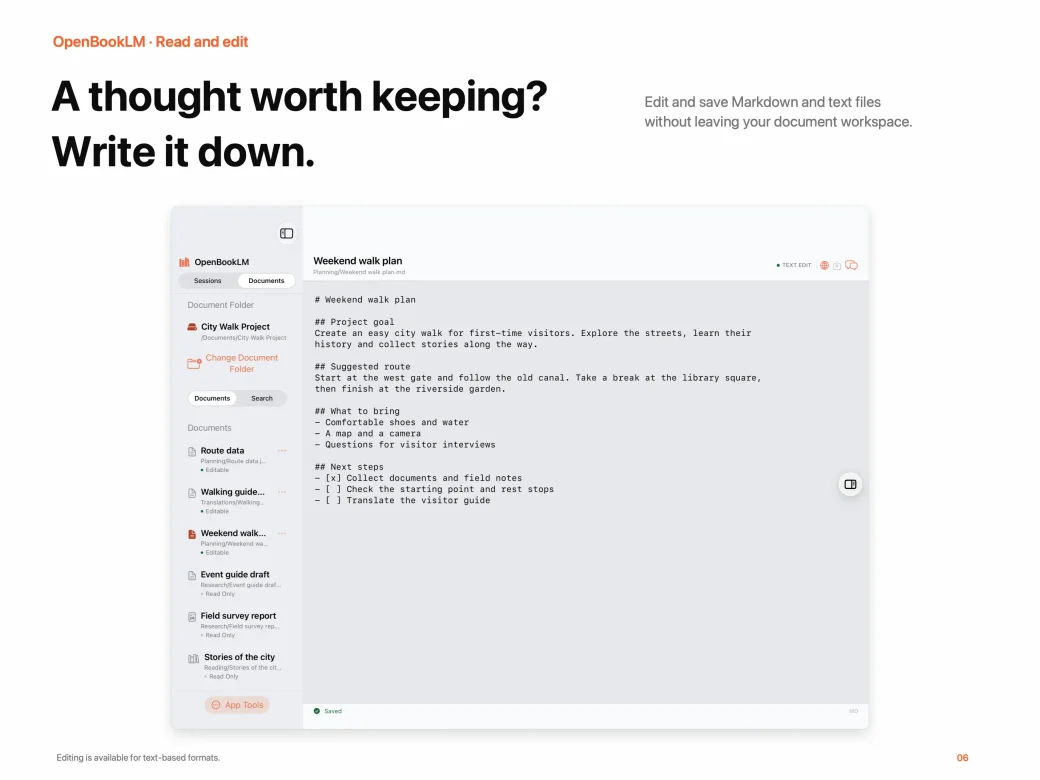
- Edit Markdown and text documents
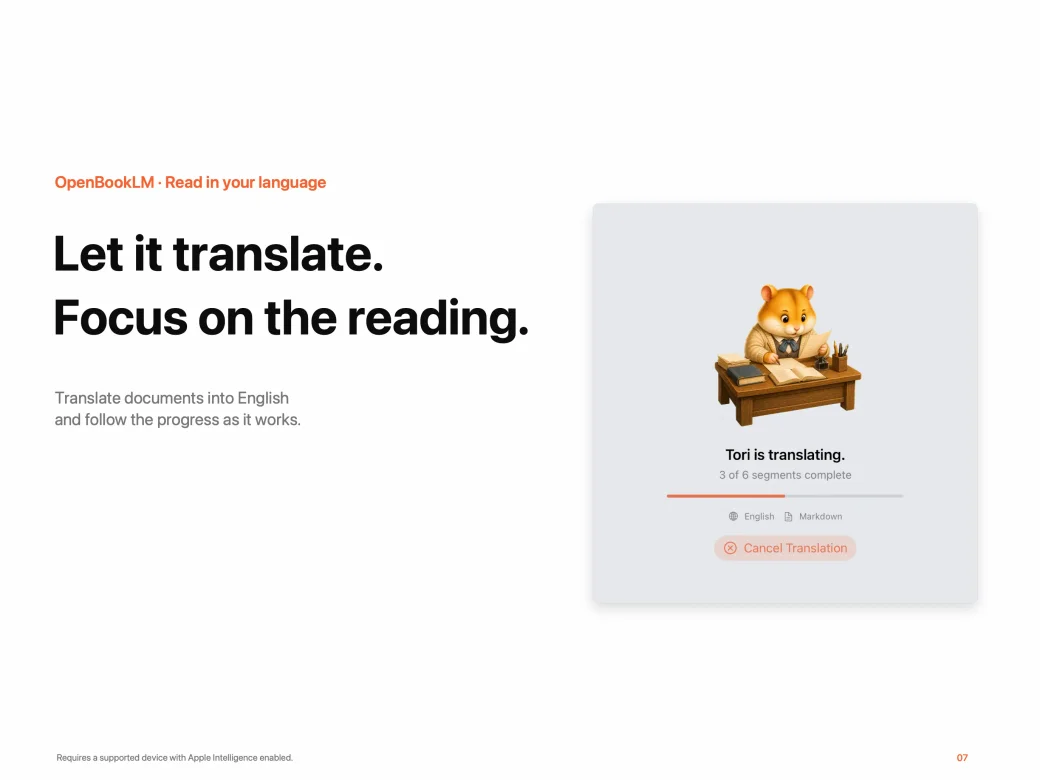
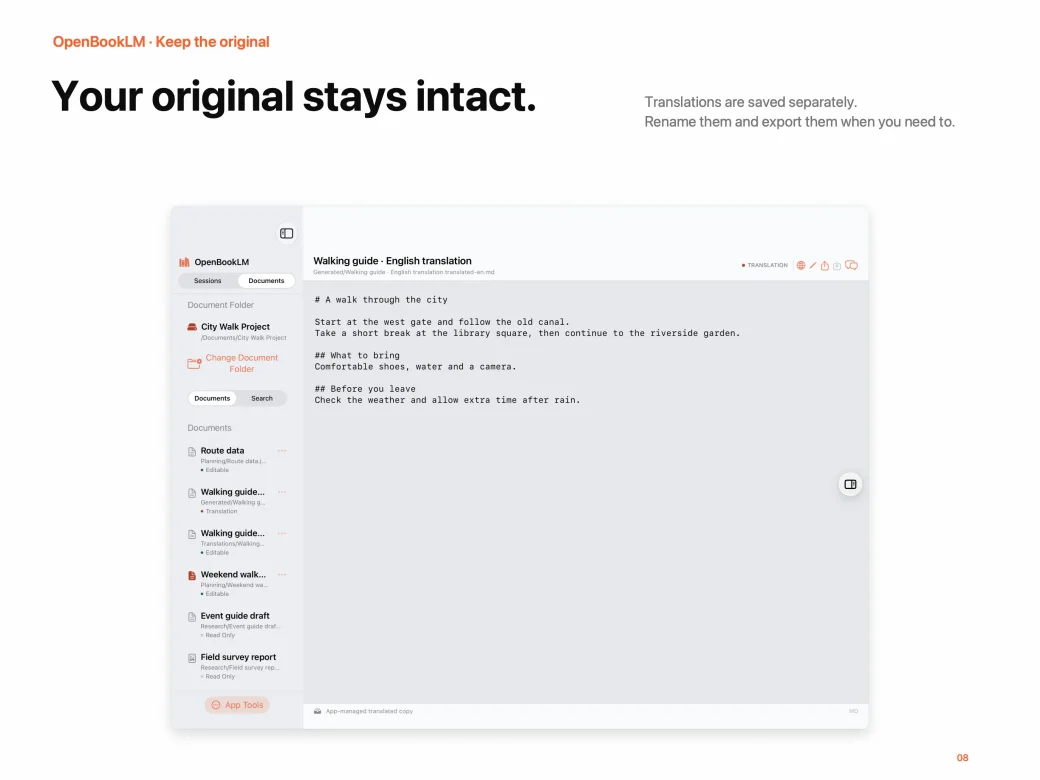
- Translate documents and create new translated files
- Save translations as Markdown or text
- UI support for Korean, English, Japanese, Spanish, German, and French
- AI answers matched to your selected language
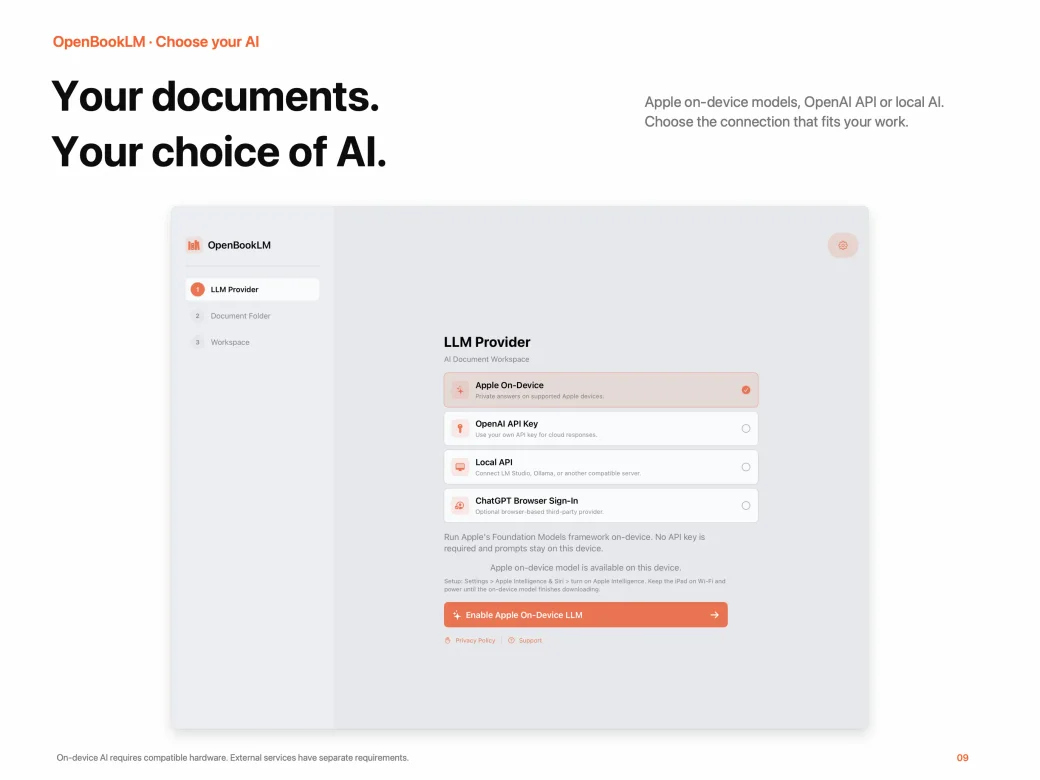
- Supports Apple on-device Foundation Models, OpenAI-compatible API, Local API, and ChatGPT Browser connections
- Try quickly with the Demo Vault
- Layout optimized for iPad portrait, landscape, and split view
- Improved external Vault folder access when using the iPad app in Mac compatibility mode
Supported file formats:
Markdown(.md, .markdown), Text(.txt), PDF(.pdf), RTF(.rtf), Word(.docx), EPUB(.epub), HWPX(.hwpx)
Markdown and text files can be edited in the app. PDF, RTF, DOCX, EPUB, and HWPX files are used by extracting text for search, references, questions, and translation workflows.
OpenBookLM works around the Vaults and document folders you explicitly select. When using external folders such as iCloud Drive or Desktop, the app checks whether the selected folder can be accessed and guides you to reconnect if permissions are unavailable.
If you experience any issues or have improvement ideas, please let me know. I will review them carefully and reflect them as quickly as possible.
What’s new
Version 2.0 · Oct 4, 2026
Document search, AI conversations, and translation are now smoother and more reliable.
• A native Mac app
OpenBookLM now has a dedicated native app for Macs with Apple silicon, with a workspace, settings, and document navigation tailored to macOS.
• On-device AI that follows the conversation
Improved how conversations and document content fit within the model's available context. Ask follow-up questions, read answers as they appear, and stop generation when needed.
• Faster, smoother document search
Improved search and indexing to keep the interface more responsive while you work. Repeated searches also do less unnecessary processing.
• Sources that stay with your answers
Citations are now saved with new answers, so you can check their sources after reopening the app.
• More reliable document workflows
Fixed issues that could occur when switching folders, canceling translations, or deleting conversations while other tasks were running. Also improved memory handling for large documents and archive-based formats.
• Clearer language and a more consistent interface
Renamed "Vault" to "Document Folder" and updated guidance to better reflect the range of supported document formats. Refined menus and error messages across all six supported languages. Appearance follows your system settings by default.
• More apps from the developer
Explore the developer's other apps on Mac and iPad. Browse by platform, search the catalog, and open an app's App Store page directly.
System requirements
This version requires iPadOS 27 or later, or macOS 27 or later. The Mac app supports Apple silicon only. On-device AI requires a device that supports Apple Intelligence, with Apple Intelligence enabled.
App privacy
What JEAHOON BANG declares on the App Store about how this app handles data.
-
Data linked to you
May be collected and linked to your identity.
- Location
- Contact info
- User content
- Identifiers
- Usage data
-
Data not linked to you
May be collected but is not linked to your identity.
- Diagnostics
Privacy practices may vary, for example with the features you use or your age.
Information
- Seller
- JEAHOON BANG
- Category
- Productivity
- Version
- 2.0
- Updated
- Oct 4, 2026
- Released
- Apr 1, 2026
- Size
- 13.6 MB
- Requires
- iOS 27.0 or later
- Age rating
- 4+
- Price
- Free
- Languages
- English, French, German, Japanese, Korean, Spanish
- Copyright
- © JeaHoon, Bang
You might also like
-
 KotoNote - Powerful NotesText, ink, tables & canvas
-
 Ounie: AI Second BrainAsk your notes, PDFs & links
-
 PearstudioPrompts, PDFs & AI refinement
-
 LLMHub: Local LLM&AI CompanionInstant AI, Powered by You.
-
 OmniprezentAnywhere Intelligent Assistant
-
 rag-boton-device-ai chat w/ documents
-
 Solid Focus TimerAI Powered Timer
-
 Amical: AI Voice KeyboardVoice dictation in every app
-
 OpenIntelligenceChat With Your Files Offline
-
 Aitopus: Private AI AssistantOffline chat, docs, web search