
OpenCaptions: Auto Captions
Private, on-device subtitles
Designed for iPhone, iPad
Free · In-app purchases
- Age rating4+
- CategoryPhoto & Video
- DeveloperLeo Gaudin
- LanguagesEnglish+ 12 more
- Size23.7 MB
Links to the official App Store page
Download.org hosts no file of OpenCaptions: Auto Captions. The button opens its official App Store page, published by Leo Gaudin. Listing last checked on Nov 12, 2026.
Screenshots

About
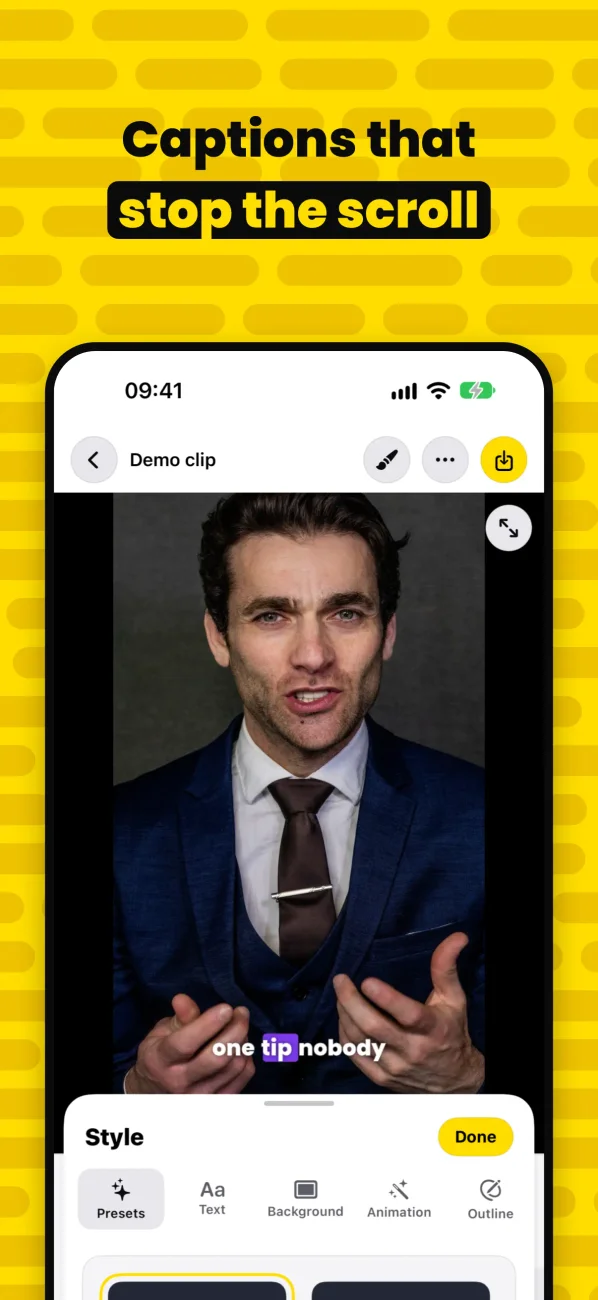
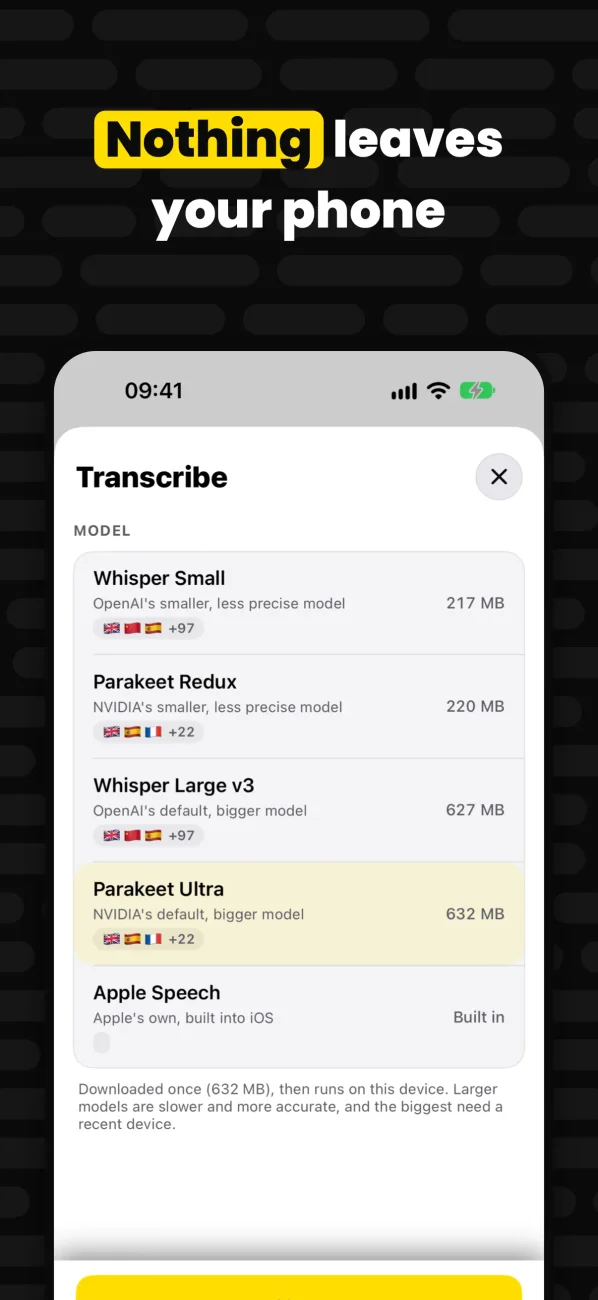
Add animated captions to any video in a minute, and keep it private: OpenCaptions listens to your video on your iPhone, writes the words with their timing, and never sends it anywhere.
WHAT YOU GET
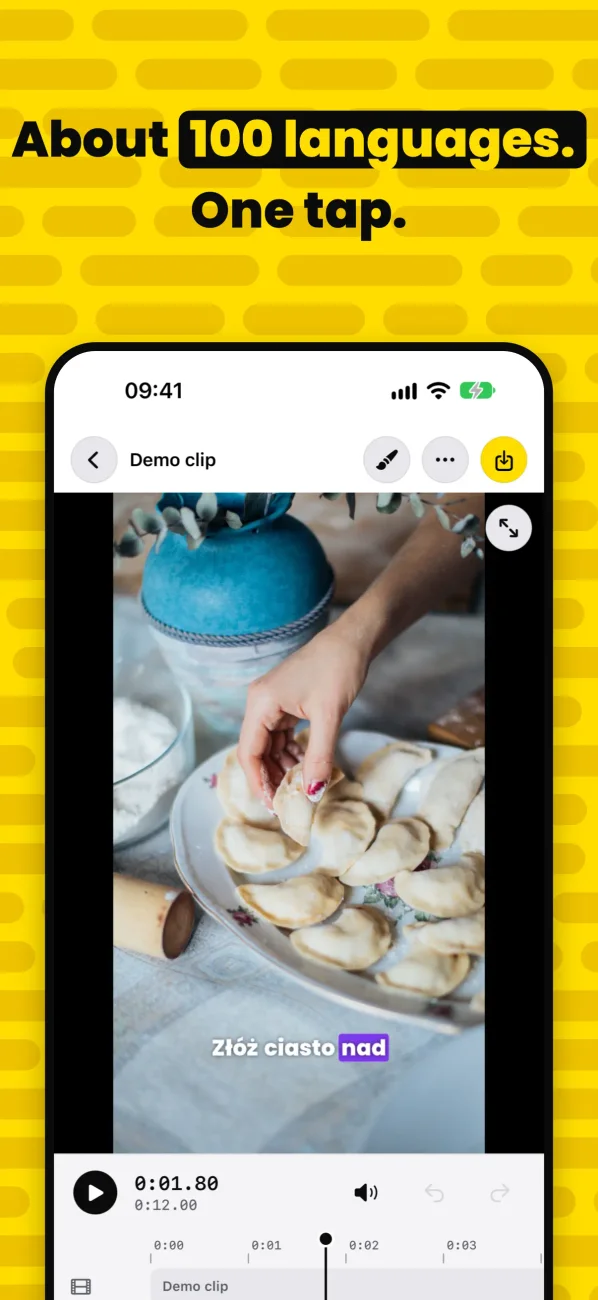
• Automatic captions in about 100 languages, made on your phone with Whisper
• Word-by-word highlighting, with styles from clean and quiet to loud and bold
• Your fonts: pick from the Google Fonts library
• A timeline to fix a word, move a caption or retime it
• Drag and pinch to place and size the captions right in the preview
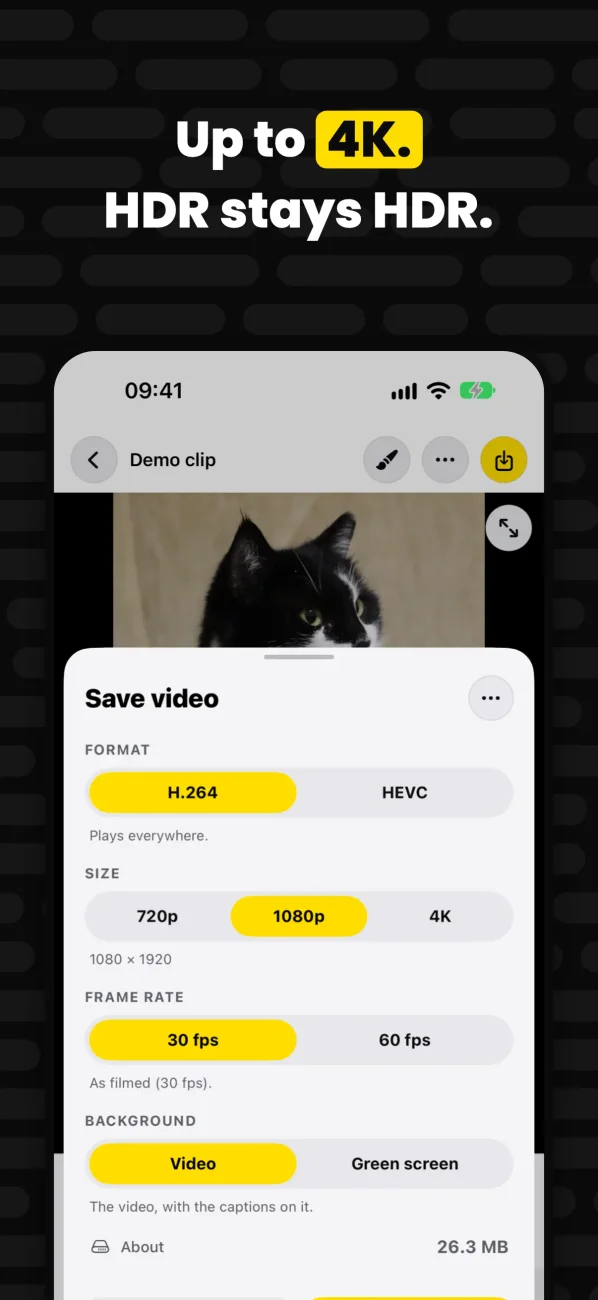
• Save as H.264 or HEVC, with the size and frame rate you choose
• HDR videos stay HDR
PRIVATE BY DESIGN
No account. No analytics. No cloud. Your videos stay on your device. If you run your own OpenCaptions server, the app can send audio there instead, but only if you set it up.
FREE, AND PRO WHEN YOU WANT MORE
The free app has everything you need to caption a video and save it up to 1080p at 30 fps, with a small mark in the corner. Pro is a single purchase, with no subscription ever: it removes the mark and adds 4K, 60 fps, HDR, and every caption style.
OPEN SOURCE
OpenCaptions is open source (AGPL-3.0). Read the code, build it yourself, or host the web version with Docker: github.com/leogaudin/opencaptions
What’s new
Version 1.1.0 · Nov 5, 2026
Open a video straight from Files or another app, and use the new Caption a Video action in Shortcuts. Plus fixes.
App privacy
What Leo Gaudin declares on the App Store about how this app handles data.
-
Data not collected
The developer does not collect any data from this app.
Privacy practices may vary, for example with the features you use or your age.
Information
- Seller
- Leo Gaudin
- Category
- Photo & Video
- Version
- 1.1.0
- Updated
- Nov 5, 2026
- Released
- Nov 3, 2026
- Size
- 23.7 MB
- Requires
- iOS 18.0 or later
- Age rating
- 4+
- Price
- Free
- In-app purchases
- Yes
- Languages
- English, French, German, Indonesian, Italian, Japanese, Korean, Polish, Portuguese, Russian, Simplified Chinese, Spanish + 1 more
- Copyright
- © Léo Gaudin
You might also like
-
 Saytitle: Auto CaptionsAdd Subtitles to Videos
-
 Auto Captions: CharlatanSubtitle Generator & Fonts
-
 Fetch ImageDownload images from URLs
-
 Captionry: Auto CaptionsSubtitle & Translate Videos
-
 EditLayVideo editor, no watermark
-
 Auto Captions - Video SubtitleInstagram Captions CC Youtube
-
 Caption This - Video SubtitlesAI closed caption video editor
-
 Auto Captions AI – SubtitlesCreate Captions Automatically
-
 RapidSubs Captions & SubtitlesCreate stylish subs with AI
-
 SubTitler - Auto CaptionsAdd captions to one video