
OSPlayer: IPTV Player
M3U & Xtream, live TV and EPG
Designed for iPhone, iPad, Mac, iPod touch
Free
- Age rating4+
- CategoryEntertainment
- DeveloperMarwan Sibaa
- LanguagesEnglish
- Size64.2 MB
Links to the official App Store page
Download.org hosts no file of OSPlayer: IPTV Player. The button opens its official App Store page, published by Marwan Sibaa. Listing last checked on Nov 13, 2026.
Screenshots


About
OSPlayer is a clean, fast video player for iPhone and iPad. Add the M3U link or Xtream Codes login you already have, and your live channels, movies and series are laid out in one app, ready to browse with a tap.
OSPlayer does not include any channels, playlists or media. You need your own playlist from a provider you are authorized to use.
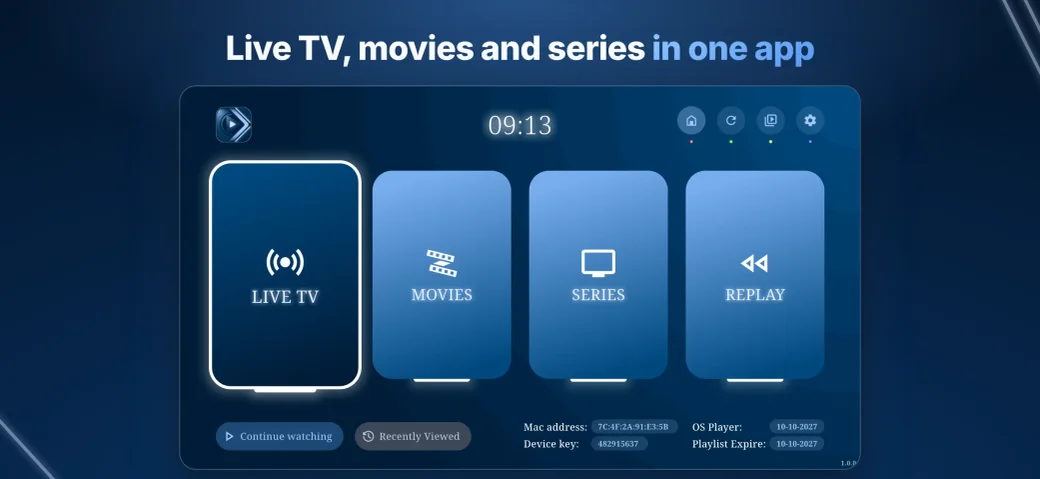
LIVE TV
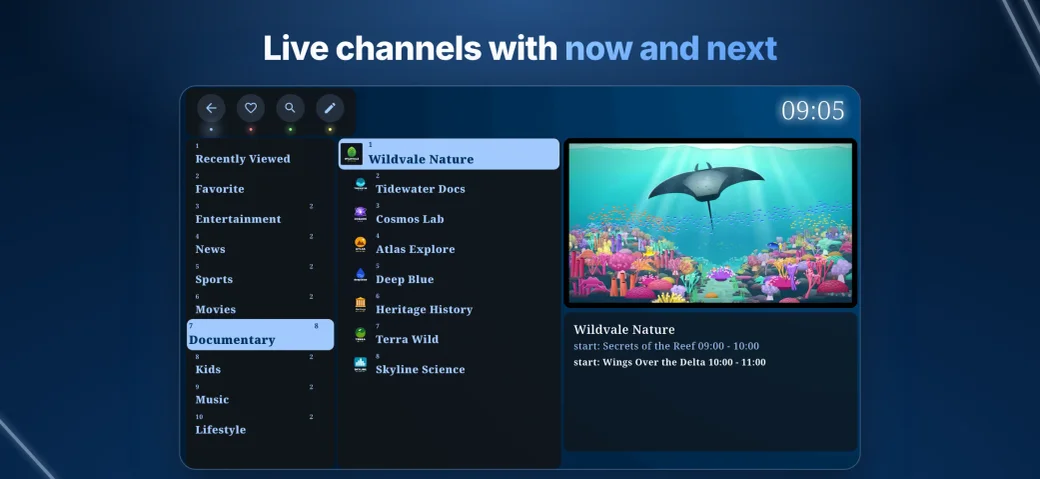
• Channel groups with numbers, Favorites and Recently Viewed
• A small live preview keeps playing while you browse the channel list
• Now and next program info wherever your provider supplies an EPG
• Swipe up or down on the picture to change channel
• Replay: watch past programs on channels that offer catch-up
• Search channels by name across every group
MOVIES AND SERIES
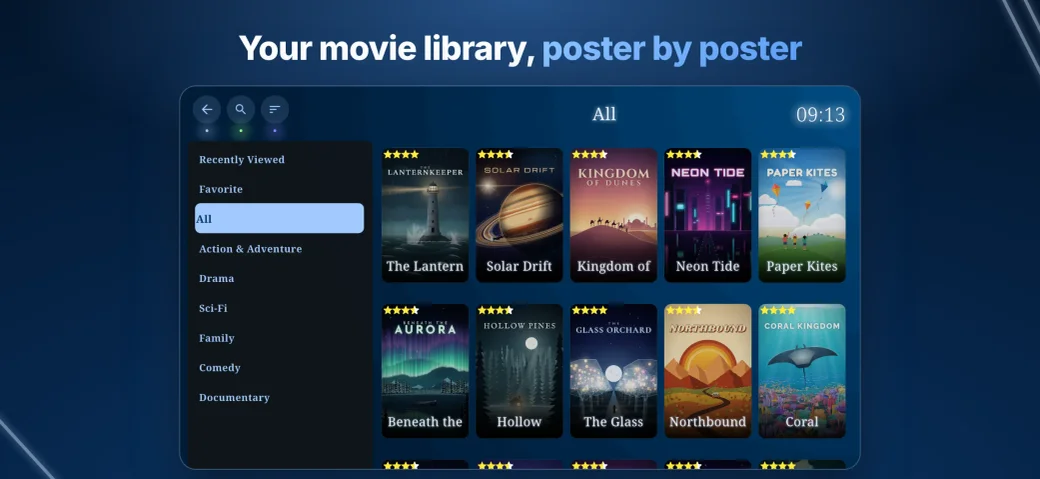
• Poster wall with categories, search and five sort orders
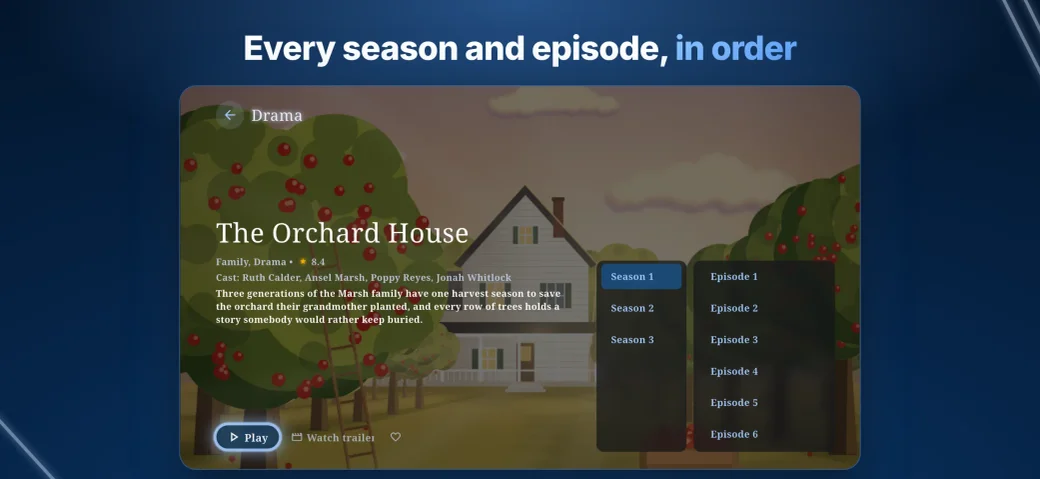
• Details page with plot, cast, genre and rating
• Seasons and episodes in order, with progress on each episode
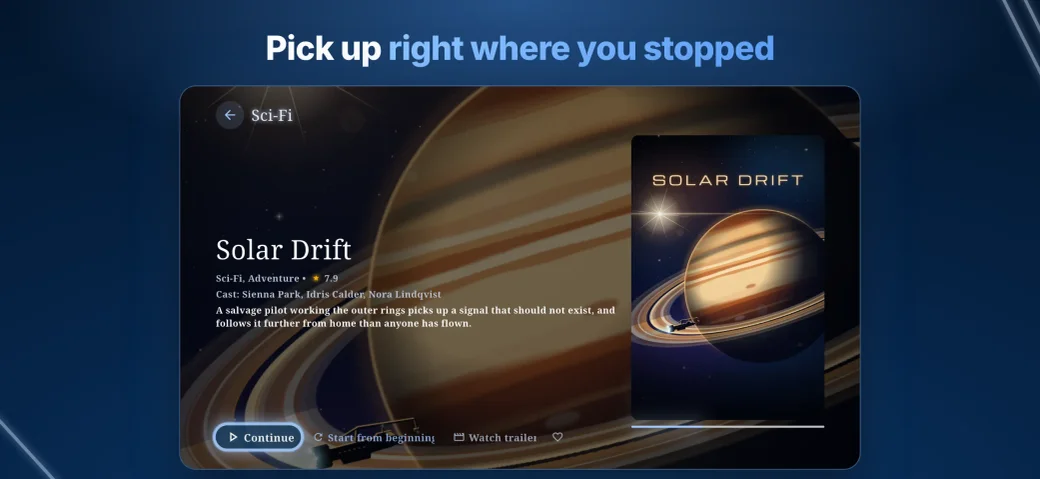
• Continue watching picks up exactly where you stopped
• Trailers where your provider includes them
PLAYBACK
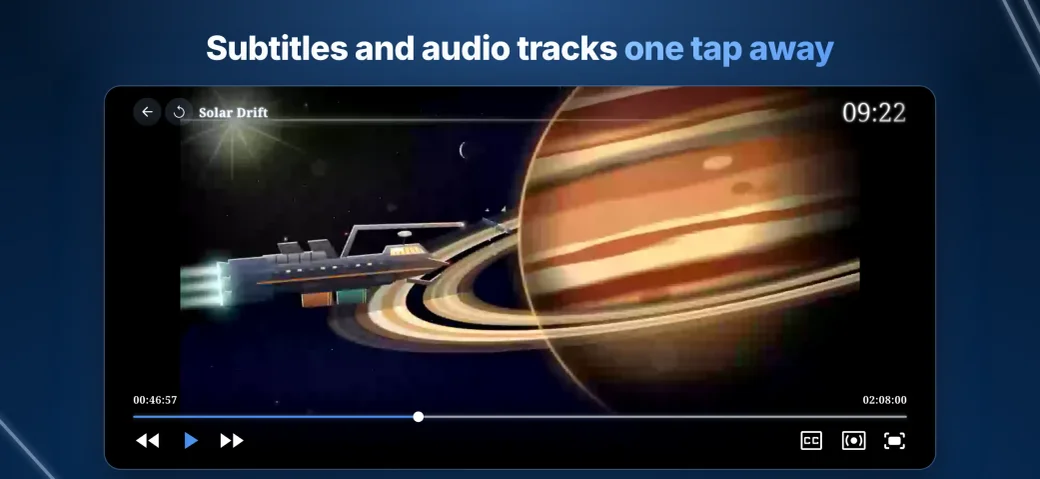
• Choose the subtitle and audio track on movies and episodes
• Eight subtitle sizes and six colors
• Pinch or tap to switch between fit, fill and stretch
• Double-tap to skip back or forward
• Plays AC-3, E-AC-3, FLAC and Opus audio
MAKE IT YOURS
• Keep several playlists on one device and switch between them
• Parental control: lock channels, channel groups and Settings behind a PIN
• Reorder channels and hide the categories you never use
• Watch history per section that you can turn off or clear
• Choose what loads at startup
• 16 interface languages: English, Arabic, French, German, Hindi, Italian, Persian, Polish, Portuguese, Punjabi, Romanian, Russian, Spanish, Swedish, Turkish and Ukrainian
GETTING STARTED
1. Open OSPlayer. It shows a device ID and a device key.
2. Go to www.osplayer.com, enter those two details and add your M3U link or Xtream Codes login.
3. Tap Reload in OSPlayer and your playlist is ready.
There is no account to create inside the app.
REQUIREMENTS
iPhone or iPad with iOS 13 or later. OSPlayer runs in landscape. You need an internet connection and a playlist of your own.
PLEASE NOTE
OSPlayer is a media player only. It contains no content, provides no playlists and is not affiliated with any content or channel provider. Only play streams you have the right to watch. Channel names, programs and artwork shown in the screenshots are fictional and for illustration only.
Questions or feedback: info@osplayer.com
What’s new
Version 1.0.2 · Oct 7, 2026
After a few days of watching, OSPlayer may ask you to rate it on the App Store. It asks rarely, and only when you are back on the home screen. The home screen now shows the correct version number.
App privacy
What Marwan Sibaa declares on the App Store about how this app handles data.
-
Data not collected
The developer does not collect any data from this app.
Privacy practices may vary, for example with the features you use or your age.
Information
- Seller
- Marwan Sibaa
- Category
- Entertainment
- Version
- 1.0.2
- Updated
- Oct 7, 2026
- Released
- Sep 24, 2026
- Size
- 64.2 MB
- Requires
- iOS 13.0 or later
- Age rating
- 4+
- Price
- Free
- Languages
- English
- Copyright
- © 2026 OSPlayer — All rights reserved.
You might also like
-
 LTO Smart IPTV PlayerM3u, Xtream Code, Live Stream
-
 eKoPlayer: IPTV Player & M3UXtream, EPG & Live TV Guide
-
 AuraTV: IPTV Player & AIM3U, Xtream, Multiview, No Ads
-
 Astra IPTV: M3U & M3U8 PlayerXtream, Live TV & TV Guide
-
 VixioTV - IPTV & M3U PlayerXtream & M3U: Live TV, VOD
-
 IPTV Smart Pro PlayerPlayer for your IPTV source
-
 Vivimate Pro : IPTV PlayerPremium IPTV Stream Player
-
 RunTV - IPTV Player & RemoteM3U & Xtream multiview, no ads
-
 AREZTV IPTV Media PlayerM3U & Xtream Live TV Streaming
-
 Xtream-Masters IPTV PlayerMedia Player for M3U & Video