
OSPlayer: IPTV Player
M3U & Xtream, live TV and EPG
iPhone, iPad, Mac, iPod touch向けに設計
無料
- 対象年齢4+
- カテゴリエンターテインメント
- 開発元Marwan Sibaa
- 言語英語
- サイズ64.2 MB
App Storeの公式ページにリンクしています
Download.orgはOSPlayer: IPTV Playerのファイルを一切ホストしていません。ボタンを押すと、Marwan Sibaaが公開しているApp Storeのアプリページが開きます。ページの最終確認:2026/11/13。
スクリーンショット


概要
開発元はこのテキストをお使いの言語で提供していません。
OSPlayer is a clean, fast video player for iPhone and iPad. Add the M3U link or Xtream Codes login you already have, and your live channels, movies and series are laid out in one app, ready to browse with a tap.
OSPlayer does not include any channels, playlists or media. You need your own playlist from a provider you are authorized to use.
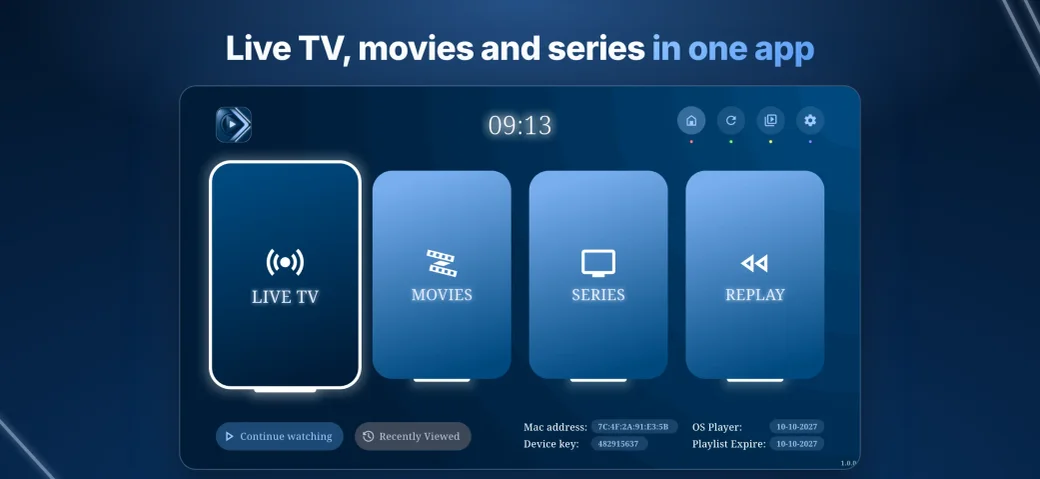
LIVE TV
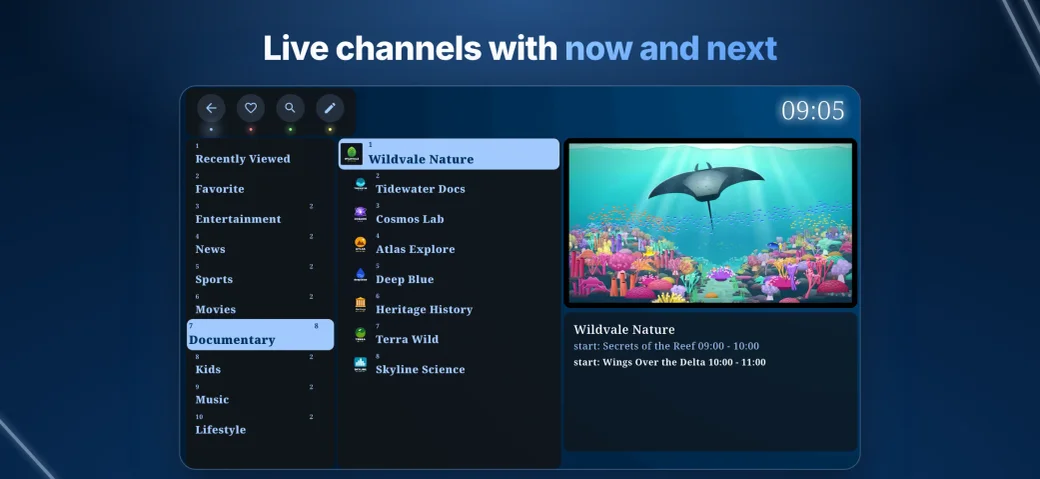
• Channel groups with numbers, Favorites and Recently Viewed
• A small live preview keeps playing while you browse the channel list
• Now and next program info wherever your provider supplies an EPG
• Swipe up or down on the picture to change channel
• Replay: watch past programs on channels that offer catch-up
• Search channels by name across every group
MOVIES AND SERIES
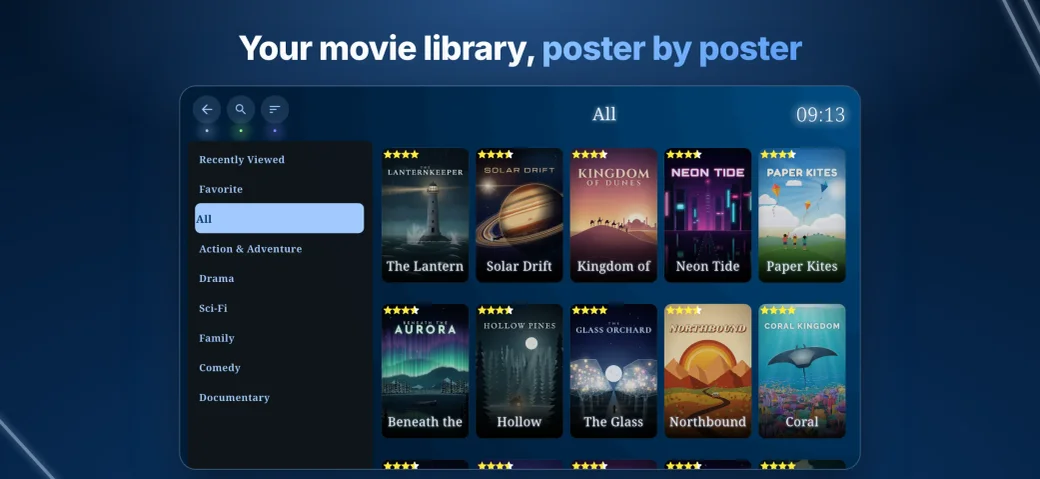
• Poster wall with categories, search and five sort orders
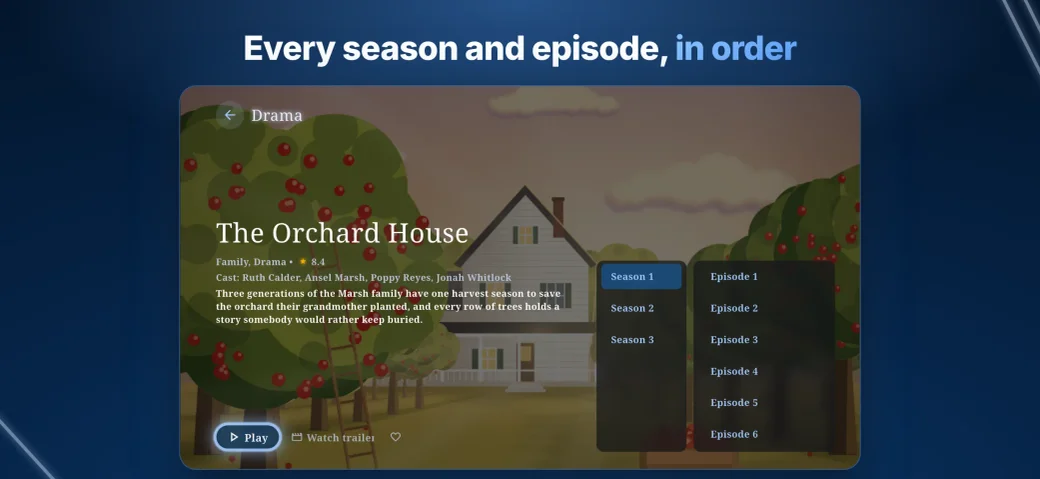
• Details page with plot, cast, genre and rating
• Seasons and episodes in order, with progress on each episode
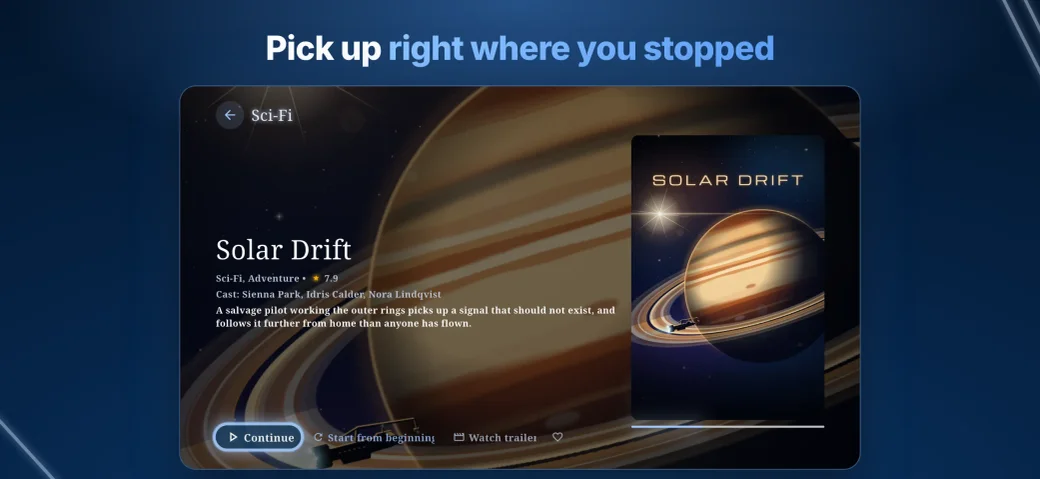
• Continue watching picks up exactly where you stopped
• Trailers where your provider includes them
PLAYBACK
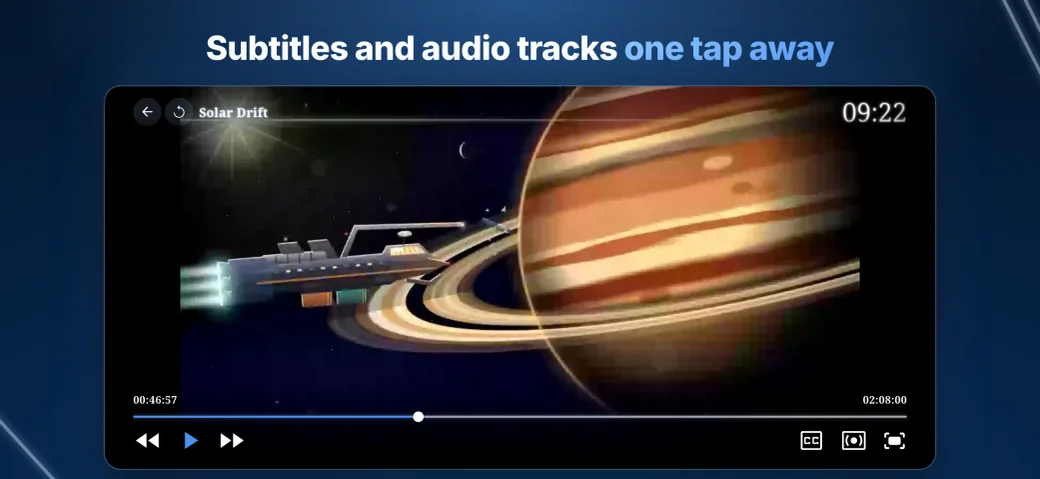
• Choose the subtitle and audio track on movies and episodes
• Eight subtitle sizes and six colors
• Pinch or tap to switch between fit, fill and stretch
• Double-tap to skip back or forward
• Plays AC-3, E-AC-3, FLAC and Opus audio
MAKE IT YOURS
• Keep several playlists on one device and switch between them
• Parental control: lock channels, channel groups and Settings behind a PIN
• Reorder channels and hide the categories you never use
• Watch history per section that you can turn off or clear
• Choose what loads at startup
• 16 interface languages: English, Arabic, French, German, Hindi, Italian, Persian, Polish, Portuguese, Punjabi, Romanian, Russian, Spanish, Swedish, Turkish and Ukrainian
GETTING STARTED
1. Open OSPlayer. It shows a device ID and a device key.
2. Go to www.osplayer.com, enter those two details and add your M3U link or Xtream Codes login.
3. Tap Reload in OSPlayer and your playlist is ready.
There is no account to create inside the app.
REQUIREMENTS
iPhone or iPad with iOS 13 or later. OSPlayer runs in landscape. You need an internet connection and a playlist of your own.
PLEASE NOTE
OSPlayer is a media player only. It contains no content, provides no playlists and is not affiliated with any content or channel provider. Only play streams you have the right to watch. Channel names, programs and artwork shown in the screenshots are fictional and for illustration only.
Questions or feedback: info@osplayer.com
新機能
バージョン 1.0.2 · 2026/10/7
After a few days of watching, OSPlayer may ask you to rate it on the App Store. It asks rarely, and only when you are back on the home screen. The home screen now shows the correct version number.
アプリのプライバシー
このアプリのデータの取り扱いについて、Marwan SibaaがApp Storeで申告している内容です。
-
データの収集なし
開発元はこのアプリからデータを収集しません。
プライバシーの取り扱いは、ご利用の機能やお客様の年齢などに応じて異なる場合があります。
情報
- 販売元
- Marwan Sibaa
- カテゴリ
- エンターテインメント
- バージョン
- 1.0.2
- 更新日
- 2026/10/7
- リリース
- 2026/9/24
- サイズ
- 64.2 MB
- 必要条件
- iOS 13.0以降
- 対象年齢
- 4+
- 価格
- 無料
- 言語
- 英語
- 著作権
- © 2026 OSPlayer — All rights reserved.
こちらもおすすめ
-
 LTO Smart IPTV Playerエンターテインメント
-
 eKoPlayer: IPTV Player & M3Uエンターテインメント
-
 AuraTV: IPTV Player & AIエンターテインメント
-
 Astra IPTV: M3U & M3U8 Playerエンターテインメント
-
 VixioTV - IPTV & M3U Playerエンターテインメント
-
 IPTV Smart Pro Playerエンターテインメント
-
 Vivimate IPTV Pro Playerエンターテインメント
-
 RunTV - IPTV Player & Remoteエンターテインメント
-
 AREZTV IPTV Media Playerエンターテインメント
-
 Xtream-Masters IPTV Playerエンターテインメント