
Pad Code AI: Code Editor & IDE
Run Python, C++ & JavaScript
Designed for iPhone, iPad
Free · In-app purchases
- Age rating4+
- CategoryDeveloper Tools
- DeveloperHung Tien Pham
- LanguagesEnglish+ 19 more
- Size95.9 MB
Links to the official App Store page
Download.org hosts no file of Pad Code AI: Code Editor & IDE. The button opens its official App Store page, published by Hung Tien Pham. Listing last checked on Nov 24, 2026.
Screenshots
About
Pad Code AI turns your iPad and iPhone into a complete coding studio: an editor, on-device runtimes, a debugger, a terminal, Git and an AI that builds with you.
VIBE CODING
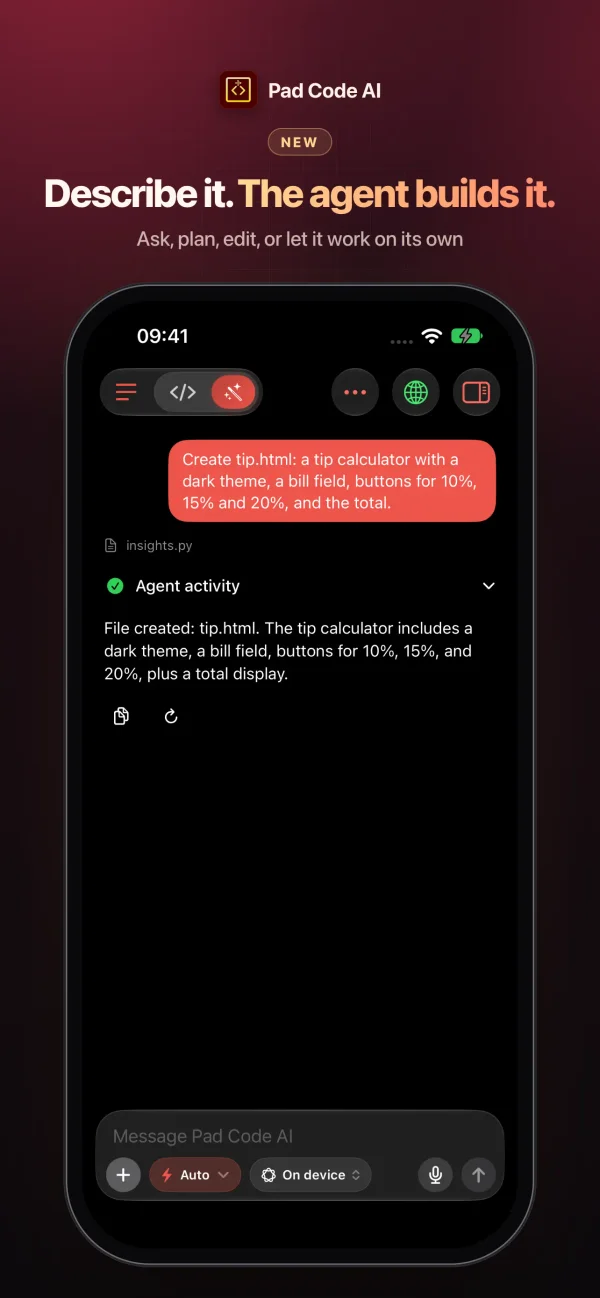
Describe the app or change you want in your own words. The AI plans it, writes the files and can run the code to check its work. Choose how much it may do — Ask, Plan, Edit or Auto — and review or undo every change with before-and-after diffs. It also works as an everyday chat for questions, learning and ideas.
AI YOUR WAY
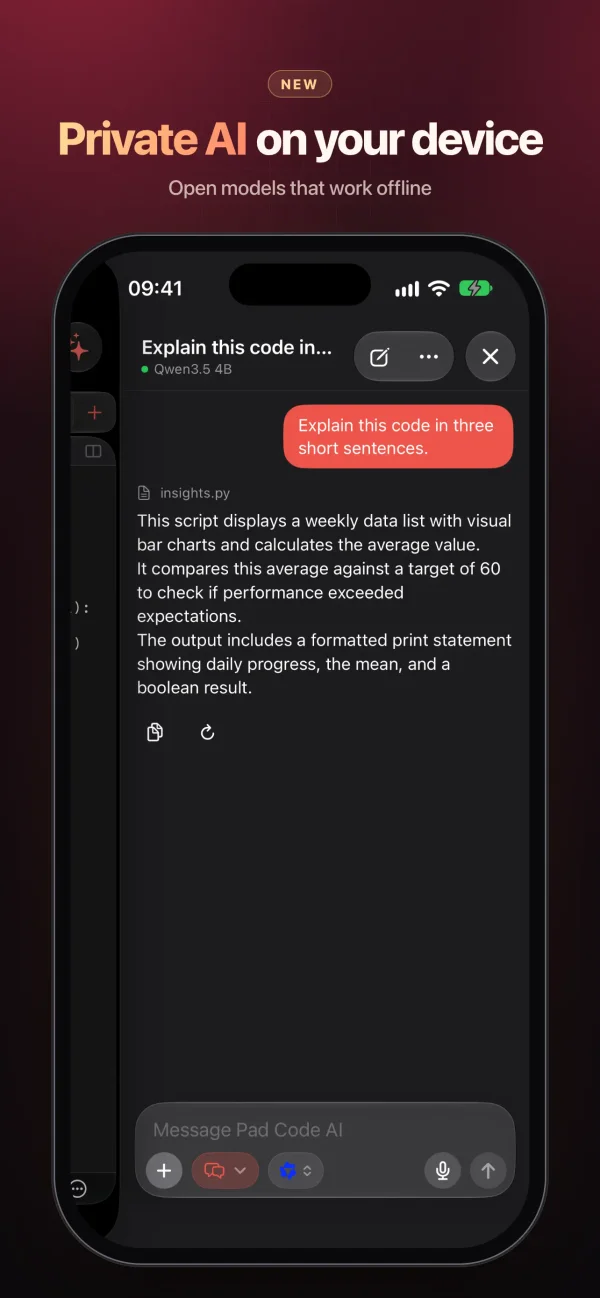
Use Apple Intelligence on supported devices for private, on-device help, including agent tasks. Or connect your own keys for optional third-party providers, save several models and switch in one tap. Attach files, photos and project context; you decide what is shared. You can also download open models such as Qwen and Gemma and use them offline, so nothing leaves your device.
WRITE, RUN AND DEBUG
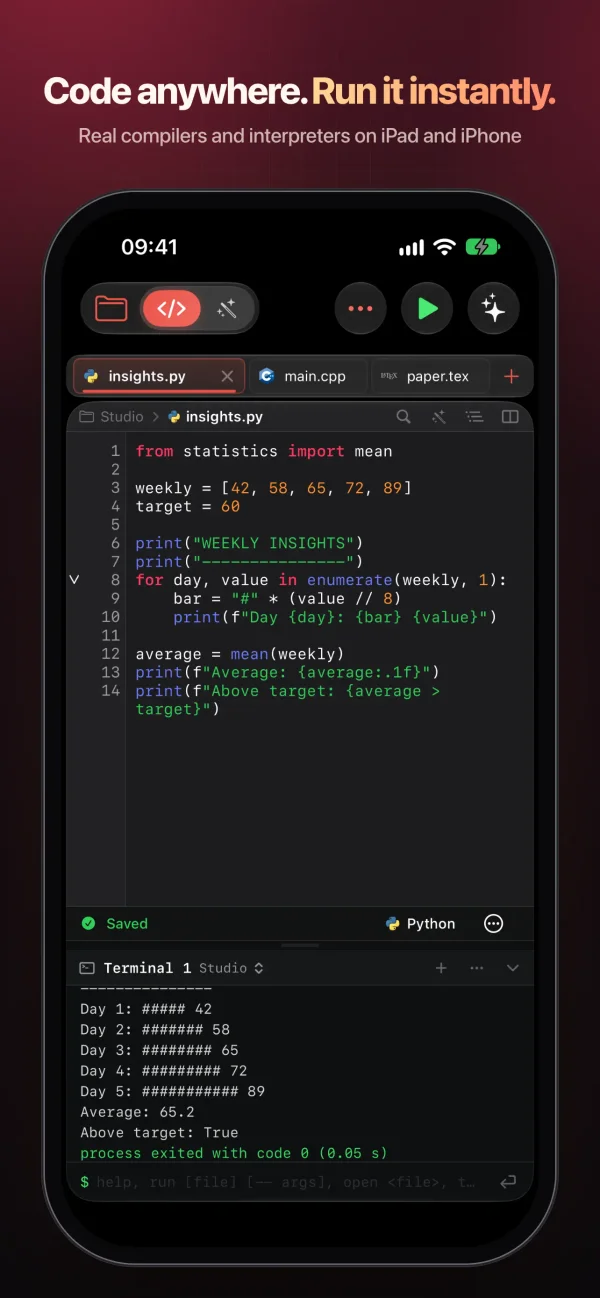
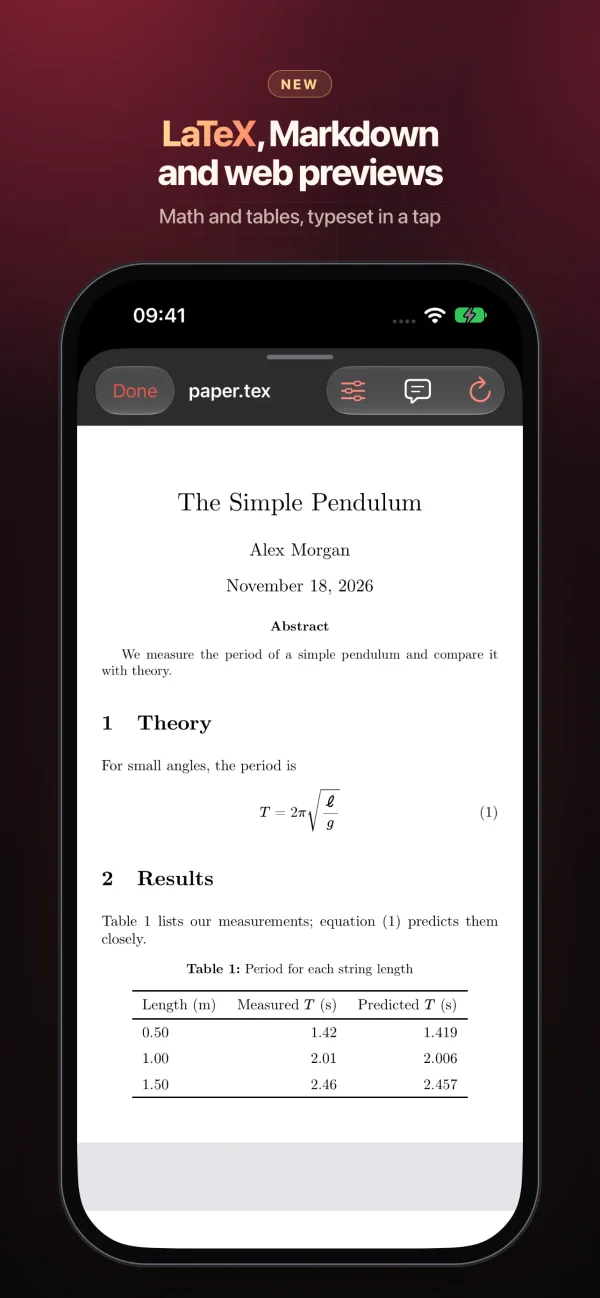
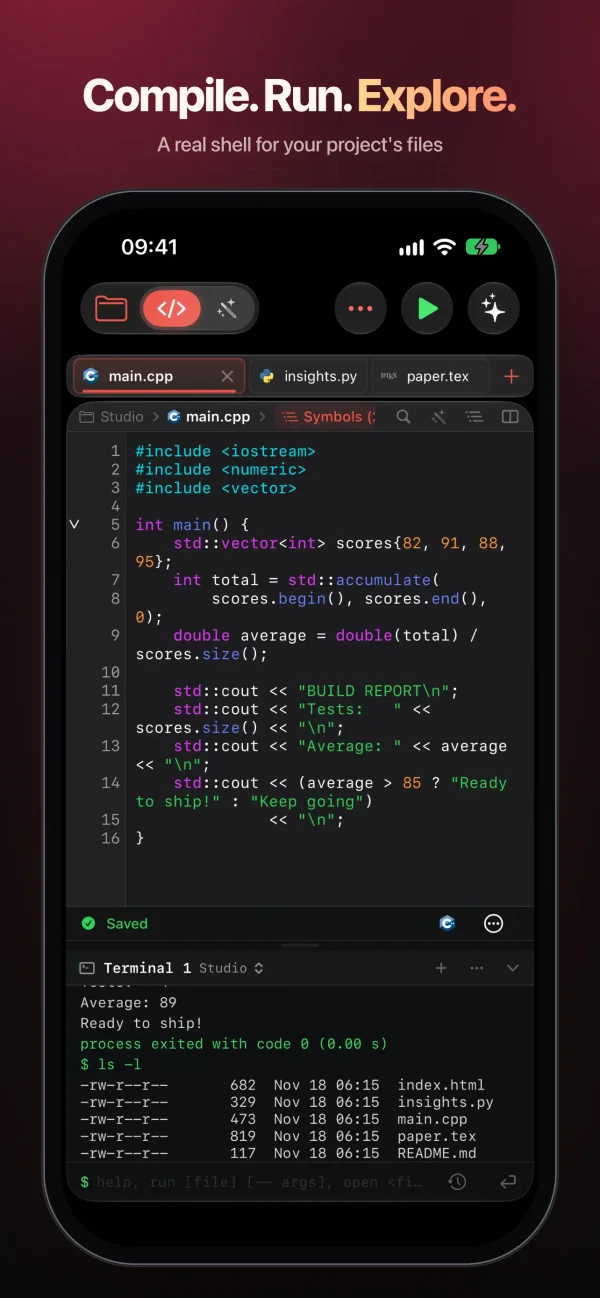
Run C, C++, Python, JavaScript, TypeScript, Ruby, PHP, Lua and SQLite on your device with bundled compilers and interpreters, using input, arguments and project files. Debug Python with breakpoints, conditions, logpoints, watch expressions and Run to Cursor, and open lists, dicts and objects to see what they hold. Files your programs write are listed when they finish, ready to review and save. Plot with matplotlib, use packages such as NumPy and pandas, preview HTML, CSS, JavaScript, Markdown and SVG, typeset LaTeX, and print or save any preview as PDF.
YOUR WORK IS SAFE
A save never silently replaces a change made by another app, window or Git: Pad Code AI asks which version to keep. Your last project reopens with its tabs, split editor and unsaved edits, and server files saved offline upload when the connection is back.
SERVERS AND TERMINAL
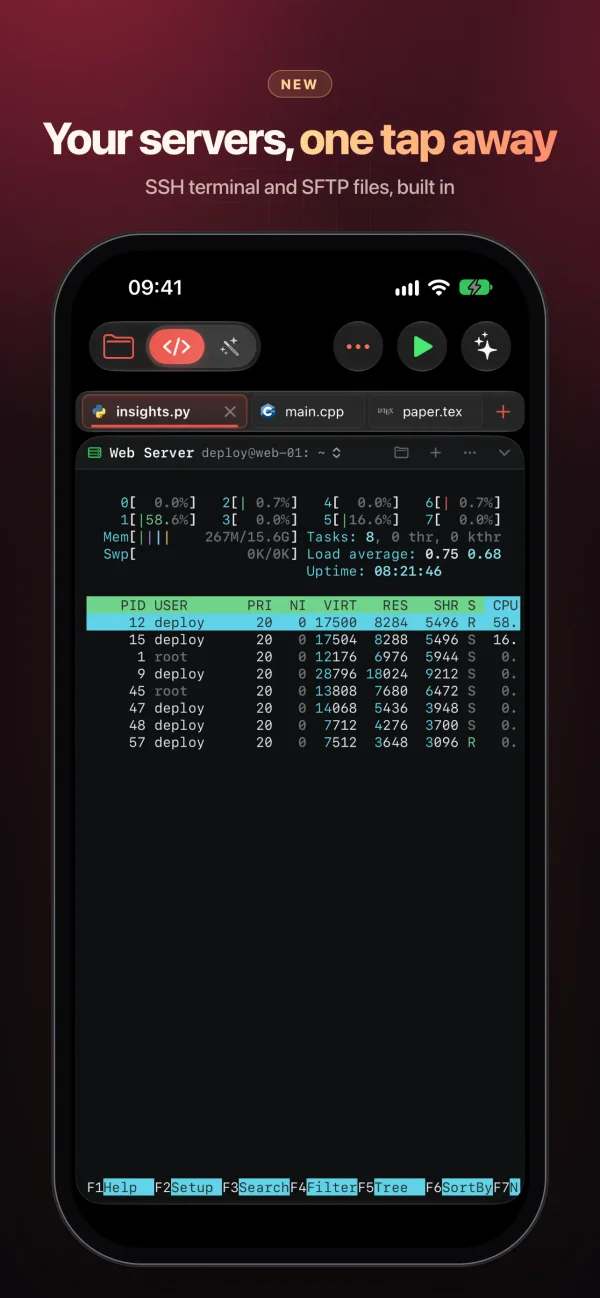
Connect to your servers over SSH with a full terminal — colors, vim, htop and tmux — and browse and edit their files over SFTP. The local terminal is a shell for your project: ls, cd, grep, pipes and redirection, plus python3, node, gcc and npm.
A REAL EDITOR
Syntax highlighting, code completion, go to definition, find references, rename, project-wide search and replace, folding, snippets and a split editor. Images, video, audio and PDF files open in native previews.
GIT BUILT IN
Clone over HTTPS from GitHub, GitLab, Bitbucket and more. Review diffs, commit, branch, stash, push and pull. Sign in to GitHub to browse and clone your repositories, private ones included.
MADE FOR IPAD, GREAT ON IPHONE
Multiple windows, menus and keyboard shortcuts on iPad, and a compact layout that shows more code on iPhone. Open projects from Spotlight, Siri and Shortcuts. Available in 20 languages.
The AI agent and Vibe Coding are free. Try the split editor and project-wide replace free each day; a one-time purchase removes their daily limits.
On-device AI requires a compatible device with Apple Intelligence enabled. Third-party AI requires your own credentials and an internet connection; availability varies by region. Code runs offline; Git, package downloads and remote AI need internet. Swift and other unsupported languages are editing-only. Downloaded models run on supported devices with enough memory and storage.
Support: https://phamhungtien.com/PadCodeAI
What’s new
Version 3.0.0 · Nov 20, 2026
Pad Code AI 3.0 brings a real Python debugger, keeps your work safe and makes the AI agent smarter.
• Debug Python like on a desktop: watch expressions, conditional breakpoints, logpoints that print instead of stopping, Run to Cursor, and variables that open to show what lists, dicts and objects hold.
• Files a program writes, such as a CSV report or a chart, are listed when it ends so you can review them and save them to your project.
• Never lose an edit: if another app, window or Git changed a file while you were editing, Pad Code AI asks which version to keep instead of overwriting it.
• Pick up where you left off: your last project reopens with its tabs, split editor and unsaved edits, even after the app was closed.
• Server files: saves made offline survive closing the app and upload when the server is back. A file changed on the server is never overwritten without asking, and the status bar shows each upload.
• A smarter agent: it lists and searches your whole project and keeps the goal of long conversations in mind.
• Safer skills: skills that come with a downloaded project stay off until you trust them, and private files such as .env and keys are never sent to the AI.
• Clone any of your GitHub repositories, not just the first 100.
• A brighter new app icon.
• npm scripts run from the Dependencies panel, plus many smaller fixes.
App privacy
What Hung Tien Pham declares on the App Store about how this app handles data.
-
Data not collected
The developer does not collect any data from this app.
Privacy practices may vary, for example with the features you use or your age.
Information
- Seller
- Hung Tien Pham
- Category
- Developer Tools
- Version
- 3.0.0
- Updated
- Nov 20, 2026
- Released
- May 30, 2026
- Size
- 95.9 MB
- Requires
- iOS 17.0 or later
- Age rating
- 4+
- Price
- Free
- In-app purchases
- Yes
- Languages
- English, Arabic, Dutch, French, German, Hindi, Indonesian, Italian, Japanese, Korean, Polish, Portuguese + 8 more
- Copyright
- © 2026 Pham Hung Tien. All rights reserved.
You might also like
-
 JSON View : Editor & FormatterView, Edit & Validate JSON
-
 JavaScript IDE & Node.jsScript, Console, Code Editor
-
 PyodiosOffline Python notebook & REPL
-
 Text Editor : Code Editor#1 App Built for Developers
-
 CodePad!Fast code viewer & editor
-
 Syntex - Developer ToolkitJSON · Base64 · UUID · Hash
-
 JWT LensDecode & verify JWTs offline
-
 DeepCode: Code with AIAI Chat for Your Code
-
 Kodo: Code Editor & AI AgentsRun Python & C++ offline · SSH
-
 OctaLabVisual App Prototyping