
- Age rating4+
- CategoryUtilities
- DeveloperF-NET Apps
- LanguagesEnglish+ 1 more
- Size7.7 MB
Links to the official App Store page
Download.org hosts no file of PaD Prax. The button opens its official App Store page, published by F-NET Apps. Listing last checked on Nov 20, 2026.
Screenshots
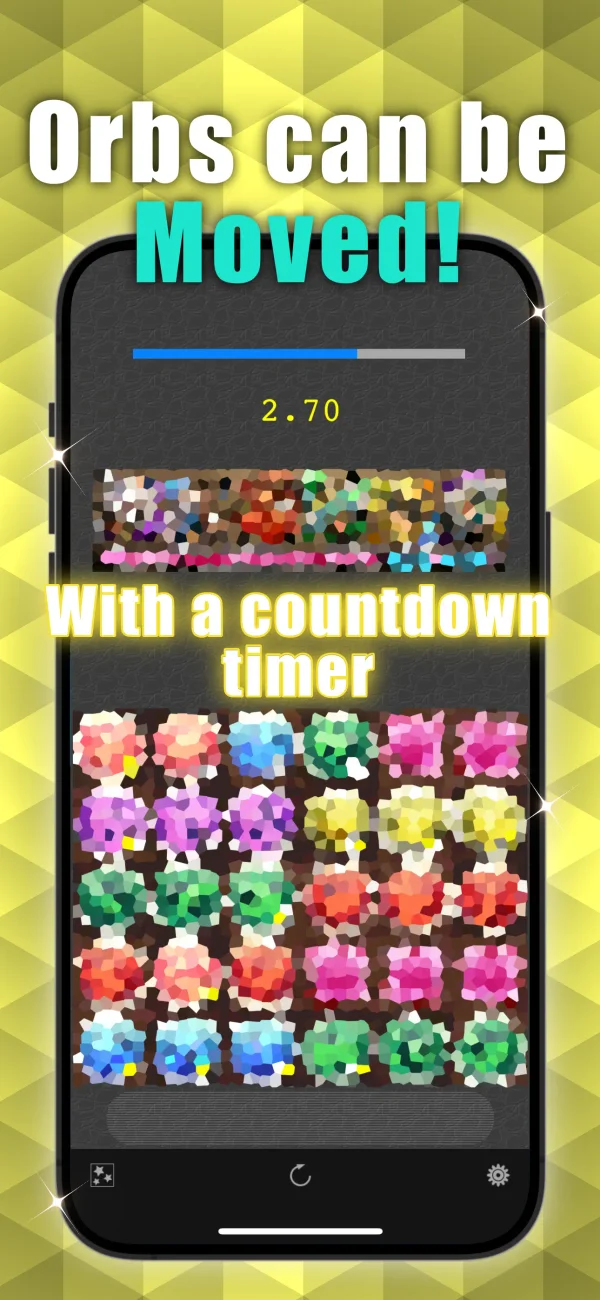
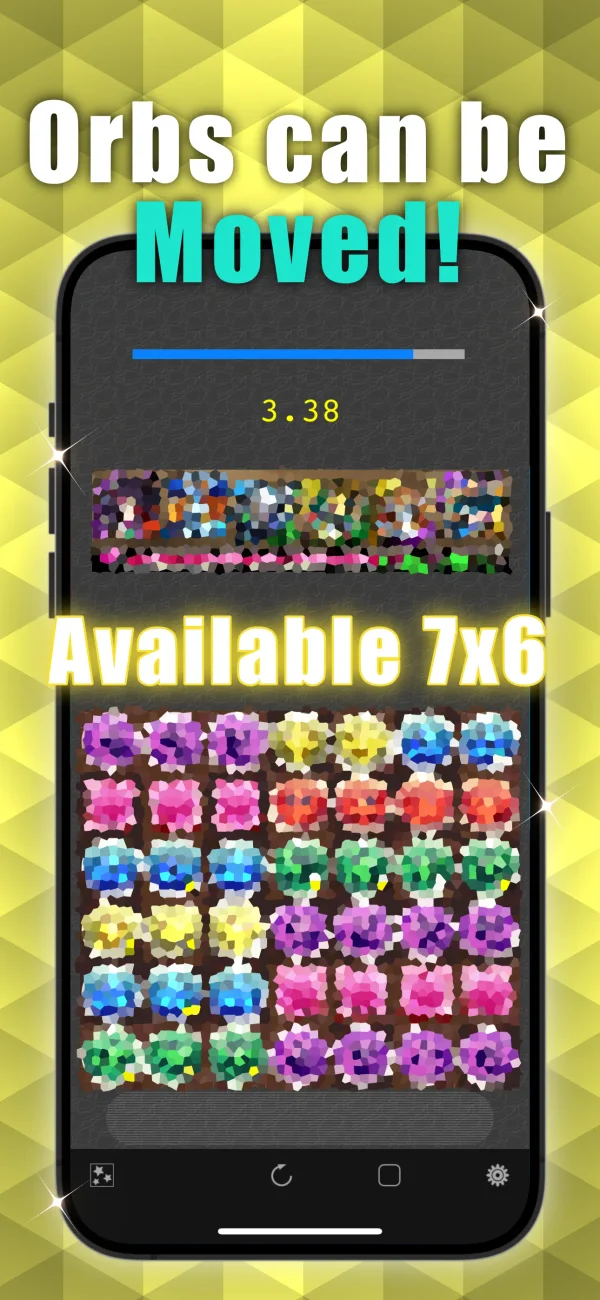
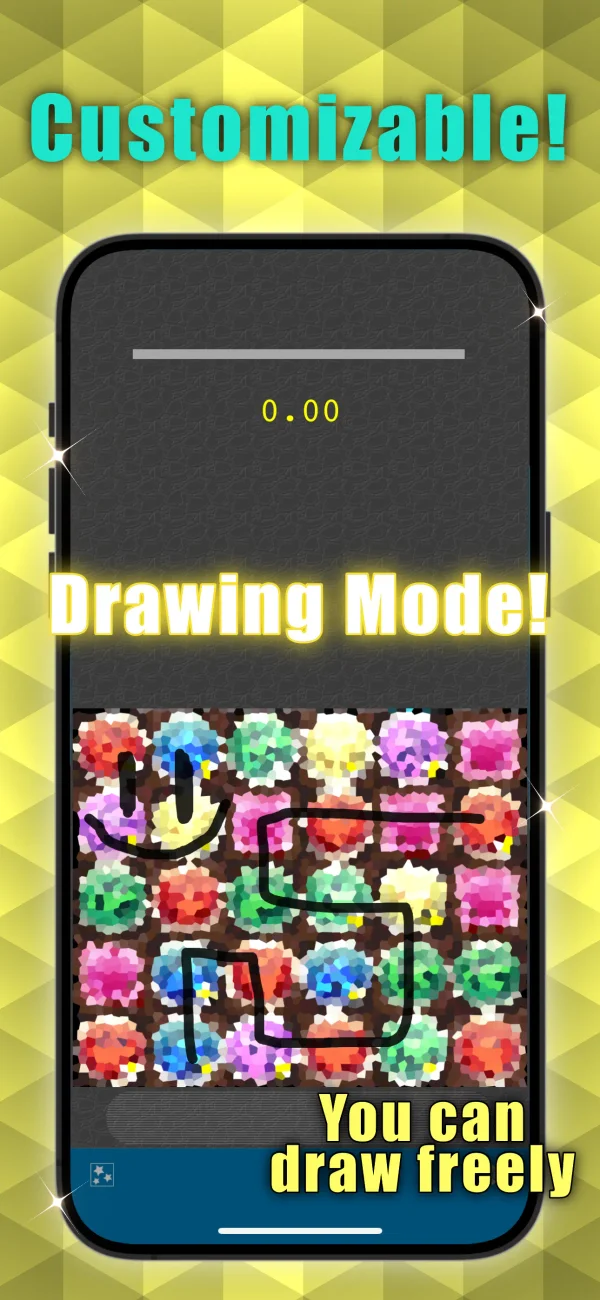


About
Have you played iOS game "Puzzle & Dragons"? This is really useful tool for that!
When you need to think about combos, the app will help you. Such as, you want to do big combos, also must make a success of it on the first time, etc... Anyway this makes your screenshot of battles to recreate orbs for practice.
* This app need a screenshot with "Puzzle & Dragons".
*** Features ***
- Easy to use!
- Quickly recreating orbs!
- Time limit on/off in settings!
- Anytime you can practice!
- Paint mode without moving orbs!
* it does NOT automatically mention to make high combos.
*** how to use it ***
1. When you play PAD, capture a screen shot in dungeon.
2. Start the app, then load the picture which you took it.
3. Quickly just orbs will be set.
4. You can drag them as the original game. Also it can be reset anytime.
*** Tips ***
- If you tap a party image then the original image will be shown.
- Nonstop timer will not stop until entire time even if you left a orb.
- If you tap a timer on main view then the timer will be changed another one.
*** Mode select on toolbar ***
You can use this feature if you turn the Mode Select on in Settings.
It will be changed like...
Normal -> Paint -> Edit -> Normal ->...
*** Paint mode ***
You can paint on orbs if you want. Also the erase feature is the button on center of toolbar.
*** Orb editor ***
Orb color will be changed each time you tap.
If you slide orbs while touch, next orb will change the same color.
The colors are 6 types.
Erase button is the center of toolbar.
*** 6x5 or 7x6 board ***
- Automatically loading.
What’s new
Version 20.0 · Sep 24, 2024
- Changed mode switching button to menu.
- modified some icons.
- Other minor fixes.
App privacy
What F-NET Apps declares on the App Store about how this app handles data.
-
Data used to track you
May be used to track you across apps and websites owned by other companies.
- Location
- Identifiers
- Usage data
- Diagnostics
-
Data linked to you
May be collected and linked to your identity.
- Location
- Identifiers
- Usage data
- Diagnostics
-
Data not linked to you
May be collected but is not linked to your identity.
- Diagnostics
Privacy practices may vary, for example with the features you use or your age.
Information
- Seller
- yukihiro fujita
- Category
- Utilities
- Version
- 20.0
- Updated
- Sep 24, 2024
- Released
- Sep 11, 2013
- Size
- 7.7 MB
- Requires
- iOS 14.0 or later
- Age rating
- 4+
- Price
- Free
- Languages
- English, Japanese
- Copyright
- © 2013 F-NET
You might also like
-
 PDC ダメージ計算Utilities
-
 ぱずこらUtilities
-
 MHWilds Tools Skill SimulatorUtilities
-
 Snap! Damage CalcScan both teams from an image
-
 SV Battle Memories - VGC ToolTeam Builder for Champions
-
 IVs Dex Plus for SV ChampionsIV, Stat & Speed Calculator
-
 Damage Calc Plus for SV ChampsDamage Calculator for Ranked
-
 ダメージ計算CH - ポケモンチャンピオンズ専用Utilities
-
 TimeMelterお気に入りのネットコンテンツを一括管理&視聴!
-
 Tier List Maker: Your RankingsRank Characters, Games & More