PageKit: Merge & Split PDF
Sign, Redact, Batch, Offline
Designed for iPhone, iPad
Free · In-app purchases
- Age rating4+
- CategoryProductivity
- DeveloperAdemola Mayowa Olatunji
- LanguagesEnglish+ 7 more
- Size6.7 MB
Links to the official App Store page
Download.org hosts no file of PageKit: Merge & Split PDF. The button opens its official App Store page, published by Ademola Mayowa Olatunji. Listing last checked on Nov 15, 2026.
Screenshots
About
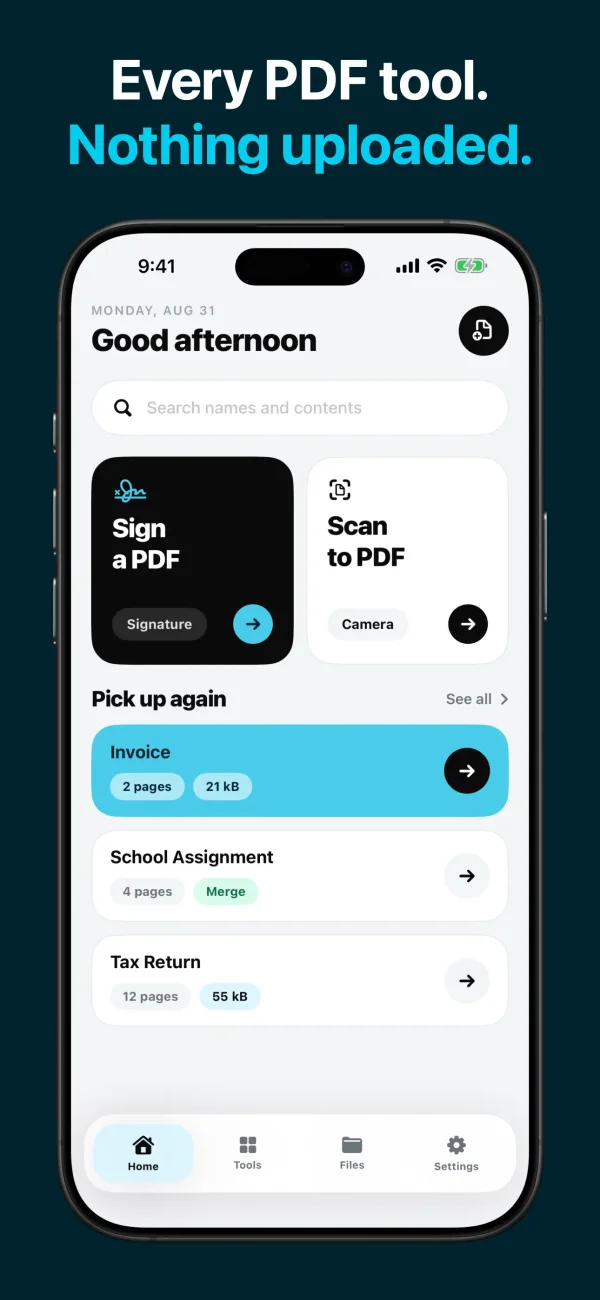
Merge, split, sign, redact and scan PDFs — fifteen tools that run entirely on your iPhone, with no account and no upload.
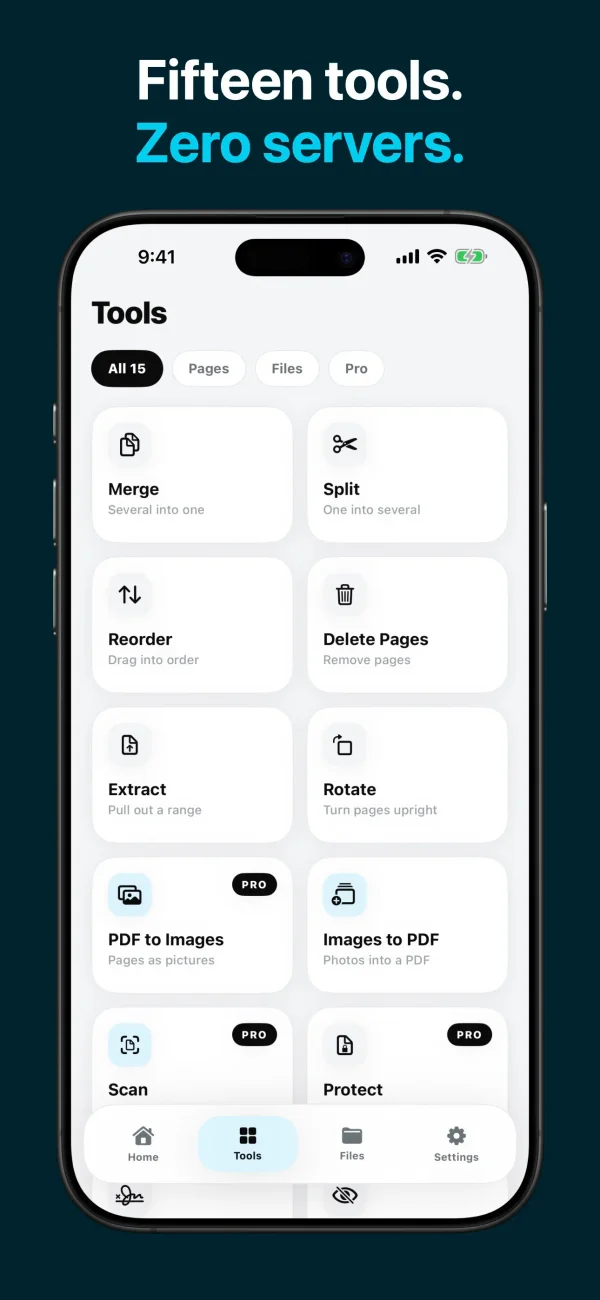
FIFTEEN TOOLS, ALL ON YOUR DEVICE
• Scan to PDF — use the camera to make a cropped, straightened PDF
• Merge PDFs — combine several documents into one
• Split PDF — break one document into several
• Extract Pages — pull a range into its own PDF
• Delete Pages — remove the pages you don't need
• Reorder Pages — drag pages into a new order
• Rotate Pages — turn pages the right way up
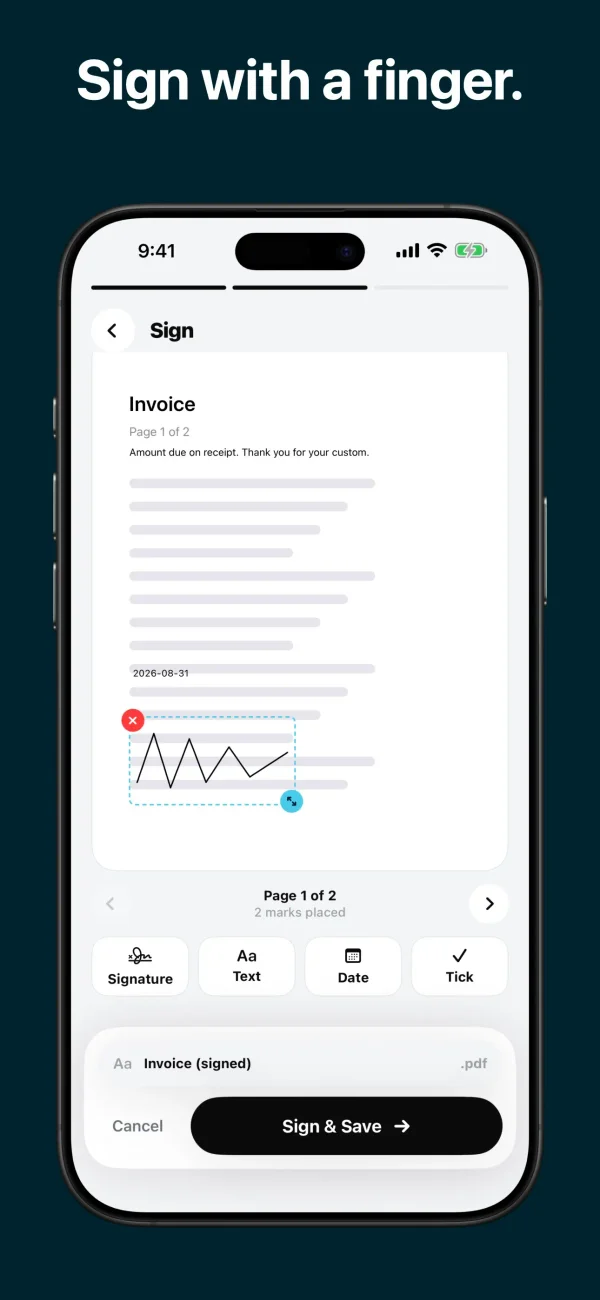
• Sign & Fill — add a signature, a date or a tick
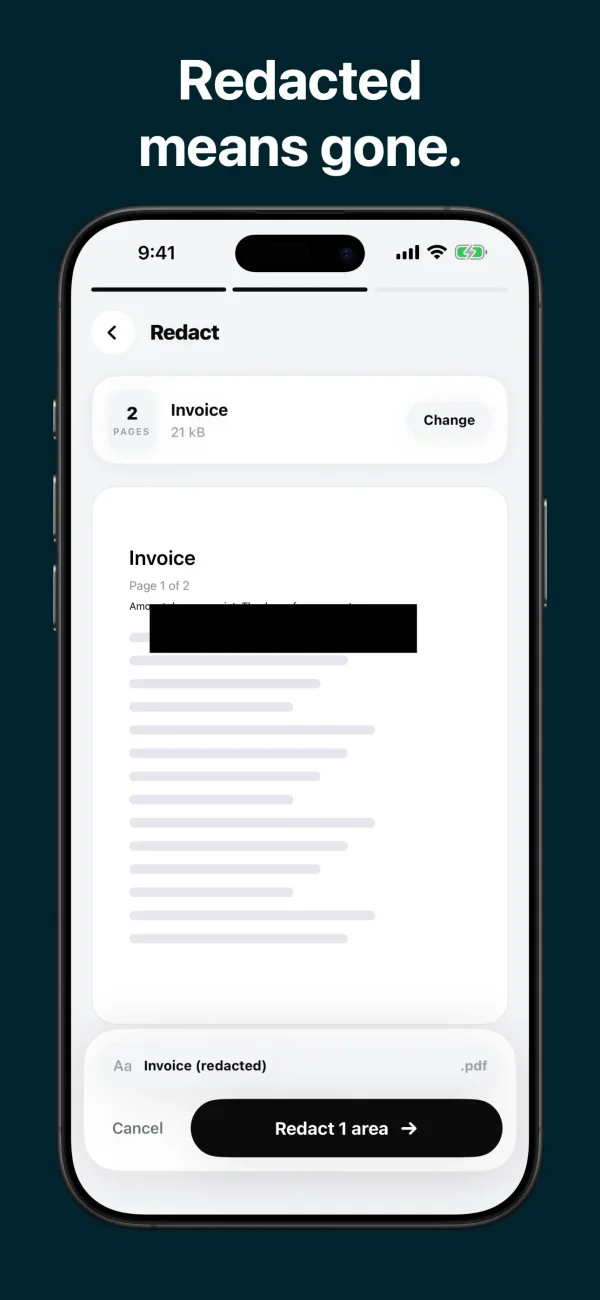
• Redact PDF — black out words so they are really gone
• Protect PDF — add or remove a password
• Clean PDF — strip hidden author and app details
• Make Searchable — find the text inside a scan
• PDF to Images — save pages as JPEG, PNG or HEIC
• Images to PDF — turn photos into a document
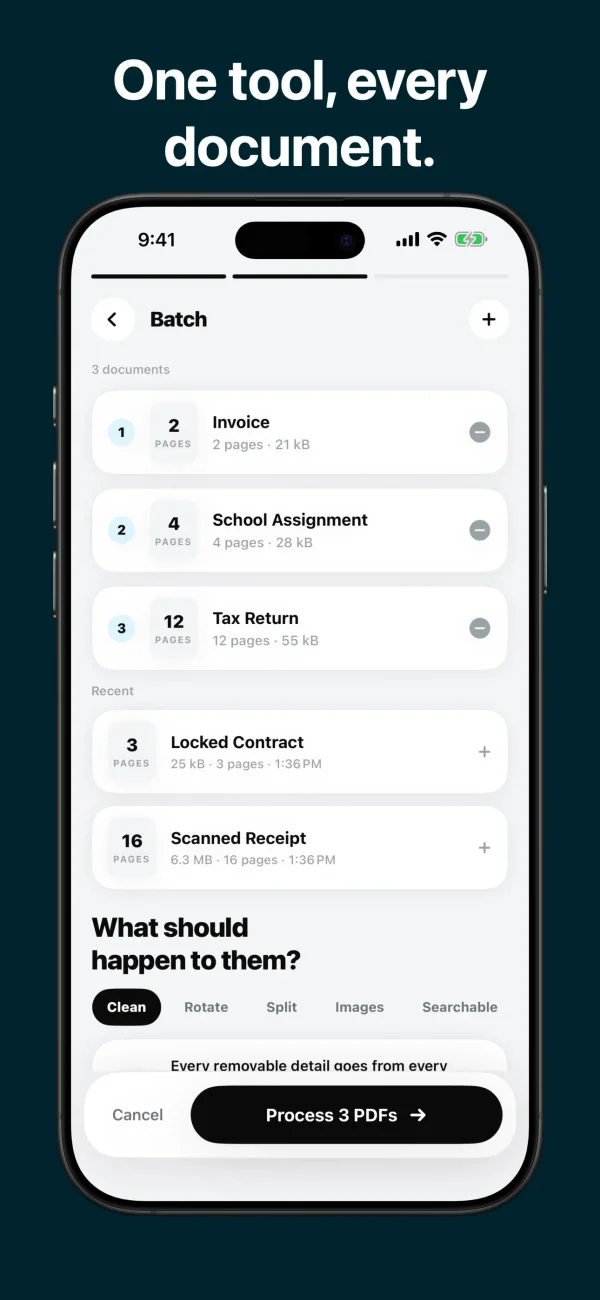
• Batch Process — apply one tool to a whole stack at once
PRIVATE BY CONSTRUCTION
PageKit contains no networking code at all. This is not a promise not to upload your documents — the app has no way to. There are no analytics, no third-party libraries, no tracking, and no identifiers of any kind. Your documents, scans, signatures and passwords stay in the app's own storage on your device.
Redaction genuinely removes the text rather than drawing a black rectangle over it. Cleaning strips the author, creator and keywords that a PDF carries without ever showing you. Every tool writes a new document, so your original is left exactly as it was.
BUILT FOR iOS
• Works offline, always
• Share sheet — send a PDF into PageKit from any app
• Home Screen widgets and a Control Centre scan button
• Shortcuts and Siri for merging, converting and opening tools
• Spotlight — find your documents from the Home Screen, indexed on device and switchable off
• Full VoiceOver and Dynamic Type support
• A proper iPad layout, not a stretched phone
• English, French, German, Italian, Japanese, Portuguese, Simplified Chinese and Spanish
FREE AND PRO
Most of PageKit is free and unlimited. Splitting, extracting, deleting, reordering, rotating, signing, redacting and cleaning have no cap at all. Merging is free up to 3 PDFs at a time, and converting images is free up to 5 at a time.
PageKit Pro removes those limits and unlocks scanning, text recognition, password protection, image export and batch processing.
• PageKit Pro Lifetime; paid once
• PageKit Pro Monthly
Payment is charged to your Apple Account at confirmation of purchase. A monthly subscription renews automatically unless it is cancelled at least 24 hours before the end of the current period; manage or cancel it in your Apple Account settings. The lifetime option is a one-time purchase and never renews.
Privacy Policy: https://olumayhor99.github.io/pagekit-privacy/
Terms of Use (EULA): https://www.apple.com/legal/internet-services/itunes/dev/stdeula/
What’s new
Version 1.03 · Oct 7, 2026
Bug fixes and small improvements.
App privacy
What Ademola Mayowa Olatunji declares on the App Store about how this app handles data.
-
Data not collected
The developer does not collect any data from this app.
Privacy practices may vary, for example with the features you use or your age.
Information
- Seller
- Ademola Mayowa Olatunji
- Category
- Productivity
- Version
- 1.03
- Updated
- Oct 7, 2026
- Released
- Sep 3, 2026
- Size
- 6.7 MB
- Requires
- iOS 17.0 or later
- Age rating
- 4+
- Price
- Free
- In-app purchases
- Yes
- Languages
- English, French, German, Italian, Japanese, Portuguese, Simplified Chinese, Spanish
- Copyright
- © Ademola Olatunji
You might also like
-
 PDF合并拆分助手-PDF工具Productivity
-
 PDF Split & ExtractExtract or split PDF pages
-
 Prompt Note: AI Prompt LibrarySave & reuse ChatGPT templates
-
 HonestPDF: Private PDF ToolsCompress, Redact, Sign Offline
-
 Pdf Craft ToolsFree & Ad-Free PDF Editor
-
 PDF Splitter - Split & ExtractSeparate PDF pages by range
-
 PDF Fixer: Merge & CompressSplit, reorder & organize PDFs
-
 Deed Ace: Daily Tally CounterHabit, Routine & Goal Tracker
-
 Bookil - PDF Library & ReaderReading Made Easier
-
 Feather PDF – Fast PDF ToolsMerge, Split & Compress PDFs