
PDF Splitter - Split & Extract
Separate PDF pages by range
Designed for iPhone, iPad
Free
- Age rating4+
- CategoryProductivity
- DeveloperBokeria
- LanguagesEnglish+ 11 more
- Size14.3 MB
Links to the official App Store page
Download.org hosts no file of PDF Splitter - Split & Extract. The button opens its official App Store page, published by Bokeria. Listing last checked on Nov 14, 2026.
Screenshots

About
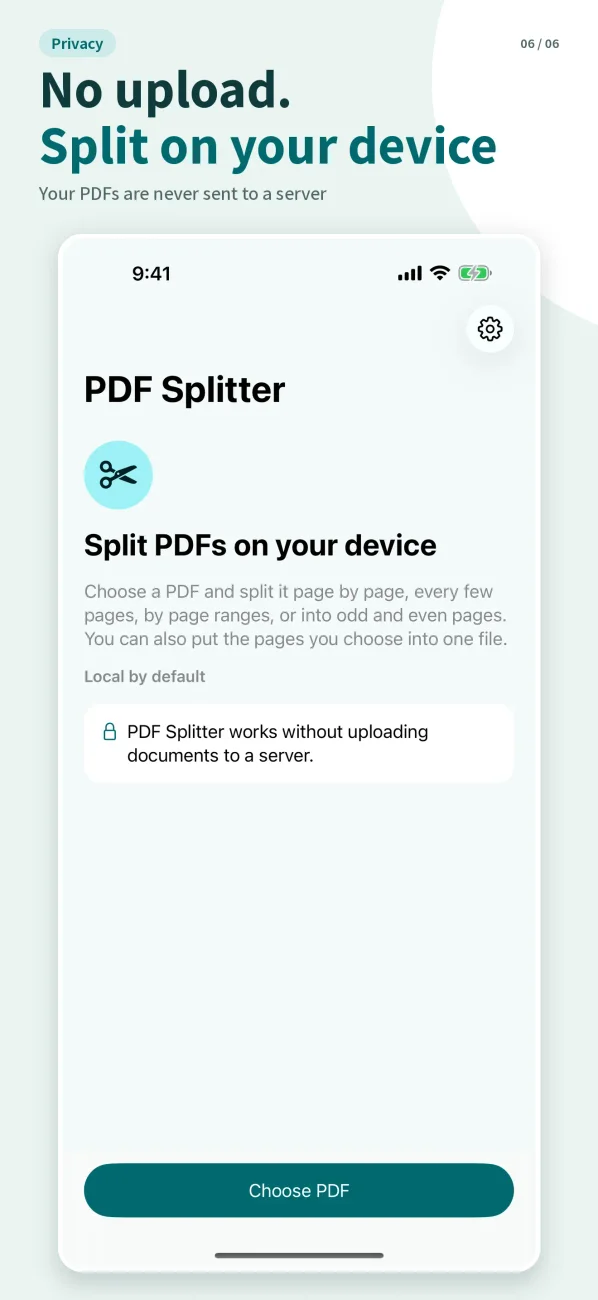
PDF Splitter splits PDF files the way you need and extracts only the pages you want. Your original PDF stays unchanged, and you can share the results as separate PDFs or one ZIP file. Everything runs on your device, and your PDFs are never uploaded to a server.
■ 5 ways to split a PDF
• Every page: separate every page into its own PDF
• Every N pages: split a PDF every 2, 3 or more pages
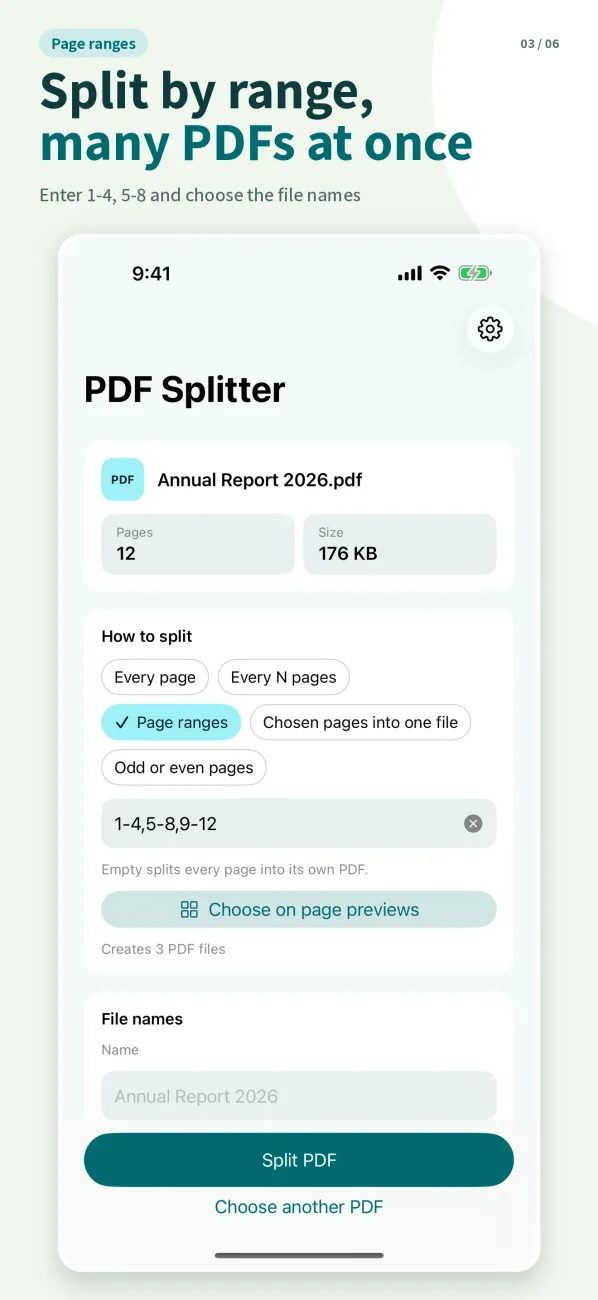
• Page ranges: one PDF for each range, such as 1-4, 5-8
• Chosen pages into one file: extract pages such as 1, 3, 7-9 and save them as one PDF
• Odd or even pages: odd pages only, even pages only, or both as two files
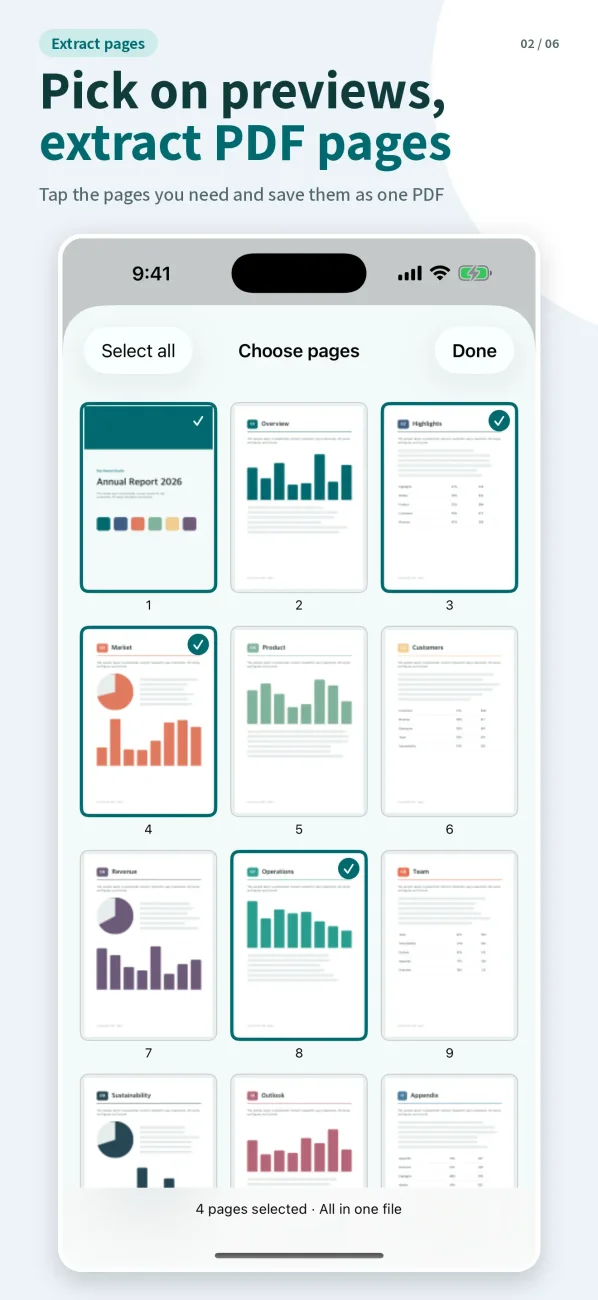
■ Pick pages on previews
Tap page thumbnails to choose pages, and the ranges are filled in for you. Quickly extract the pages you need from scans and reports.
■ File naming
Set the start of the file names and number them by page (pages-001-004) or in order (part-01). An example name is shown before you split.
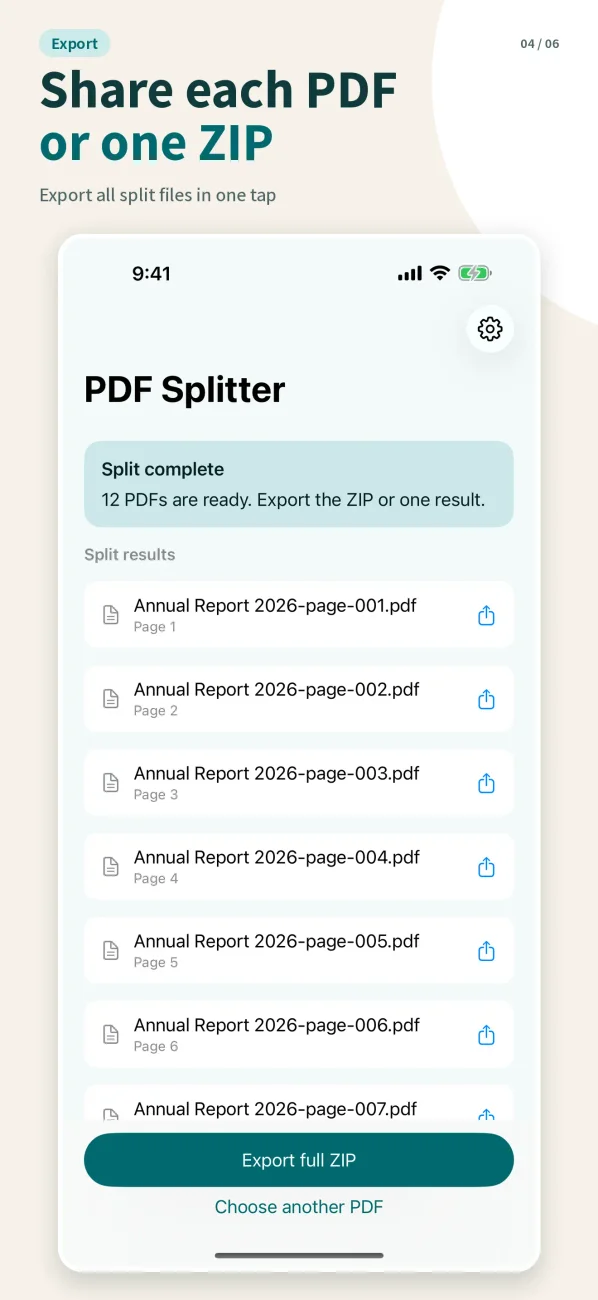
■ Share and export
Share split PDFs one by one or export them all as a ZIP file. You can also open a PDF from another app and split it right away.
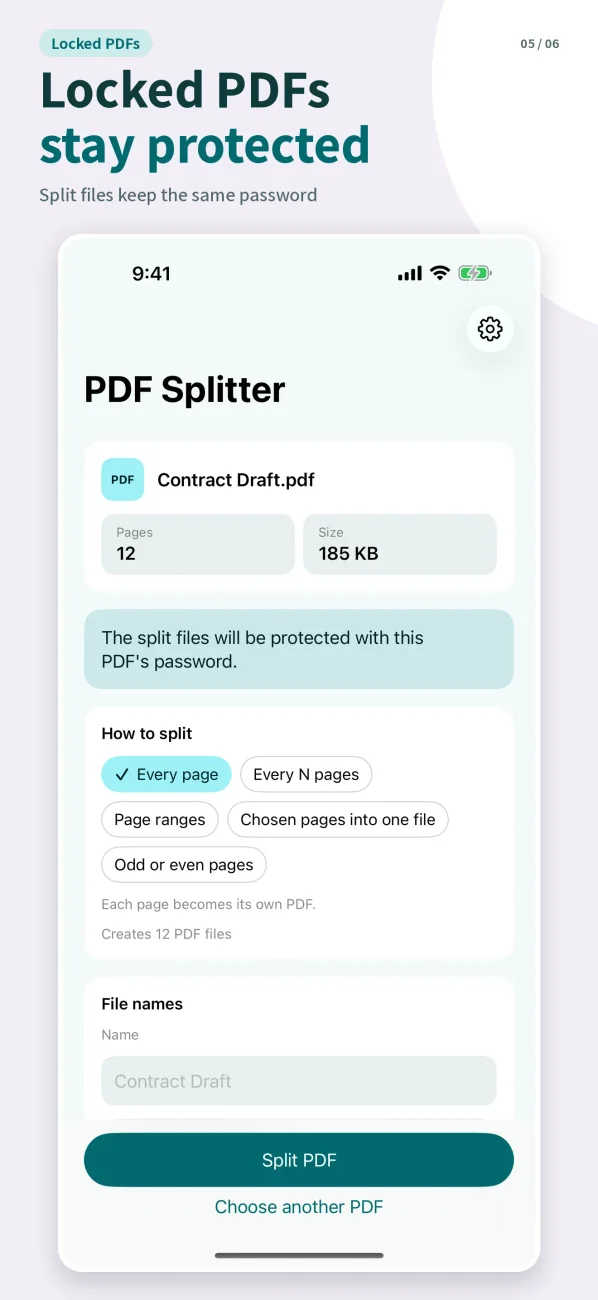
■ Password-protected PDFs
Enter the password to open a locked PDF, and the split files keep the same password. The password is not saved.
■ Privacy
PDF contents, file names and passwords are not sent to a server. Ads and optional usage statistics and diagnostics may communicate online as described in the privacy policy, and you can turn usage statistics and diagnostics off in Settings.
Large or complex documents may take longer, and some PDFs may not be supported.
What’s new
Version 2.0.0 · Nov 10, 2026
PDF Splitter 2.0 is rebuilt for Android and iPhone.
• Five ways to split: every page, every N pages, page ranges, chosen pages into one file, or odd and even pages
• Pick pages from page previews
• Choose the file name and numbering
• Turn usage statistics and diagnostics on or off in Settings
App privacy
What Bokeria declares on the App Store about how this app handles data.
-
Data linked to you
May be collected and linked to your identity.
- Location
- Identifiers
- Usage data
-
Data not linked to you
May be collected but is not linked to your identity.
- Diagnostics
Privacy practices may vary, for example with the features you use or your age.
Information
- Seller
- Bokeria
- Category
- Productivity
- Version
- 2.0.0
- Updated
- Nov 10, 2026
- Released
- Jun 30, 2026
- Size
- 14.3 MB
- Requires
- iOS 17.0 or later
- Age rating
- 4+
- Price
- Free
- Languages
- English, French, German, Hindi, Indonesian, Japanese, Korean, Portuguese, Simplified Chinese, Spanish, Traditional Chinese, Vietnamese
- Copyright
- © 2026 Bokeria Studio
You might also like
-
 PDF Splitter by OpenSquareExtract Pages from PDF
-
 Split PDF: Extract PagesDivide & Organise PDFs Easily.
-
 SplitPDF -iReadPDFDivide PDFs into files
-
 Split PDF - Extract PDF Pages,Merge, Compress & Convert Pdfs
-
 PDF Splitter 2025Fast & Easy PDF Splitting
-
 PDF Merger: Combine & SplitAI PDF Editor, Scan & Compress
-
 Pagimio: Two-Sided PrintingDuplex PDFs on simple printers
-
 Scan & Organize: PDF ScanScan docs, receipts, expenses
-
 Split & Merge PDFSplit, merge, reorder PDFs.
-
 PageKit: Merge & Split PDFSign, Redact, Batch, Offline