
- Age rating4+
- CategoryFood & Drink
- DeveloperPhilip Corlatan
- LanguagesGerman+ 1 more
- Size35.0 MB
Links to the official App Store page
Download.org hosts no file of Pantr. The button opens its official App Store page, published by Philip Corlatan. Listing last checked on Nov 12, 2026.
Screenshots



About
Pantr connects your recipes, your shopping list and your pantry into one loop: plan a recipe, its ingredients land on your shopping list, whatever you tick off moves into your pantry – and the next time you cook you can see at a glance what you already have. Everything syncs via iCloud, shared with your household, in a minimalist, native design.
Pantry
• Track what you have, with quantity, package size and fill level
• Items ticked off your shopping list move into the pantry automatically
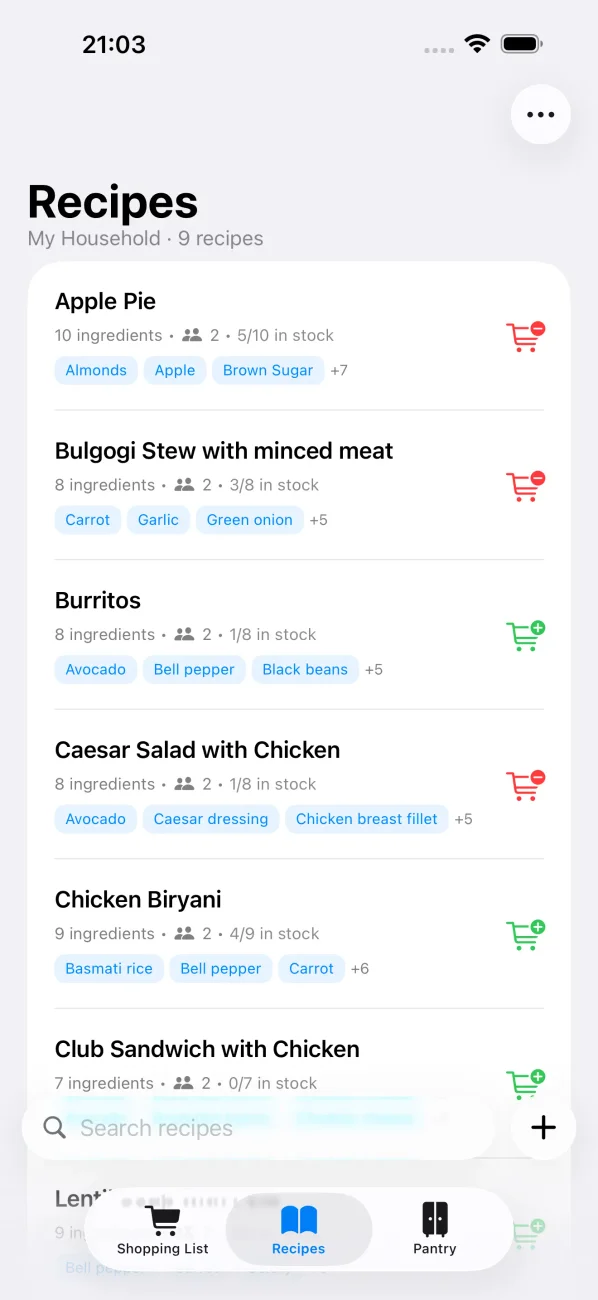
• Recipes show how many of their ingredients are already in stock
• Adding a recipe to your list skips what you already have
• Cooking updates your pantry automatically – across units, too (500 g from a 1 kg stock)
• Add an expiry date and get reminded in time
• Scan a barcode to fill in the product name
• Get a recipe suggestion based on what's in stock
• Entirely optional: pantry integration can be switched off per household
Manage recipes
• Create and edit recipes manually
• Adjust ingredients, quantities and preparation steps
• Detail view with all ingredients, steps and nutrition
• Import and export recipes as a file
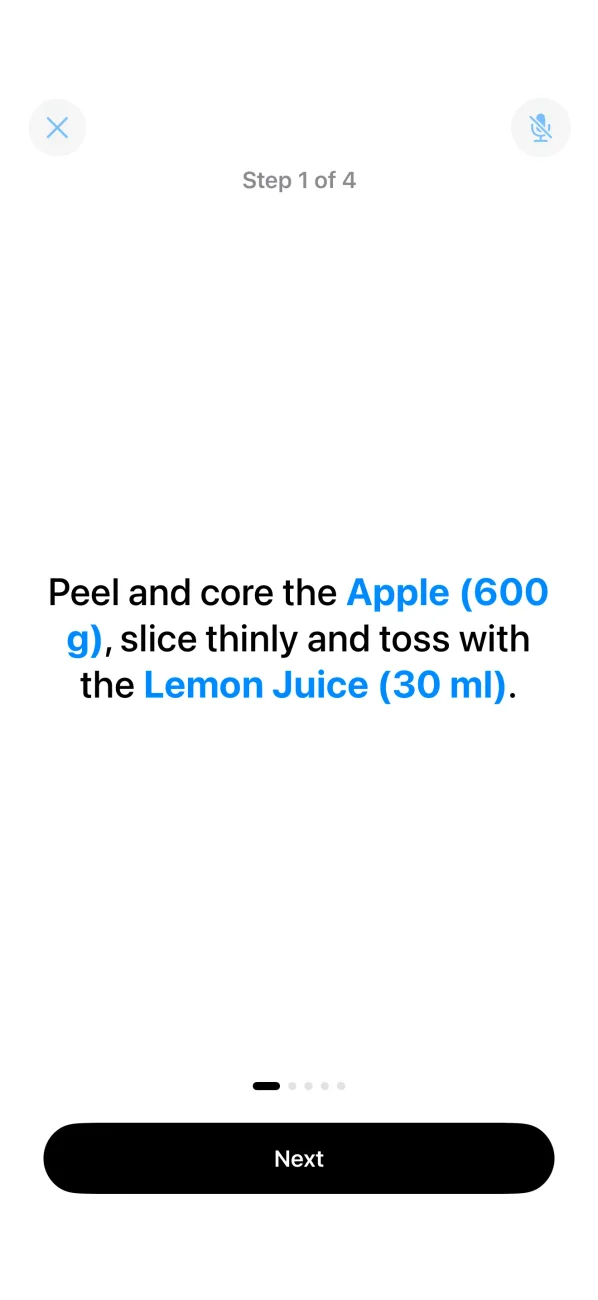
Cooking mode
• Step through the preparation in large, readable type
• The screen stays awake while you cook
• Hands-free voice control – in English and German
• Update your pantry with a single tap when you're done
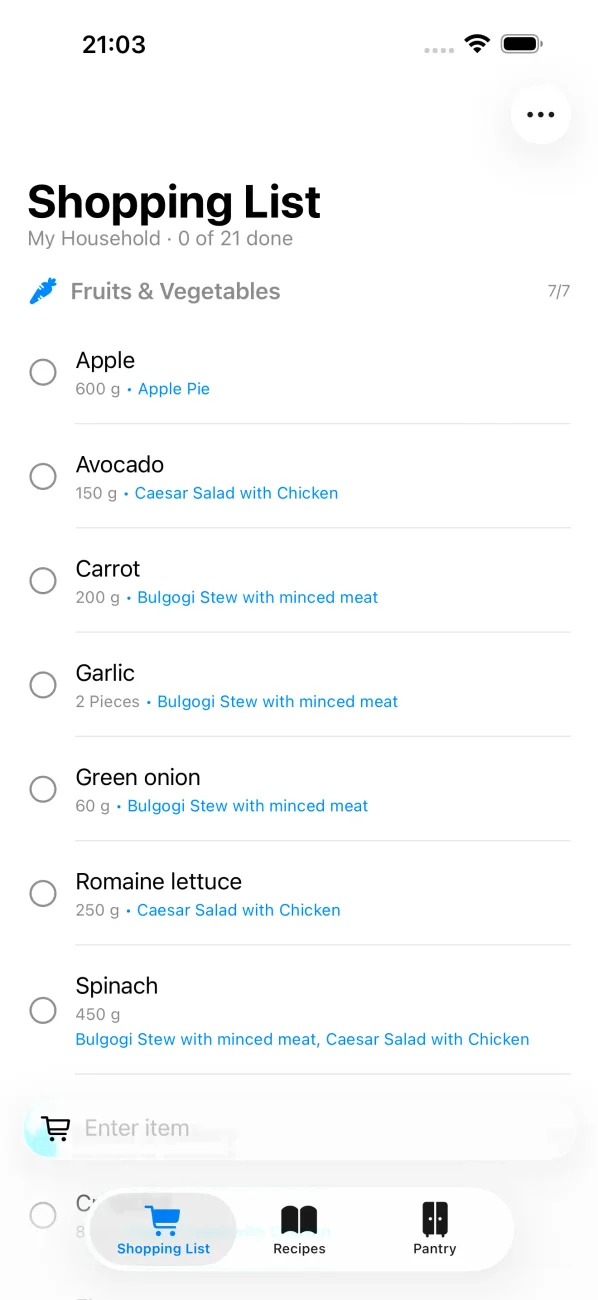
Smart shopping list
• Add all ingredients of a recipe to your list with a single tap
• Ingredients are automatically sorted by category (vegetables, meat, dairy, bakery, and more)
• Customise the category order to match your supermarket layout
• Quickly add individual items manually
• Autocomplete suggests dishes you've already saved
Portions & scaling
• Adjust recipes for any number of people
• Quantities are recalculated automatically
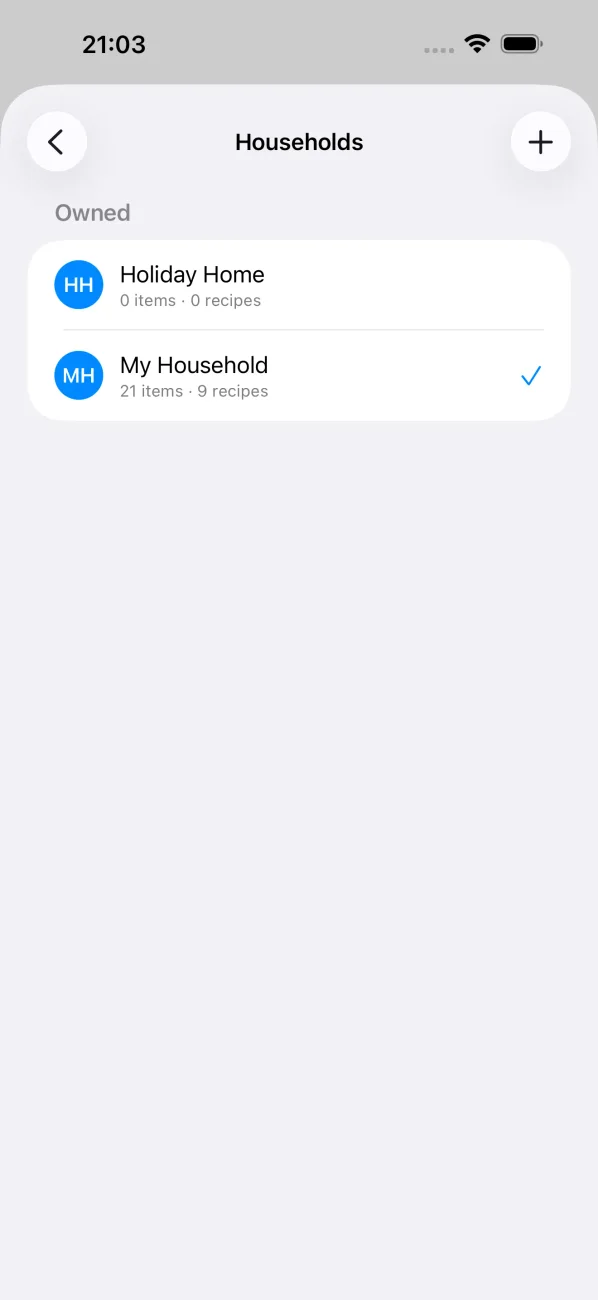
Households, sharing & sync
• Keep several households side by side and switch with a single tap
• Share your shopping list, recipes and pantry via iCloud with family or housemates
• Real-time sync across all your Apple devices
Apple Watch
• View and check off your shopping list directly from your wrist
• Progress bar always visible to track your shopping at a glance
• Defer items with a swipe to tackle them later
• Automatic sync with the iPhone app
AI features – you choose the provider
• Apple Intelligence on-device (experimental), your own OpenAI key, or no AI at all
• Import recipes directly from the web – just paste a URL
• Take a photo of a recipe from a cookbook or magazine
• Generate a recipe by name using AI
• Get a recipe suggestion from your pantry
• Nutritional overview for recipes based on the USDA FoodData database
An OpenAI API key is stored securely on your device and never shared. Every other feature – shopping list, pantry, recipe management, cooking mode, sharing and sync – works fully without AI.
What’s new
Version 1.19.0 · Oct 21, 2026
New
• Highlight in the step editor: select a word (or type it) and tap "Highlight" – it becomes an italic placeholder, e.g. for intermediate products like "Bulgogi-Hack" or things you always have at home. Pantr offers highlights already used in the recipe again
• The recipe AI now marks intermediate products in the steps as highlights itself – never with a quantity and never instead of an ingredient from the list
Improved
• If an ingredient already appears as a placeholder in the steps, its other mentions in the text (e.g. after a photo import) are now linked as well
• When you delete an ingredient, its placeholders in the steps turn back into plain text – no italic placeholder points at nothing any more
• Items Pantr puts on the shopping list by itself (items with regular consumption) now show “Pantr” instead of your name
• Apple Watch: checking off an item no longer covers the next entries with a notice
Fixed
• In the step editor, tapping a placeholder always put it at the end of the text instead of replacing your selection or sitting at the cursor
• If you delete an automatically restocked item from the shopping list, Pantr no longer puts it straight back – only after your next purchase, or after a week at the latest
App privacy
What Philip Corlatan declares on the App Store about how this app handles data.
-
Data not collected
The developer does not collect any data from this app.
Privacy practices may vary, for example with the features you use or your age.
Information
- Seller
- Philip Corlatan
- Category
- Food & Drink
- Version
- 1.19.0
- Updated
- Oct 21, 2026
- Released
- Jun 8, 2026
- Size
- 35.0 MB
- Requires
- iOS 26.0 or later
- Age rating
- 4+
- Languages
- German, English
- Copyright
- © 2026 Philip Corlatan
You might also like
-
 PantryChef: Meal PlannerRecipes, Pantry & Groceries
-
 Larderly: Grocery List PantryPantry & Expiry Tracker
-
 Sous Chef: Pantry & RecipesMeal planner & grocery list
-
 Stokpot: Meal Plan & PantryRecipes, Groceries & Barcode
-
 Mello: Recipe & Meal PlannerCookbook, Grocery Lists & Prep
-
 Pantree: Recipe & PantryPantry Tracker & Shopping List
-
 Sourdough Bake LabFood & Drink
-
 What The Fridge: Zero WasteFood, Voice, Barcode Reminders
-
 HomeStock InventoryManage stock & expiration date
-
 Relish: Food JournalYour private food memory