
- Age rating4+
- CategoryLifestyle
- DeveloperKihoon Lee
- LanguagesEnglish+ 10 more
- Size90.5 MB
Links to the official App Store page
Download.org hosts no file of Papering. The button opens its official App Store page, published by Kihoon Lee. Listing last checked on Nov 24, 2026.
Screenshots


About
Papering brings the feel of a ring binder to your iPad. Make it a planner, a journal, a sketchbook, or a place for whatever you want to put on paper.
Paper you can move
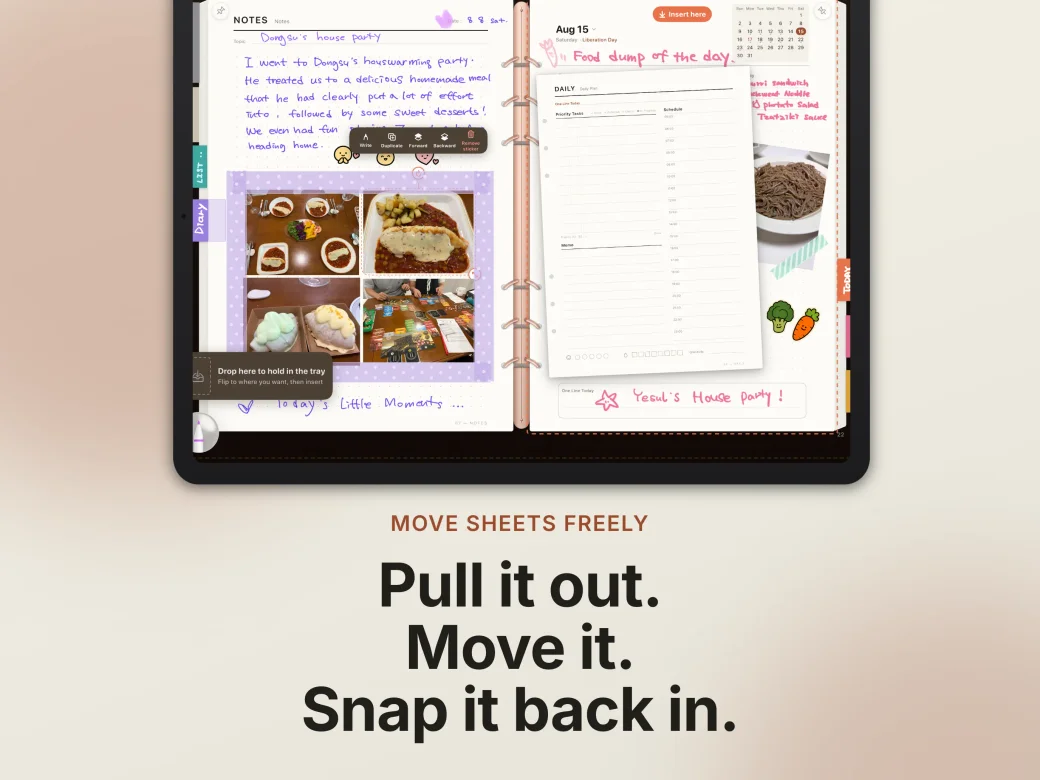
Open the rings with the lever. Take out a sheet, change its place, or move it to another binder. Your handwriting and decorations move with it. Turn pages with your fingers and choose a one-page view or a two-page spread.
Choose your inserts
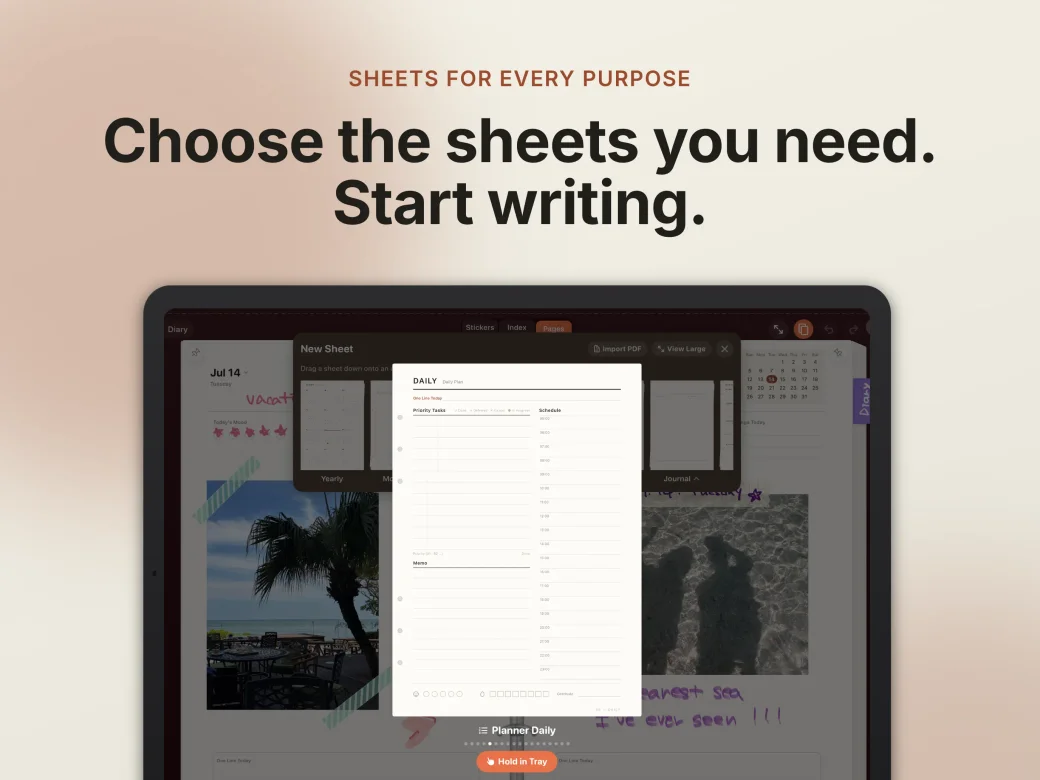
Pick yearly, monthly, weekly, daily, journal, and to-do inserts, or start with lined, grid, dot, or blank paper. Import a PDF as a binder or individual sheets. Use your own PDF or image as an insert design.
Write, decorate, and find
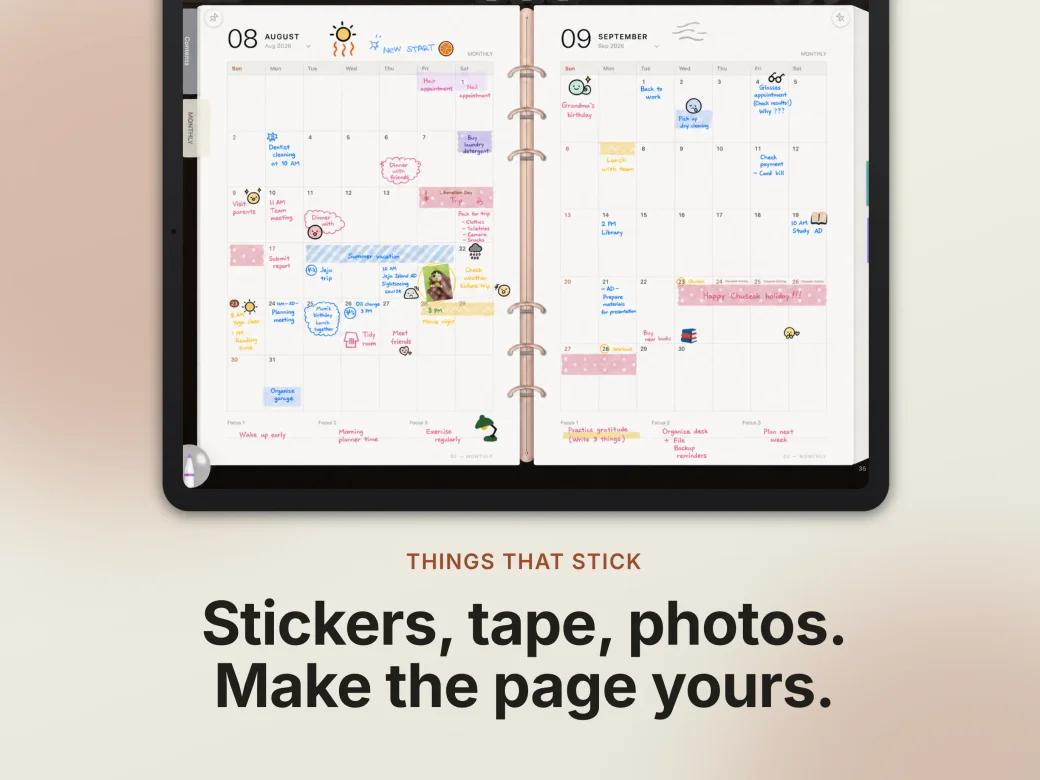
Write and draw with your finger or Apple Pencil. Add stickers, memo notes, photos, washi tape, and index tabs. Search your handwriting; recognition happens on your iPad.
Your writing stays yours
Papering does not collect the contents of your pages. Handwriting recognition runs on your iPad, and sync uses your iCloud account. Your page contents are not sent to a Papering server. No Papering account or separate sign-in is needed.
Free and Pro
The free Free lets you create one binder, with no limit on its sheet count. A binder in the trash still counts toward this limit. iCloud sync and PDF export are free.
Pro is a one-time purchase for unlimited binders, with Family Sharing. There is no recurring subscription. Binders you have already made remain available to open and write in.
Requires an iPad with iPadOS 18 or later. Apple Pencil is optional.
Open your binders on a Mac with Apple silicon to read, type with the typewriter, and arrange photos and stickers. Handwriting is available on iPad.
What’s new
Version 1.27.0 · Nov 23, 2026
Start a new binder that fits the way you plan. Pick a set like Planner or Dot Journal, then change the inserts, dates, and day hours to make it yours.
Preview inserts at full size before you add them.
Set gestures to suit your hand. Double-tap blank paper to zoom in, and choose how undo and redo work in Settings.
Turn your own sticker packs into memo note packs, and memo note packs into sticker packs.
Fixed handwriting copied with the lasso pasting as a photo.
Fixed the calendar’s today marker staying on the previous day.
Fixed pages with many Live Photos slowing down.
Fixed events made on other devices showing up late.
Fixed awkward wording and translations.
App privacy
What Kihoon Lee declares on the App Store about how this app handles data.
-
Data linked to you
May be collected and linked to your identity.
- Purchases
- Location
- Identifiers
- Usage data
- Diagnostics
Privacy practices may vary, for example with the features you use or your age.
Information
- Seller
- Kihoon Lee
- Category
- Lifestyle
- Version
- 1.27.0
- Updated
- Nov 23, 2026
- Released
- Sep 30, 2026
- Size
- 90.5 MB
- Requires
- iOS 18.0 or later
- Age rating
- 4+
- Price
- Free
- In-app purchases
- Yes
- Languages
- English, French, German, Italian, Japanese, Korean, Portuguese, Russian, Simplified Chinese, Spanish, Traditional Chinese
- Copyright
- © 2026 Kihoon Lee
You might also like
-
 Journal & Planner - WhattingDiary, Habit Tracker, To-Do
-
 DOOD - Doodle Photo JournalA Diary for Little Moments
-
 Mino - Bullet Journal & NotesHandwriting & Infinite Canvas
-
 Journal for iPad - Diary+Diary With Lock for Pencil
-
 뤼튼 - 매일 쓰는 AILifestyle
-
 만세력 천을귀인Lifestyle
-
 MOODATime to face myself
-
 Penjo: Pencil Journal, PlannerHandwritten Diary & Calendar
-
 정부24(구 민원24)Lifestyle
-
 Bujo - Bullet Journal&PlannerADHD Daily Weekly Monthly Plan