
Papering
Digital journal ring binder
iPad için tasarlandı
Ücretsiz · Uygulama içi satın alma
- Yaş sınırı4+
- KategoriYaşam Tarzı
- GeliştiriciKihoon Lee
- Dillerİngilizce+ 10 dil daha
- Boyut90,5 MB
Resmi App Store sayfasına bağlanır
Download.org, Papering için hiçbir dosya barındırmaz. Düğme, uygulamanın App Store üzerindeki sayfasını açar; uygulamayı orada Kihoon Lee yayınlar. Sayfanın son kontrolü: 24.11.2026.
Ekran görüntüleri

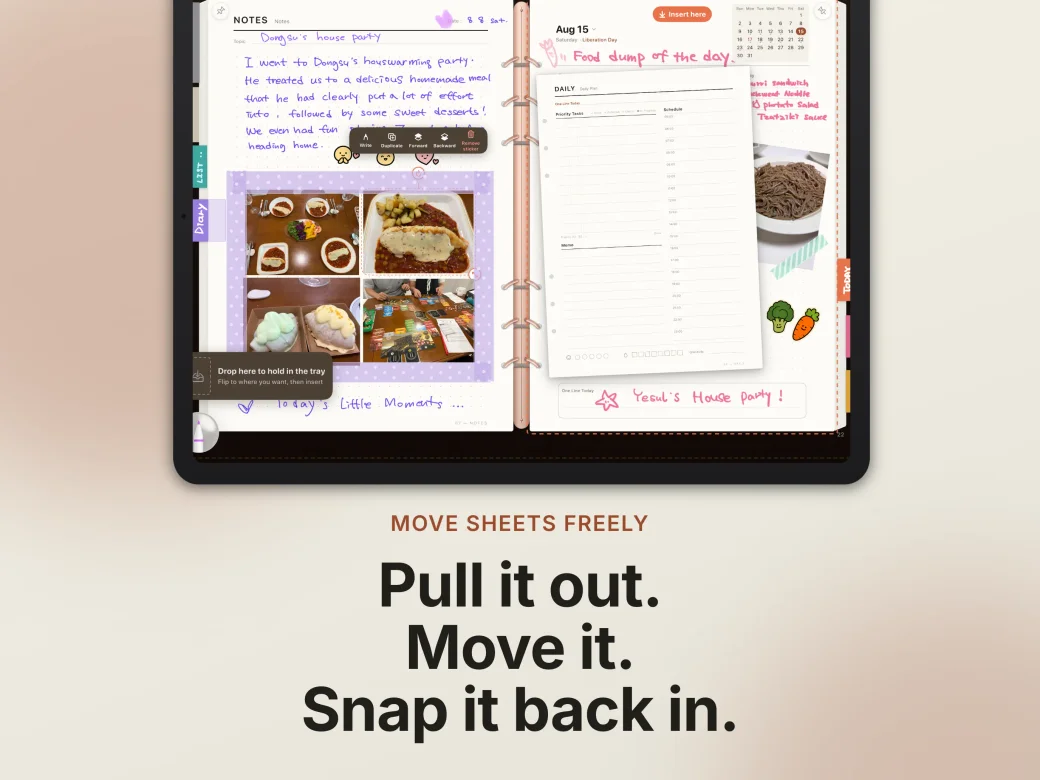
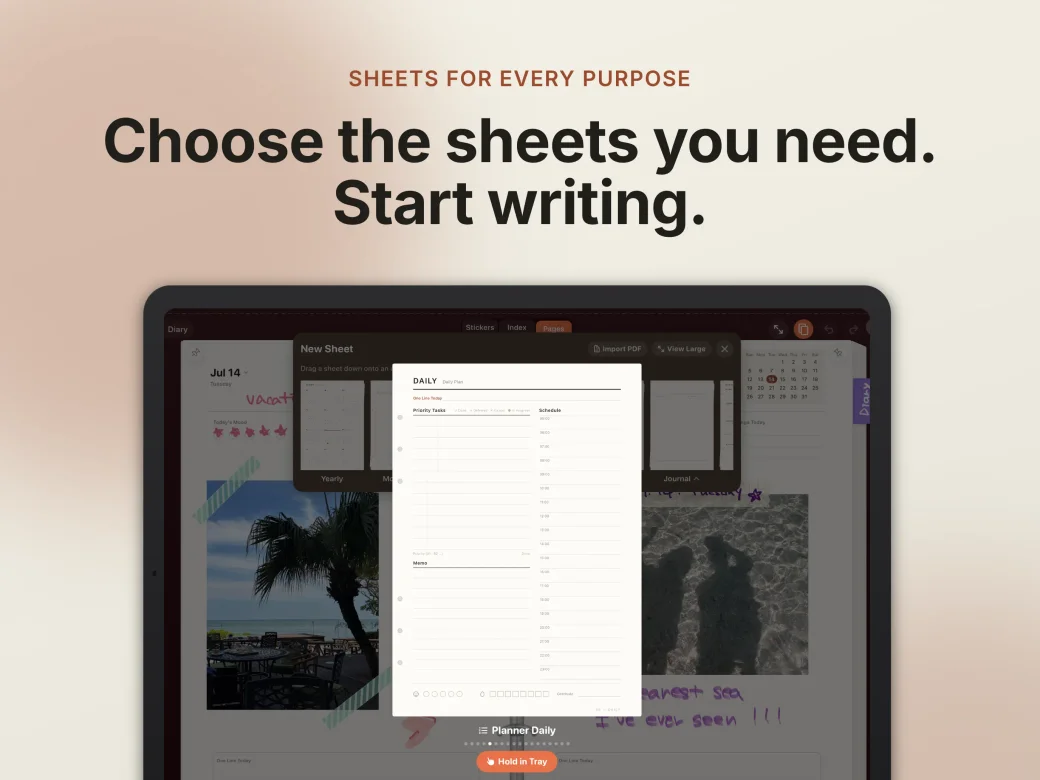
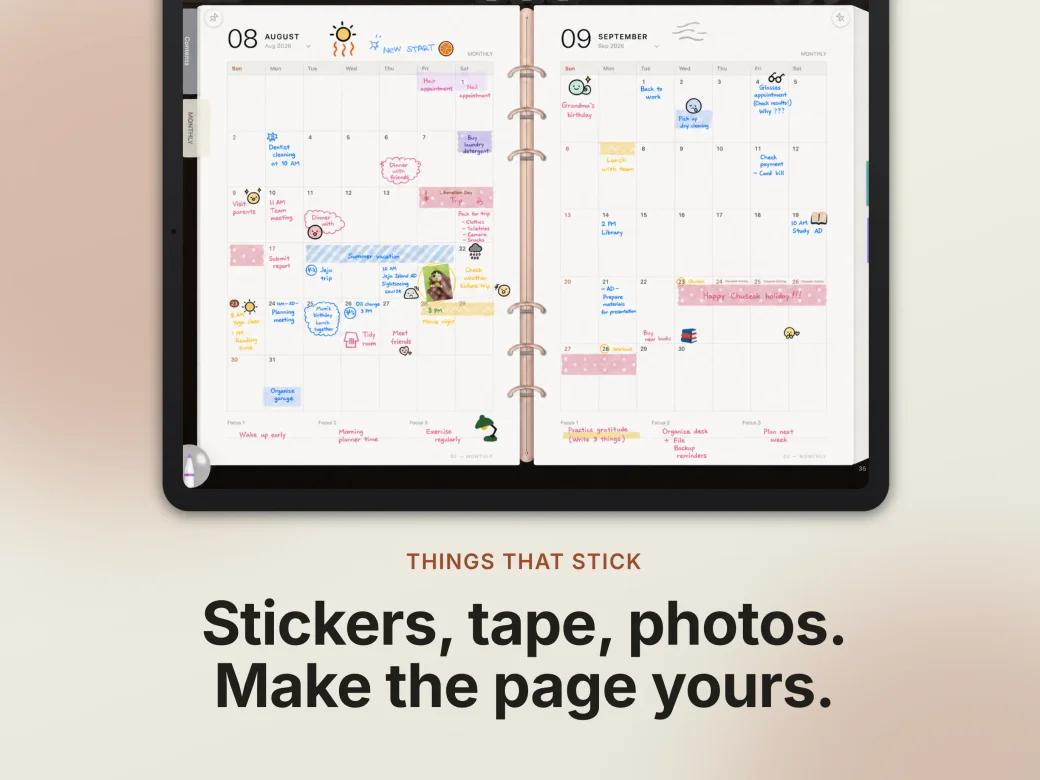

Hakkında
Geliştirici bu metni dilinizde sunmamış.
Papering brings the feel of a ring binder to your iPad. Make it a planner, a journal, a sketchbook, or a place for whatever you want to put on paper.
Paper you can move
Open the rings with the lever. Take out a sheet, change its place, or move it to another binder. Your handwriting and decorations move with it. Turn pages with your fingers and choose a one-page view or a two-page spread.
Choose your inserts
Pick yearly, monthly, weekly, daily, journal, and to-do inserts, or start with lined, grid, dot, or blank paper. Import a PDF as a binder or individual sheets. Use your own PDF or image as an insert design.
Write, decorate, and find
Write and draw with your finger or Apple Pencil. Add stickers, memo notes, photos, washi tape, and index tabs. Search your handwriting; recognition happens on your iPad.
Your writing stays yours
Papering does not collect the contents of your pages. Handwriting recognition runs on your iPad, and sync uses your iCloud account. Your page contents are not sent to a Papering server. No Papering account or separate sign-in is needed.
Free and Pro
The free Free lets you create one binder, with no limit on its sheet count. A binder in the trash still counts toward this limit. iCloud sync and PDF export are free.
Pro is a one-time purchase for unlimited binders, with Family Sharing. There is no recurring subscription. Binders you have already made remain available to open and write in.
Requires an iPad with iPadOS 18 or later. Apple Pencil is optional.
Open your binders on a Mac with Apple silicon to read, type with the typewriter, and arrange photos and stickers. Handwriting is available on iPad.
Yenilikler
Sürüm 1.27.0 · 23.11.2026
Start a new binder that fits the way you plan. Pick a set like Planner or Dot Journal, then change the inserts, dates, and day hours to make it yours.
Preview inserts at full size before you add them.
Set gestures to suit your hand. Double-tap blank paper to zoom in, and choose how undo and redo work in Settings.
Turn your own sticker packs into memo note packs, and memo note packs into sticker packs.
Fixed handwriting copied with the lasso pasting as a photo.
Fixed the calendar’s today marker staying on the previous day.
Fixed pages with many Live Photos slowing down.
Fixed events made on other devices showing up late.
Fixed awkward wording and translations.
Uygulama gizliliği
Bu uygulamanın verileri nasıl işlediği hakkında Kihoon Lee tarafından App Store üzerinde yapılan beyan.
-
Sizinle ilişkilendirilen veriler
Toplanabilir ve kimliğinizle ilişkilendirilebilir.
- Satın alımlar
- Konum
- Tanımlayıcılar
- Kullanım verileri
- Tanılama
Gizlilik uygulamaları, örneğin kullandığınız özelliklere veya yaşınıza göre değişiklik gösterebilir.
Bilgiler
- Satıcı
- Kihoon Lee
- Kategori
- Yaşam Tarzı
- Sürüm
- 1.27.0
- Güncellendi
- 23.11.2026
- Yayın tarihi
- 30.09.2026
- Boyut
- 90,5 MB
- Gereksinim
- iOS 18.0 veya sonrası
- Yaş sınırı
- 4+
- Fiyat
- Ücretsiz
- Uygulama içi satın alma
- Evet
- Diller
- İngilizce, Fransızca, Almanca, İtalyanca, Japonca, Korece, Portekizce, Rusça, Basitleştirilmiş Çince, İspanyolca, Geleneksel Çince
- Telif hakkı
- © 2026 Kihoon Lee
Bunları da beğenebilirsiniz
-
 Whatting — Günlük PlanlayıcıGünlük, ajanda, alışkanlık
-
 DOOD - Doodle Photo JournalYaşam Tarzı
-
 Mino - Bullet Journal & NotesYaşam Tarzı
-
 Journal for iPad - Diary+Yaşam Tarzı
-
 뤼튼 - 매일 쓰는 AIYaşam Tarzı
-
 만세력 천을귀인Yaşam Tarzı
-
 MOODAYaşam Tarzı
-
 Penjo: Ajanda, Defter, NotlarEl Yazısı Günlük ve Takvim
-
 정부24(구 민원24)Yaşam Tarzı
-
 Bujo - Bullet Journal& Günlükruh hali izci, ToDo