Paperwrist
Notes and PDF on your Watch
Designed for iPhone
Free · In-app purchases
- Age rating4+
- CategoryUtilities
- DeveloperMario Longhi
- LanguagesEnglish+ 8 more
- Size4.0 MB
Links to the official App Store page
Download.org hosts no file of Paperwrist. The button opens its official App Store page, published by Mario Longhi. Listing last checked on Nov 16, 2026.
Screenshots


About
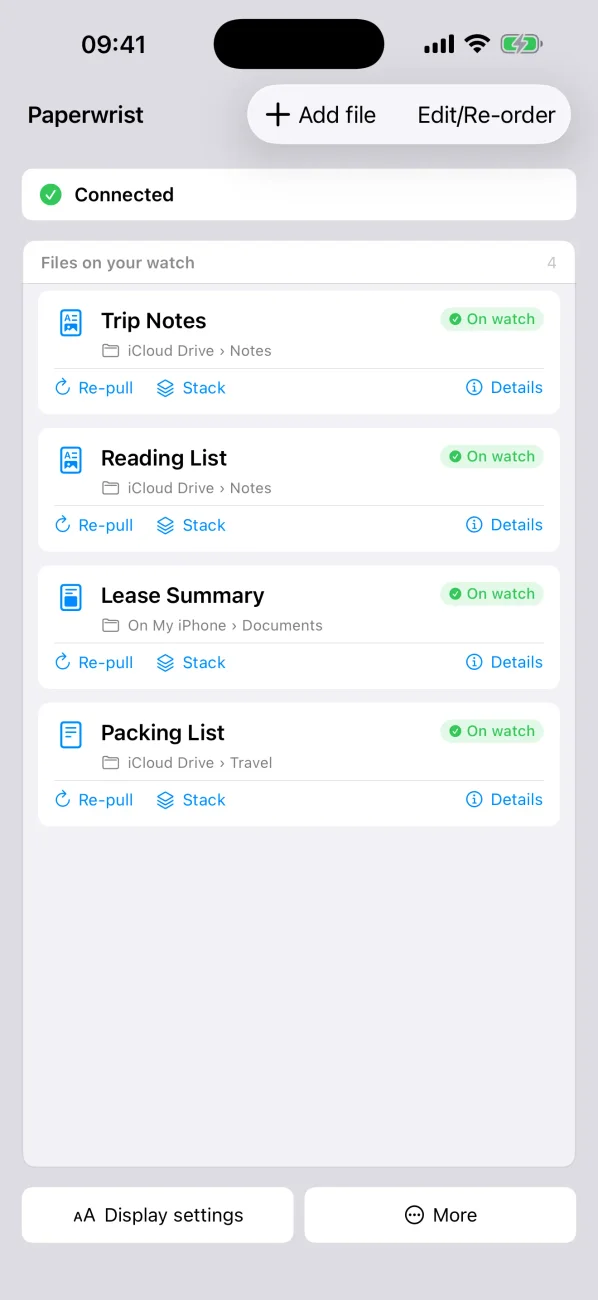
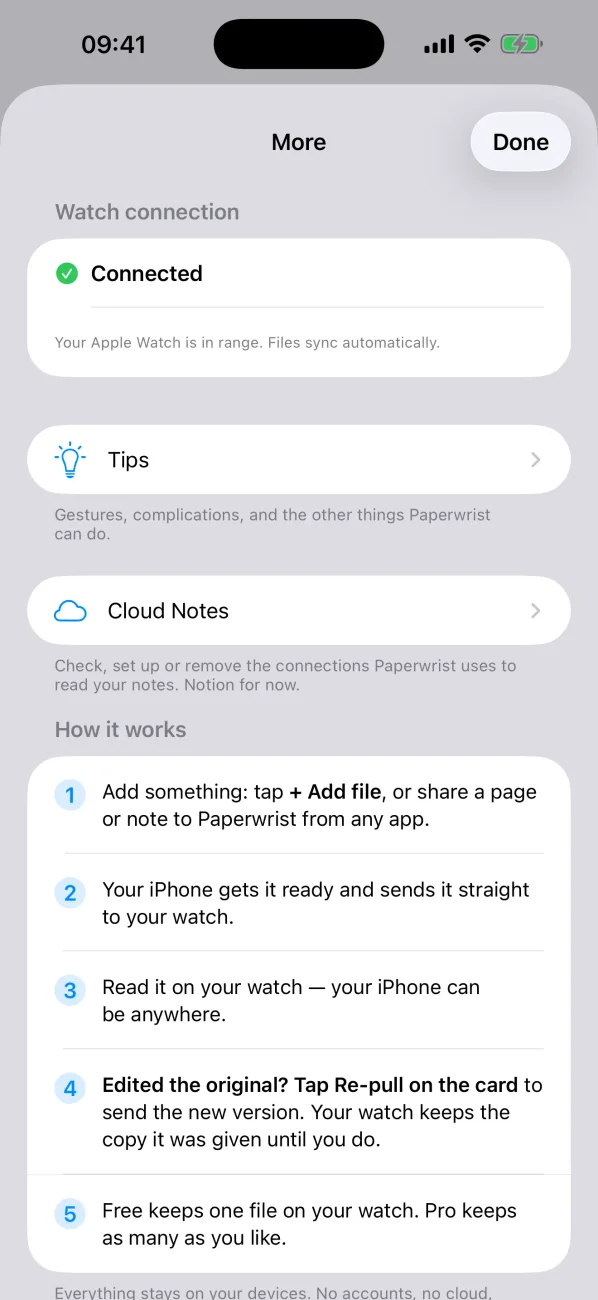
Paperwrist lets you read any of your notes or PDF straight from your watch.
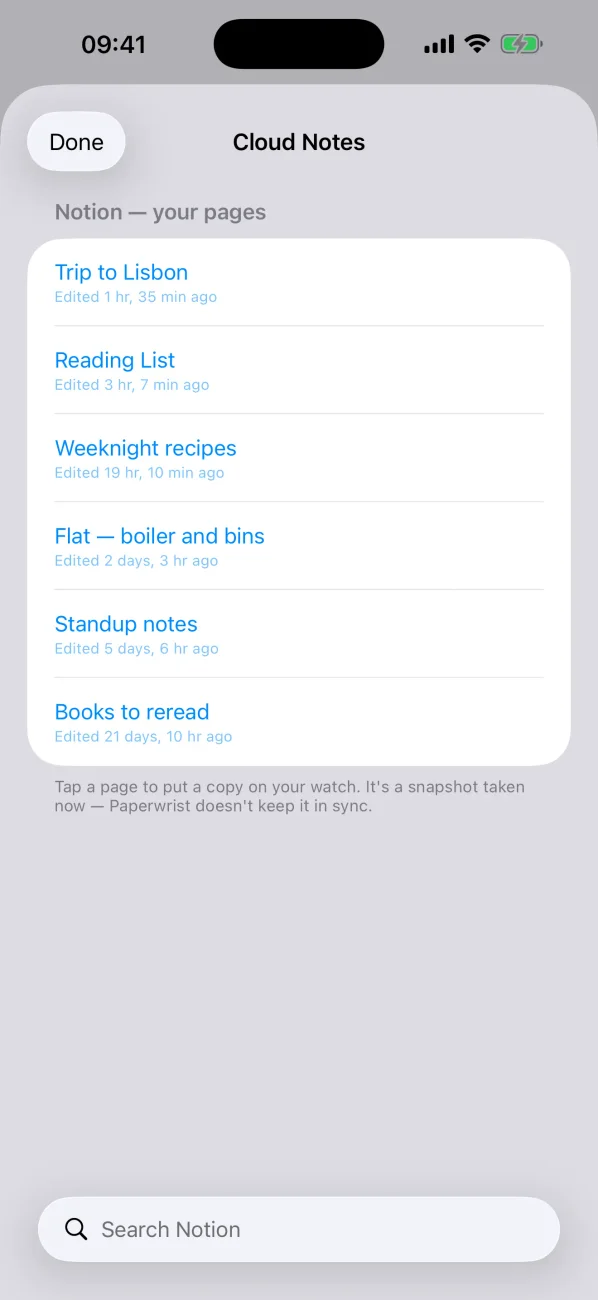
Pick notes from any note taker, PDF files, or even web pages.
Paperwrist makes it available on your watch. You can read notes, checklists, recipes, or that article you saved, right from your wrist. Even when your iPhone is in another room.
WHAT YOU CAN READ
• Plain text notes (Apple notes, Google Keep)
• Markdown files rendered with headings, lists, tables and links (Obsidian)
• Cloud-based notes (Notion)
• PDF — pages are rendered on your iPhone and sent as sharp images you can zoom with the Digital Crown
• Web extracts from your phone browser
MADE FOR SPEEDY USE
• Easy sync changes for Notion and Obsidian notes
• Watch face complications to open your first document instantly
• Personalise text size and high-contrast mode
• Light and dark, following your system
• A minimal, glanceable watch interface
• Keep the screen on while you read
PRIVATE BY DESIGN
• No cloud. No account. No sign-up.
• Files sync directly from iPhone and nothing leaves your two devices
What’s new
Version 1.0 · Aug 29, 2026
First release. Send Markdown, text and PDF files from your iPhone and read them on your Apple Watch — offline, private, no account needed.
App privacy
What Mario Longhi declares on the App Store about how this app handles data.
-
Data not collected
The developer does not collect any data from this app.
Privacy practices may vary, for example with the features you use or your age.
Information
- Seller
- Mario Longhi
- Category
- Utilities
- Version
- 1.0
- Updated
- Aug 29, 2026
- Released
- Aug 29, 2026
- Size
- 4.0 MB
- Requires
- iOS 18.0 or later
- Age rating
- 4+
- Price
- Free
- In-app purchases
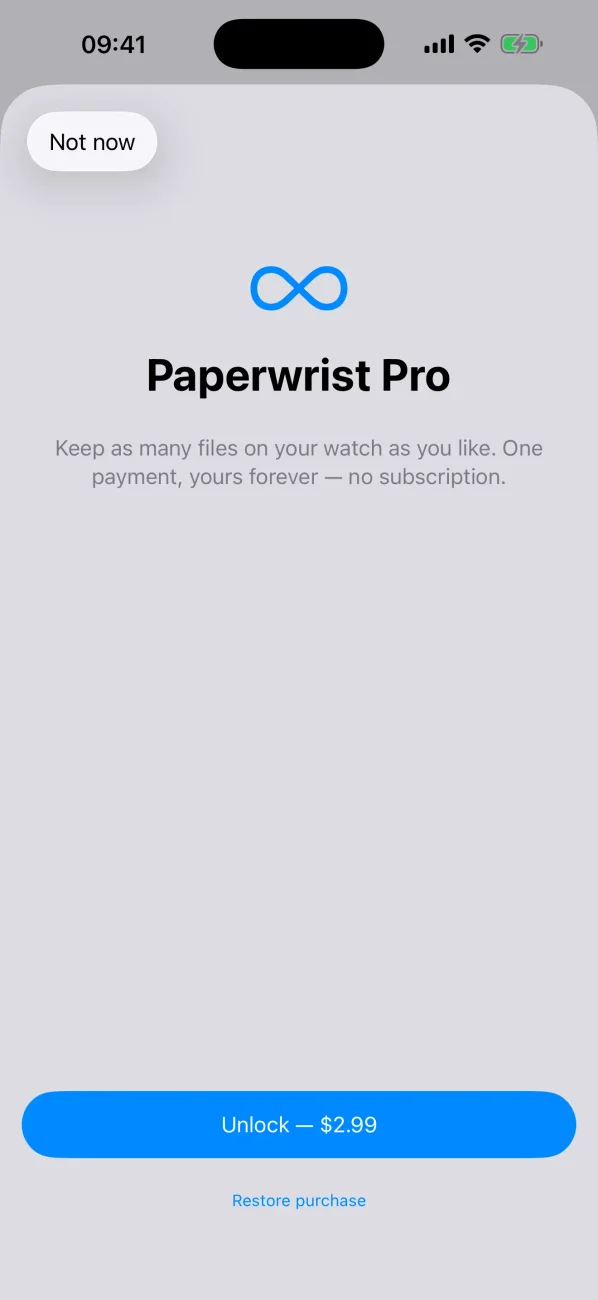
- Yes
- Languages
- English, French, German, Japanese, Korean, Portuguese, Russian, Simplified Chinese, Spanish
- Copyright
- © Mario Longhi
You might also like
-
 Scan To Watch: PDF & QRDocs, codes on your wrist
-
 Unzip Files - ZIP RAR 7z ToolUnzip Compress PDF Extractor
-
 FormudragDrag-and-Drop Formulae
-
 Formula Canvas - Math EditorMath Notes & LaTeX Export
-
 Watch Reader Full FormatsSend books to your wrist
-
 DocWatch: PDFs on Your WristRead Documents on Apple Watch
-
 股票看盘工具-短线摸鱼神器Utilities
-
 WatchNotes: Wrist PDF ReaderStealth PDF Reader & Scanner
-
 WoodenFish+Send beautiful blessings
-
 Watch Notes | Sync Your DocsCopy, Paste, Send, Read Later