
Parallask: Timeline Planner
Time blocking, in parallel
Designed for iPhone, iPad
Free · In-app purchases
- Age rating4+
- CategoryProductivity
- DeveloperShuvam Shrestha
- LanguagesEnglish
- Size4.0 MB
Links to the official App Store page
Download.org hosts no file of Parallask: Timeline Planner. The button opens its official App Store page, published by Shuvam Shrestha. Listing last checked on Nov 21, 2026.
Screenshots

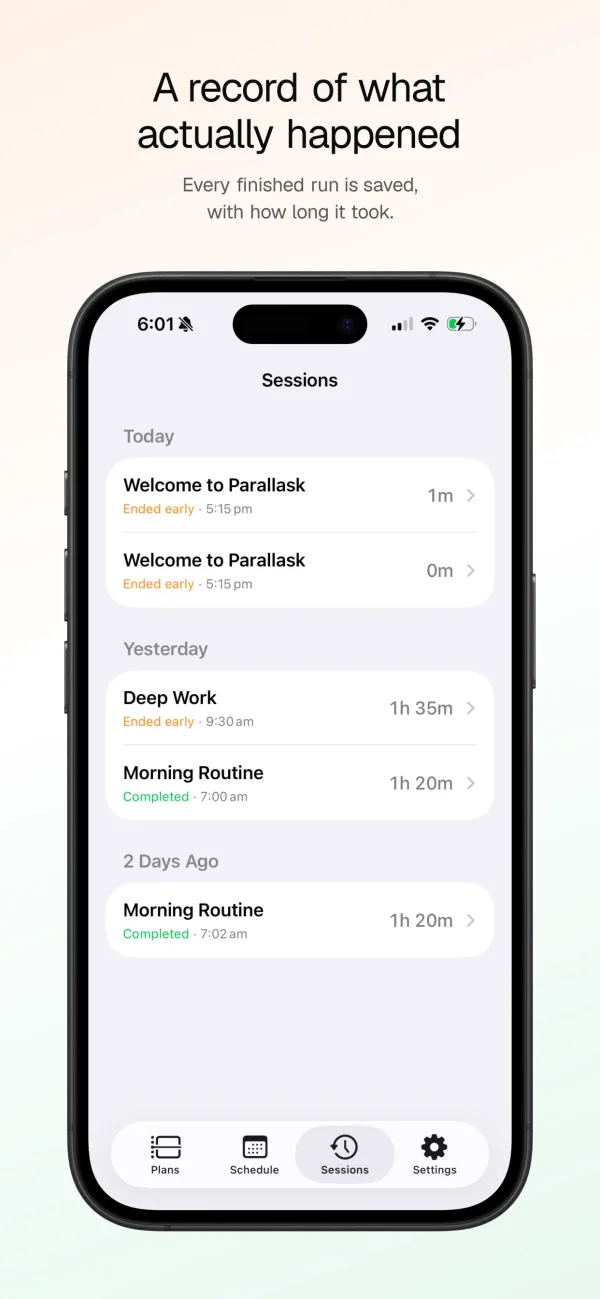
About
Most planners assume you do one thing at a time. Parallask doesn't.
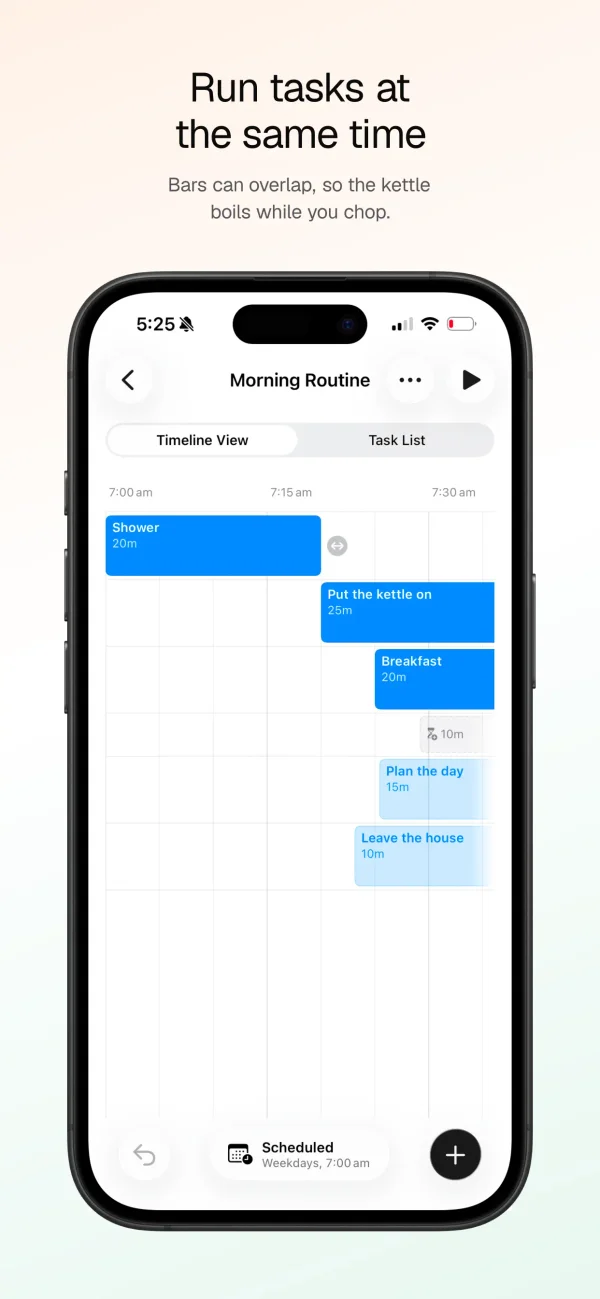
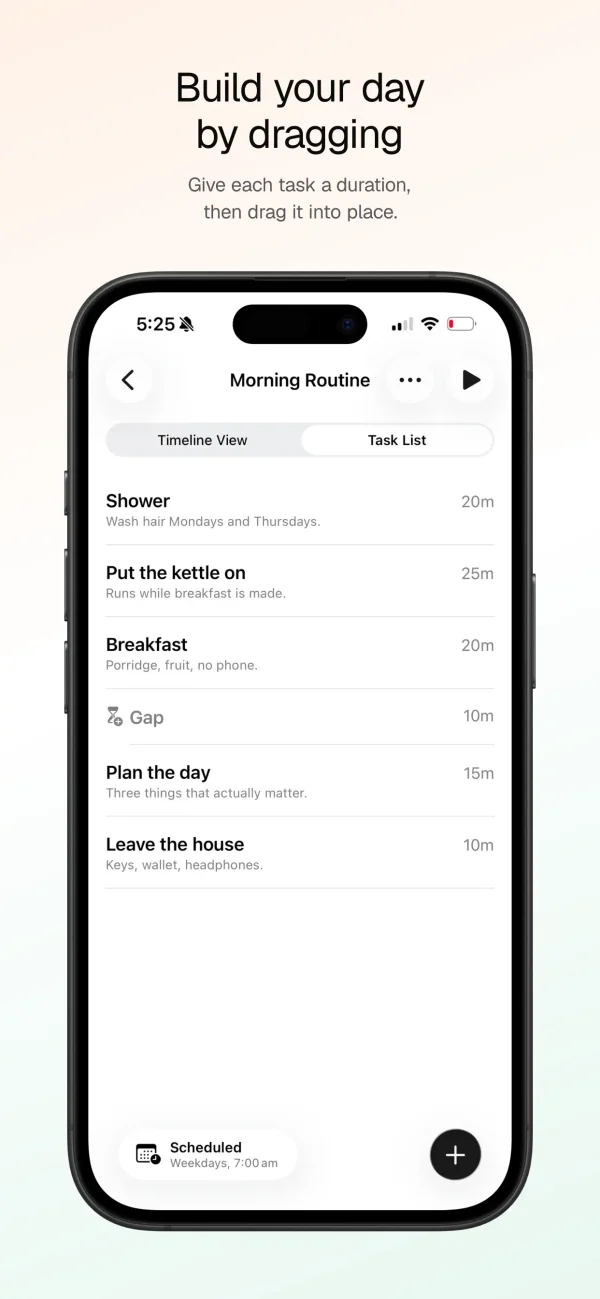
Build your day as a timeline. Tasks have real durations, so they can overlap, sit side by side, or leave deliberate gaps. The shape of the plan is the plan. Drag a bar to move it, drag its edge to make it longer, tap a gap to fill it.
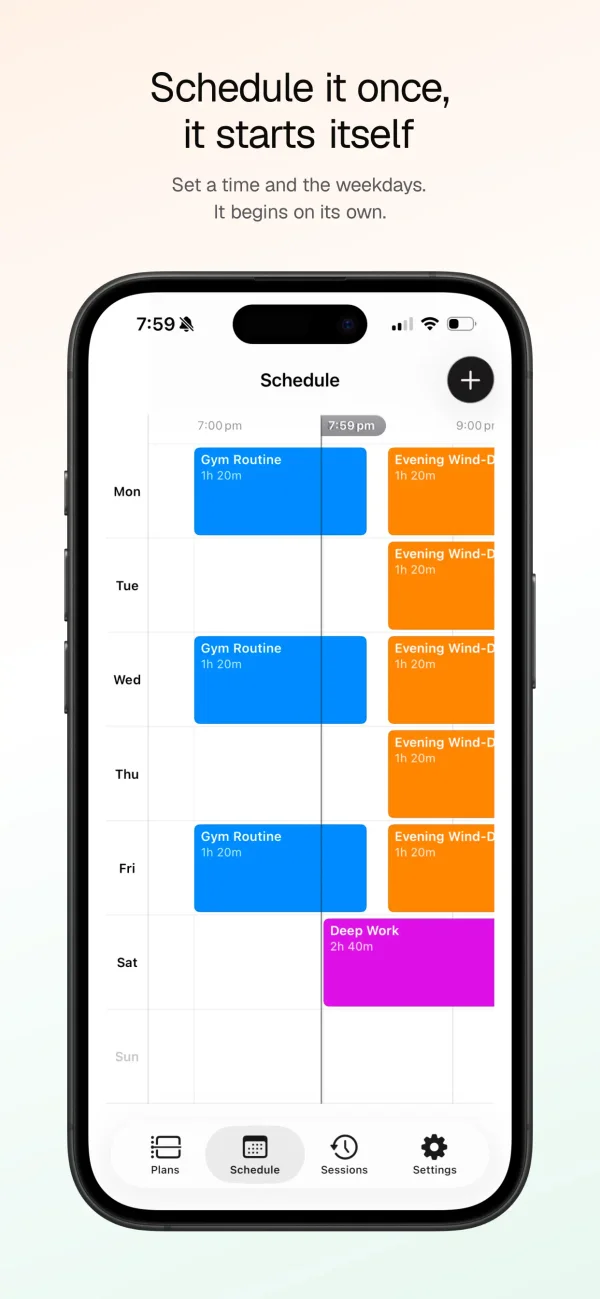
Then give it a start time and walk away. At the appointed moment the plan begins on its own, counting down on the Lock Screen and in the Dynamic Island, with the app closed. Each task announces itself as it starts. Nothing needs you to be watching.
TIMELINE EDITOR
Lay out tasks by dragging. Parallel work sits on its own lane instead of being squeezed into a list. Switch to Task List whenever you'd rather read than drag.
RUNS ITSELF
Schedule a plan for a time and the days it repeats. Reminders arrive ten minutes before it starts, and the countdown reaches your Lock Screen without you opening anything.
A SESSION YOU CAN SEE
While a plan runs, the whole timeline plays out with a moving playhead: what's on now, what's next, how long is left.
A HISTORY THAT STAYS PUT
Finished runs are kept exactly as they ran. Rewrite the plan afterwards, or delete it entirely, and the record of that morning is unchanged.
LABELS
Five colour-coded labels, named by you and shared across plans, so a glance at the week tells you what kind of day it is.
YOUR DAY STAYS YOURS
No account. No sign-in. No server, no analytics and no tracking of any kind. Everything you create lives on your device and nowhere else.
FREE AND MAX
Parallask is free: one plan of your own, the five built-in label colours, and starting sessions whenever you like.
Parallask Max adds:
- Unlimited plans
- The full label colour palette
- Scheduling plans to start on their own
Max is available as a monthly or annual subscription, or as a one-time lifetime purchase. Subscriptions renew automatically unless cancelled at least 24 hours before the end of the current period. Payment is charged to your Apple Account at confirmation, and subscriptions can be managed or cancelled in your App Store account settings. Any unused portion of a free trial is forfeited when a subscription is purchased.
Terms of Use: https://www.parallask.com/terms
Privacy Policy: https://www.parallask.com/privacy
Parallask requires iOS 26.2 or later.
What’s new
Version 1.1 · Sep 28, 2026
Add support for iOS 17.0
App privacy
What Shuvam Shrestha declares on the App Store about how this app handles data.
-
Data not collected
The developer does not collect any data from this app.
Privacy practices may vary, for example with the features you use or your age.
Information
- Seller
- Shuvam Shrestha
- Category
- Productivity
- Version
- 1.1
- Updated
- Sep 28, 2026
- Released
- Sep 1, 2026
- Size
- 4.0 MB
- Requires
- iOS 17.0 or later
- Age rating
- 4+
- Price
- Free
- In-app purchases
- Yes
- Languages
- English
- Copyright
- © 2026 Shuvam Shrestha
You might also like
-
 Wayfocus: Pomodoro TimerBuilding, Studying, Deep Work
-
 FORY - routine, focus, trackerRest & Focus Time Manager
-
 Trivial - Daily PlannerAdd tasks with minimal effort
-
 Orb - Proactive AIThe assistant that talks first
-
 ToDoD: ToDo List + Focus TimerPlan tasks with your AI Mate
-
 Calendoc: Parallel CalendarsCalendar in up to 4 columns
-
 Timely: Daily Planner TodoCalendar & Tasks & Focus Timer
-
 Envisioned: Goal TrackerVision Board & OKR Planning
-
 FlowStack: Focus & RoutineTo Do List, Timer & Pomodoro
-
 LockSticky: LockScreen & WatchQuick Sticky Notes & Widgets