
PathDay: Personal Productivity
Tasks, Habits, Focus & Mantras
Designed for iPhone, iPad, Mac
Free
- Age rating4+
- CategoryProductivity
- DeveloperJerimy Carroll
- LanguagesEnglish
- Size51.7 MB
Links to the official App Store page
Download.org hosts no file of PathDay: Personal Productivity. The button opens its official App Store page, published by Jerimy Carroll. Listing last checked on Nov 17, 2026.
Screenshots

About
Why PathDay?
Most productivity apps only handle one part of your day. One app has a long list of tasks. Another tracks your habits. Then you need a timer to stay focused and a journal to write down your thoughts. Before you know it, you have a bunch of apps just to keep your day on track.
PathDay brings it all together in one productivity system, built around what matters most: today.
A path is walked one day at a time. PathDay helps you focus on what needs to get done today while keeping everything else organized for later.
Tasks show what needs to get done. The Journal records your days. The Inbox holds thoughts and ideas for later. Habits help you stay consistent. Focus helps you stay on task. Mantras help you start the day with intention.
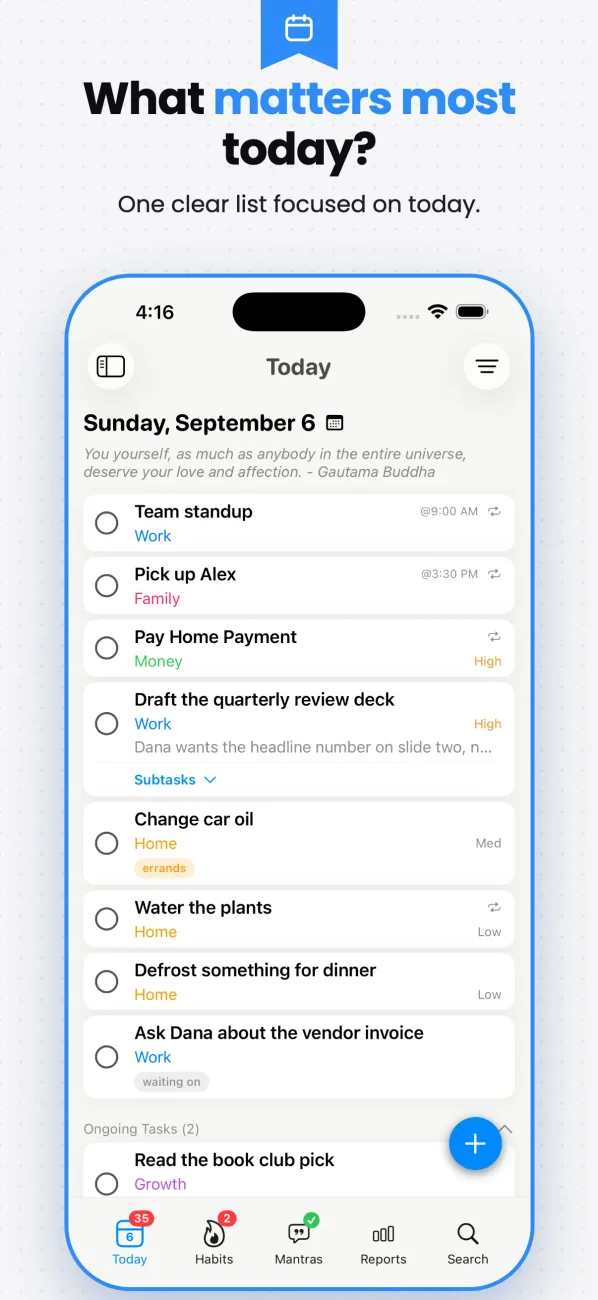
TODAY - FOCUS ON WHAT MATTERS TODAY
Today brings your scheduled tasks, habits, ongoing work, unfinished items, and daily mantra into one view. See what needs your attention without sorting through long lists. Future tasks stay out of the way until you need them.
TASKS - EVERYTHING IN ONE PLACE
Keep all your tasks organized, and see only what is due today.
- Add tasks and subtasks, with categories and #hashtags
- Set due dates, reminders, and repeating tasks
- Attach files and voice notes, and search everything
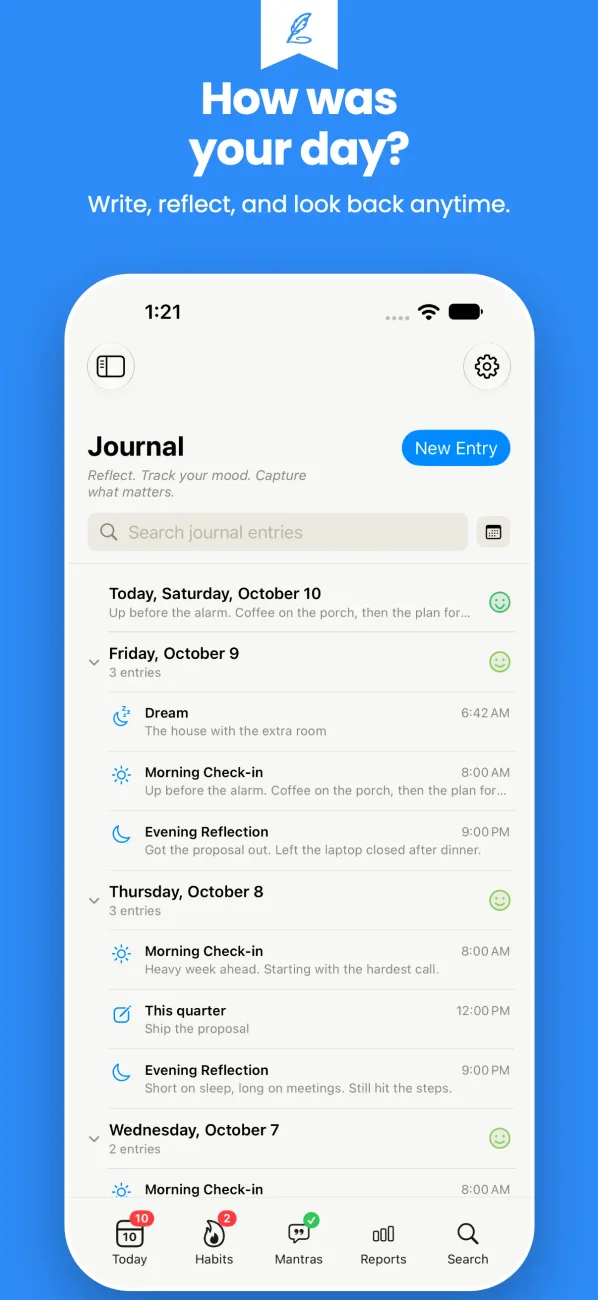
JOURNAL - REMEMBER YOUR DAYS
Write about what happened, how you felt, and what you want to remember.
- Write with rich text, lists, checklists, photos, or voice transcription
- Create your own check-in questions with face ratings or a 1 to 10 scale, on the days you choose
- Keep daily, morning and evening, or Dream Journal entries, with calendar and search
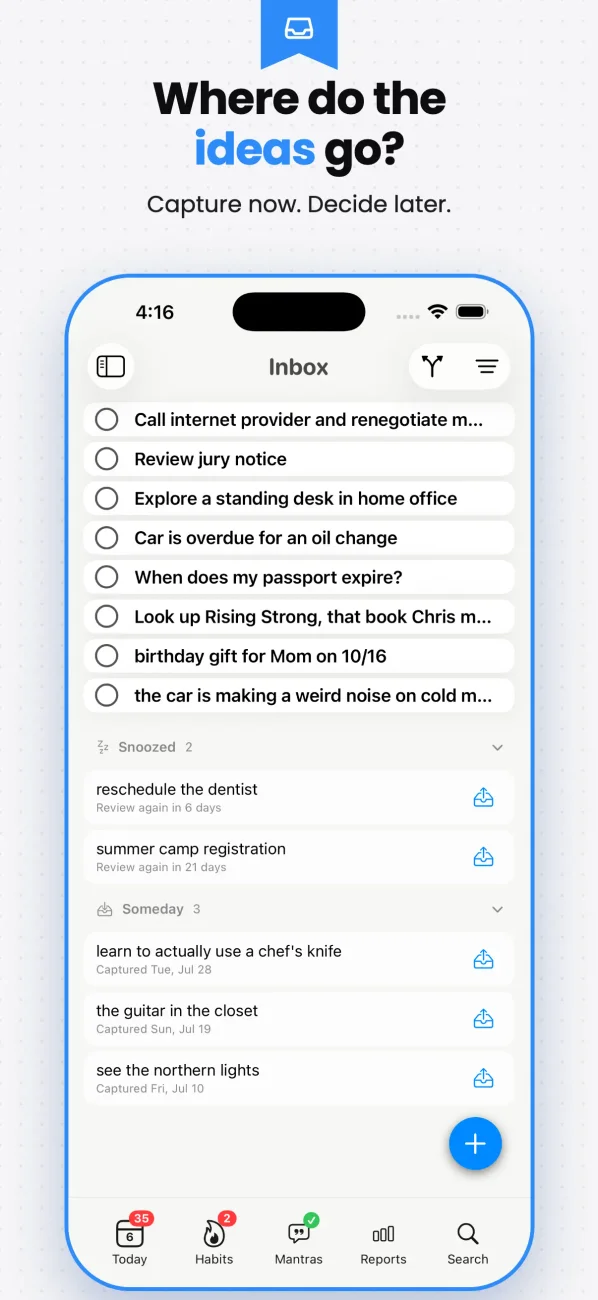
INBOX - CAPTURE NOW, DECIDE LATER
Have something on your mind? Put it in the Inbox and get back to what you were doing.
- Capture tasks, ideas, and reminders without organizing them first
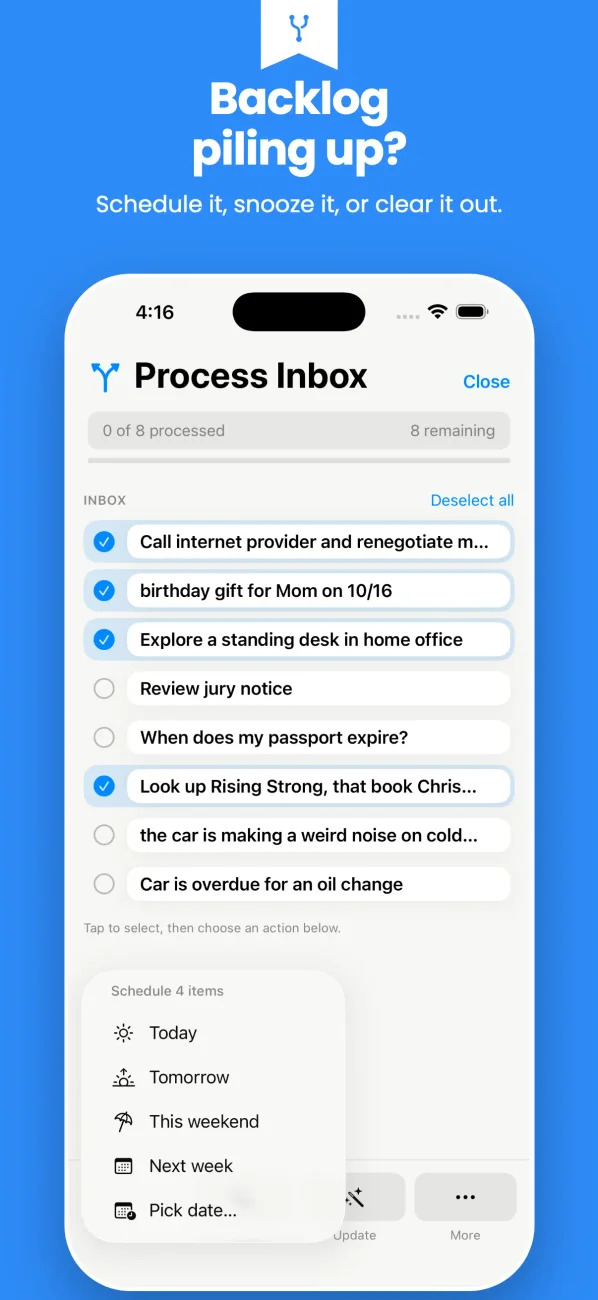
- Use Process Inbox to schedule, snooze, or complete items, or move them to Someday
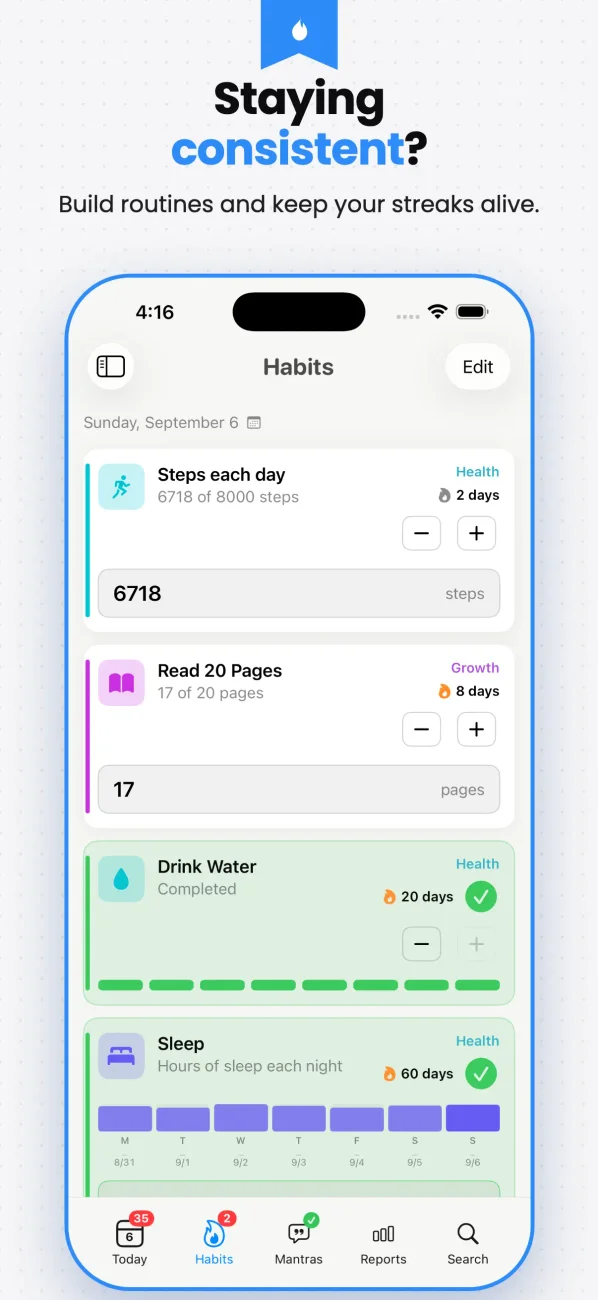
HABITS - THE THINGS YOU REPEAT
Track workouts, vitamins, reading, steps, and other habits you want to build or maintain.
- Set schedules that fit your routines
- On iPhone and iPad, connect a habit to Apple Health to read steps, sleep, or workouts, or save water and mindful minutes
- Track your progress with streaks and trends
FOCUS - ONE THING AT A TIME
Start a focus session from any task, with a Pomodoro Focus Timer or an Open Timer.
- Set repeating focus and break sessions
- Keep your timer visible with Live Activities and Dynamic Island on iPhone or a floating timer on Mac
- See your timer and session history inside each task
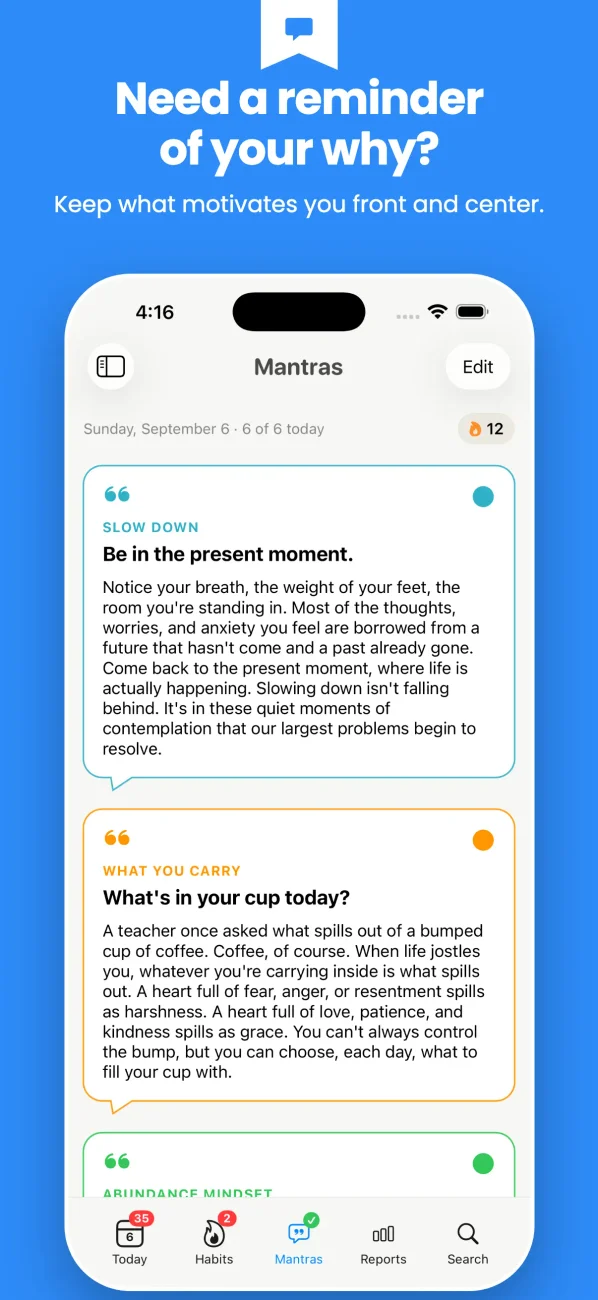
MANTRAS - START THE DAY WITH INTENTION
Start your day with a reminder of how you want to approach it.
- Choose from a built-in library or write your own
- Practice daily, build a streak, and see your mantra in Today
BUILT FOR APPLE
Made for iPhone, iPad, Mac, and Apple Watch, with an interface designed for each one.
- Complete tasks, log habits, and practice mantras on Apple Watch
- Use widgets for Today, Habits, and Mantras on your Home Screen or Mac desktop
- Choose themes, plus alternative app icon colors on iPhone and iPad
- Sync securely across your devices with iCloud
CAPTURE. DECIDE. FOCUS. REPEAT.
PathDay keeps what you need to do, what you want to keep doing, and what you want to remember in one place.
A path is not one big push. It is today, walked well, then again tomorrow.
Completely free. No subscriptions, paywalls, or in-app purchases. Every feature is included.
Your privacy comes first. Your data is stored securely in Apple's iCloud and synced through your Apple ID. It is never sold or shared.
Designed and developed in Seattle, Washington
What’s new
Version 2026.4.3 · Oct 19, 2026
NEW
iPhone Duo: open it and your list sits on one side of the fold with the task open on the other, on every screen. Closed, a compact editor and side buttons keep things quick. Your screen, open task and unsaved edits carry across a fold.
Link tasks from a Journal entry with Link Task. Search your tasks or create a new one right there.
A task now lists the Journal entries that mention it, under References.
IMPROVEMENTS
Deleting a habit you created hides it instead of erasing it. Past days still show it, and you can restore it with its history from Deleted Habits in the Library.
FIXES
On iPad, task notes start right under the formatting toolbar instead of partway down the notes box.
macOS What’s New
NEW
Link tasks from a Journal entry with Link Task. Search your tasks or create a new one right there.
A task now lists the Journal entries that mention it, under References.
IMPROVEMENTS
Today returns to the current day when you come back to PathDay after 30 minutes away, and a window left on Today overnight moves to the new day. A day you picked yourself stays put.
Deleting a habit you created hides it instead of erasing it. Past days still show it, and you can restore it with its history from Deleted Habits in the Library.
App privacy
What Jerimy Carroll declares on the App Store about how this app handles data.
-
Data not collected
The developer does not collect any data from this app.
Privacy practices may vary, for example with the features you use or your age.
Information
- Seller
- Minds Illuminated LLC
- Category
- Productivity
- Version
- 2026.4.3
- Updated
- Oct 19, 2026
- Released
- Sep 24, 2026
- Size
- 51.7 MB
- Requires
- iOS 17.6 or later
- Age rating
- 4+
- Price
- Free
- Languages
- English
- Copyright
- © 2026 Minds Illuminated LLC
You might also like
-
 Axis ProductivityTasks, routines, and your day
-
 WorkProtocolTask Manager with PDF Export
-
 Sphere: Sky ScheduleYour schedule on the sky's arc
-
 One Great ThingMake every day count
-
 taskDojo: habit & goal trackerGamified tasks & habits
-
 SPARK - 2 Minute StarterBeat task paralysis in 2 min
-
 Publy: AI Creator StudioHooks, posts & carousels
-
 PenloopOnly tools for a better you
-
 Tupp: Focus Timer & HabitsPomodoro, Study & Time Tracker
-
 Brain Order: Tasks & NotesTodo Lists & Reminders