
Pause: Scroll Less, Read More
Turn screen time into pages
Designed for iPhone
In-app purchases
- Age rating4+
- CategoryBooks
- DeveloperIku Yagome
- LanguagesJapanese+ 2 more
- Size77.4 MB
Links to the official App Store page
Download.org hosts no file of Pause: Scroll Less, Read More. The button opens its official App Store page, published by Iku Yagome. Listing last checked on Nov 24, 2026.
Screenshots



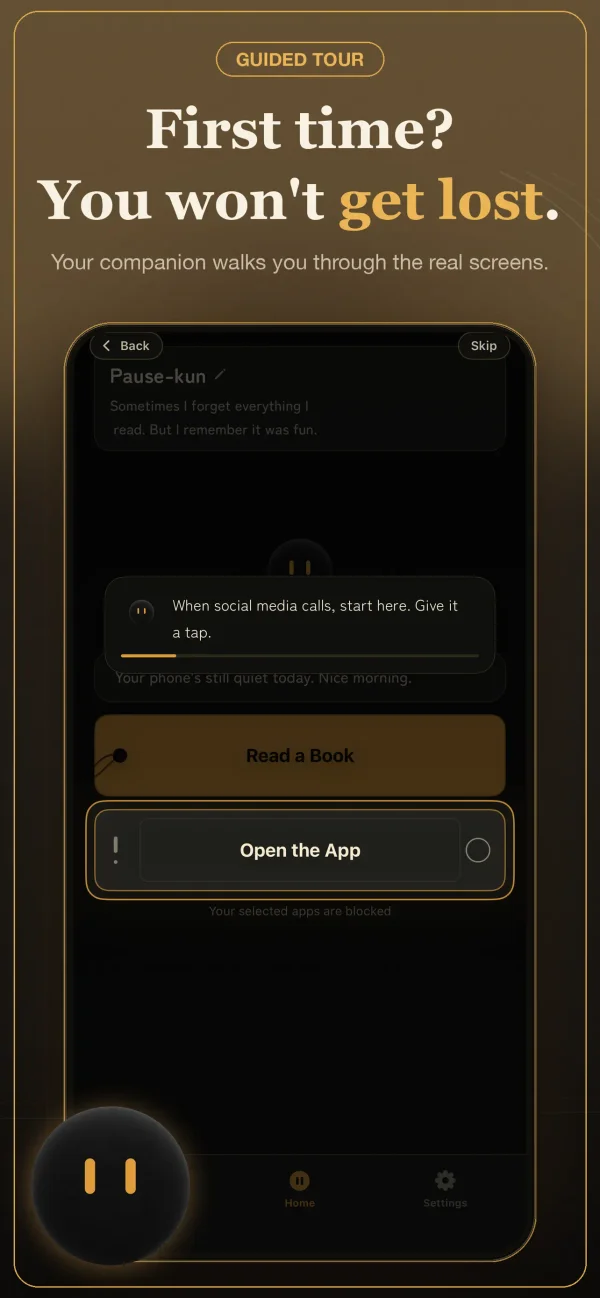
About
What if the time that melts away on social media went into a book instead?
A quick break? Catching up on news? Just checking one notification…
You meant to look for a minute, and two hours are gone. The break left you tired, not rested. And every day, a faint sense of "what am I doing" quietly eats at your confidence along with your time.
You're not alone. That's why Pause exists.
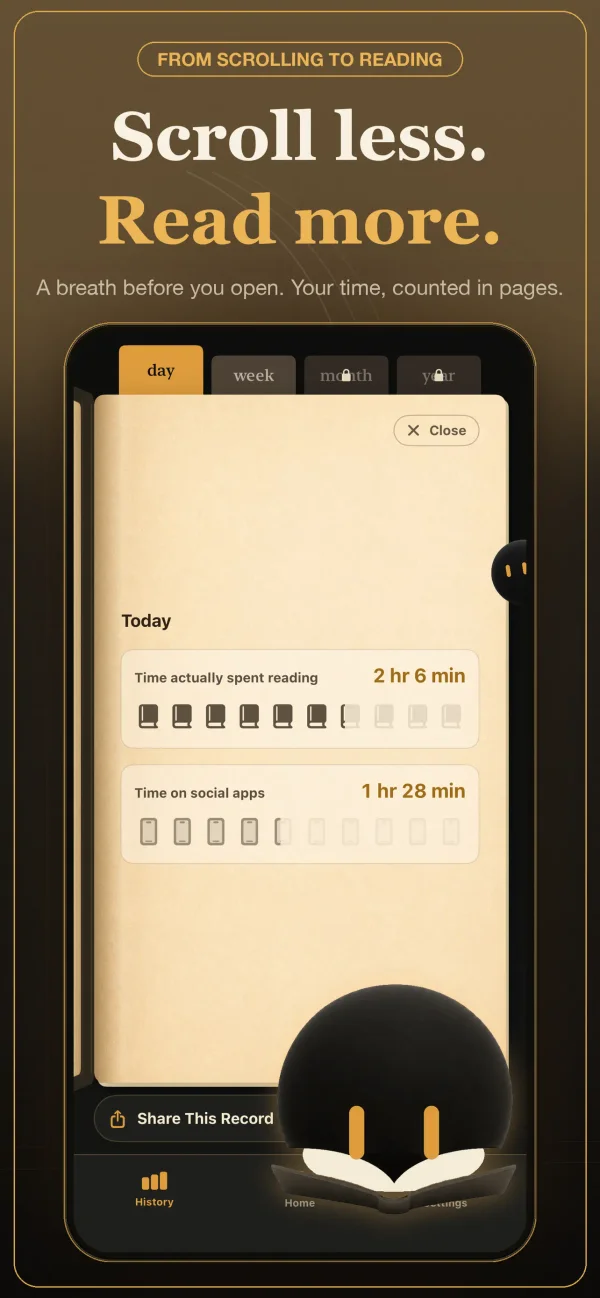
Pause asks you to decide how long BEFORE you open social or video apps. Then it shows what that time was worth in pages: how much of a book you could have read. When your time is up, the apps are blocked again automatically.
No blame. Just a gentle place to stop, so a little of your scrolling turns into reading, day by day.
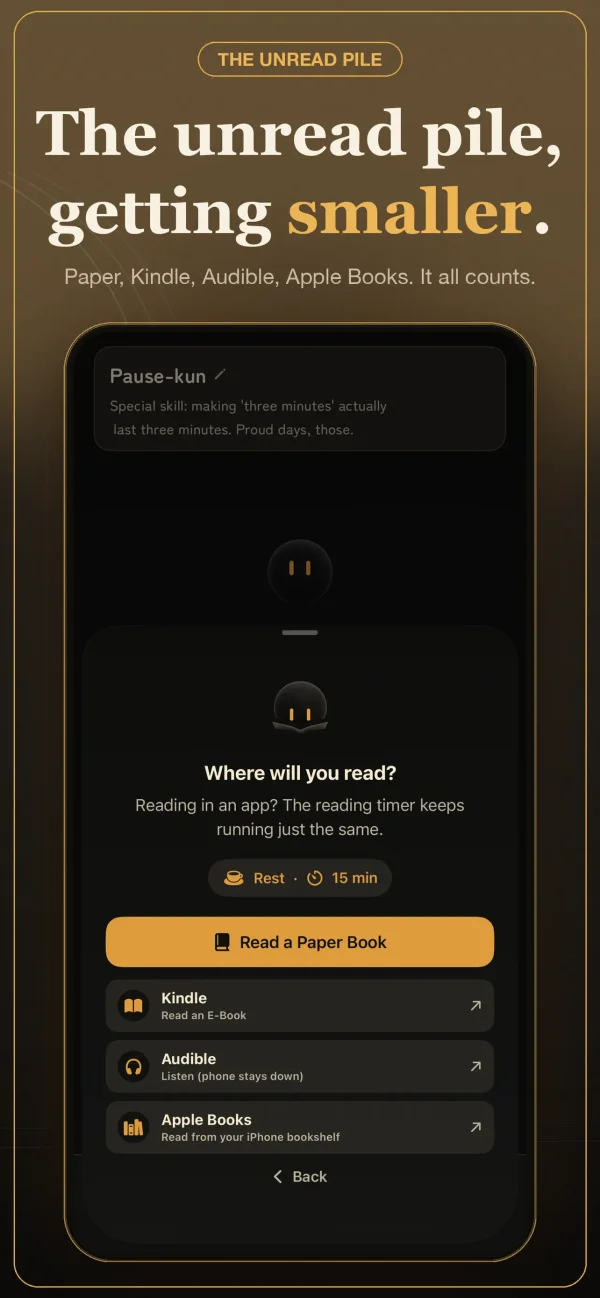
That book you've been meaning to read, a few pages at a time. A reading habit builds on its own. And a small companion, Pause-kun, grows with every page.
[ Free ]
• Sessions: pick "just N minutes" before you open. When time's up, the apps are blocked again
• Reading timer: paper or app. Time in Kindle, Audible, or Apple Books counts as reading too
• Pages instead of minutes: your social time shown as "about N pages of a book"
• Honest records: based on Screen Time measurements. No inflated numbers to scare you
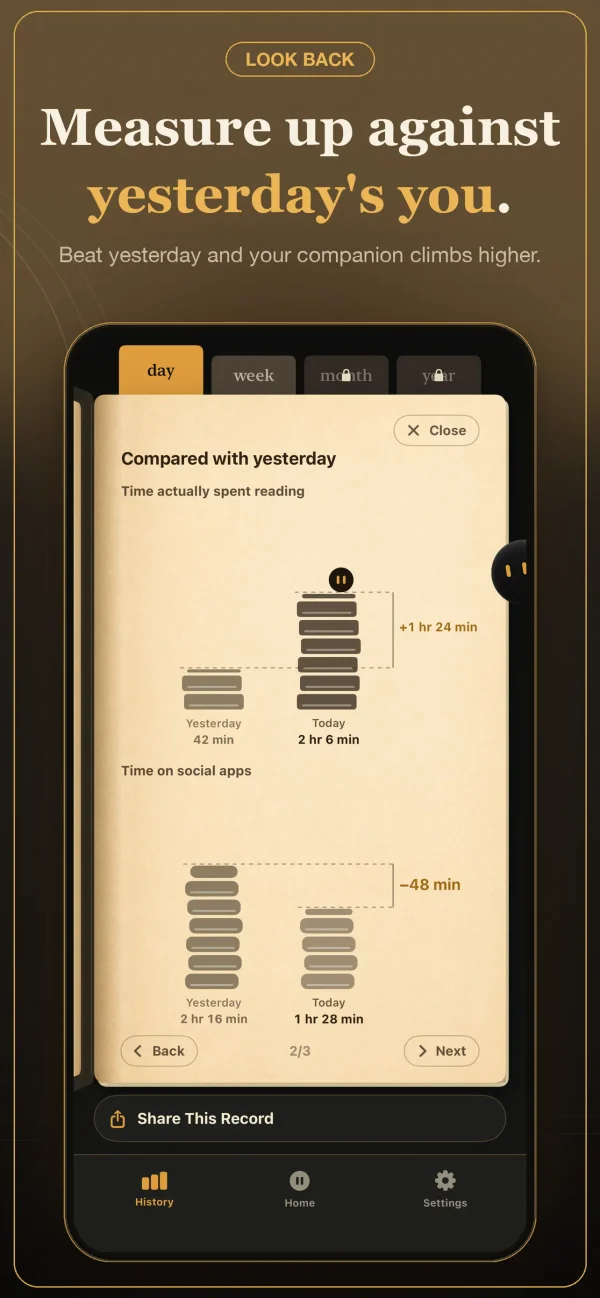
• A companion that grows: books pile up behind Pause-kun as you pause and read
• Home Screen widget and a Lock Screen view while you read (Live Activity)
• Share card: the time you turned into reading, and your companion, in one image
• Today and this week at a glance
* The free version covers up to 3 apps.
[ Pause Plus ]
The free version is enough for most days. Pause Plus is for people who want to cut back more seriously. It's available as a subscription or a one-time purchase.
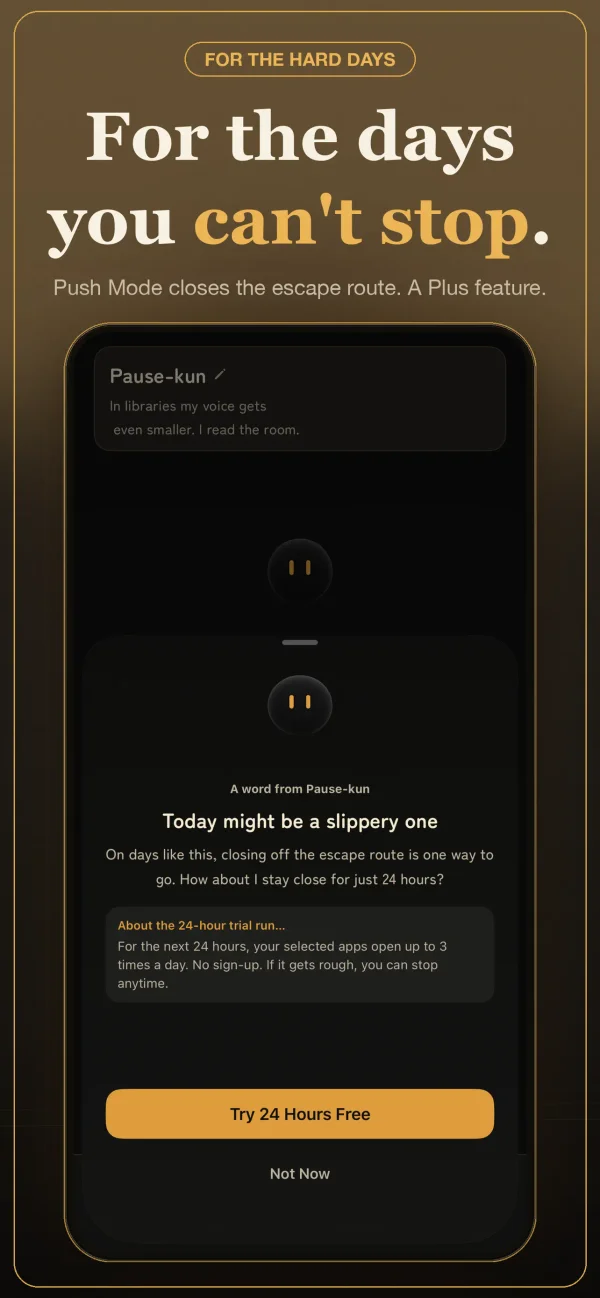
• Push Mode: a block you can't lift for the period you choose
• Unlimited apps
• Reward Mode: after you finish, 24 hours with no limits on your blocked apps
• Monthly and yearly views, with a full year of history
• Name your companion
Pause Plus yearly and monthly plans each come with a 1-month free trial.
Pause Plus one-time purchase: pay once, no auto-renewal.
[ Your privacy ]
• Your Screen Time details and the books you read never leave your device. No account, no sign-in
• Pause doesn't ban social media. It only asks you to pause. The choice is always yours
After the free trial, the subscription converts to a paid plan. Payment is charged to your Apple ID account at confirmation of purchase, and the subscription renews automatically at the same price unless auto-renew is turned off at least 24 hours before the end of the period. You can manage or cancel subscriptions in Settings → Apple ID after purchase.
Terms of Use https://www.apple.com/legal/internet-services/itunes/dev/stdeula/
Privacy Policy https://pause-lp.vercel.app/privacy/
What’s new
Version 1.7 · Nov 23, 2026
You can now play sounds while you read. Tap the music note button at the top right of the reading timer. White noise and waves are free; pink noise, brown noise, fireplace, and rain come with Plus. They keep playing with the screen off, until your time is up.
We've rethought the check-in after you come back from social media. If you come back before your set time is up, it won't ask you anything.
The app picker and the How to Pick Apps guide now explain how to remove apps you've deleted from your iPhone.
Fixed an issue where "Apps to limit" could be changed during Push Mode, and an issue where "Quit Push Mode" didn't appear if Plus ended partway through.
App privacy
What Iku Yagome declares on the App Store about how this app handles data.
-
Data linked to you
May be collected and linked to your identity.
- User content
- Identifiers
-
Data not linked to you
May be collected but is not linked to your identity.
- Identifiers
- Usage data
Privacy practices may vary, for example with the features you use or your age.
Information
- Seller
- Iku Yagome
- Category
- Books
- Version
- 1.7
- Updated
- Nov 23, 2026
- Released
- Jun 25, 2026
- Size
- 77.4 MB
- Requires
- iOS 17.0 or later
- Age rating
- 4+
- In-app purchases
- Yes
- Languages
- Japanese, English, Korean
- Copyright
- © 2026 Iku Yagome
You might also like
-
 本脈 - 次に読む本が見つかる読書マップBooks
-
 Honyomu - Reading LogReading log and bookshelf app
-
 読書空間|本棚・読書記録Books
-
 BookDeck - Reading Log & ShelfBooks
-
 Kotonoba - 読書で出会う知らない言葉の記録帳Books
-
 Hitohira - フレーズで読書記録を残すBooks
-
 よみまち - 読書記録で育つ自分だけの街Books
-
 Reading Memory: Book TrackerBooks
-
 Buy Best Book — 選書AI × 読書記録Books
-
 ReadTime: Read to Unlock AppsBook Tracker & App Blocker