PDF Converter: Word, JPG - PDC
Merge Photos to PDF, Text, Doc
Designed for iPhone, iPad
Free · In-app purchases
- Age rating4+
- CategoryProductivity
- DeveloperImad Khan
- LanguagesEnglish+ 21 more
- Size18.9 MB
Links to the official App Store page
Download.org hosts no file of PDF Converter: Word, JPG - PDC. The button opens its official App Store page, published by Imad Khan. Listing last checked on Nov 24, 2026.
Screenshots

About
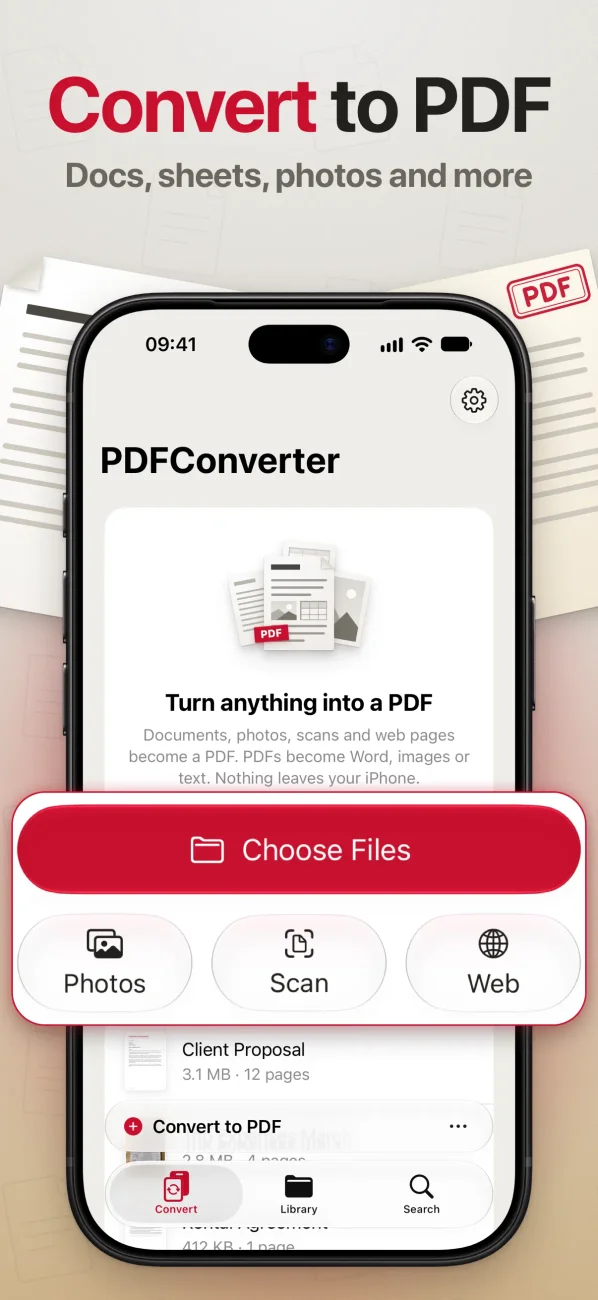
Turn Word and Excel files, photos, scans, web pages and text into one PDF, and turn PDFs back into Word, text or images. It all happens on your iPhone or iPad.
For anyone who needs a PDF but has something else: a school assignment in Word, a spreadsheet, receipts in the camera roll, a form on paper. Pick the files, put them in order and get one PDF, with your text kept as real text you can search and copy.
WHAT SETS IT APART
- Mix documents, spreadsheets, photos, scans and existing PDFs in any order into one PDF, or make one PDF per file.
- Text stays text. Word documents keep their fonts, headings, lists, tables and pictures, and PDF pages go in exactly as they were, never flattened into pictures.
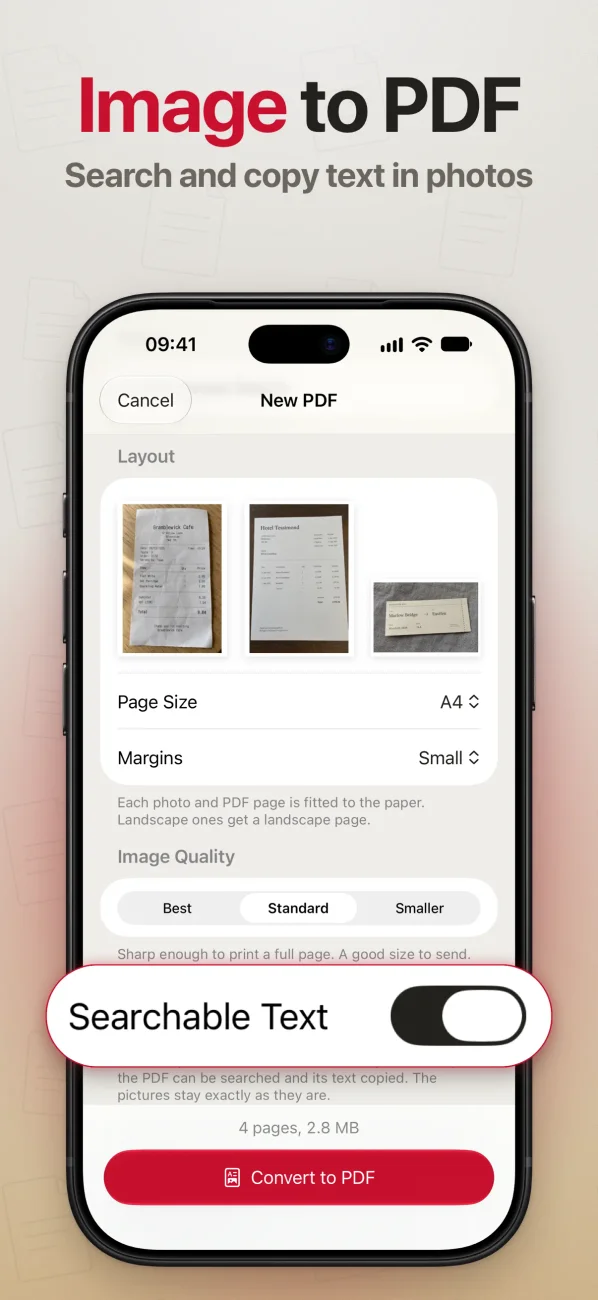
- Scan paper with the camera and each page comes out straight. The words in your photos and scans can be read on your device, so you can search and copy them in the PDF.
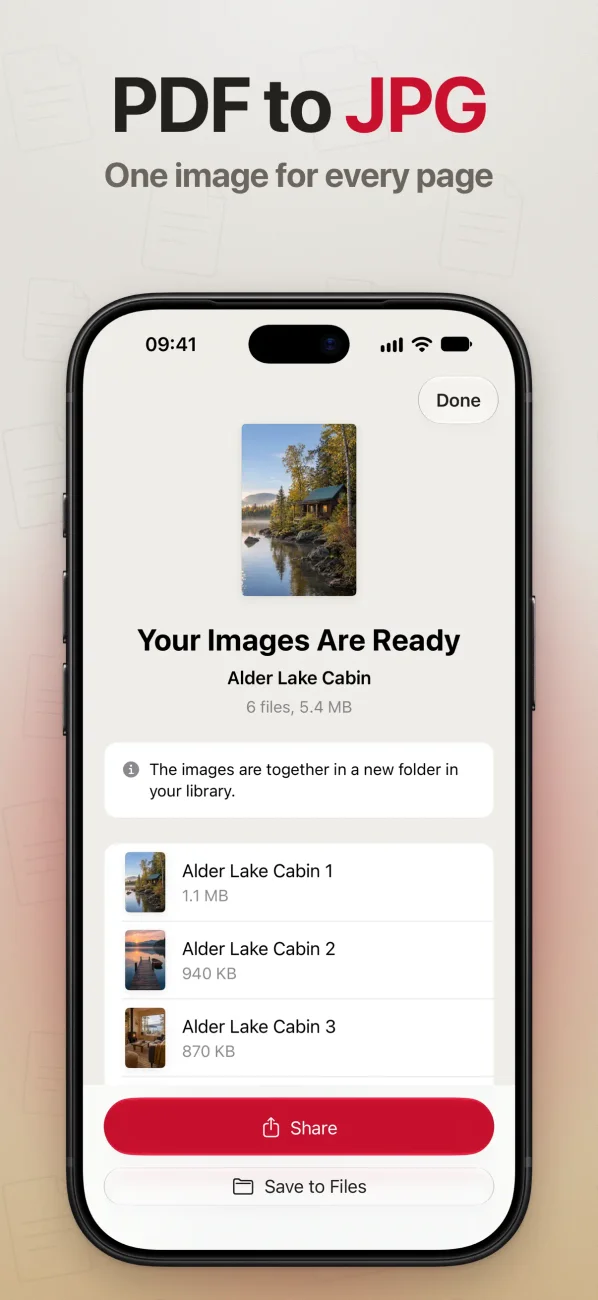
- Turn a PDF into JPEG or PNG pages, a plain text file, or a Word file with its headings and paragraphs ready to edit.
- Wide spreadsheets turn landscape and split into column groups that repeat the first column, so nothing gets cut off.
WHAT YOU CAN CONVERT
- Word (.docx and older .doc), Excel (.xlsx), CSV and TSV
- Markdown, RTF, plain text and HTML files, or any web page from its address
- Up to 100 photos at a time, and multipage camera scans
- PDFs, including locked ones once you enter the password
- Files sent from other apps through the share sheet
SHAPE THE RESULT
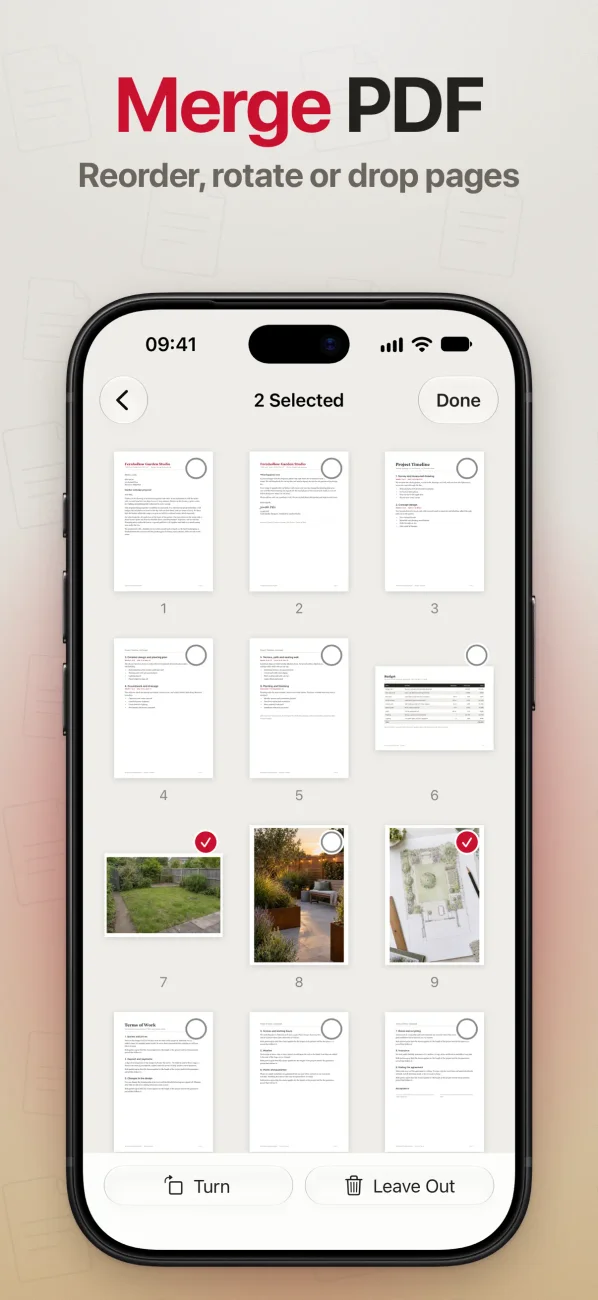
- Reorder, rotate or leave out pages before saving
- Keep each page's own size or use A4 or US Letter, with a choice of margins
- Keep every pixel of your photos, or choose a smaller file for email and upload limits
- Lock the PDF with a password
KEEP YOUR FILES TOGETHER
- Everything you make stays in a library with folders and search
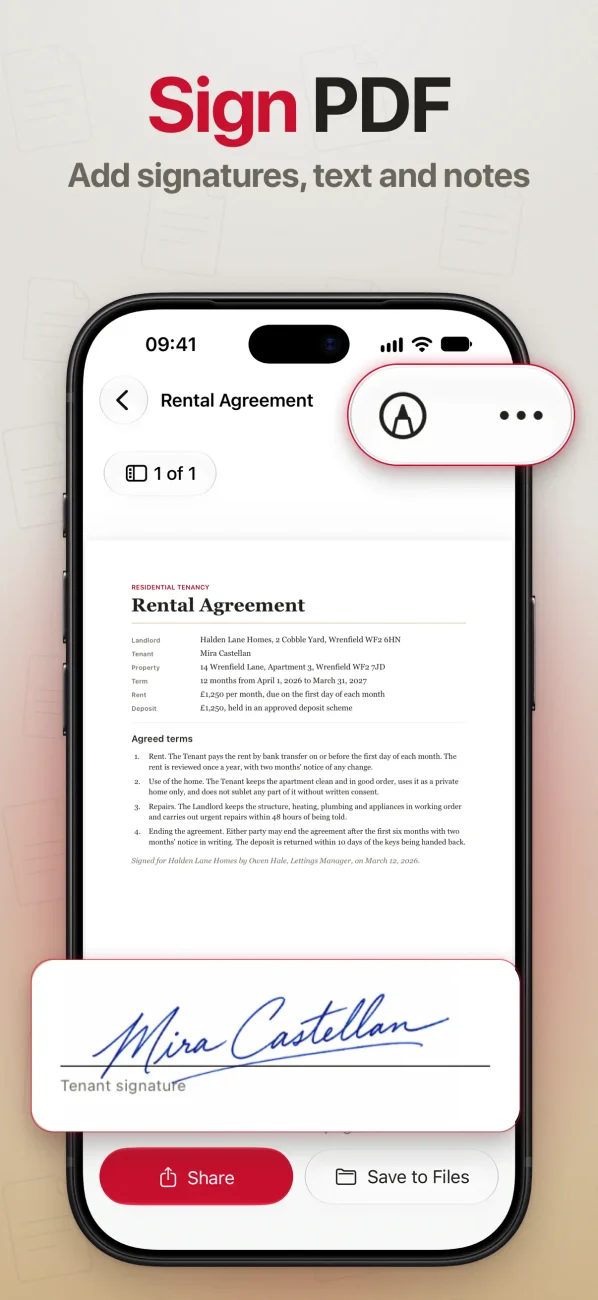
- Mark Up a PDF with text, drawings and your signature (Pro)
- Run "Convert to PDF" from Shortcuts. The PDF is always saved to the library. Passing it to the next step of a shortcut needs Pro.
DOWNLOAD NOW
You can convert, preview, change pages and use the library for free, with no cap on how much you convert. Pro is a subscription for taking your files out of the app: share them, save them to Files and print them. It also adds Mark Up and getting the PDF back from Shortcuts. If you tap Share without Pro, the plans appear first, and once you subscribe the share carries on by itself. Files you made on the free version are still there when you upgrade. If you subscribed to an earlier version of this app, your subscription and your saved documents carry over.
PRIVATE BY DESIGN
Your files are converted on your device and never uploaded. Opening a web page needs a connection, and only that page is loaded. The app has no analytics.
GOOD TO KNOW
Reading words from photos and rebuilding a PDF as a Word file can miss words. Columns, tables and pictures placed among the text are not rebuilt in Word, so check anything important. Older .doc files come in as text without their formatting.
Privacy Policy: https://www.madbyteapps.com/pdfconverter/privacy
Terms of Use (EULA): https://www.madbyteapps.com/pdfconverter/terms
What’s new
Version 2.0.0 · Nov 23, 2026
- PDC 2.0 is here with a faster, smoother experience on iPhone and iPad
- Convert Word (.docx and .doc), Excel, CSV, Markdown, RTF, plain text and HTML files to PDF
- Turn any web page into a PDF
- Combine photos, scans, PDFs and documents into a single PDF
- Reorder, rotate or remove pages before you save
- Protect your PDF with a password
App privacy
What Imad Khan declares on the App Store about how this app handles data.
-
Data linked to you
May be collected and linked to your identity.
- Purchases
- Contact info
- User content
- Identifiers
Privacy practices may vary, for example with the features you use or your age.
Information
- Seller
- Imad Khan
- Category
- Productivity
- Version
- 2.0.0
- Updated
- Nov 23, 2026
- Released
- Dec 11, 2025
- Size
- 18.9 MB
- Requires
- iOS 18.0 or later
- Age rating
- 4+
- Price
- Free
- In-app purchases
- Yes
- Languages
- English, Arabic, Dutch, French, German, Hebrew, Hungarian, Indonesian, Italian, Japanese, Korean, Malay + 10 more
- Copyright
- © 2026 MadByteApps
You might also like
-
 PDF Scanner: Photo to PDF·Document Maker: Scan and Sign
-
 Invoice Maker – Fast & SimpleFast offline PDF invoices
-
 DocuPDF – Scanner & EditorScan, Edit, Convert & Sign PDF
-
 PDF NotedExtract and export PDF notes
-
 PDF Compressor: Compress PDF .Compress PDF - PDF Compressor
-
 JPG to PDF Converter - PDFemConvert Images PNG, JPEG, HEIC
-
 Signature Maker ◆ Sign CreatorE-Sign Documents & PDF Creator
-
 Dictofon: AI Voice RecorderTranscribe & Summarize Offline
-
 My PdfConverter: Scan & SignWord, Photo & Image to PDF
-
 Contacts Backup ToolSafe Contacts Backup & Restore