PDF Easy: Edit, Work & Study
All PDF Tools. No Ads.
Designed for iPhone, iPad
Free
- Age rating4+
- CategoryProductivity
- DeveloperABDULRAHMAN ALEID
- LanguagesEnglish+ 13 more
- Size13.2 MB
Links to the official App Store page
Download.org hosts no file of PDF Easy: Edit, Work & Study. The button opens its official App Store page, published by ABDULRAHMAN ALEID. Listing last checked on Nov 20, 2026.
Screenshots

About
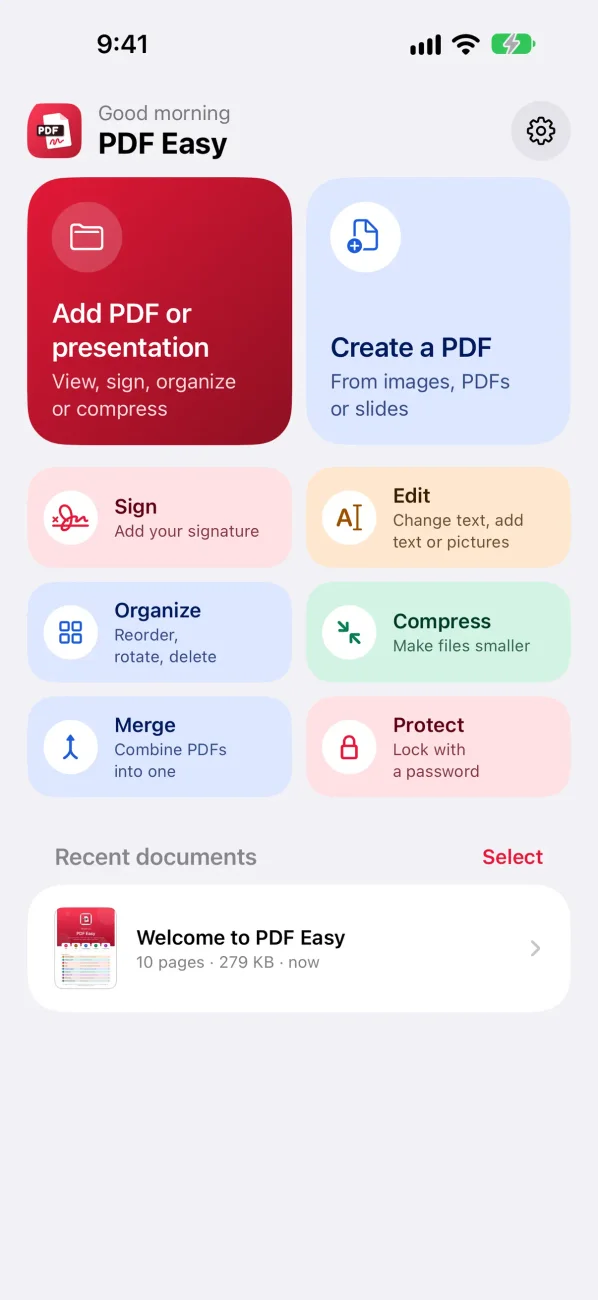
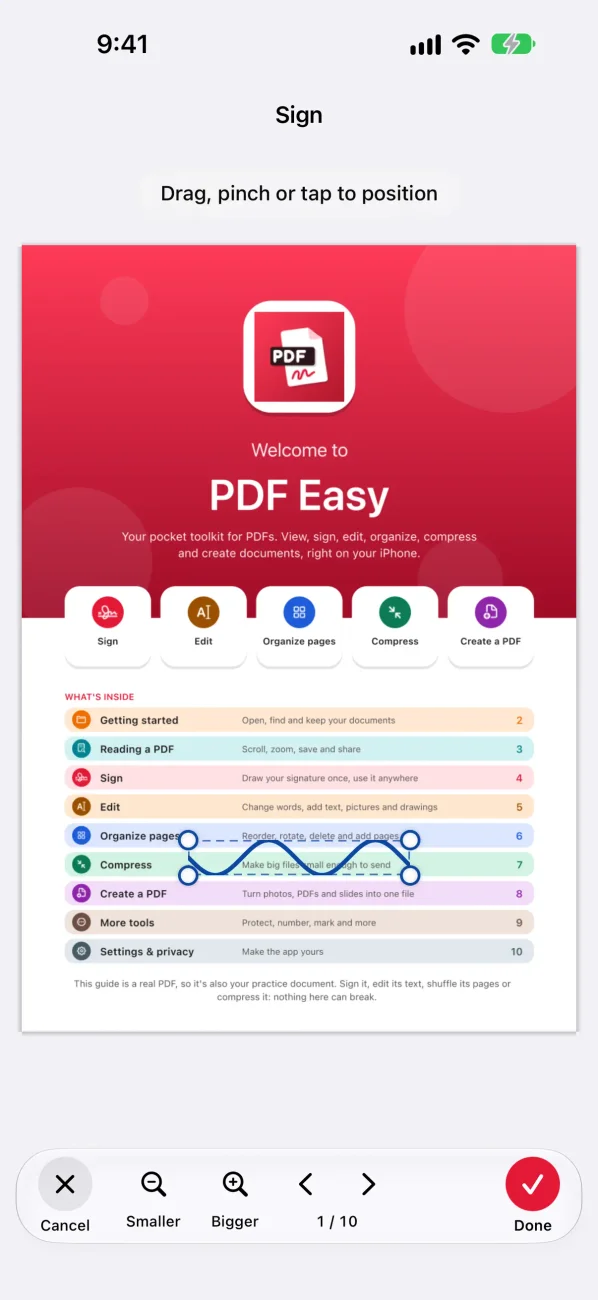
PDF Easy is a PDF app for reading, studying and getting work done. Highlight and take notes, draw with Apple Pencil, fill in forms, sign, edit text, and turn Word, PowerPoint and Keynote files into PDFs. Everything happens on your device: no account, no uploads, no ads.
READ COMFORTABLY
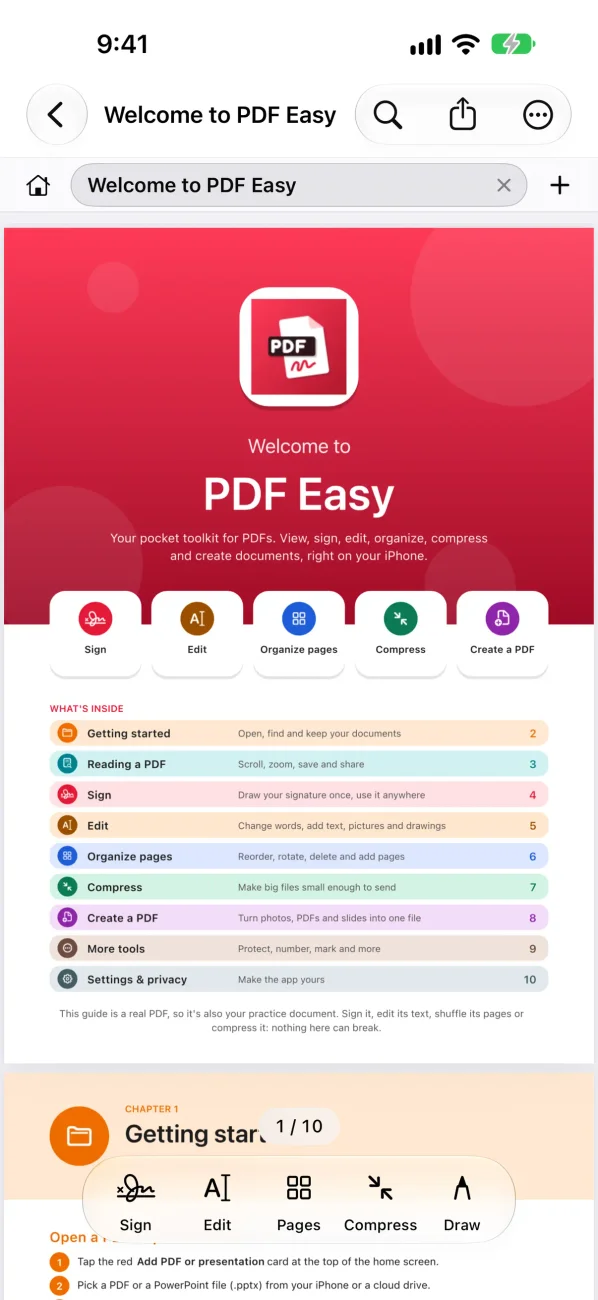
• Smooth reading, with a thumbnail panel, contents and bookmarks
• Two pages side by side on iPad, and a presentation mode for slides
• Night reading for each document: dark pages and cream text, with photos kept as they are
• Keep several documents open in tabs
• Search inside every document from Home, and find words in a document (Arabic with or without diacritics)
STUDY AND TAKE NOTES
• Highlight in five colours, underline or strike through; select a highlight again to remove it or change its colour
• Add sticky notes, and keep a list of marked passages to come back to
• Draw on the page with Apple Pencil or your finger; hold at the end of a stroke for a perfect line, circle or box
• Select text precisely, in Arabic and English alike
• Scanned pages are read on your device, so you can highlight and copy their text too
• Works with VoiceOver, a line at a time
GET WORK DONE
• Sign: draw your signature or bring it in from a photo; it's encrypted and kept only on your device
• Fill in forms: text fields, checkboxes, choices and signature fields
• Edit the text that's already there: fix a typo, a name, a date or an amount
• Add text, pictures and covers; move, resize or replace the page's own pictures
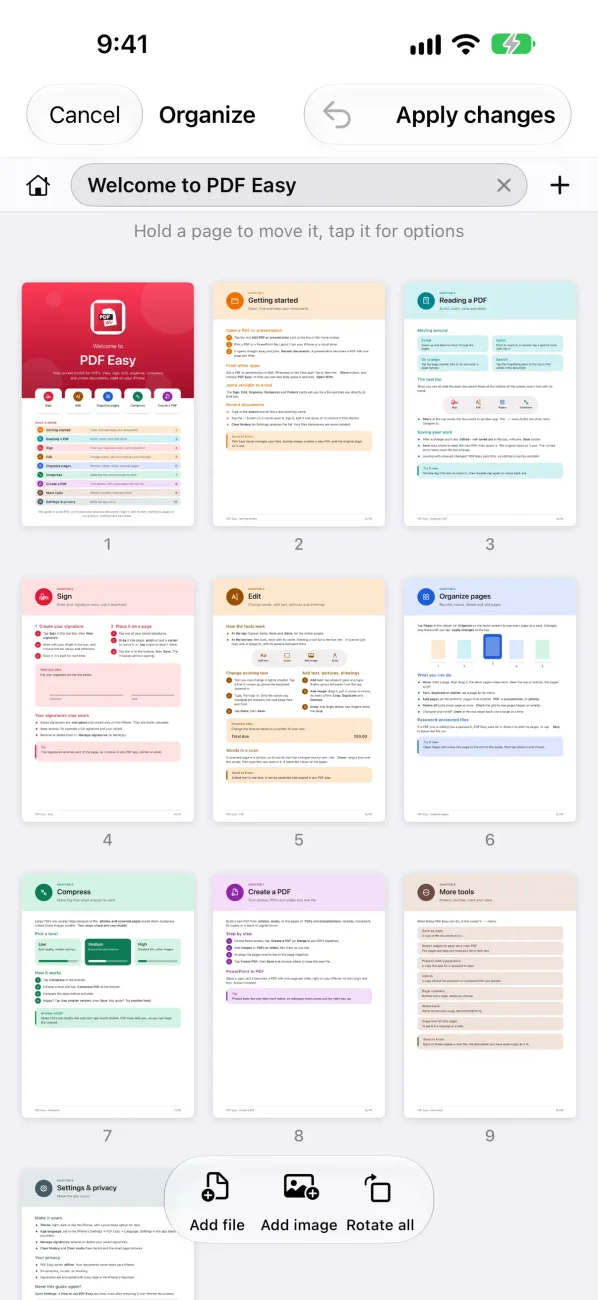
• Rearrange, rotate, delete and add pages, or drag pages from one document to another
• Merge, compress, add page numbers or a watermark, and protect with a password
• Create PDFs from photos, files, or blank, lined and grid pages
• Turn Word, PowerPoint and Keynote files into PDFs, on your device
• Shortcuts actions: merge, compress, images to PDF and page numbers
YOUR FILES STAY YOURS
• Works offline: nothing is uploaded and nothing is tracked
• Your original file is never changed: edits are saved as a new file, which you can keep updating
IN YOUR LANGUAGE
• 14 languages: English, Arabic, Bengali, Chinese, French, German, Hindi, Indonesian, Japanese, Portuguese, Russian, Spanish, Turkish and Urdu
• Full right-to-left support for Arabic and Urdu
COMPLETELY FREE
• Every feature is free: no subscription, no in-app purchases, no watermark on your files, no ads
What’s new
Version 1.1 · Nov 17, 2026
New in 1.1:
• Folders: put documents into folders, one at a time or several at once
• Colour labels: mark documents with a colour and show only that colour; their tabs take the colour too
• Fixed: when selecting, the last document is no longer hidden under the bar
• Fixed: in Rearrange, pages can be dragged straight away
• A bigger, clearer app icon
App privacy
What ABDULRAHMAN ALEID declares on the App Store about how this app handles data.
-
Data not collected
The developer does not collect any data from this app.
Privacy practices may vary, for example with the features you use or your age.
Information
- Seller
- ABDULRAHMAN ALEID
- Category
- Productivity
- Version
- 1.1
- Updated
- Nov 17, 2026
- Released
- Nov 13, 2026
- Size
- 13.2 MB
- Requires
- iOS 17.0 or later
- Age rating
- 4+
- Price
- Free
- Languages
- English, Arabic, Bengali, French, German, Hindi, Indonesian, Japanese, Portuguese, Russian, Simplified Chinese, Spanish + 2 more
- Copyright
- © 2026 PDF Easy
You might also like
-
 مداد PDFProductivity
-
 وريق - تعديل PDFProductivity
-
 QPdf - PDF Reader & EditorEdit, sign & scan PDFs offline
-
 Converge: AI Mind MapBrainstorm, Outline & Diagram
-
 VT PDF Voice ReaderPDF read aloud and AI summary
-
 SameFont: Edit PDF TextPhoto & Screenshot Text Editor
-
 ZOOD PDF: Arabic PDF EditorEdit and sign PDFs in Arabic
-
 PDF EasyFlow: PDF Edit MergePage edit, merge, photo-PDF
-
 42 PDF Editor: Sign & AnnotateFill, sign, edit & scan PDFs
-
 PDF Editor ++Edit PDF Files