PDF Edit Studio: Editor & Sign
Convert to Word, Merge, Redact
Designed for iPhone, iPad, Mac
$7.99
- Age rating4+
- CategoryProductivity
- DeveloperHokfam Ltd
- LanguagesEnglish
- Size3.8 MB
Links to the official App Store page
Download.org hosts no file of PDF Edit Studio: Editor & Sign. The button opens its official App Store page, published by Hokfam Ltd. Listing last checked on Nov 12, 2026.
Screenshots

About
Edit, convert, sign and redact PDFs on iPhone, iPad and Mac – pay once, no subscription.
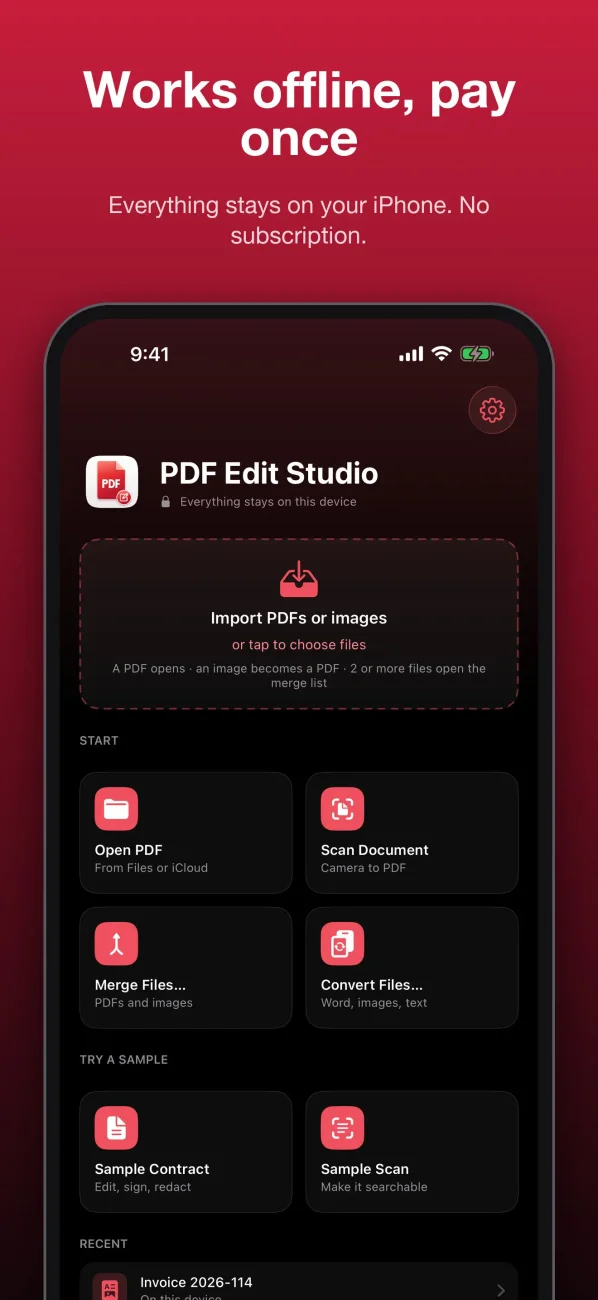
Everything runs offline on your device: no account, no uploads, no data collected.
One purchase unlocks the full app on all your Apple devices, with no in-app purchases.
Full description:
Edit, convert, sign and redact PDFs on iPhone, iPad and Mac – pay once, no subscription.
Everything runs offline on your device: no account, no uploads, no data collected.
One purchase unlocks the full app on all your Apple devices, with no in-app purchases.
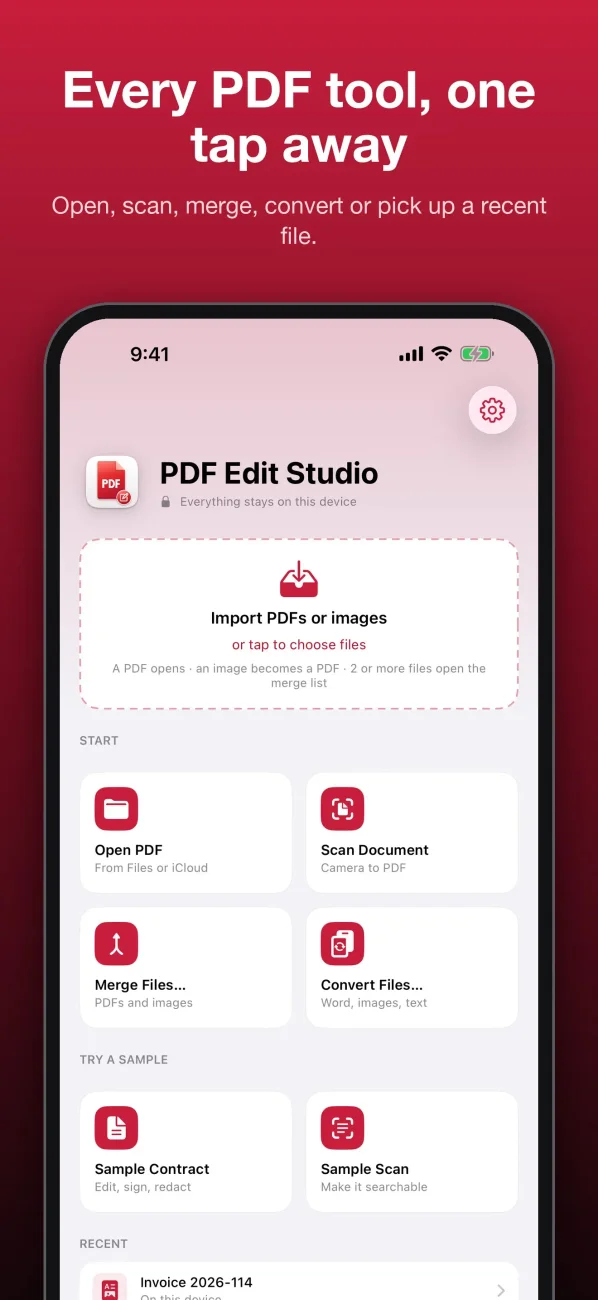
PDF Edit Studio is a complete PDF toolkit for everyday paperwork: contracts, invoices, forms, scans, study notes and reports. Every tool is included from day one, and your files never leave your device.
EDIT TEXT RIGHT ON THE PAGE
• Tap existing text in a PDF and edit it inline
• Font matching keeps new text close to the original look
• Change text colour to suit the document
MARK UP AND ANNOTATE
• Highlight, underline, pen and ink drawing
• Shapes, notes and text boxes
• Choose from a 60-colour palette
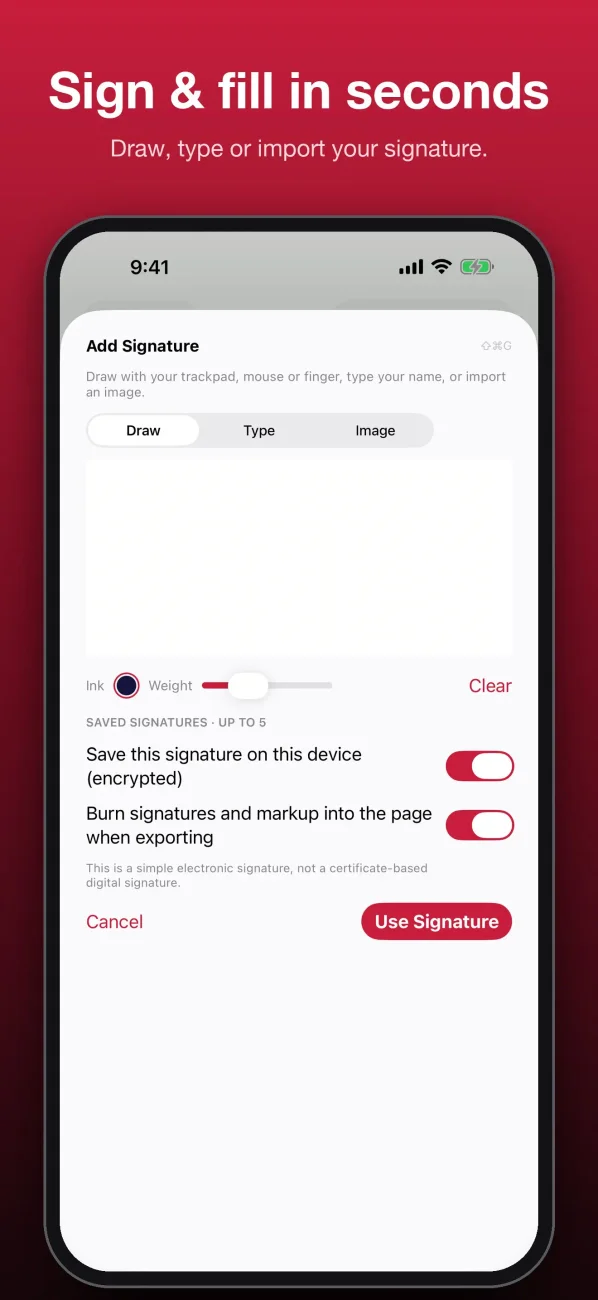
SIGN AND FILL FORMS
• Fill in PDF forms
• Add your signature to contracts, agreements and applications
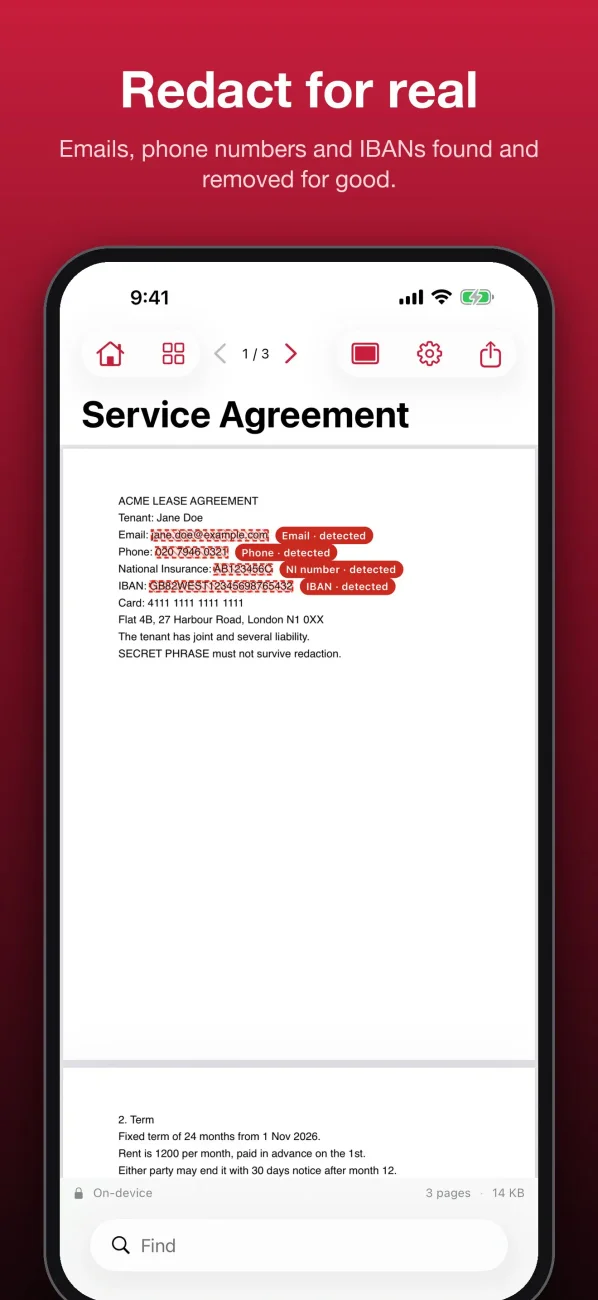
REDACT FOR REAL
• True redaction that is burned into the page, not just covered with a box
• Pick your redaction colour
• Auto-detect email addresses, phone numbers, UK National Insurance numbers and IBANs so you can review and redact them quickly
SCAN AND OCR
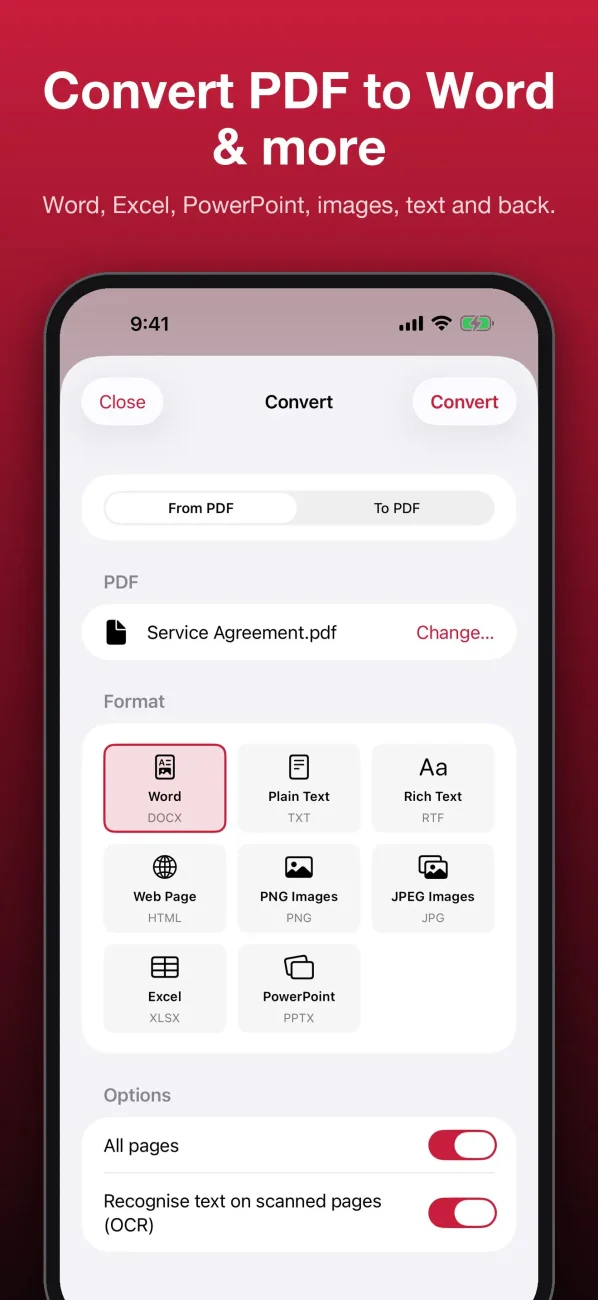
• Turn scanned pages into searchable, selectable text with OCR
• Scan paper documents with the document camera on iPhone and iPad
CONVERT, OFFLINE
• PDF to Word (DOCX), Excel, PowerPoint, TXT, RTF, HTML, PNG and JPEG
• Create PDFs from images, Word, TXT, RTF, HTML and Markdown
• Conversion happens on your device, with no upload to a server
MERGE, COMPRESS AND ORGANISE
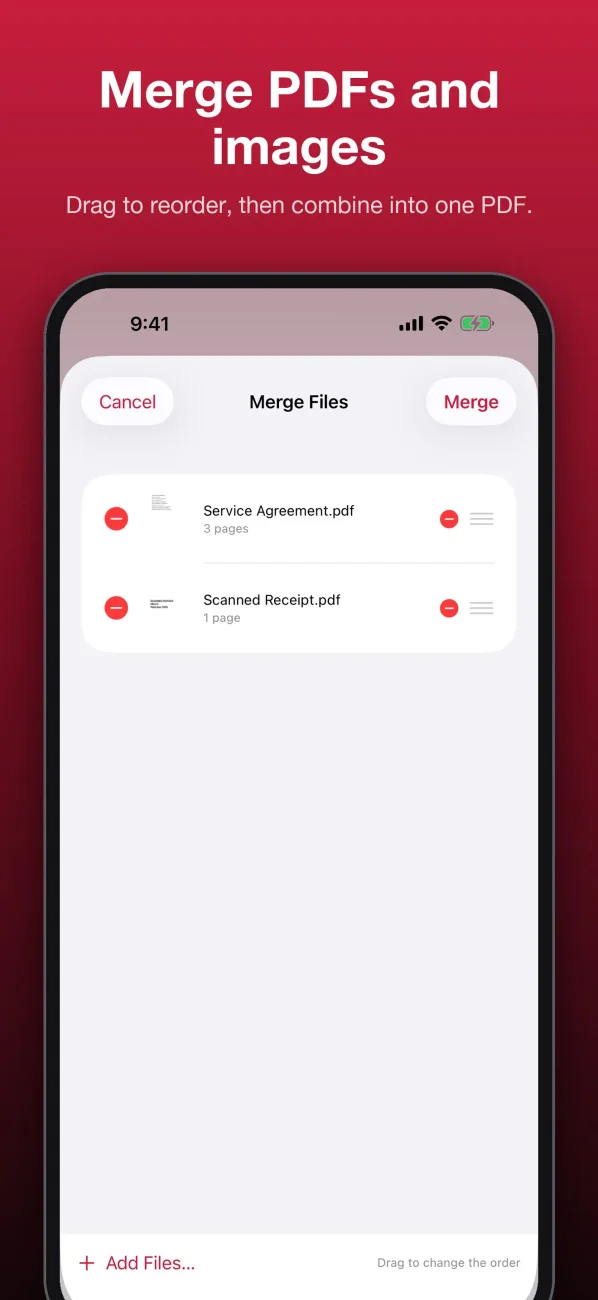
• Merge PDFs and images into one file, in the order you choose
• Compress PDFs to make files smaller for email and sharing
• Reorder, rotate, delete and insert pages
• Undo and redo as you work
AUTOMATE AND GO FURTHER
• Shortcuts actions for automating common PDF tasks
• On-device AI features that run privately on your device
PAY ONCE, KEEP IT
No subscription, no trial that turns into a bill, no features locked behind a paywall. Buy PDF Edit Studio once and use every feature on iPhone, iPad and Mac with universal purchase.
PRIVATE BY DESIGN
PDF Edit Studio works fully offline. Your documents are processed on your device and are never uploaded. The app does not collect any data, which is why the App Store privacy label reads "Data Not Collected".
https://www.apple.com/legal/internet-services/itunes/dev/stdeula/
Questions or feedback? Get in touch via our support page.
Support: https://pdf-edit-studio.github.io/pdfeditor/support.html
Privacy Policy: https://pdf-edit-studio.github.io/pdfeditor/privacy.html
App privacy
What Hokfam Ltd declares on the App Store about how this app handles data.
-
Data not collected
The developer does not collect any data from this app.
Privacy practices may vary, for example with the features you use or your age.
Information
- Seller
- Hokfam Ltd
- Category
- Productivity
- Version
- 1.0
- Updated
- Nov 1, 2026
- Released
- Oct 16, 2026
- Size
- 3.8 MB
- Requires
- iOS 17.0 or later
- Age rating
- 4+
- Price
- $7.99
- Languages
- English
- Copyright
- © PDF EDIT STUDIO INC.
You might also like
-
 ClipaperPDF Notes & Research Canvas
-
 iPC Me1 Click Share Between Devices
-
 Shorty: Block Shorts & ReelsStop TikTok Feed & Scrolling
-
 PDF Creator – Auto ScanSmart Document Scaner
-
 Swype: Clean Your PhotosFind & Remove Duplicates
-
 NotizwerkProductivity
-
 Daftar - Notes & TasksArabic-first notes workspace
-
 Get TranscriptAny video to text in seconds
-
 Contact Cleaner: Merge DupesSwipe & delete duplicates
-
 Zebra: Markdown Knowledge BaseWrite, sketch, connect