Pdf Locker & Unlocker
Lock, Unlock & Secure PDFs
Designed for iPhone, iPad
Free · In-app purchases
- Age rating4+
- CategoryUtilities
- DeveloperPrince Boateng
- LanguagesEnglish
- Size18.4 MB
Links to the official App Store page
Download.org hosts no file of Pdf Locker & Unlocker. The button opens its official App Store page, published by Prince Boateng. Listing last checked on Nov 18, 2026.
Screenshots

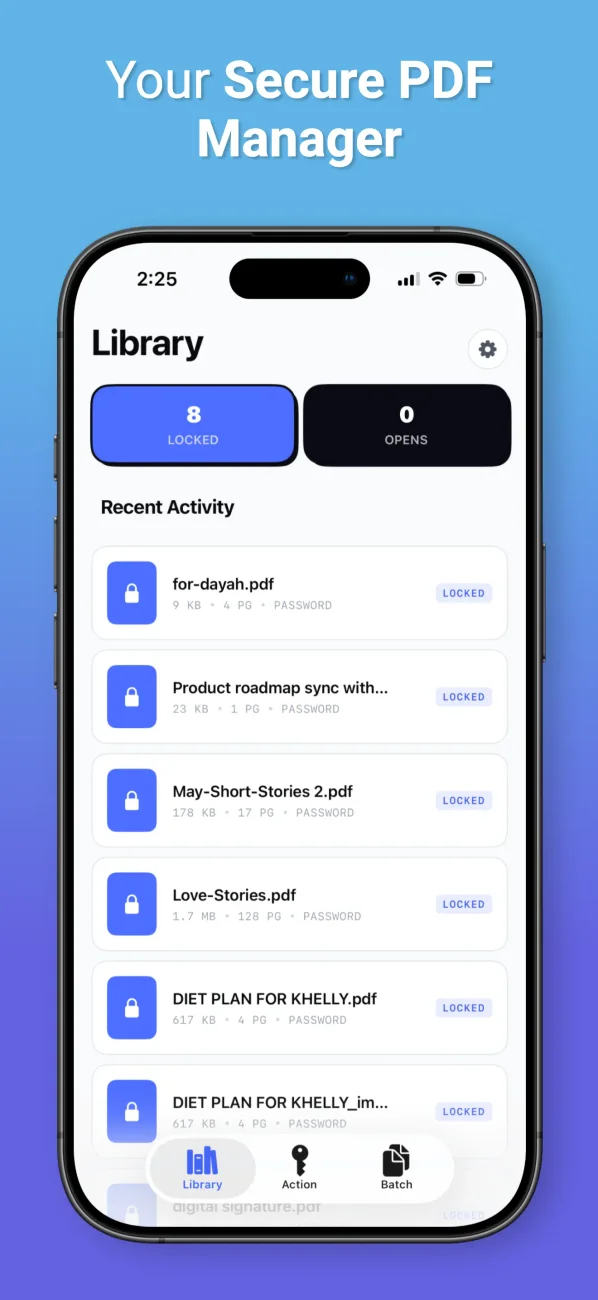
About
Pdf Locker & Unlocker is a powerful privacy-first PDF security app built for people who want full control over their documents. Whether it’s contracts, IDs, invoices, business files, school notes, or confidential records, Pdf Locker & Unlocker helps you secure, unlock, and safely share PDFs directly from your iPhone with zero compromises on privacy.
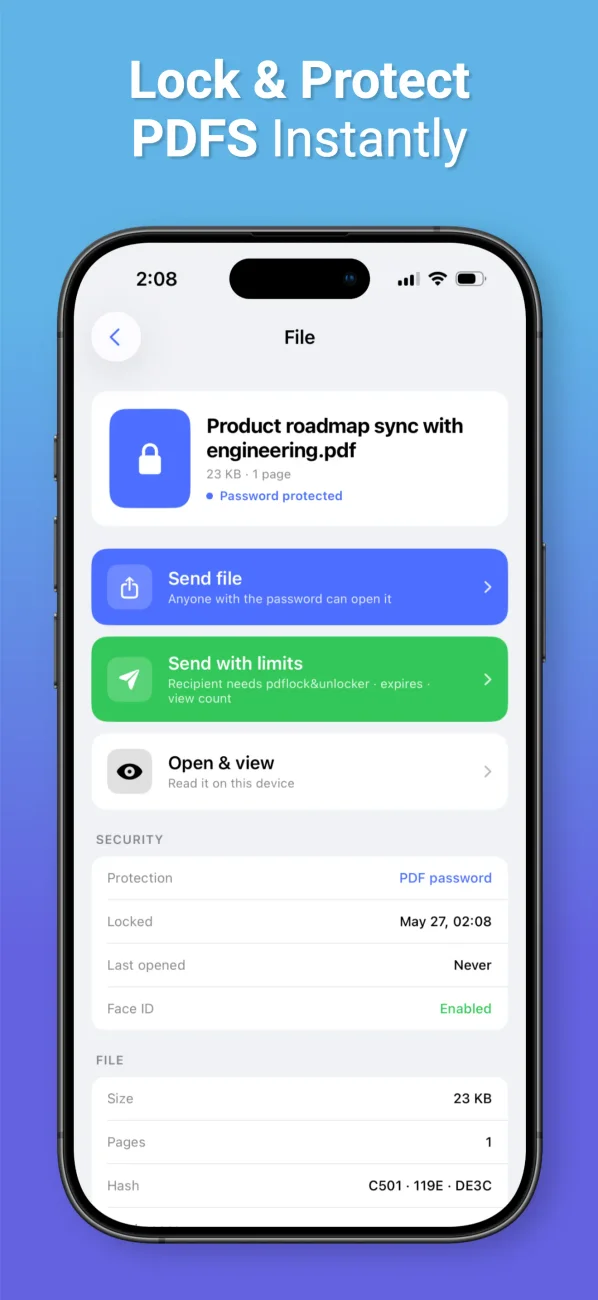
Protect sensitive files with strong password encryption and create secure PDF copies that can be opened in any standard PDF reader. Instantly unlock protected PDFs when you have permission, organize your private documents, and keep everything secured with Face ID and on-device encryption.
But Pdf Locker & Unlocker goes beyond traditional PDF protection.
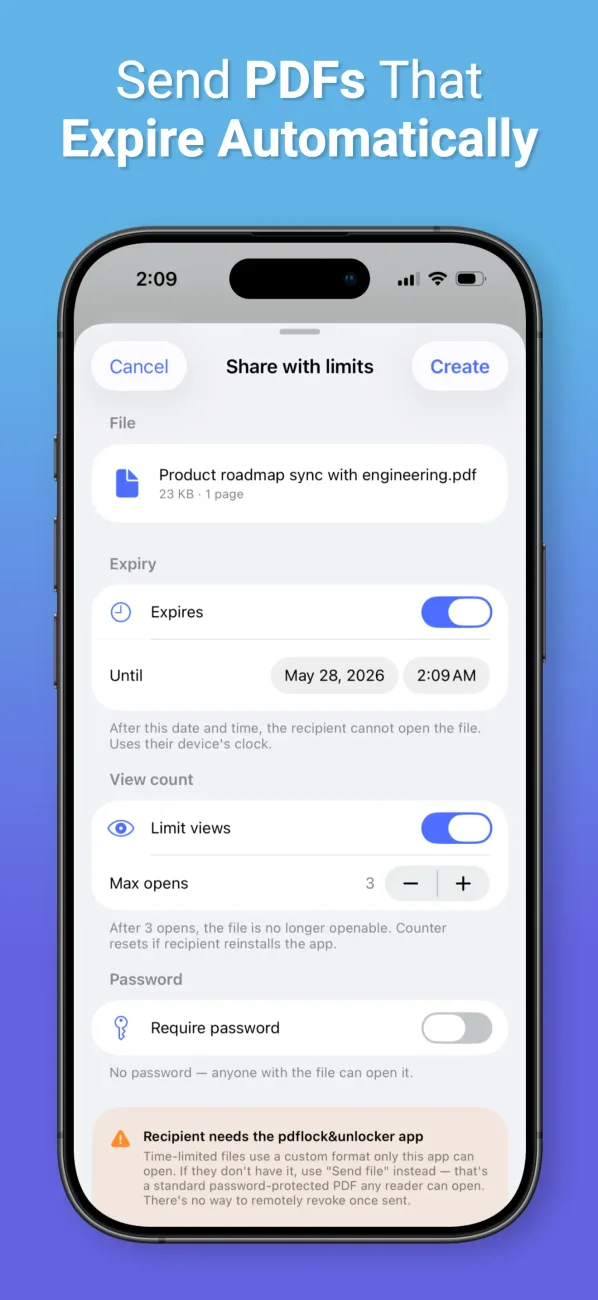
Instead of sending permanent files that can be endlessly forwarded or viewed, you can generate secure self-expiring share passes for your PDFs. Choose exactly how long someone can access a file or how many times it can be opened before access automatically expires.
Examples:
• This file expires in 24 hours
• Only 3 views allowed
• Access automatically removed after opening
This gives you smarter control over private files, work documents, legal paperwork, personal records, and confidential information.
Unlike many apps, Pdf Locker & Unlocker is designed with privacy at its core:
• No accounts required
• No cloud storage
• No tracking
• No analytics
• No file uploads
• No servers storing your documents
Your PDFs stay on your device and remain fully under your control.
KEY FEATURES
• Lock PDFs with strong password protection
• Unlock protected PDF documents
• Create portable encrypted PDF copies
• Share files with expiration dates and view limits
• Self-destructing secure share passes
• Face ID & biometric protection
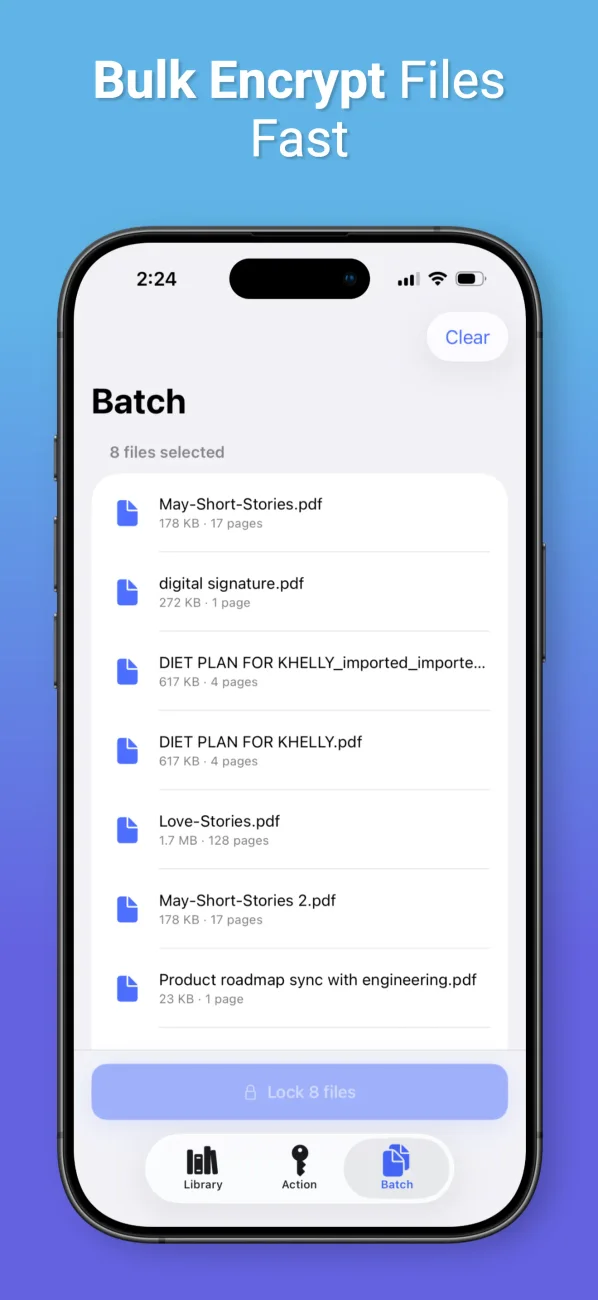
• Batch lock multiple PDFs at once
• Full on-device encryption
• Fast offline processing
• Zero tracking or data collection
• Clean and simple user experience
Whether you’re protecting personal documents, sharing confidential work files, or securing important records before sending them, Pdf Locker & Unlocker gives you modern PDF privacy tools designed for today’s world.
Savory All Access
• Length: 1 year
• Price: $5.99, $39.99 and $79.99(auto-renews)
• Terms of Use: https://www.apple.com/legal/internet-services/itunes/dev/stdeula/
• Privacy Policy: https://docs.google.com/document/d/103EDd8WrtT7ppkawS8OsH-93FmBkVnJE/edit?usp=sharing&ouid=105049775202487025199&rtpof=true&sd=true
App privacy
What Prince Boateng declares on the App Store about how this app handles data.
-
Data not collected
The developer does not collect any data from this app.
Privacy practices may vary, for example with the features you use or your age.
Information
- Seller
- Prince Boateng
- Category
- Utilities
- Version
- 1.0
- Updated
- Jul 7, 2026
- Released
- Jul 7, 2026
- Size
- 18.4 MB
- Requires
- iOS 18.0 or later
- Age rating
- 4+
- Price
- Free
- In-app purchases
- Yes
- Languages
- English
- Copyright
- © 2026 Prince Boateng. All rights reserved.
You might also like
-
 PDF Unlocker ProPDF Unlocker and Locker Tool
-
 Lock Pdf & Unlock PDF OfflineAdd & Remove Password From PDF
-
 Real time translation-Word PPT Excel TXT PDF翻译实时翻译插件
-
 PDF: Lock & UnlockLock & Unlock PDF File
-
 Omni PDF Unlocker - PasswordRemove PDF password easily
-
 PDF Password Remover OfflineCreate and Remove PDF password
-
 fleetster Corporate CarSharingUtilities
-
 CV Builder & Resume Maker StarMy Perfect Curriculum Vitae
-
 Resume CV MakerCreate Resumes for Jobs Fast
-
 AI Resume Builder ◦ CV MakerCover Letter Creator: Template