PDF pages Extractor & Splitter
Extract pages from PDF
Designed for iPhone, iPad, iPod touch
$3.99
- Age rating4+
- CategoryProductivity
- DeveloperRuchira Ramesh
- LanguagesEnglish
- Size6.8 MB
Links to the official App Store page
Download.org hosts no file of PDF pages Extractor & Splitter. The button opens its official App Store page, published by Ruchira Ramesh. Listing last checked on Nov 15, 2026.
Screenshots

About
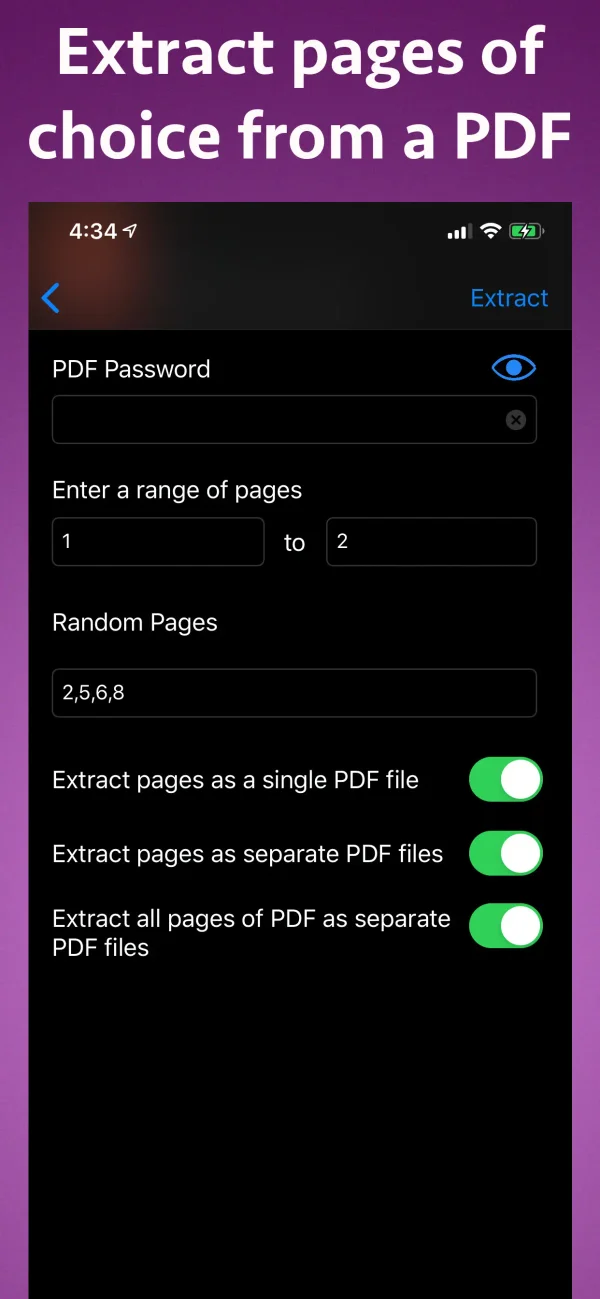
Extract pages of choice from a PDF and save as separate PDF file.Pages could be selected by page range or explicit page numbers.The application also supports password protected PDF.
Using the application, you could specify a range of the pages to be extracted and saved.For example, if you want to extract from page 10 to page 20 of a PDF file, you could specify this range of 10 to 20 in the application.The application will extract these pages and save them either as a single PDF file or each page as a separate PDF file as per your choice.
Sometimes, we want to extract random pages from PDF. For example, if you want to extract only pages numbered 2,6,8,25, and 50 from PDF, this could be done as well.Inside the application just specify all page numbers separated by comma.The application will extract these random pages and save them either as a single PDF file or as a separate pdf file as per your choice.
If you want to extract all pages of PDF and save each of these pages as separate PDF, you could do this as well.
If the PDF pages are annotated, the application will process & retain the annotations into the extracted pages as well.
The application also supports Password Protected PDF files. This means that the application could easily extract pages even from PDF files that are protected by a password.Also, the application removes the password from the extracted pages.
(Note: You will have to enter the password in application.)
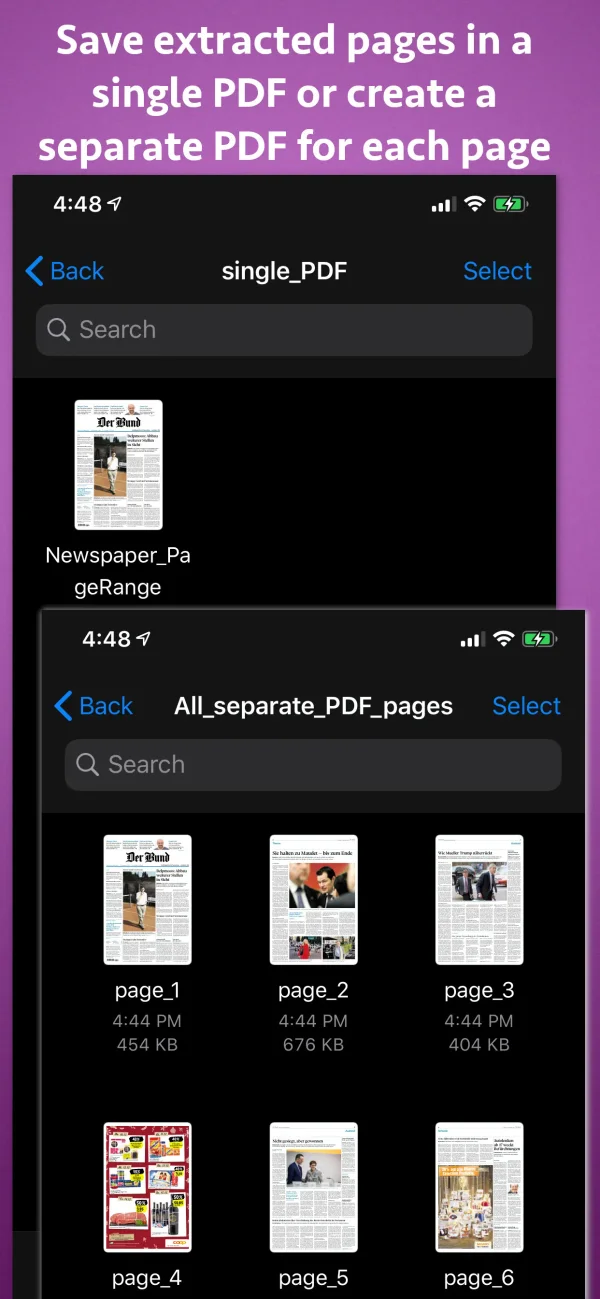
The application is integrated with "Files" app of the phone.All extracted pages & PDF files could be easily accessed & managed using the Files application.
The extracted pages could be saved in following three ways :
a) All pages of choice could be extracted and saved as a single PDF file.
b) Each extracted page could be saved as a separate PDF file.
c) All pages of the PDF could be saved as a separate PDF file.
Benefits :
-- Reduce the file size by only taking the pages that are needed.
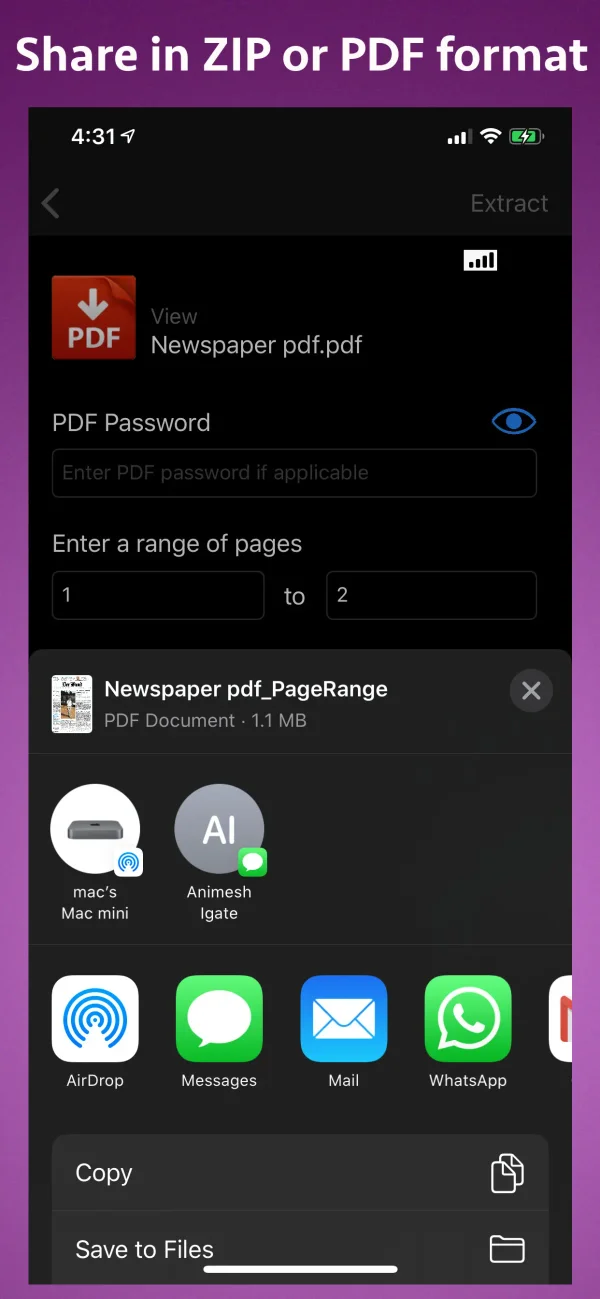
-- Share only the PDF containing the required pages.
-- Save PDF files without password
-- Remove unwanted pages from a PDF
-- Maintain documentation easily by extracting and keeping only important pages from a PDF.
-- Integration with the phone's "Files" application for easy access to the extracted pages & PDF.
-- Extracted pages could be easily used inside a document or a presentation.This makes documentation and presentation easy to prepare.
-- Save a particular chapter or only selected pages from a PDF file, the application will be quite useful to you.It helps in saving & sharing a particular chapter from a book or novel.If there is a page containing an important study topic ,it could be extracted & saved using the application as well.
What’s new
Version 15 · Nov 5, 2025
- Minor bug fixes
App privacy
What Ruchira Ramesh declares on the App Store about how this app handles data.
-
Data not collected
The developer does not collect any data from this app.
Privacy practices may vary, for example with the features you use or your age.
Information
- Seller
- Ruchira Ramesh
- Category
- Productivity
- Version
- 15
- Updated
- Nov 5, 2025
- Released
- Jan 31, 2018
- Size
- 6.8 MB
- Requires
- iOS 11.0 or later
- Age rating
- 4+
- Price
- $3.99
- Languages
- English
- Copyright
- © Copyright by Runisoft
You might also like
-
 Numly: PDF Page NumbersPage N or N of total, any spot
-
 Arrow+Organize your Safari tabs
-
 PDF FlattenFlatten Fillable PDF Forms
-
 Punch List & Audit: SnagShotConstruction defects by voice
-
 Zealous NotesSortable, Stackable Notes app
-
 PDF Scanner: PDF MakerMerge, Split or Convert PDF
-
 RPN-35 SDFirst scientific calculator!
-
 History Book - Browse & SearchSearch your browsing history
-
 Reminder - Beep Me ProNo Ads, No Limits: Nag Alarms
-
 WorkProofCam: Photo ReportTimestamp Job Site Photos