PDF Flatten
Flatten Fillable PDF Forms
Designed for iPhone, iPad, iPod touch
$0.99
- Age rating4+
- CategoryProductivity
- DeveloperStudyBridge LLC
- LanguagesEnglish
- Size28.9 MB
Links to the official App Store page
Download.org hosts no file of PDF Flatten. The button opens its official App Store page, published by StudyBridge LLC. Listing last checked on Nov 15, 2026.
Screenshots

About
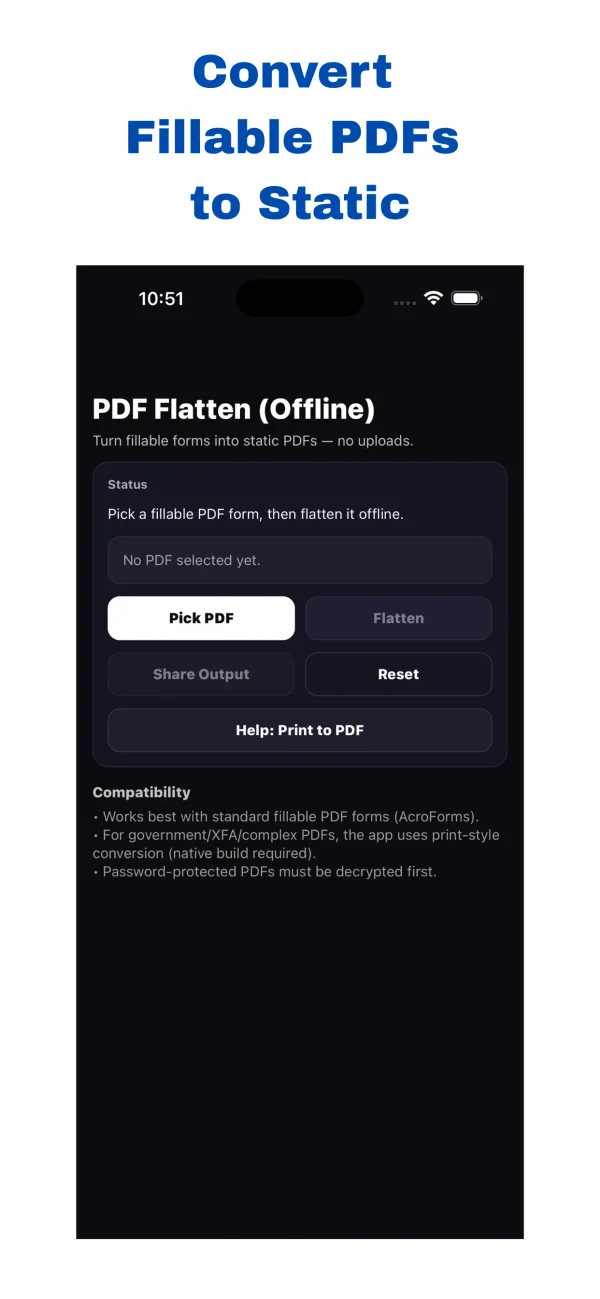
Turn fillable PDF forms into static, non-editable PDFs fully offline.
PDF Flatten converts interactive PDF forms (AcroForms) into static documents that can no longer be edited. Perfect for official forms, contracts, and secure document submissions.
No subscriptions. No accounts. No uploads.
Everything is processed directly on your device.
Why use PDF Flatten?
• Convert fillable PDF forms into static PDFs
• Remove interactive fields permanently
• Works offline and fully private
• No watermark
• Fast native performance
• Simple and clean interface
Perfect for:
• Contracts and agreements
• Business forms
• School documents
• Applications and paperwork
• Any fillable PDF form
How it works:
1. Select a fillable PDF
2. Tap Flatten
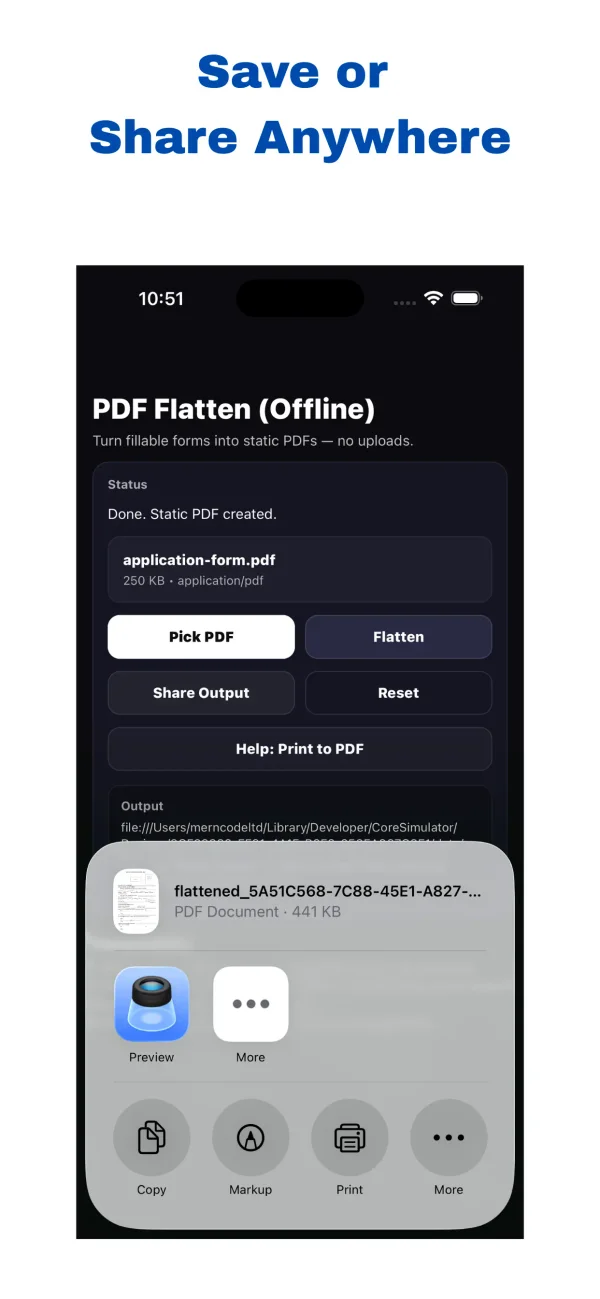
3. Save or share your static PDF
That is it.
Your documents never leave your phone.
Simple. Secure. Offline.
App privacy
What StudyBridge LLC declares on the App Store about how this app handles data.
-
Data not collected
The developer does not collect any data from this app.
Privacy practices may vary, for example with the features you use or your age.
Information
- Seller
- StudyBridge LLC
- Category
- Productivity
- Version
- 1.0.1
- Updated
- Feb 24, 2026
- Released
- Feb 23, 2026
- Size
- 28.9 MB
- Requires
- iOS 15.1 or later
- Age rating
- 4+
- Price
- $0.99
- Languages
- English
- Copyright
- © 2026 StudyBridge LLC
You might also like
-
 PDF pages Extractor & SplitterExtract pages from PDF
-
 GramboAI Writing Assistant
-
 AP Tape CalculatorSequential or Regular Calc
-
 RPN-35 SDFirst scientific calculator!
-
 AiCadGenAi CAD Generator
-
 Ringaroo - Ringtone MakerMake ringtones on your Phone
-
 Transcribe Video: To The TextConvert Audio, Voice & Speech
-
 PDF to JPG - ConverterThe PDF to Image Converter
-
 Ballpark ResearchTake part in research studies
-
 Annotate: Screenshot MarkupBlur, Arrows, Crop & Draw Fast