
PDF Pocket: Scanner & Editor
Scan, OCR, Sign & Annotate
Designed for iPhone, iPad
In-app purchases
- Age rating+4
- CategoryProductivity
- Developer勇 王
- LanguagesPortuguese+ 31 more
- Size10.3 MB
Links to the official App Store page
Download.org hosts no file of PDF Pocket: Scanner & Editor. The button opens its official App Store page, published by 勇 王. Listing last checked on Nov 22, 2026.
Screenshots

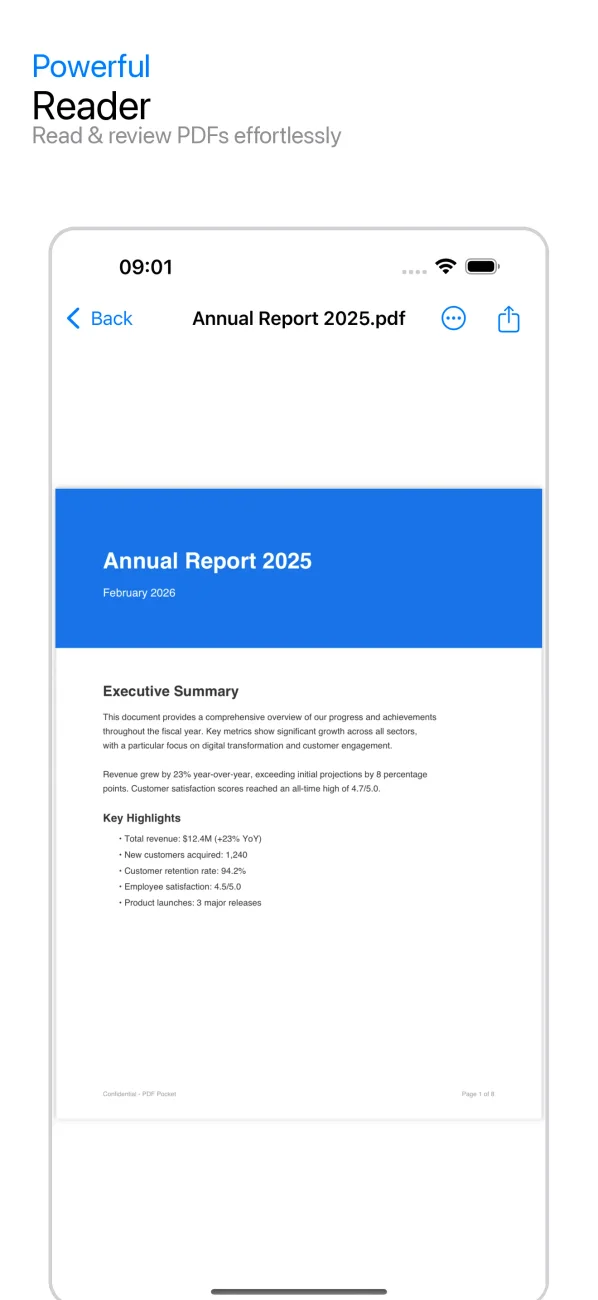
About
Turn your iPhone and iPad into a powerful PDF scanner and editor. PDF Pocket handles everything from scanning paper documents to signing contracts — fast, private, and completely offline.
SCAN ANYTHING IN SECONDS
Point your camera at any document and get a crisp, clean PDF instantly. Auto edge detection, perspective correction, and shadow removal work together so every scan looks professional. Capture multiple pages in one go, or import files from your photo library and cloud storage.
BUILT-IN OCR
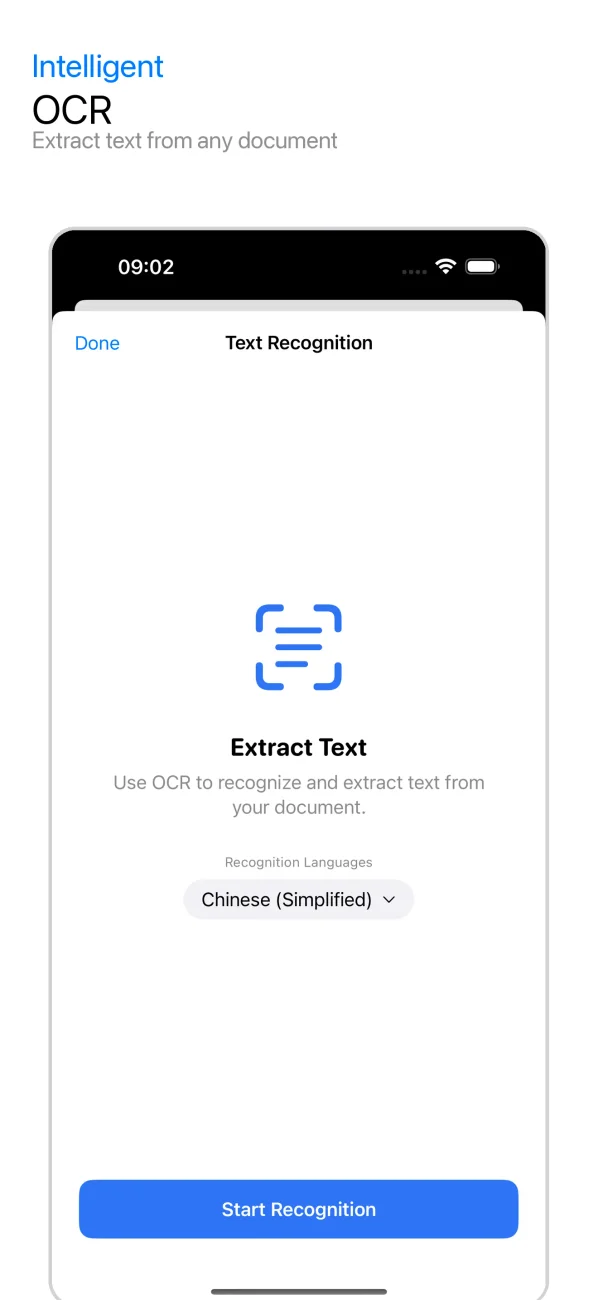
Make any scanned document searchable with on-device text recognition. Copy, search, and share text from scans — no internet connection required. Your documents never leave your device.
ANNOTATE & MARK UP
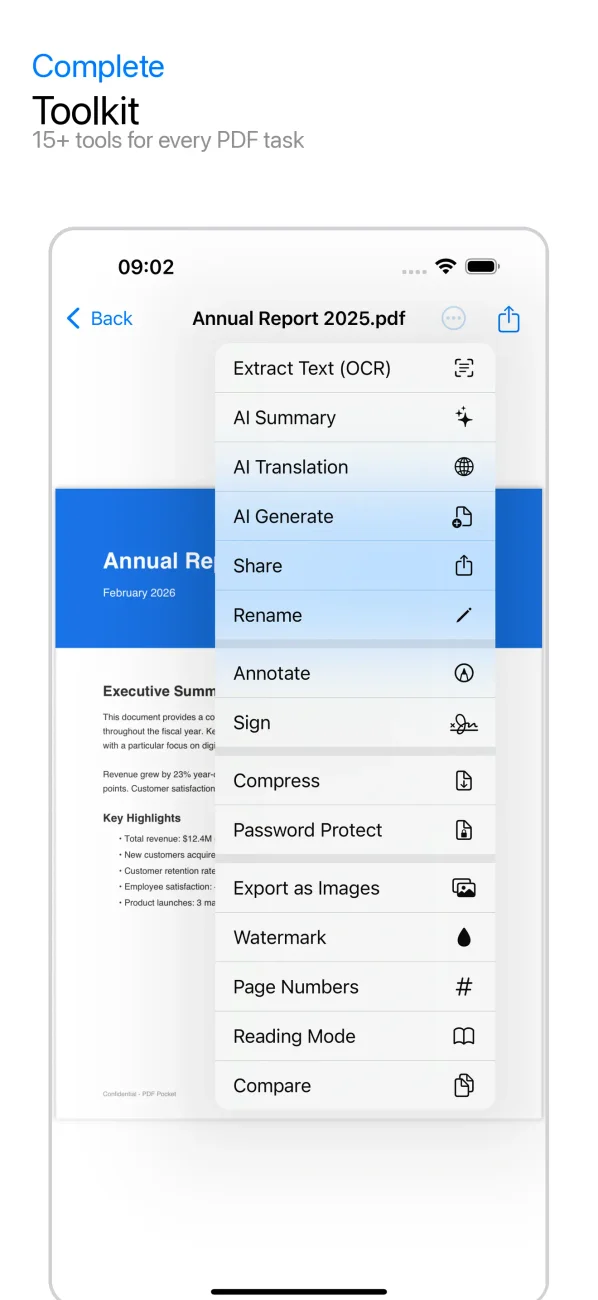
Highlight, underline, and strikethrough with 7 colours. Add text notes, draw freehand with Apple Pencil support, and stamp documents. Every tool you need for reviewing and commenting is right at your fingertips.
SIGN DOCUMENTS ANYWHERE
Create and save your handwritten signatures. Place them on any page with precise positioning, scaling, and rotation. Sign contracts, forms, and agreements without printing a single sheet of paper.
POWERFUL PAGE TOOLS
• Merge multiple PDFs into one
• Split documents by page range
• Rotate, reorder, insert, or delete pages
• Compress files to reduce size
• Add watermarks and page numbers
• Password-protect sensitive documents
AI-POWERED PRODUCTIVITY
Let AI summarise long documents in seconds. Translate content across languages. Generate deliverables like reports, emails, and study notes — all from your PDF.
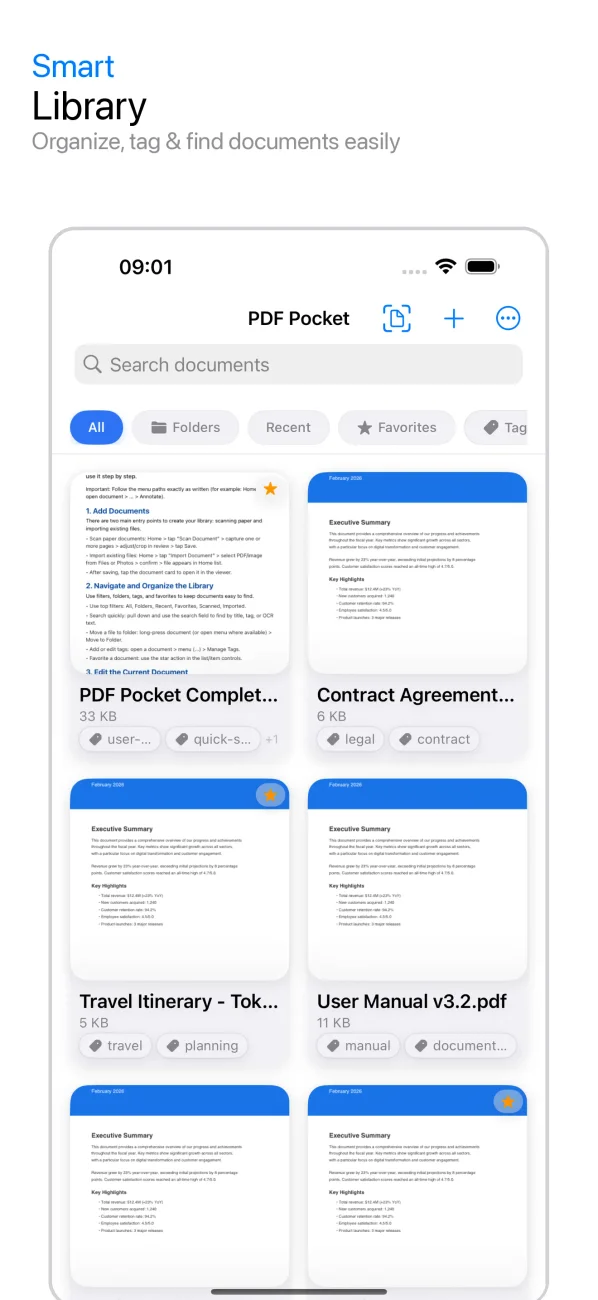
SMART FILE MANAGEMENT
Organise with folders, tags, and favourites. Full-text search finds any document instantly. Grid or list view, recent files, and a built-in bin keep everything tidy.
COMPARE DOCUMENTS
Place two versions side by side and spot every difference. Text diff and visual comparison make reviewing revisions effortless.
SHARE YOUR WAY
Export as PDF or image. Share directly to WhatsApp, email, AirDrop, or any app. Use the Share Extension to import PDFs from other apps into PDF Pocket with one tap.
PERFECT FOR
• Students scanning lecture notes and textbooks
• Freelancers signing invoices and contracts
• Office workers annotating reports and presentations
• Researchers organising and summarising papers
• Anyone who needs a fast, reliable PDF tool on the go
SUBSCRIPTION INFORMATION
PDF Pocket Pro offers weekly, monthly, and yearly subscription options, as well as a one-time lifetime purchase. Payment will be charged to your Apple ID account at confirmation of purchase. Subscription automatically renews unless cancelled at least 24 hours before the end of the current period. Your account will be charged for renewal within 24 hours prior to the end of the current period. You can manage and cancel your subscriptions by going to your App Store account settings after purchase.
Privacy Policy: https://slowbuild.dev/pdf-pocket/privacy.html
Terms of Use: https://slowbuild.dev/pdf-pocket/terms.html
What’s new
Version 1.0.2 · Mar 10, 2026
Thank you for using PDF Pocket!
This update includes:
• Performance improvements and bug fixes
• Enhanced stability across all features
• Optimised scanning and OCR accuracy
We're constantly improving — if you enjoy the app, please leave a review. Your feedback helps us make PDF Pocket even better!
App privacy
What 勇 王 declares on the App Store about how this app handles data.
-
Data linked to you
May be collected and linked to your identity.
- Identifiers
-
Data not linked to you
May be collected but is not linked to your identity.
- Usage data
Privacy practices may vary, for example with the features you use or your age.
Information
- Seller
- 勇 王
- Category
- Productivity
- Version
- 1.0.2
- Updated
- Mar 10, 2026
- Released
- Mar 3, 2026
- Size
- 10.3 MB
- Requires
- iOS 18 or later
- Age rating
- +4
- In-app purchases
- Yes
- Languages
- Portuguese, German, Bengali, Czech, Simplified Chinese, Traditional Chinese, Korean, Danish, Spanish, Finnish, French, Greek + 20 more
- Copyright
- © Yong Wang
You might also like
-
 PDF Scanner App: Page LensScan, OCR, Sign & Edit Docs
-
 PDF Pro - Reader Editor FormsEdit, annotate, view documents
-
 MobiPDF・PDF Text Editor・ReaderEdit File・Fill, Sign Documents
-
 Recibo de Pagamento OrçamentoProductivity
-
 Word Editor: Edit Documents®Write & Edit Word, Office Docs
-
 Forma: PDF Document EditorForm filler: edit files & docs
-
 Mottu MotosProductivity
-
 iLovePDF - PDF Editor & ScanFor Work, Study & E-Signing
-
 PDFelement: PDF Editor & ScanDocuments Converter & Signer
-
 VistoProductivity