
PDFelement: PDF Editor & Scan
Documents Converter & Signer
Designed for iPhone, iPad, iPod touch
Free · In-app purchases
- Age rating9+
- CategoryProductivity
- DeveloperWondershare Technology Group Co.,LTD
- LanguagesEnglish+ 12 more
- Size202.2 MB
Links to the official App Store page
Download.org hosts no file of PDFelement: PDF Editor & Scan. The button opens its official App Store page, published by Wondershare Technology Group Co.,LTD. Listing last checked on Nov 26, 2026.
Screenshots



About
PDFelement is optimized for the latest Liquid Glass experience, with a more refined interface, clearer navigation, and smoother interactions for your PDF workflow.
AI PDF Editor, PDF Reader, PDF Scanner, PDF Converter, PDF Signer.
One app for work, study, and everyday life.
Customize Your Toolbar
Arrange your PDF tools the way you work. Reorder, show, or hide toolbar items to keep your favorite actions within easy reach and create a cleaner, faster, and more efficient workspace.
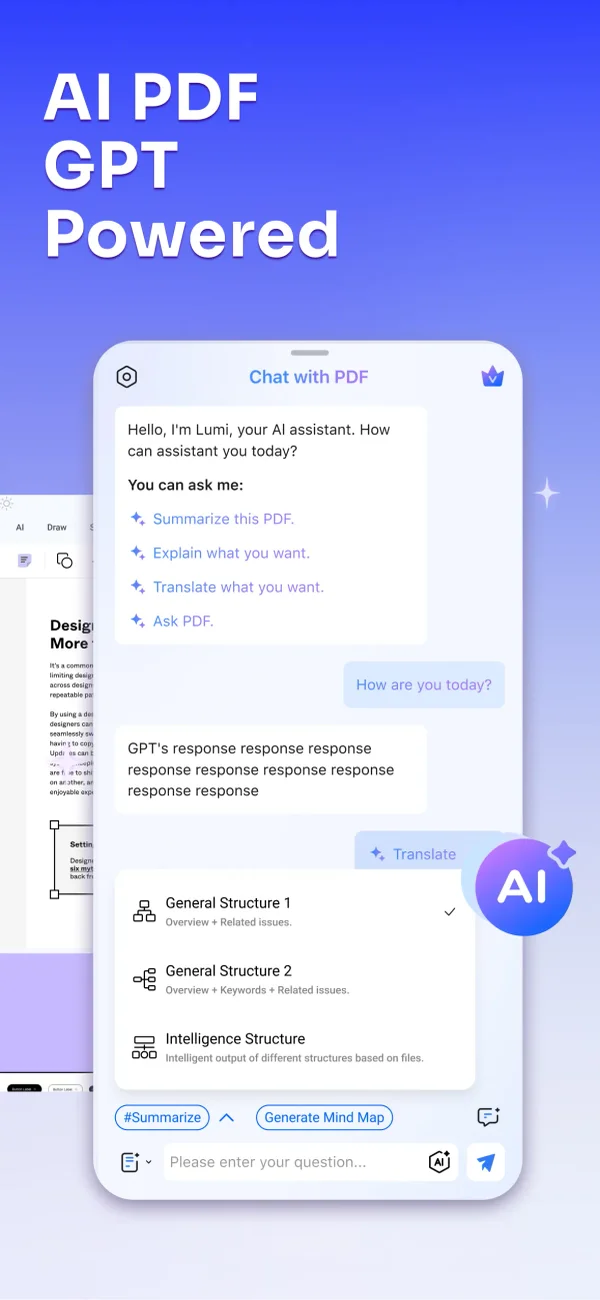
AI PDF
• Chat with PDF: Ask questions and get instant, accurate answers from your PDFs.
• AI Summarize PDF: Turn lengthy contracts, reports, and documents into concise key points.
• AI Translate: Translate selected text instantly across 60+ languages.
• Generate Mind Map: Transform PDF content into clear visual mind maps.
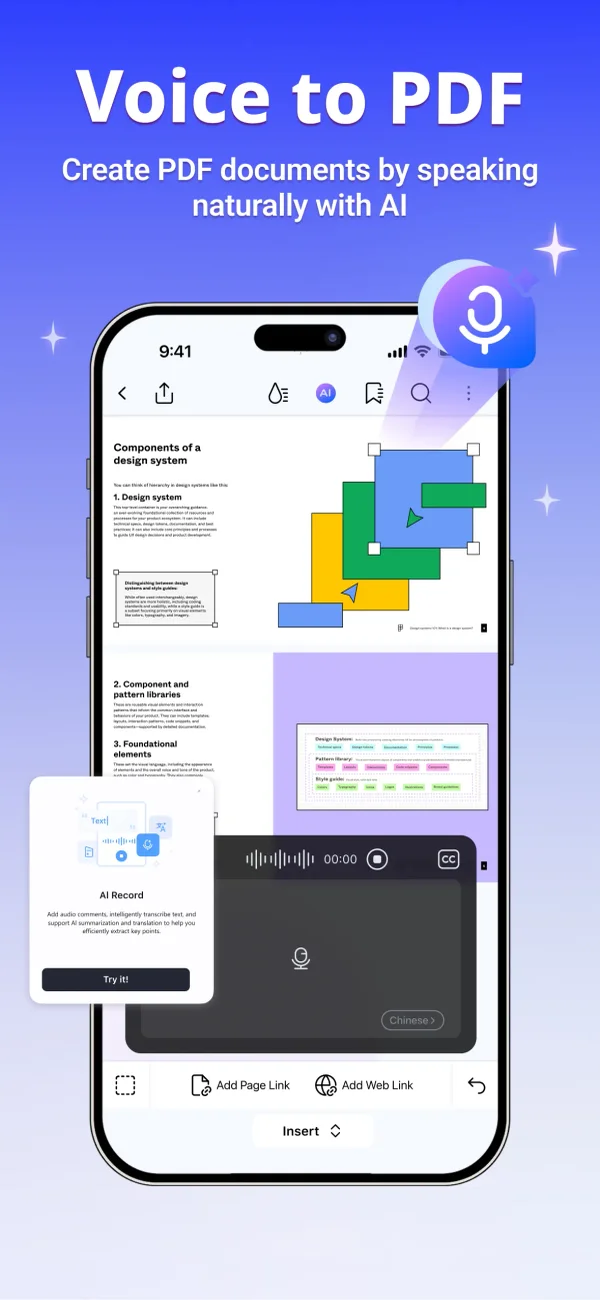
• AI Record: Record, transcribe, and convert voice notes into editable text for efficient note-taking.
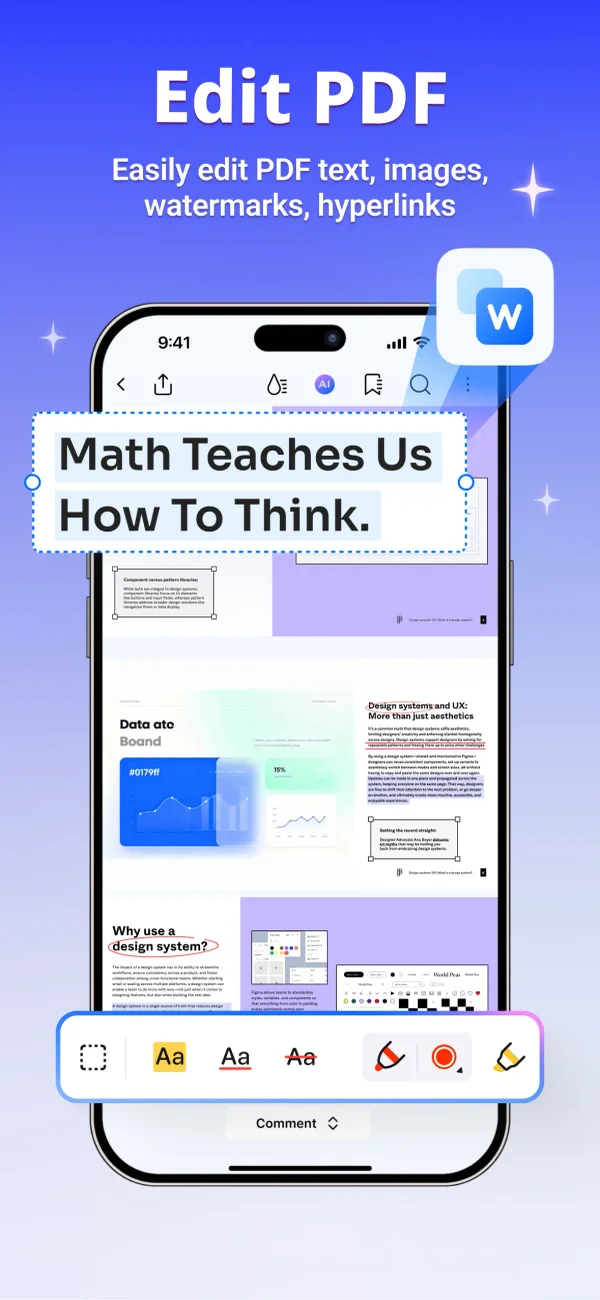
Edit PDF Like Word
• Edit PDF: Edit PDF text, images, links, and watermarks with ease.
• Font Editing: Keep the original font, erase content, and adjust font size, spacing, and formatting effortlessly.
Professional PDF Reader
• Liquid Mode: Optimize PDFs for comfortable reading on any screen.
• Bookmarks: Save and jump to important pages instantly.
• Read Aloud: Listen to PDFs with your preferred voice and playback speed.
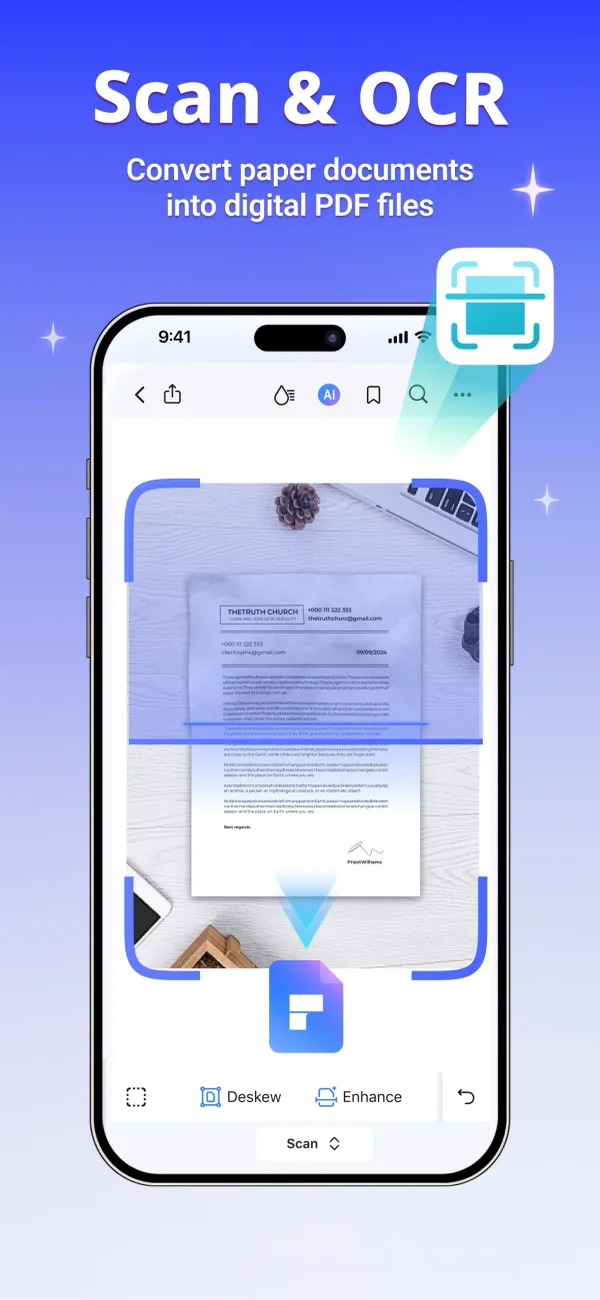
Scan & OCR
• PDF Scanner: Scan receipts, invoices, contracts, IDs, and certificates into high-quality PDFs.
• OCR: Extract editable text from scanned documents and images.
• Multi-Page Scan: Combine multiple scans into a single PDF.
PDF Converter
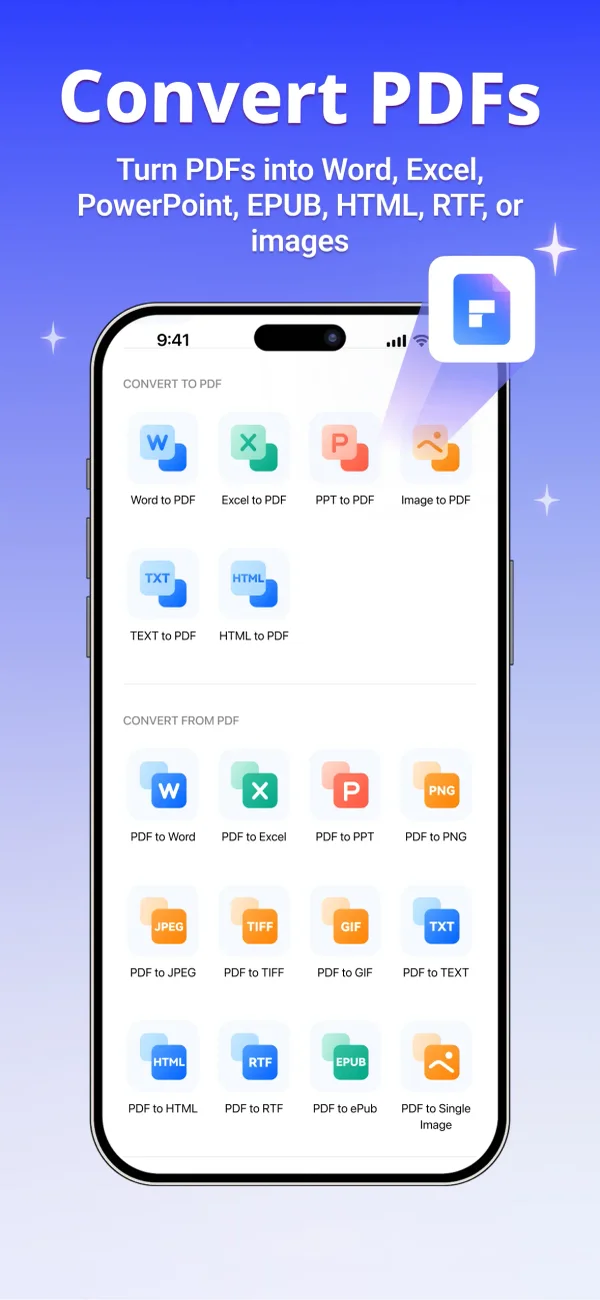
• PDF to Word, Excel, PowerPoint & Images: Convert PDFs into editable Office files or JPG, PNG, and more.
• Create PDF: Convert Microsoft Office documents and images into PDFs.
Annotate PDF
• Markup & Notes: Highlight, underline, draw, and add sticky notes.
• Comments: Review documents with professional commenting tools.
• Measure: Measure distance, perimeter, and area directly inside PDFs.
Create PDF
• Blank PDF: Start with customizable paper templates.
• Image to PDF: Create PDFs from photos or camera scans.
Manage PDF
• Compress PDF: Reduce file size while maintaining quality.
• Merge PDF: Combine multiple PDFs into one document.
• Organize Pages: Add, delete, rotate, extract, split, and rearrange PDF pages.
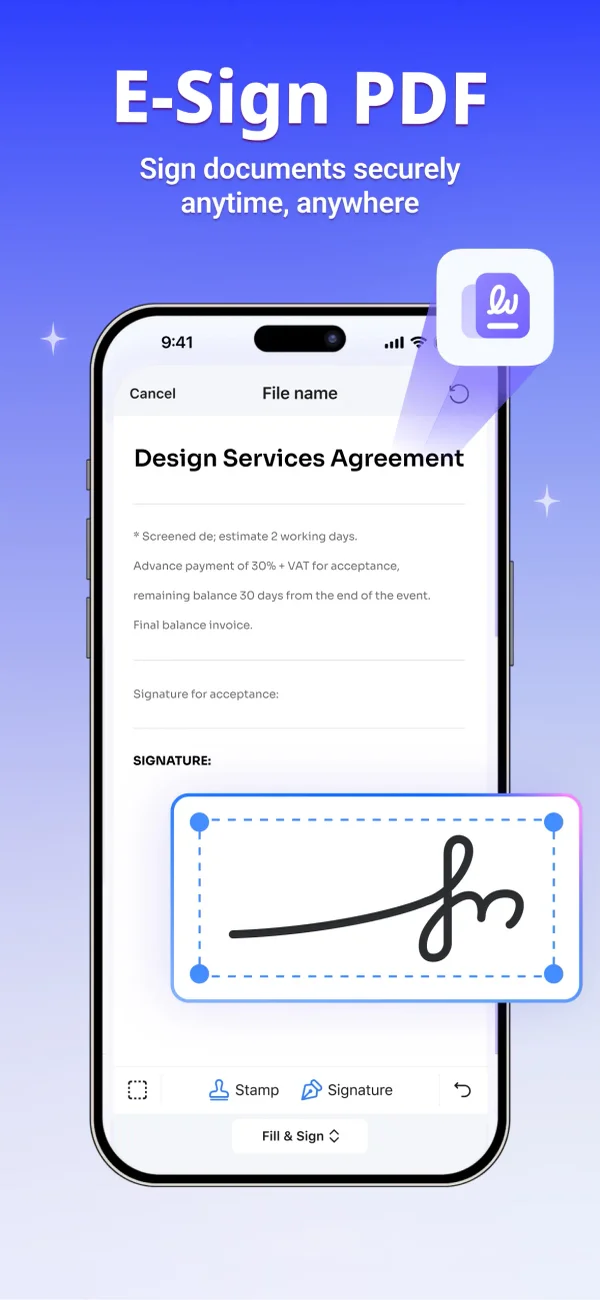
Fill & Sign
• Fill PDF Forms: Complete interactive PDF forms quickly and accurately.
• E-Sign PDF: Add typed or handwritten signatures.
• Custom Stamps: Create reusable stamps with text, drawings, or images.
Store & Share PDF
• PDFelement Cloud: Access your PDFs anytime, anywhere across your devices.
• Protect PDF: Secure sensitive files with passwords and encryption.
• Share PDF: Share documents via links, email, AirDrop, or social apps.
PDF Templates
• Professional Templates: Browse resumes, invoices, planners, contracts, invitations, and more.
• Easy Customization: Personalize colors, fonts, and layouts in seconds.
• Business & Education Ready: Create polished documents for work, school, and everyday use.
MEMBERSHIP SUBSCRIPTION DETAILS
Payment will be charged to your iTunes Account upon confirmation of purchase.
Subscriptions automatically renew unless auto-renew is turned off at least 24 hours before the end of the current subscription period. You can manage or cancel your subscription anytime in your App Store account settings.
Terms of Use:
https://www.wondershare.com/company/terms_conditions.html
Privacy Policy:
https://www.wondershare.com/privacy.html
What’s new
Version 6.2.0 · Nov 16, 2026
1. Added handwriting recognition for notes made with the Marker tool.
2. Upgraded the AI model and improved the document Q&A experience.
3. The iPad reading toolbar can now be dragged to a preferred position.
4. Added quick margin settings and improved the highlighting and drawing tools.
App privacy
What Wondershare Technology Group Co.,LTD declares on the App Store about how this app handles data.
-
Data used to track you
May be used to track you across apps and websites owned by other companies.
- Identifiers
-
Data not linked to you
May be collected but is not linked to your identity.
- Identifiers
- Usage data
- Diagnostics
Privacy practices may vary, for example with the features you use or your age.
Information
- Seller
- Wondershare Technology Group Co.,LTD
- Category
- Productivity
- Version
- 6.2.0
- Updated
- Nov 16, 2026
- Released
- Nov 2, 2020
- Size
- 202.2 MB
- Requires
- iOS 15.0 or later
- Age rating
- 9+
- Price
- Free
- In-app purchases
- Yes
- Languages
- English, Arabic, Dutch, French, German, Italian, Japanese, Korean, Portuguese, Russian, Simplified Chinese, Spanish + 1 more
- Copyright
- © 2003-2025 Wondershare. All rights reserved.
You might also like
-
 PDF Reader – PDFelementPDF Editor & Viewer, PDF Maker
-
 Foxit PDF EditorView, Edit, Convert, and Sign
-
 PDF Pro - Reader Editor FormsEdit, annotate, view documents
-
 UPDF - AI-Powered PDF EditorAI Chat, Convert & Sign PDF
-
 PDF Expert: Editor & ReaderFill & Sign, Annotate, Convert
-
 Smallpdf: Scanner & PDF Editorcompress, convert, ocr, sign
-
 iLovePDF - PDF Editor & ScanFor Work, Study & E-Signing
-
 MobiPDF・PDF Text Editor・ReaderEdit File・Fill, Sign Documents
-
 Forma: PDF Document EditorForm filler: edit files & docs
-
 LightPDF: AI Chat PDF, ScannerConvert, Chat, Scan, OCR, Edit