PDF Reader: Editor & Scanner
Sign, OCR & Convert Offline
Designed for iPhone, iPad
Free · In-app purchases
- Age rating4+
- CategoryUtilities
- DeveloperHoang Ngoc Son
- LanguagesEnglish+ 15 more
- Size10.2 MB
Links to the official App Store page
Download.org hosts no file of PDF Reader: Editor & Scanner. The button opens its official App Store page, published by Hoang Ngoc Son. Listing last checked on Nov 13, 2026.
Screenshots


About
Read, scan and sign PDFs on your iPhone and iPad. Keep documents together, find the text you need and prepare files to share with PDF Reader.
READ & ANNOTATE
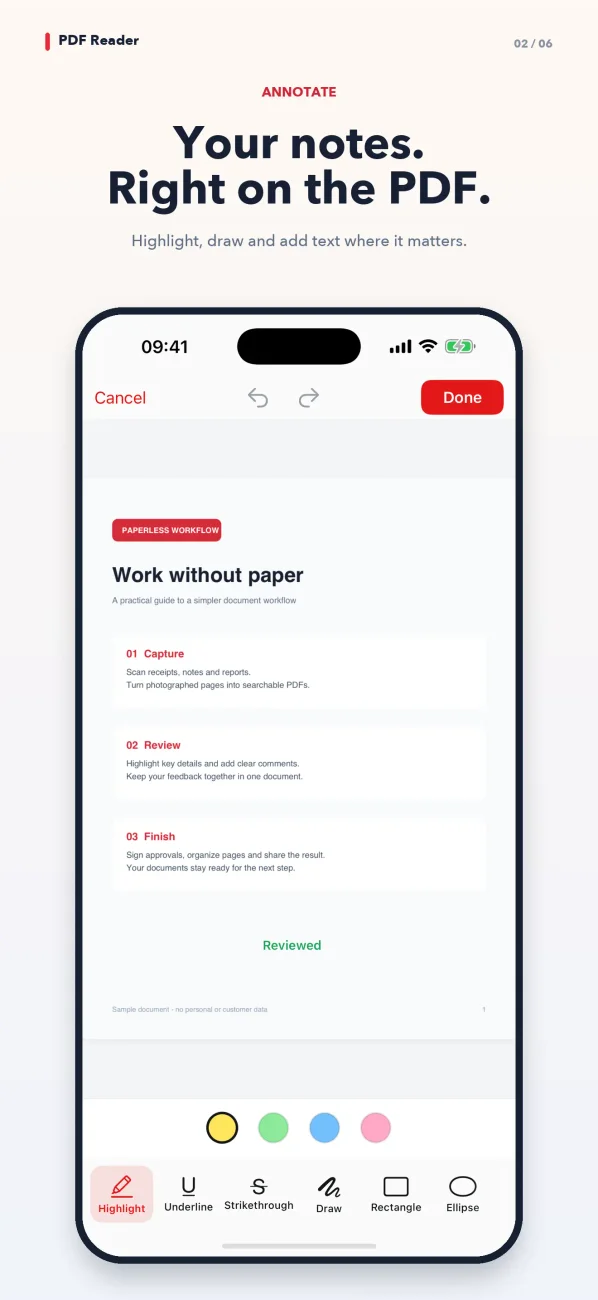
• Read with page thumbnails, search and light, dark or sepia themes.
• Highlight passages and add notes, drawings, text annotations and signatures.
• Fill supported PDF forms and listen with Read Aloud.
SCAN & FIND TEXT
• Scan paper documents with your camera.
• Use OCR to add searchable text to scans.
• Search document contents in your library.
ORGANIZE & SHARE
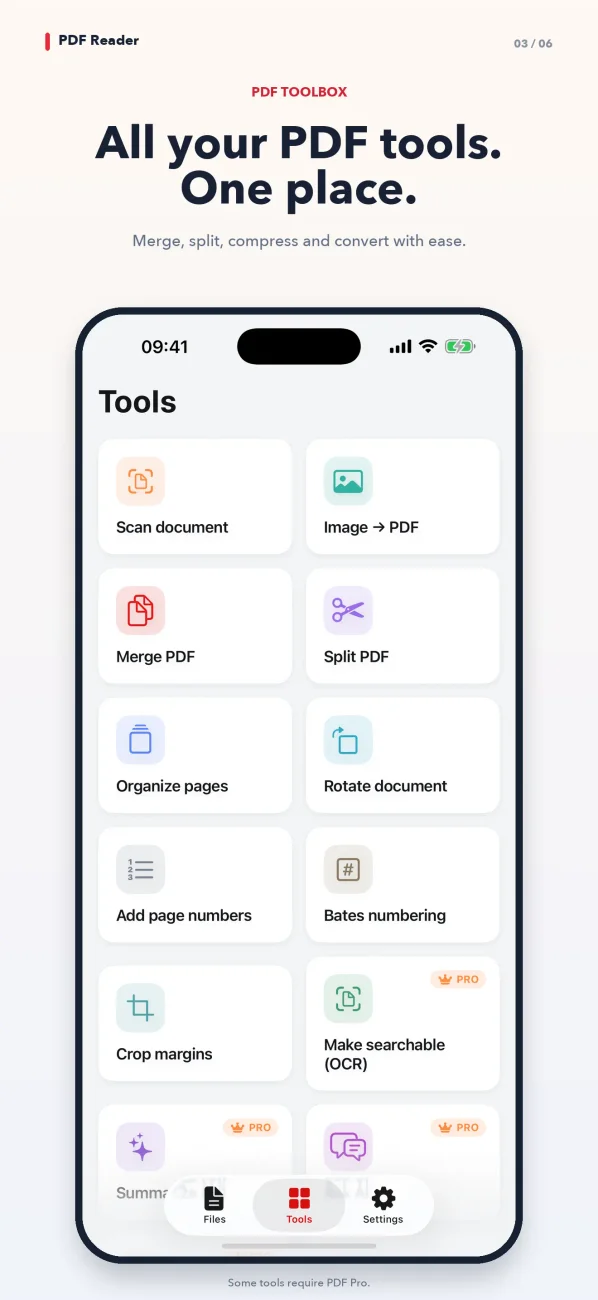
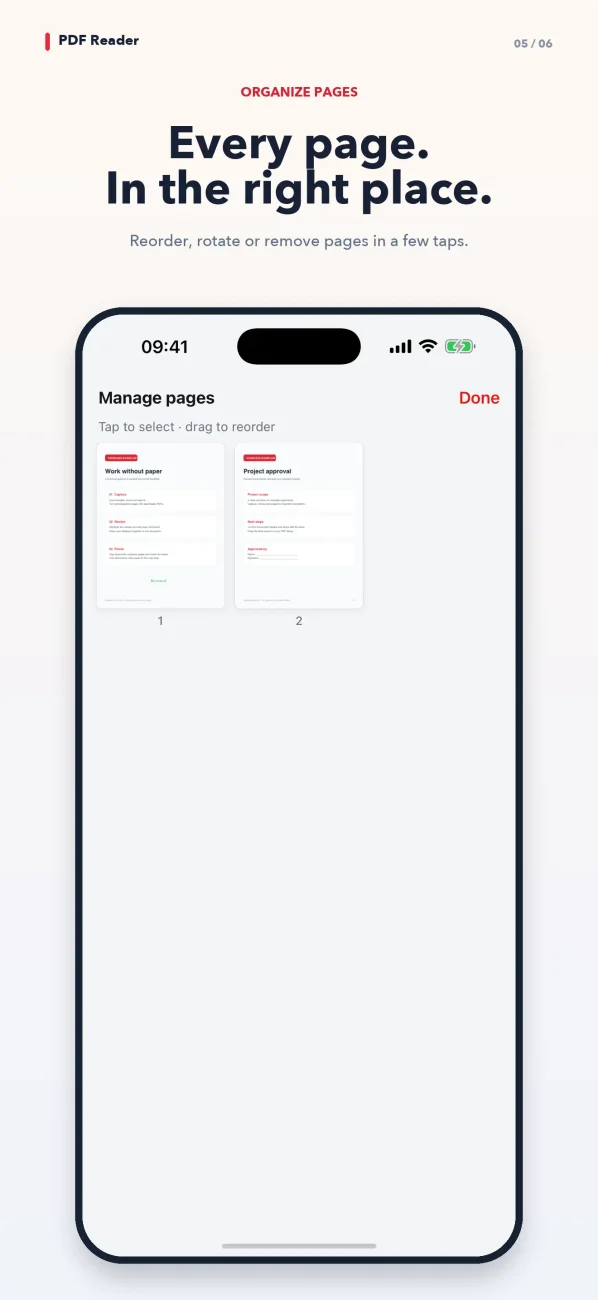
• Merge files, split PDFs and rearrange pages.
• Compress PDFs for sharing, add watermarks and redact sensitive content.
• Organize documents in folders and protect access with document locks.
CREATE & CONVERT
• Create a PDF from your text or photos.
• Convert supported Microsoft Office, Apple iWork, RTF and plain-text files to PDF.
• Import files from other apps and share the finished PDF.
ON-DEVICE TOOLS
Core PDF tools process documents on your device. Ask questions about a PDF with on-device AI and page references. AI requires iOS 26 or later, Apple Intelligence and a supported device. Some tools require PDF Pro or have free usage limits.
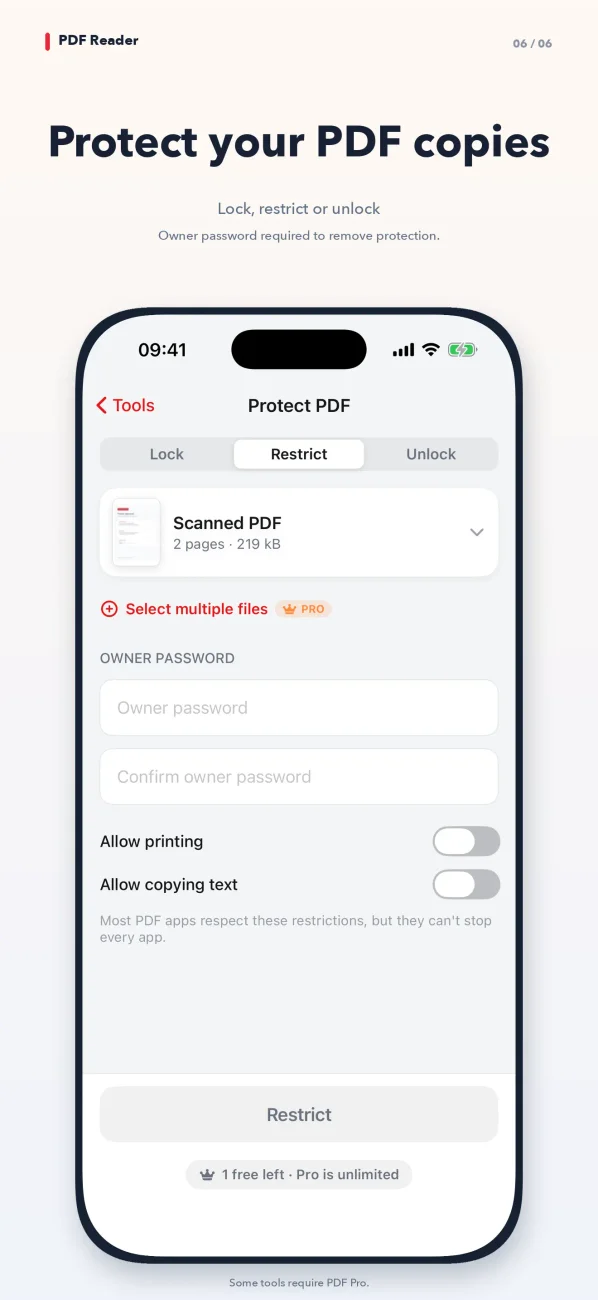
PROTECT YOUR PDF COPIES
• Set an open password, or choose restrictions for printing and copying text.
• Remove passwords and restrictions only with the PDF's owner password.
• Each action saves a new copy and leaves the original unchanged.
Most PDF apps respect print/copy restrictions, but these cannot stop every app. Protection tools have free usage limits; PDF Pro removes these limits.
PDF Pro is available as auto-renewing Weekly, Monthly and Yearly subscriptions. Eligible customers may receive a 3-day free trial with Weekly or a 7-day free trial with Yearly; Monthly has no free trial. Prices and eligibility are shown before purchase and vary by storefront. Billing is handled through your Apple Account. The subscription renews automatically unless canceled at least 24 hours before the current period ends. Manage or cancel it in Apple Account Settings. The free version remains available. If you start a free trial, it converts to a paid subscription unless canceled at least 24 hours before the trial ends.
Terms of Use (EULA): https://www.apple.com/legal/internet-services/itunes/dev/stdeula/
Privacy Policy: https://ilovetechmon.com/privacy.html
What’s new
Version 2.4 · Oct 11, 2026
• New Protect PDF modes: limit printing or copying, and remove passwords with the owner password. Your original stays unchanged.
• A new first-run setup takes you to scanning, signing, compression or reading.
• View trial details and choose an optional reminder before the trial ends. Notification permission is required.
• Get started with the Pro trial checklist and view a summary of your Pro tool use.
• Improved handling of protected PDFs and trial reminders.
App privacy
What Hoang Ngoc Son declares on the App Store about how this app handles data.
-
Data not collected
The developer does not collect any data from this app.
Privacy practices may vary, for example with the features you use or your age.
Information
- Seller
- Hoang Ngoc Son
- Category
- Utilities
- Version
- 2.4
- Updated
- Oct 11, 2026
- Released
- Jun 12, 2026
- Size
- 10.2 MB
- Requires
- iOS 18.0 or later
- Age rating
- 4+
- Price
- Free
- In-app purchases
- Yes
- Languages
- English, Arabic, French, German, Hindi, Indonesian, Italian, Japanese, Korean, Portuguese, Russian, Simplified Chinese + 4 more
- Copyright
- © I Love Tech Mon
You might also like
-
 All In One Calculator+Powerful tool for math,finance
-
 트립픽(TripPick) - 여행 쇼핑 리스트 & 분석Utilities
-
 PDF Editor: Scan & MergeEdit, Scan & Merge PDF
-
 PDFCraft: PDF Editor & ScannerScan, Sign, Edit & Merge PDFs
-
 SIGU2025Utilities
-
 PDF Converter Pro - Smart PDFConvert, Edit & Sign PDFs
-
 Final Size: Image CompressorCompress and Resize Photos
-
 Fast PDF Editorall in one pdf tools
-
 PDF: Viewer - EditorProfessional PDF Editor
-
 Geze Smart DrUtilities