
PDF Scanner App: Document Scan
OCR, Sign & Convert Photos
Designed for iPhone, iPod touch
Free · In-app purchases
- Age rating4+
- CategoryUtilities
- DeveloperHamza Kavak
- LanguagesEnglish+ 33 more
- Size74.1 MB
Links to the official App Store page
Download.org hosts no file of PDF Scanner App: Document Scan. The button opens its official App Store page, published by Hamza Kavak. Listing last checked on Nov 20, 2026.
Screenshots


About
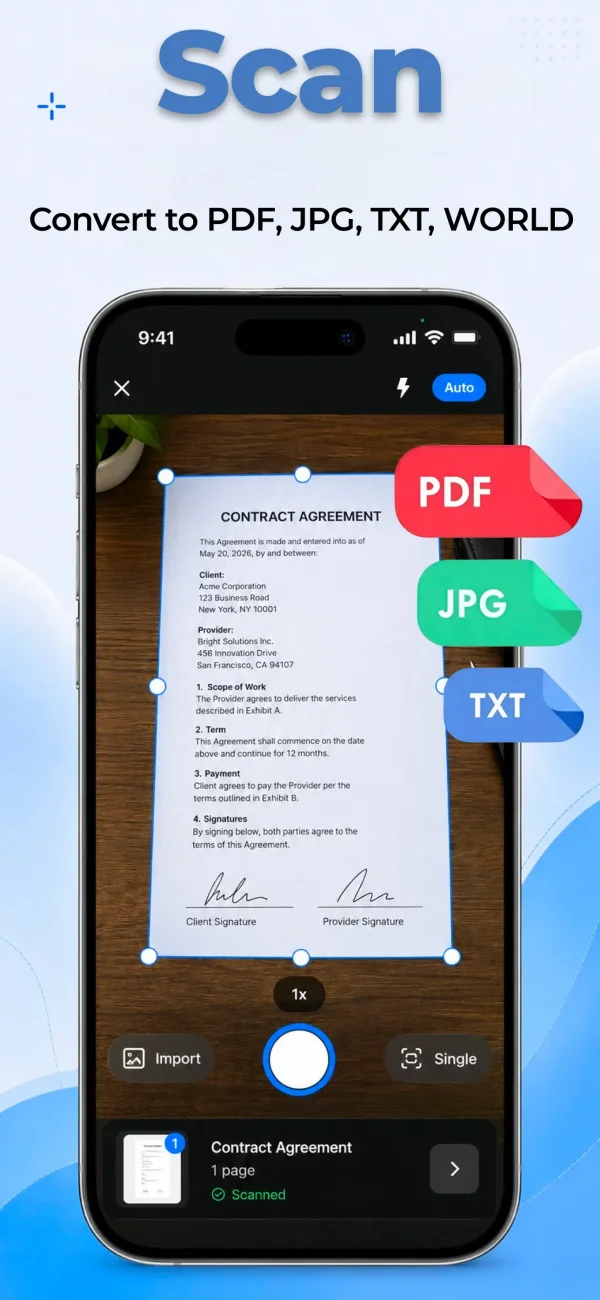
PDF Scanner turns your iPhone into a fast document scanner for everyday paperwork. Use it to scan receipts, IDs, invoices, contracts, forms, notes, assignments and office documents, then save them as clean, shareable PDF files.
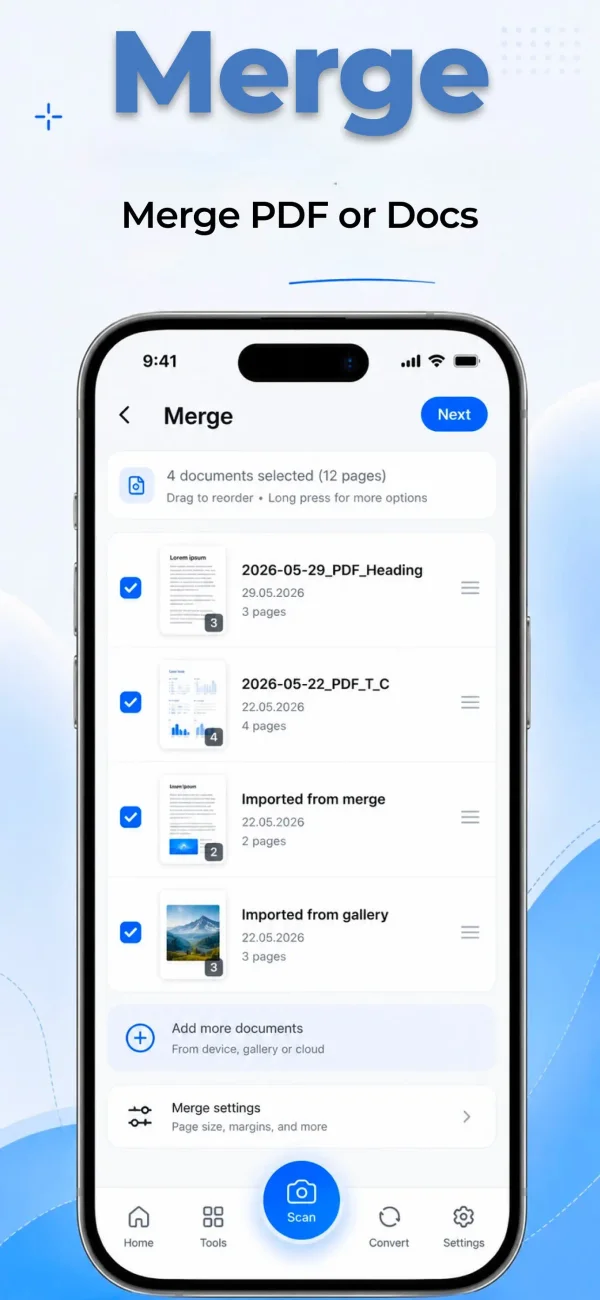
Open the camera, align the page and let automatic edge detection capture the document. Crop, rotate, apply filters, adjust brightness and contrast, and create readable scans that look organised instead of like quick photos. Add more pages, reorder them and build one multipage PDF from paper documents.
Already have a document on your phone? Import photos, image files or existing PDFs, clean them up, arrange pages and save a new PDF. It is practical for students digitising notes, freelancers sending forms, small business owners saving invoices, and anyone who needs a scanner app without a desktop scanner.
OCR text recognition helps you extract text from scanned pages and photos. Copy recognised text, share it as TXT or create selectable PDFs for notes, receipts, business paperwork and study material. When you need information from paper without typing it again, OCR keeps the workflow fast.
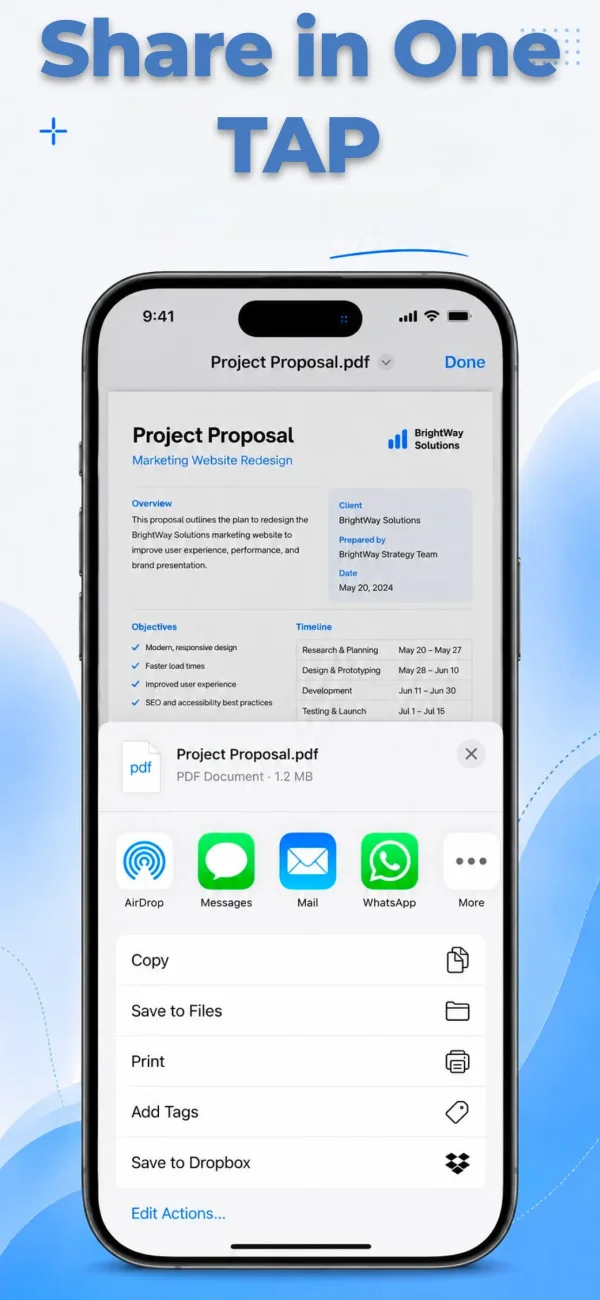
For documents that need approval, add a handwritten signature directly on the page. Sign forms, agreements, letters and confirmations, then share the finished PDF by email, messaging apps or your preferred file destination.
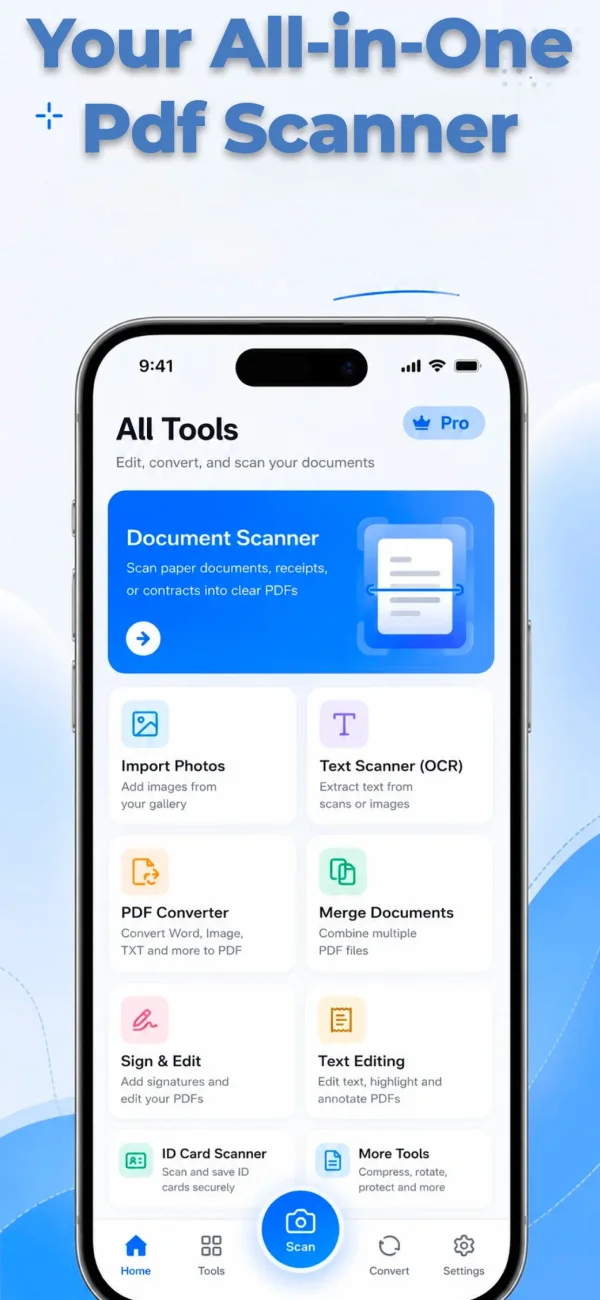
Useful workflows include receipt scanning, invoice capture, ID and card scanning, form scanning, photo to PDF conversion, image to PDF cleanup, note scanning, contract archiving, OCR text extraction and PDF merging. The app focuses on the jobs people search for most: PDF scanner, document scanner, scan to PDF, OCR scanner, receipt scanner, ID scanner, photo to PDF converter, PDF maker and signature tool.
PDF Scanner keeps the experience simple: local document library, clear previews, page reorder, page merge, crop, rotate, filters, text recognition and signature tools. It is not a cloud team workspace or a complicated desktop PDF editor. It is a practical mobile scanner for the paperwork you need to capture, edit, sign and send today.
Download PDF Scanner and make every document digital in seconds.
For cleaner results, scan in good light and keep the phone as parallel to the paper as possible. After capture, adjust the page edges, remove extra margins, rotate pages and improve contrast so the text stays readable when you share, print or archive the file. That control matters whether you are scanning a small receipt, an ID card, a handwritten note or a multipage contract.
The app is built around real mobile workflows: send back a signed form, keep expense receipts, turn class notes into PDF, reorder pages before emailing a document, extract one paragraph with OCR, or merge saved scans into a single file. The metadata and description naturally cover high-intent searches such as PDF scanner, document scanner, scanner app, scan to PDF, OCR reader, receipt scanner, ID scanner, photo to PDF, image to PDF, PDF maker, e-signature and document scan without claiming unsupported desktop editor features.
Terms: https://pdfscanner.glipo.org/terms
Privacy: https://pdfscanner.glipo.org/privacy
What’s new
Version 1.1.6 · Sep 21, 2026
Bug fixes and stability improvements
App privacy
What Hamza Kavak declares on the App Store about how this app handles data.
-
Data not linked to you
May be collected but is not linked to your identity.
- User content
- Usage data
- Diagnostics
Privacy practices may vary, for example with the features you use or your age.
Information
- Seller
- Hamza Kavak
- Category
- Utilities
- Version
- 1.1.6
- Updated
- Sep 21, 2026
- Released
- Sep 15, 2025
- Size
- 74.1 MB
- Requires
- iOS 15.5 or later
- Age rating
- 4+
- Price
- Free
- In-app purchases
- Yes
- Languages
- English, Arabic, Catalan, Croatian, Czech, Danish, Dutch, Finnish, French, German, Greek, Hebrew + 22 more
- Copyright
- © 2026 Glipo
You might also like
-
 PDF Converter - Editor ViewerMulti format file to PDF
-
 Resume Maker. Intelligent CVIndeed Job Search. Creator App
-
 Oxi PDF Scanner AI Scan to PDFDocument Sign & Edit with OCR
-
 SketchFit: Learn to DrawArt Lessons & Drawing Coach
-
 eSign - Sign & Edit Documents!Easy Digital Signature Now.
-
 PDF Scanner: Editor & ReaderFile Converter & Scan: Photos
-
 FreightSizer: 3D Dimensions AI3D Freight Dimensioner
-
 Fathom AI - Note Taker .Transcribe Audio to Text
-
 PDF Scanner, Convert DocumentPDF Scanner, Convert Document