
PDF Scanner App & Editor
PDF Editor. Doc Scanner App.
Designed for iPhone, iPad
Free · In-app purchases
- Age rating4+
- CategoryProductivity
- DeveloperWebcraft s.r.o
- LanguagesEnglish+ 21 more
- Size5.5 MB
Links to the official App Store page
Download.org hosts no file of PDF Scanner App & Editor. The button opens its official App Store page, published by Webcraft s.r.o. Listing last checked on Nov 13, 2026.
Screenshots

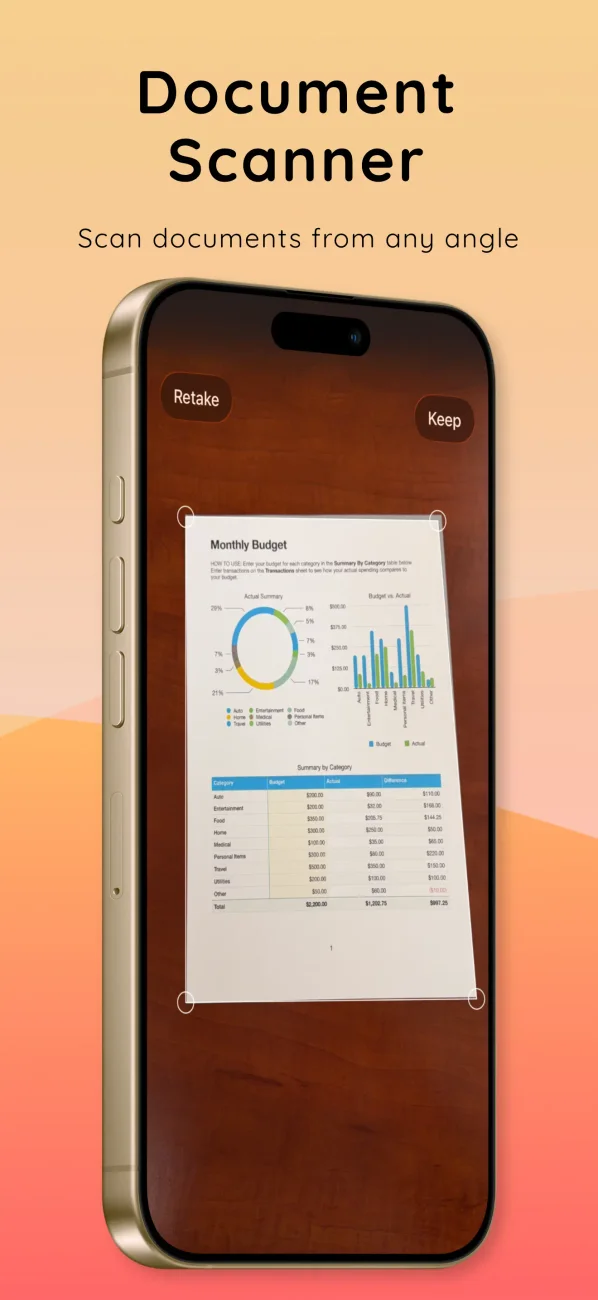
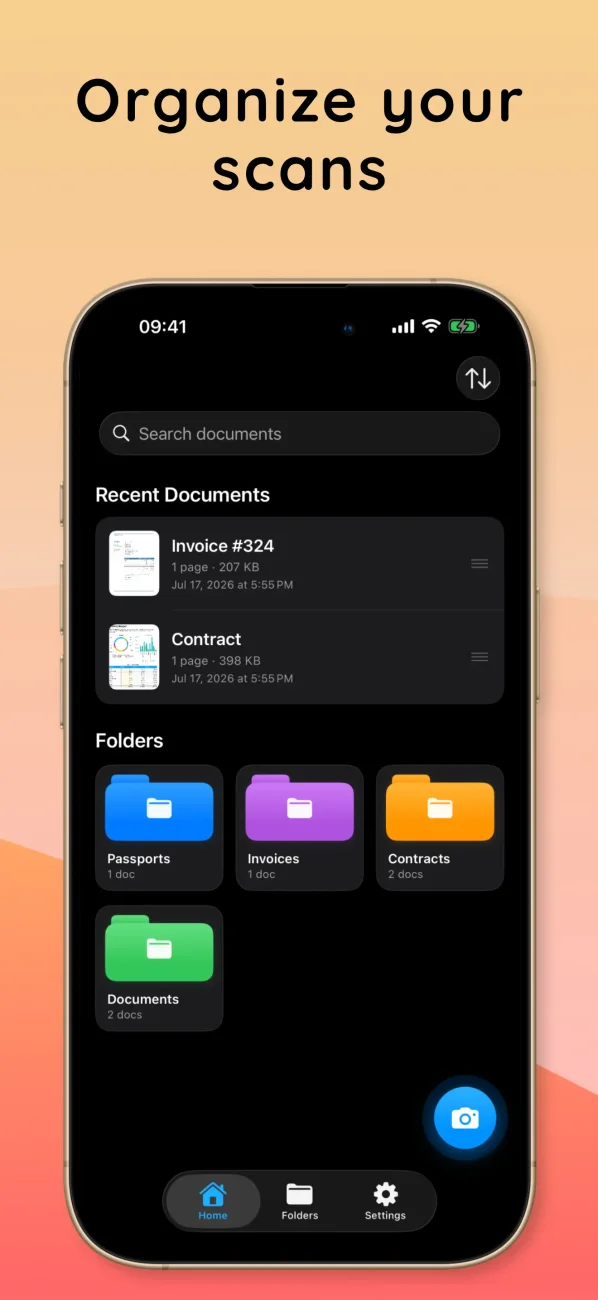
About
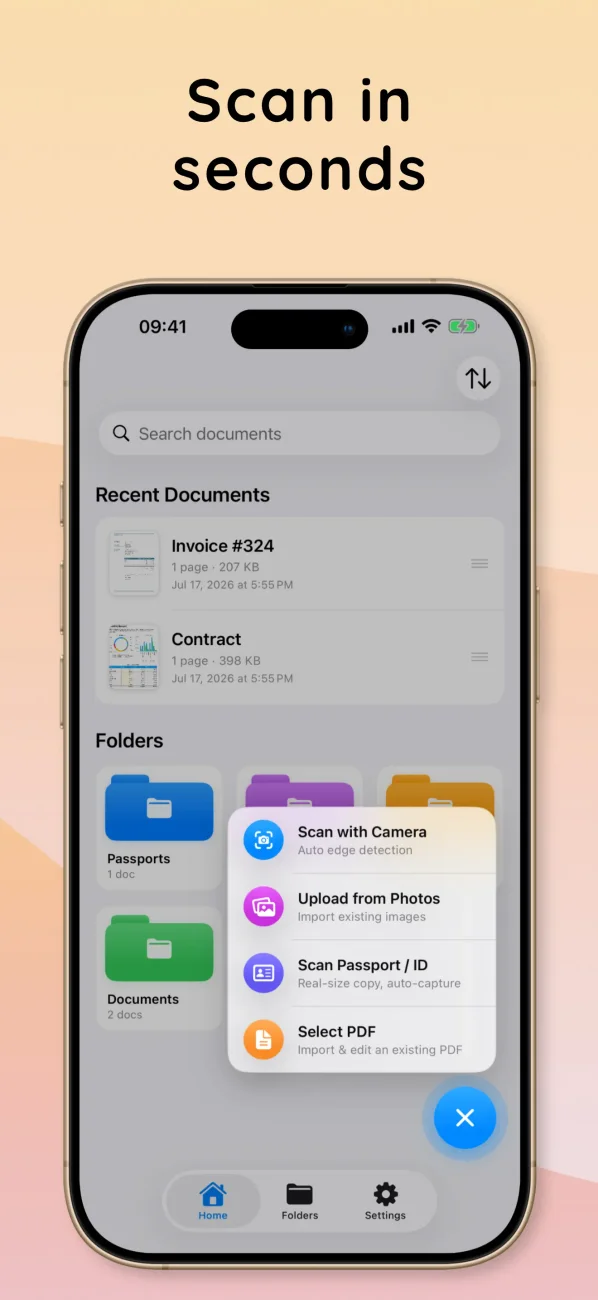
Turn your iPhone into a pocket PDF scanner and editor. Scan any document, receipt, passport or ID with the camera, convert photo to PDF, extract text with OCR, sign, and share in seconds.
Whether you're a student, freelancer, business owner or just tired of paper piles, this scanner app keeps every document, note and receipt organized, searchable and ready to send — no bulky office scanner needed.
— WHY YOU'LL LOVE IT —
• SMART DOCUMENT SCANNER
Point your camera and let auto edge detection find the page, crop it and clean it up. Adjust corners by hand anytime for a crisp, straight scan every time.
• PASSPORT & ID CARD MODE
A dedicated capture mode built for passports, ID cards and driver's licenses, so official documents come out sharp and perfectly framed.
• PDF CONVERTER & EXPORT
Convert your scans and photos to PDF, or export to JPG, Word, PowerPoint or plain text. Turn a picture into a PDF and share it by email, message or any app in one tap.
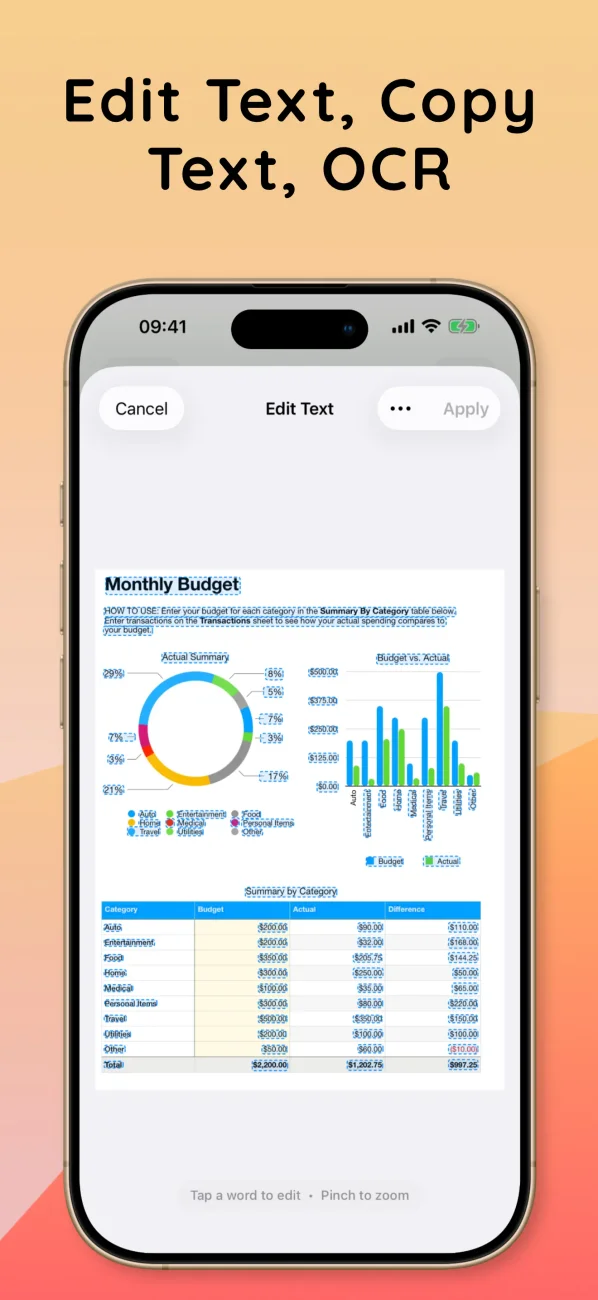
• POWERFUL OCR TEXT RECOGNITION
Extract text from any scan with on-device OCR, then edit it live inside the document. Copy, correct and reuse text from paper documents instantly.
• PROFESSIONAL FILTERS
Choose color, grayscale, black & white or enhanced modes to make text and graphics look clean, clear and professional.
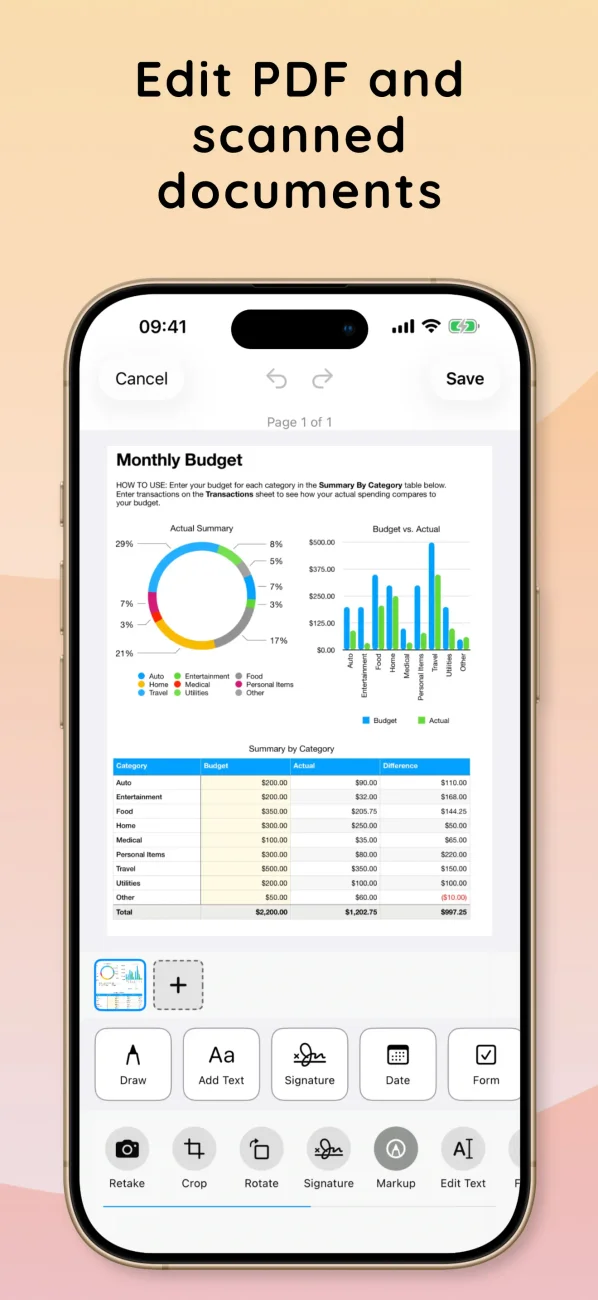
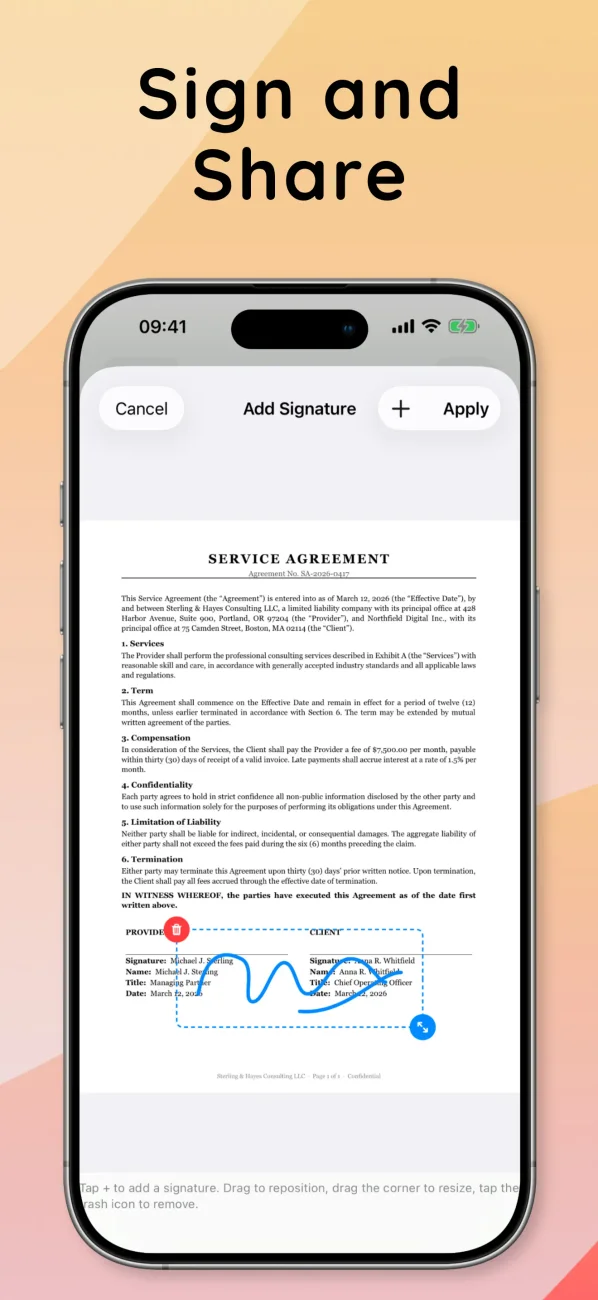
• SIGN & ANNOTATE
Create and save your signature, then sign contracts and forms with a tap. Highlight, draw, add text notes and mark up any document.
• PDF TOOLBOX
Merge several documents into one file, split a PDF into single pages, compress large files to save space, and password protect confidential PDF documents.
• ORGANIZE & FIND FAST
Sort everything into folders, add tags, and find any document instantly with search across titles and recognized text, plus Spotlight support.
• PRIVATE BY DESIGN
Your documents are stored on your device, not on our servers. Password protect any PDF and share sensitive files securely.
• iCLOUD SYNC
Keep your scans in sync and access them on all your devices with secure iCloud sync.
— FREE & PREMIUM —
PDF Scanner is free to download and use. The free version includes 5 scans per month, up to 2 pages per scan, and 1 folder.
Upgrade to Premium to unlock:
• Unlimited scans and pages
• Unlimited folders
• OCR text recognition and live text editing
• Highlight, draw, notes and signature annotations
• iCloud sync across all your devices
Premium is available as an affordable monthly or yearly subscription.
— START SCANNING TODAY —
Download PDF Scanner App & Editor and turn stacks of paper into clean, searchable PDFs you can sign, edit and share from anywhere.
------------------------------------------------------------------
Subscriptions renew automatically unless cancelled at least 24 hours before the end of the current period. Payment is charged to your Apple ID account at confirmation of purchase. You can manage or cancel anytime in your Apple account settings.
Privacy Policy: https://logwork.com/pdf-scanner-app/privacy.php
Terms of Use: https://logwork.com/pdf-scanner-app/terms.php
App privacy
What Webcraft s.r.o declares on the App Store about how this app handles data.
-
Data not collected
The developer does not collect any data from this app.
Privacy practices may vary, for example with the features you use or your age.
Information
- Seller
- Webcraft s.r.o.
- Category
- Productivity
- Version
- 2.0.1
- Updated
- Jul 28, 2026
- Released
- Jul 28, 2026
- Size
- 5.5 MB
- Requires
- iOS 17.6 or later
- Age rating
- 4+
- Price
- Free
- In-app purchases
- Yes
- Languages
- English, Czech, Dutch, French, German, Greek, Hindi, Hungarian, Indonesian, Italian, Japanese, Norwegian Bokmål + 10 more
- Copyright
- © Webcraft s.r.o.
You might also like
-
 UniPDF: PDF Converter, ScannerPDF editor, photo to PDF, sign
-
 PDF Scanner・Document ScannerScan ID Card, Sign, OCR & Edit
-
 Photos PDF : Scanner ConverterPhoto & image to Scan Document
-
 PDF Converter・Scanner・Editor・Scan Documents・Convert & Edit
-
 iLovePDF - PDF Editor & ScanFor Work, Study & E-Signing
-
 Alice: AI assistantChat with AI-assistant Alice
-
 Convert Image To PDF toolsImage to Pdf Convert
-
 Mi MasProductivity
-
 Mi Tigo PanamáProductivity