PDF Scanner: Scan Documents AI
Document Scanner PDF Converter
Designed for iPhone, iPad, iPod touch
In-app purchases
- Age rating4+
- CategoryProductivity
- DeveloperAndrii Kulchytskyi
- LanguagesEnglish
- Size52.0 MB
Links to the official App Store page
Download.org hosts no file of PDF Scanner: Scan Documents AI. The button opens its official App Store page, published by Andrii Kulchytskyi. Listing last checked on Nov 8, 2026.
Screenshots
About
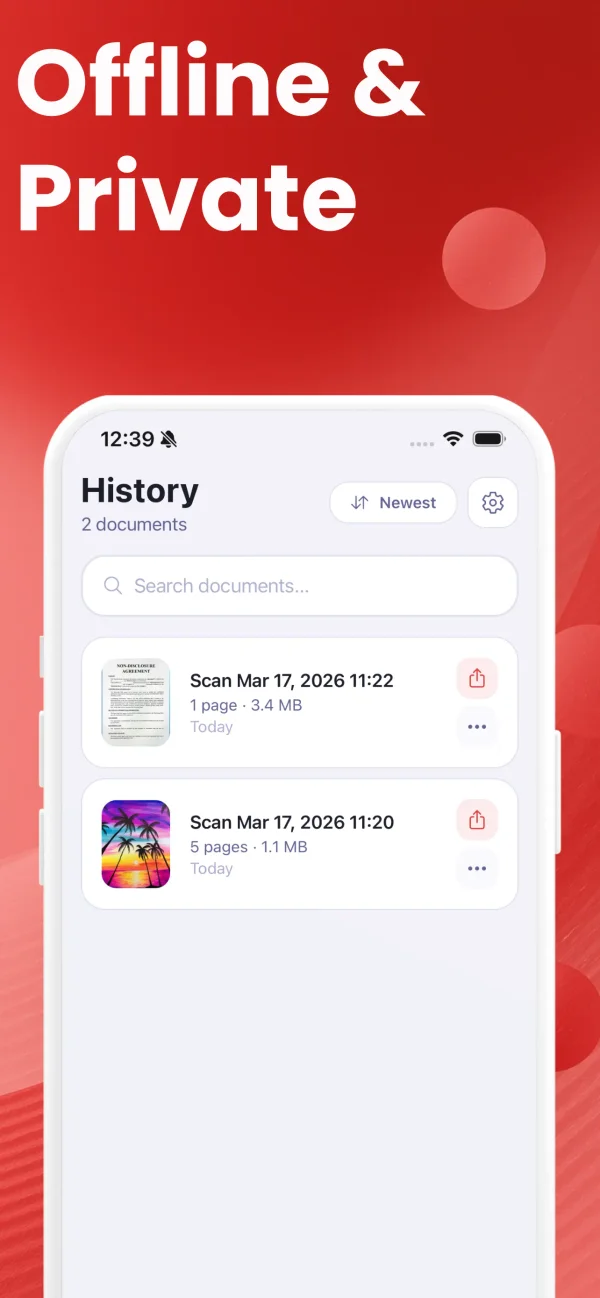
Turn your phone into a powerful portable scanner. PDF Scanner lets you digitize paper documents, receipts, contracts, notes, and more in just a few taps. Create clean, professional PDF files instantly - no bulky equipment or internet connection required.
SMART DOCUMENT SCANNING
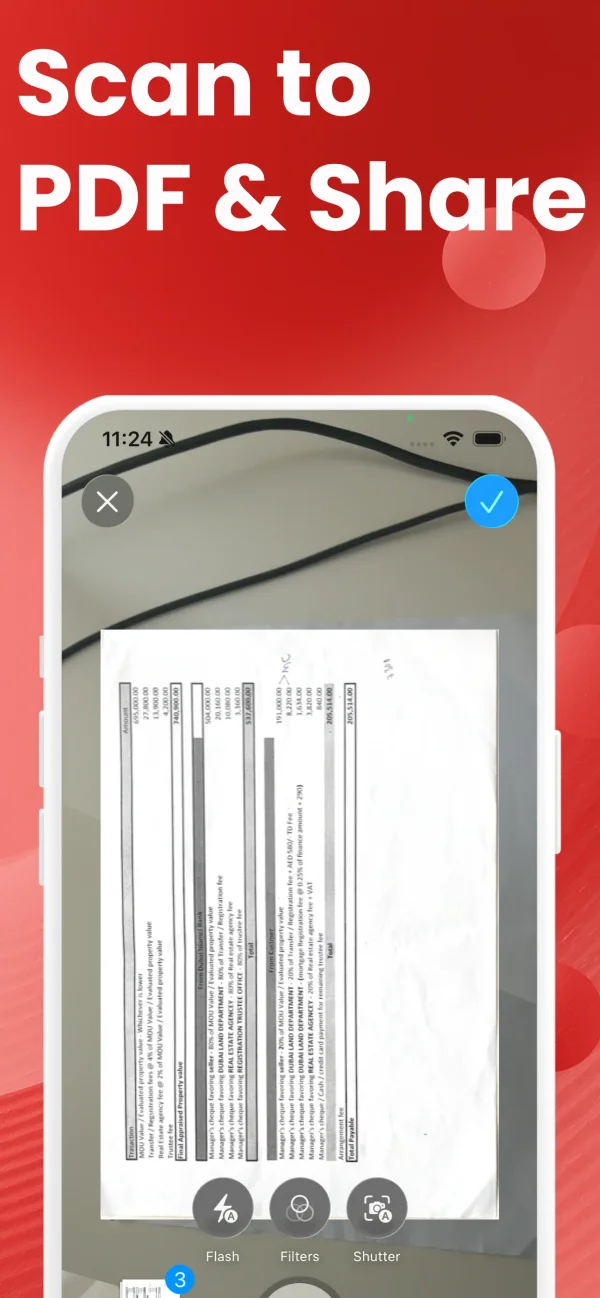
Point your camera at any document and let the app do the rest. The built-in smart scanner automatically detects document edges, adjusts the perspective, and crops the image for a clean, professional result. Every scan is captured at full quality so your PDFs look sharp and readable.
MULTIPLE WAYS TO CAPTURE
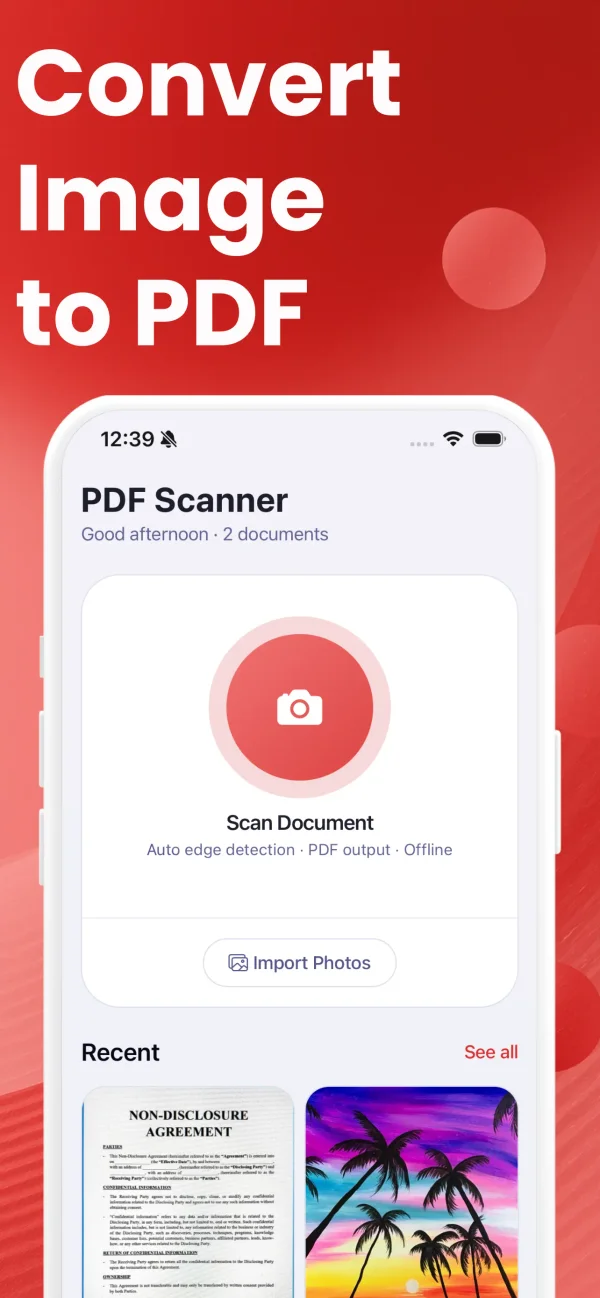
Scan documents directly with your camera for instant results. Already have photos of documents saved on your phone? Import up to 20 images at once from your photo library and combine them into a single, organized PDF file.
MULTI-PAGE PDF DOCUMENTS
Combine multiple scans or photos into one multi-page PDF. Whether you are scanning a lengthy contract, a multi-page report, or a stack of receipts, you can keep everything together in a single file that is easy to manage and share.
EASY SHARING AND EXPORT
Send your scanned PDFs anywhere with one tap. Share files through email, messaging apps, cloud storage services, or any other app on your device. Standard PDF format ensures your documents open correctly on any computer, tablet, or phone.
ORGANIZE AND FIND YOUR DOCUMENTS
Keep all your scans neatly organized in one place. Rename documents to find them quickly later. Sort your files by date or name. Use the built-in search to locate any document in seconds, even if you have hundreds of scans saved.
WORKS COMPLETELY OFFLINE
Every scan and PDF conversion happens directly on your device. You do not need Wi-Fi or mobile data to scan, create, or view your documents. Your scanner is always ready when you need it, wherever you are.
DESIGNED FOR EVERYDAY USE
A clean, intuitive interface makes scanning fast and effortless. Smooth animations, haptic feedback, and a thoughtful layout help you get things done without a learning curve. Supports both light and dark mode for comfortable use any time of day.
PRIVATE AND SECURE
Your documents stay on your device. No cloud upload is required, so you can scan and export even without an internet connection.
Download PDF Scanner and turn your iPhone or iPad into a fast, private document scanner and PDF creator.
Premium unlocks unlimited scanning.
Privacy Policy: https://www.termsfeed.com/live/534de2f6-465f-4ac3-8c4d-967178ea035f
Terms of Use: https://docs.google.com/document/d/1-3BbXd1995wmJVM0EUzwolchibuBLHGDXExsRGDZ3pQ/edit?usp=sharing
What’s new
Version 1.0.1 · Mar 18, 2026
1.0.1:
Onboarding fix
App privacy
What Andrii Kulchytskyi declares on the App Store about how this app handles data.
-
Data not collected
The developer does not collect any data from this app.
Privacy practices may vary, for example with the features you use or your age.
Information
- Seller
- AppsOverflow LLC
- Category
- Productivity
- Version
- 1.0.1
- Updated
- Mar 18, 2026
- Released
- Mar 17, 2026
- Size
- 52.0 MB
- Requires
- iOS 15.1 or later
- Age rating
- 4+
- In-app purchases
- Yes
- Languages
- English
- Copyright
- © AppsOverflow LLC
You might also like
-
 Papyr - Document ScannerPrivate PDF Scanner · No Ads
-
 ScanPro: PDF Scanner & QR CodeFast Scan to PDF & Image
-
 Scanify: PDF & OCR ScannerScan, OCR & Share Documents
-
 Image to PDF: Photo ScannerScan, Merge & Export
-
 PDF Scanner & Editor: LemonOCR, Sign, Print & Compress
-
 FreeScanner: PDF Scanner & OCROffline Multi-Page Doc Studio
-
 Push PDF: PDF Converter, ScanPhotos to PDF & File Converter
-
 TodoMaster: To-Do & PlannerTimebox tasks, calendar, notes
-
 PDF Maker: Sign & Scan to PDFID Scanner, Merge & Split PDF
-
 Scanly: PDF Scanner & DocsScan, sign & export PDFs