- Age rating4+
- CategoryProductivity
- DeveloperLuong Thi Loc
- LanguagesEnglish+ 9 more
- Size9.8 MB
Links to the official App Store page
Download.org hosts no file of PDF Toolkit: PDF Editor & Scan. The button opens its official App Store page, published by Luong Thi Loc. Listing last checked on Nov 14, 2026.
Screenshots


About
PDF Toolkit is the privacy-first all-in-one PDF app for iPhone. Scan documents,
convert to Word/Excel/PowerPoint, extract text with OCR, sign and lock files,
annotate, edit, merge, split, compress, and read every PDF you own — from one
clean, fast app that never uploads your files.
WHY PDF TOOLKIT IS DIFFERENT
Every other PDF app uploads your documents to a server for conversion, OCR, or
editing. PDF Toolkit does not. Every scan, every convert, every edit happens
100% on your iPhone — including Word / Excel / PowerPoint conversion. Your
documents never leave your device. No accounts. No cloud syncs you didn't ask
for. No data collection. Just tools that work, offline.
SCAN & IMPORT
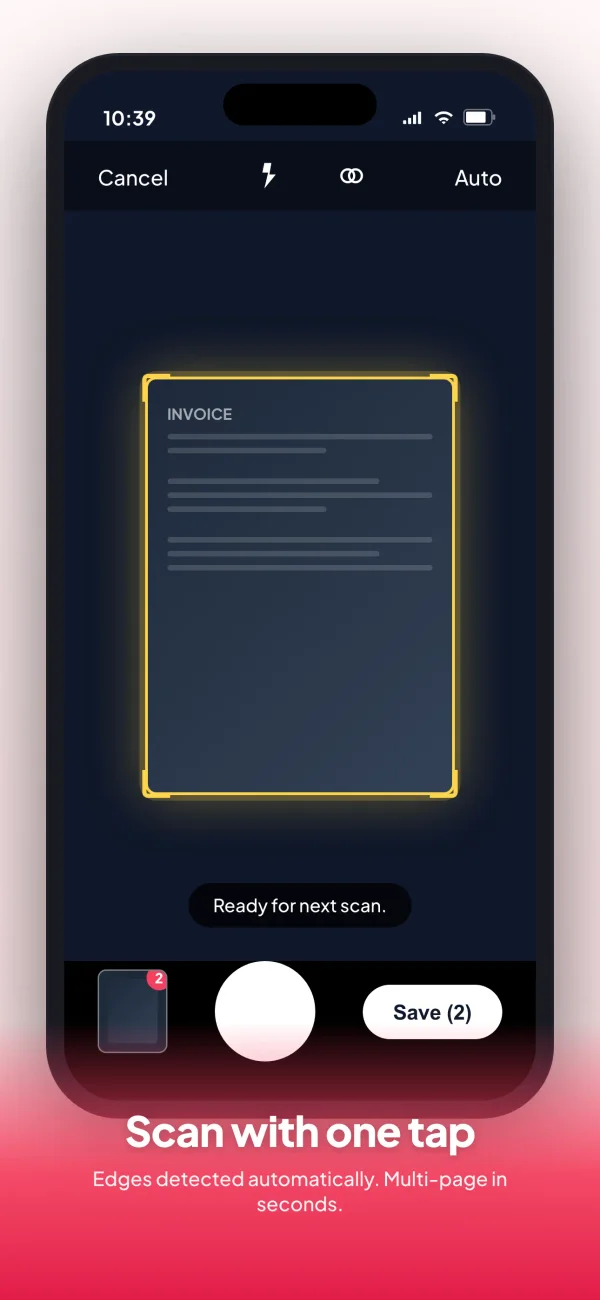
• Document scanner with automatic edge detection, perspective correction, and
multi-page capture
• Filter modes: Original, Color, Grayscale, Black & White, Enhance
• Import photos from your library and turn them into a polished PDF
• Import existing PDFs from Files, iCloud Drive, or any other app
CONVERT — PDF ↔ OFFICE (ON-DEVICE)
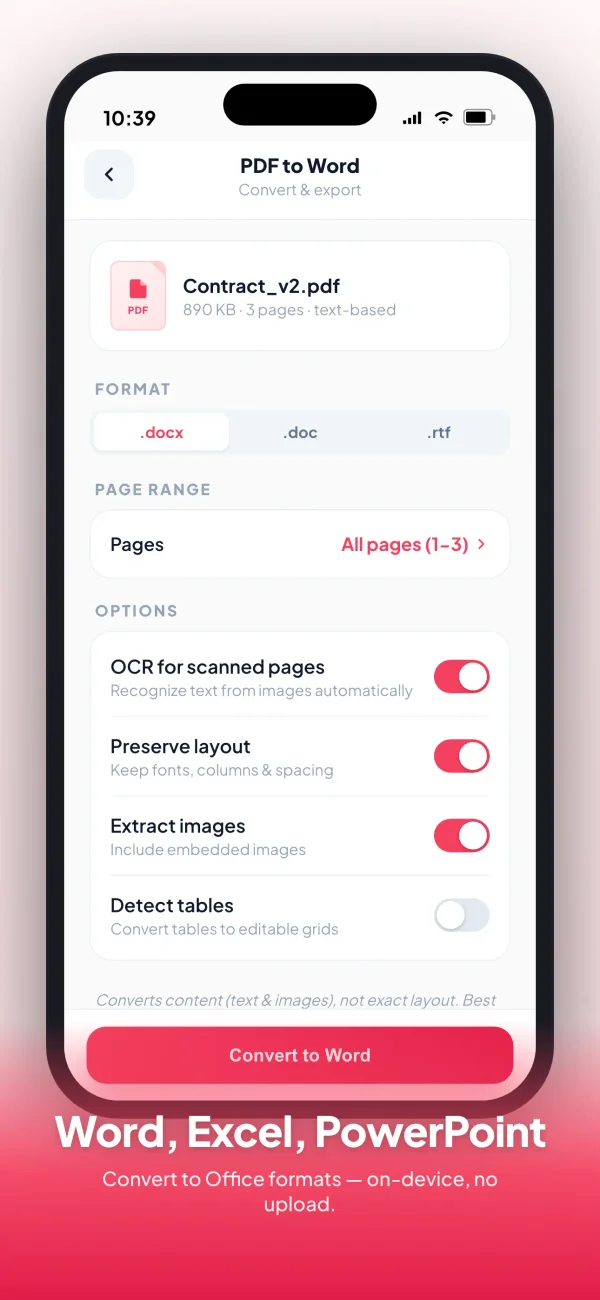
• PDF → Word (.docx) — editable text output, on your iPhone, no upload
• PDF → Excel (.xlsx) — smart table detection on iOS 18+, plain rows fallback
• PDF → PowerPoint (.pptx) — each page as a slide with editable text overlay
• Word / Excel / PowerPoint → PDF — high-fidelity export
• Image → PDF: combine photos with page size, orientation, quality controls
• PDF → Image (JPG/PNG): export pages at any DPI
OCR — TEXT FROM ANY SCAN
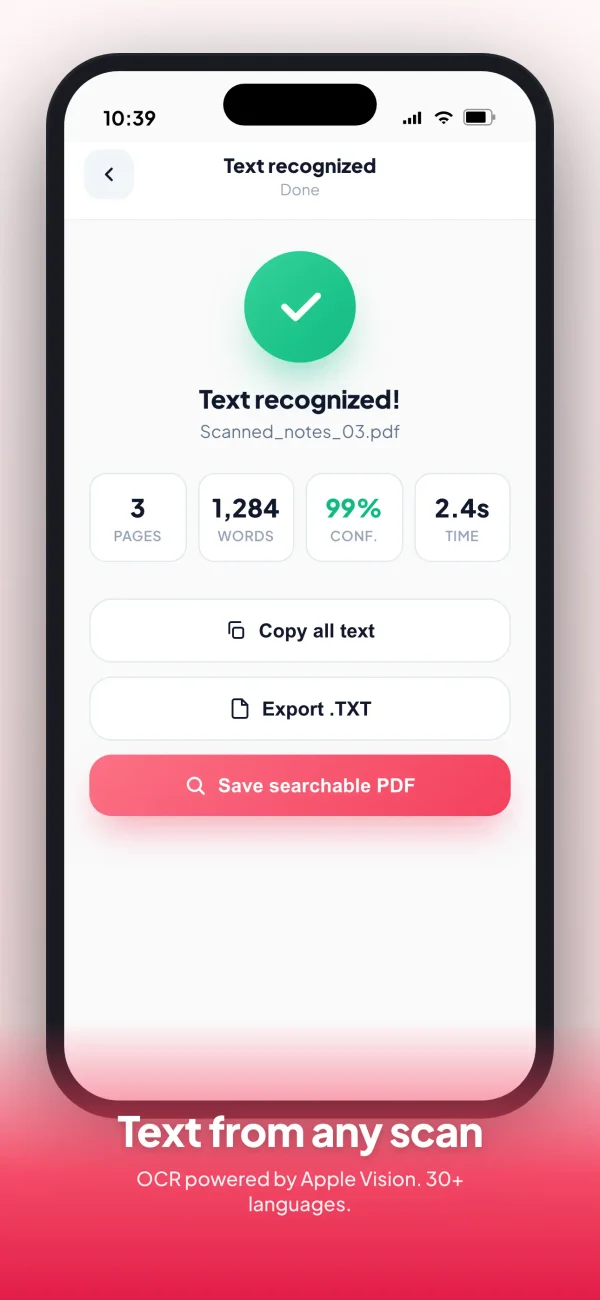
• Extract text from scanned PDFs and photos using Apple Vision
• 30+ languages supported including English, Vietnamese, Spanish, French,
German, Japanese, Korean, Chinese
• Copy text, export as .txt, or save as searchable PDF
• Powered entirely by your iPhone's Neural Engine — nothing uploaded
EDIT
• Add text, images, shapes anywhere on the page
• Whiteout sensitive information (perfect for redacting bank statements, IDs)
• Fill PDF forms — text fields, checkboxes, signatures
• Undo / redo with full history
ANNOTATE
• Highlight, underline, strikethrough — color-pick any shade
• Pencil tool for free drawing (with Apple Pencil support)
• Sticky notes anchored to any spot
• Save annotations directly into the PDF — works in any other reader
ORGANIZE & TRANSFORM PAGES
• Merge: combine multiple PDFs with drag-to-reorder
• Split: break a long PDF into smaller files
• Extract: pick the pages you want, save them separately
• Rotate: fix sideways pages with a single tap
• Rearrange: reorder pages in a 3-column grid
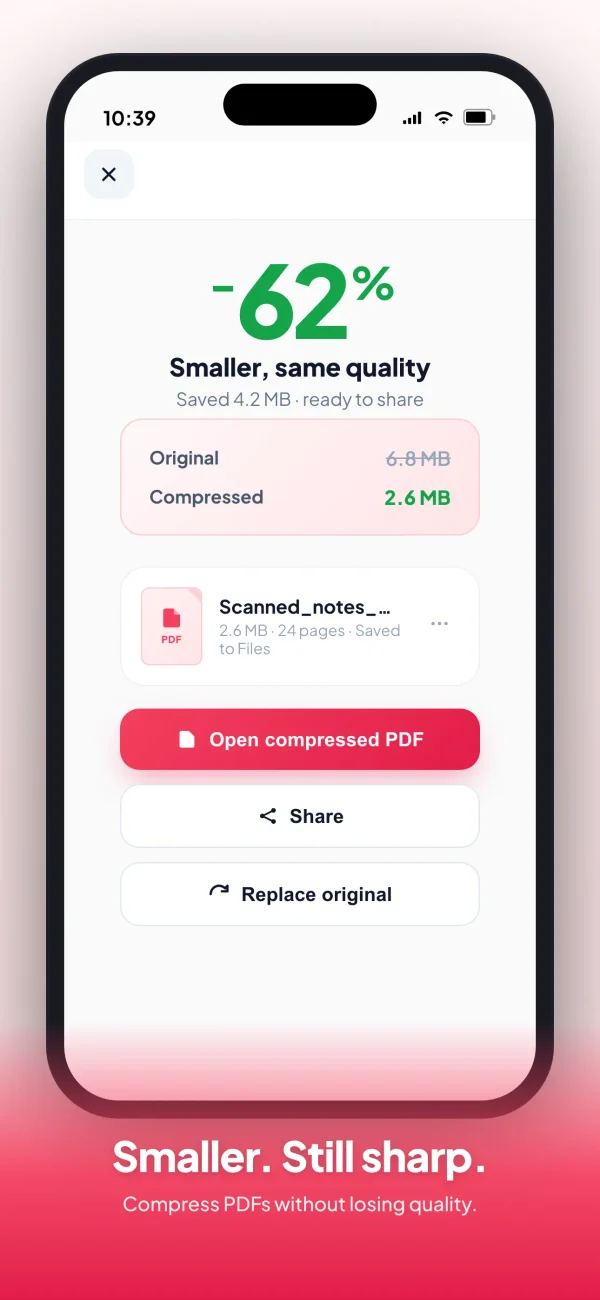
• Compress: shrink file size while keeping documents readable
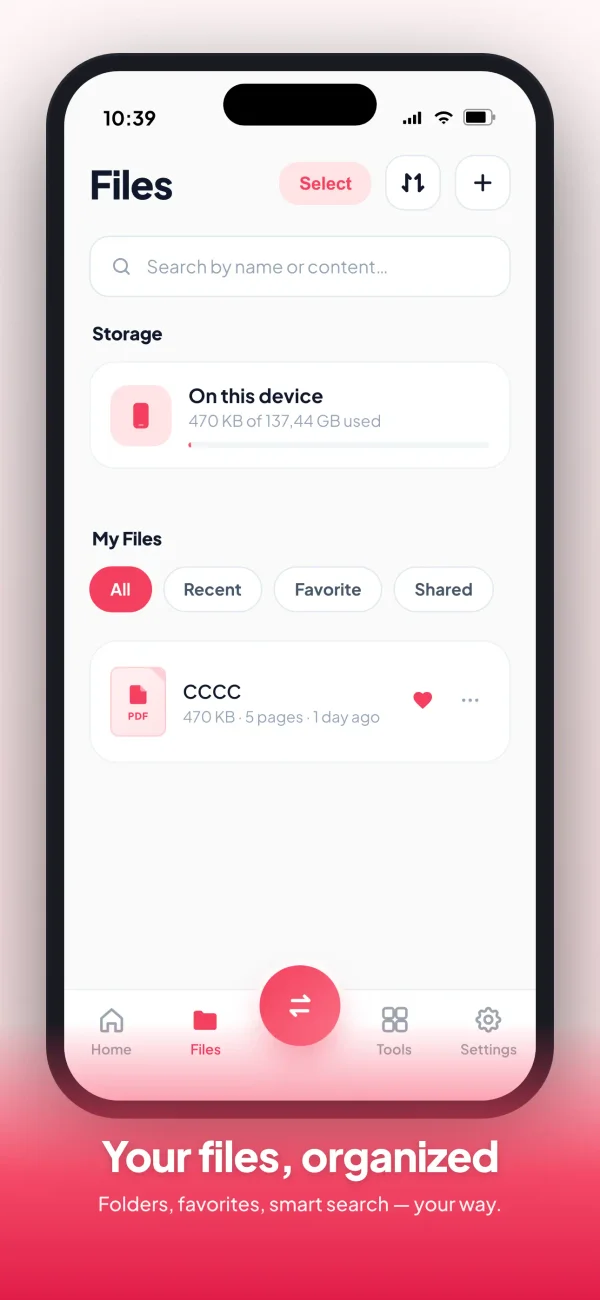
• Folders, favorites, smart search — your files, your way
SECURE
• Sign documents by drawing your signature (Apple Pencil supported, store
multiple signatures)
• Lock PDFs with a password (with optional fine-grained permissions)
• Add watermarks (text or image) with position, color, and opacity controls
CLOUD & TRANSFER
• iCloud Drive sync (native)
• Connect Google Drive, Dropbox, OneDrive
• WiFi transfer — drag-and-drop files from your Mac or PC browser
• Share Extension — receive PDFs from any app
READ & NAVIGATE
• Built-in PDF viewer powered by Apple's PDFKit — buttery smooth
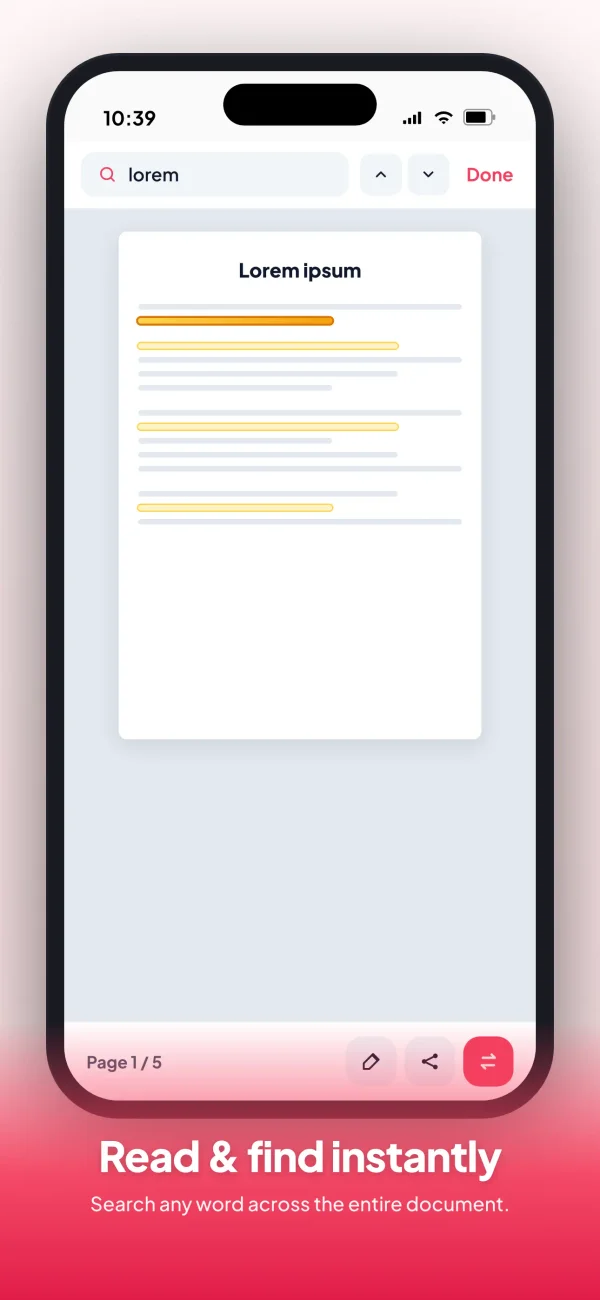
• Find in PDF: search any word across the entire document
• Thumbnail sidebar: jump anywhere in seconds
• Unlock password-protected PDFs
CUSTOMIZE
• 10 languages: English, Vietnamese, Spanish, French, German, Italian,
Portuguese, Japanese, Korean, Chinese
• Light, Dark, and System themes (full dark mode polish)
• Notification controls
• Accessibility: Dynamic Type, VoiceOver, AccessibilityXL support
PRIVACY PROMISE
PDF Toolkit is the rare PDF app that does not upload your files. Period. No
server processes your scans. No background sync. No data collection beyond
basic crash diagnostics. Your documents stay on your iPhone, where they belong.
App privacy
What Luong Thi Loc declares on the App Store about how this app handles data.
-
Data not linked to you
May be collected but is not linked to your identity.
- Identifiers
- Usage data
- Diagnostics
Privacy practices may vary, for example with the features you use or your age.
Information
- Seller
- Luong Thi Loc
- Category
- Productivity
- Version
- 1.0
- Updated
- May 28, 2026
- Released
- May 28, 2026
- Size
- 9.8 MB
- Requires
- iOS 16.0 or later
- Age rating
- 4+
- Languages
- English, French, German, Italian, Japanese, Korean, Portuguese, Simplified Chinese, Spanish, Vietnamese
- Copyright
- © David@2026
You might also like
-
 PDF Editor: Scan to PDFScan.Edit.Fill.Sign.Merge
-
 PDF Studio: Fill and SignPDF to Word, Compressor & OCR
-
 PDF Editor & Scanner: FolbrioScan, Sign, OCR & Photo to PDF
-
 PDFing: PDF Editor & OCRRead, edit and organize PDFs
-
 VARAK PDF Editor & ScannerEdit Text, Sign & Fill Forms
-
 Editify: PDF Editor & AI ChatFill, Sign, Compress · Offline
-
 DocClear: PDF Scanner & OCRScan documents, sign & share
-
 PDFWise – PDF Reader & ToolsRead, scan, sign — all private
-
 OCR, Read & Convert DocumentsPDF, OCR, Scanner & CV
-
 Crimson Pdf: Editor & ToolsConvert, scan, sign, merge