PDF Tools - Create & Edit PDFs
Create, merge & split PDFs
Designed for iPhone, iPad
Free
- Age rating4+
- CategoryUtilities
- DeveloperPixelWave LLC
- LanguagesEnglish+ 8 more
- Size9.9 MB
Links to the official App Store page
Download.org hosts no file of PDF Tools - Create & Edit PDFs. The button opens its official App Store page, published by PixelWave LLC. Listing last checked on Nov 12, 2026.
Screenshots

About
PDF Tools is your all-in-one PDF app for iOS. Create PDFs from photos, merge multiple files, split PDFs into separate documents, and reorder or delete pages—all in a simple, user-friendly interface. Perfect for students, professionals, and anyone who works with documents on the go.
Key Features:
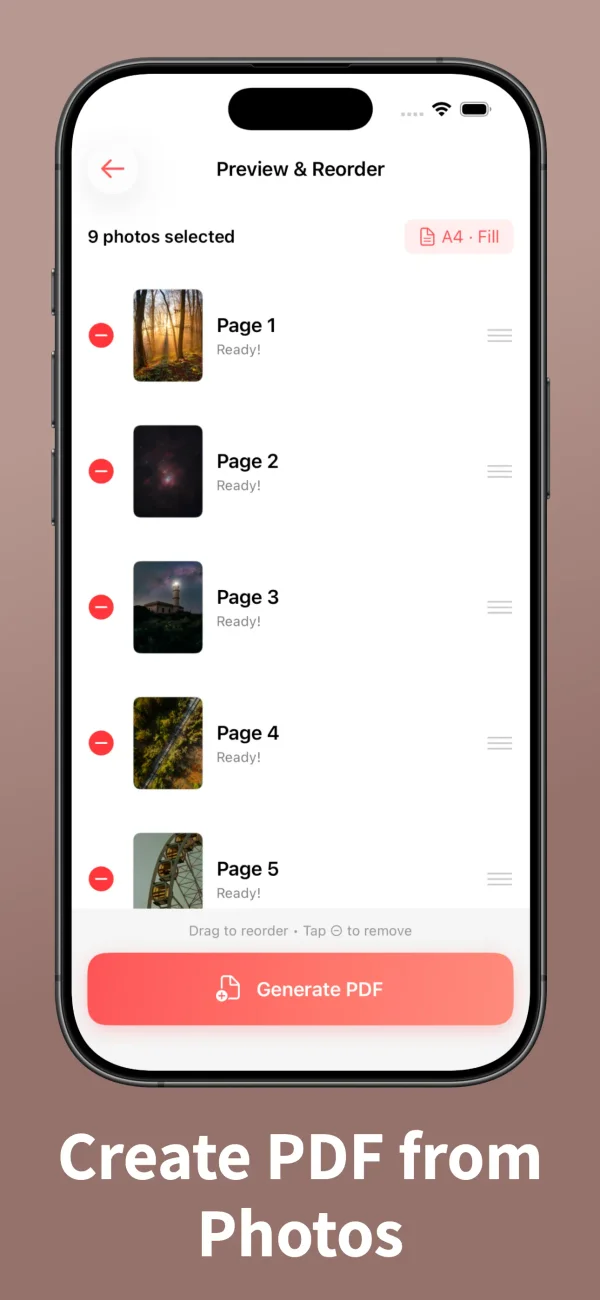
Photos to PDF
• Convert photos from your library into a professional PDF document
• Combine up to 20 photos into a single PDF
• Drag-and-drop reordering to arrange pages exactly how you want
• Multiple page sizes: A4, Letter, Legal, A5, or B5
• Image fit options: Fit maintains aspect ratio, Fill crops to fit the page
• High-quality output optimized for printing and sharing
Reorder & Delete PDF Pages
• Open any PDF and rearrange pages with intuitive drag-and-drop
• Remove unwanted pages in a few taps
• Save and share your edited PDF with ease
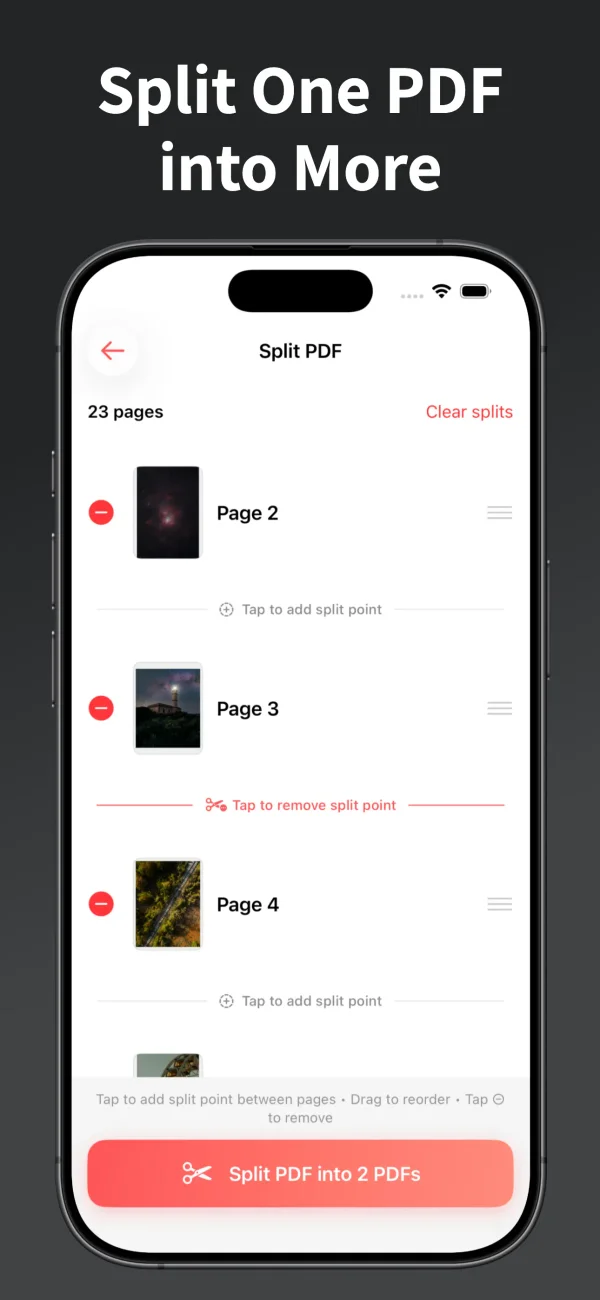
Split PDF
• Split one PDF into multiple files
• Choose exactly where to split—by page or section
• Get separate PDFs ready to share
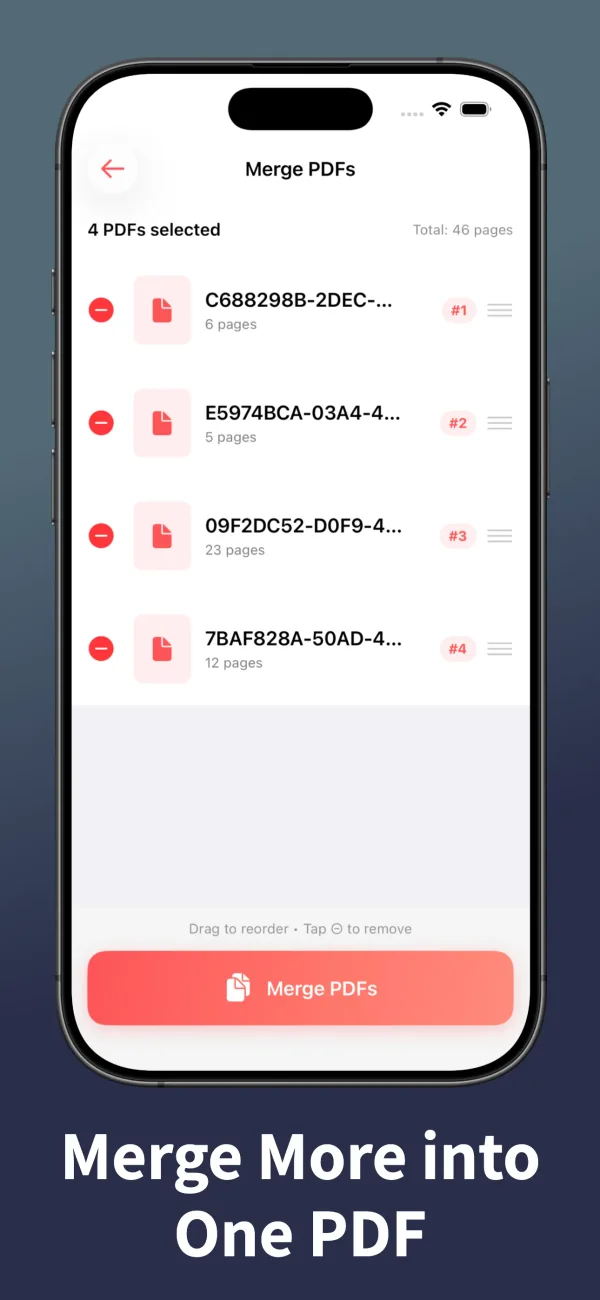
Merge PDFs
• Combine multiple PDF files into one document
• Select several PDFs and merge them in your chosen order
• Ideal for assembling reports, contracts, or portfolios
Perfect For:
• Document scanning and archiving
• Creating photo albums and portfolios
• Sharing multiple images in one file
• Organizing receipts and invoices
• Merging reports or contracts
• Splitting large PDFs for easier sharing
• Reordering or removing pages before sending
PDF Tools gives you everything you need to create, edit, and manage PDFs on your iPhone or iPad. Download now and handle all your PDF tasks in one app.
What’s new
Version 1.5.1 · Jul 1, 2026
Bug fixes and performance improvements.
App privacy
What PixelWave LLC declares on the App Store about how this app handles data.
-
Data used to track you
May be used to track you across apps and websites owned by other companies.
- Identifiers
- Usage data
-
Data linked to you
May be collected and linked to your identity.
- Identifiers
- Usage data
- Diagnostics
Privacy practices may vary, for example with the features you use or your age.
Information
- Seller
- PixelWave LLC
- Category
- Utilities
- Version
- 1.5.1
- Updated
- Jul 1, 2026
- Released
- Jan 11, 2026
- Size
- 9.9 MB
- Requires
- iOS 17.0 or later
- Age rating
- 4+
- Price
- Free
- Languages
- English, Arabic, French, Hindi, Indonesian, Russian, Simplified Chinese, Spanish, Traditional Chinese
- Copyright
- © 2026 PixelWave LLC
You might also like
-
 Simple PDF Page RemoverDelete, reorder & organize
-
 JPG to PDF: Convert Picture toPDF, JPEG, PNG, image to PDF
-
 PDF: Reader, Scanner, EditoreSign, Converter, Viewer & OCR
-
 Easy Photo to PDF - ConverterUtilities
-
 PDF Editor: Converter & MergerEdit, Read, Compress & Split
-
 Fast PDF Editorall in one pdf tools
-
 SnapPDF-Editor&ReaderEdit and create documents
-
 QReel: QR Code GeneratorCustom codes with scan stats
-
 UnderLimit: PDF CompressorShrink Photos to Target Size
-
 Easy ATS CV MakerATS-friendly resume in minutes