PDFMaster: Offline PDF Tool
Scan, Merge & Edit: 100% Free
Designed for iPhone, iPad
Free · In-app purchases
- Age rating4+
- CategoryProductivity
- DeveloperG A Shehan De Silva
- LanguagesEnglish
- Size4.0 MB
Links to the official App Store page
Download.org hosts no file of PDFMaster: Offline PDF Tool. The button opens its official App Store page, published by G A Shehan De Silva. Listing last checked on Nov 12, 2026.
Screenshots
About
PDFMaster is your powerful, all-in-one document toolkit—right in your pocket. No subscriptions. No ads. No hidden fees. Just pure PDF power.
Whether you need to scan physical documents, compress large files for email, merge multiple reports, or convert web pages, PDFMaster handles it all. We built this app because we believe essential document tools should be accessible to everyone, without expensive paywalls or invasive tracking.
YOUR COMPLETE PDF TOOLKIT
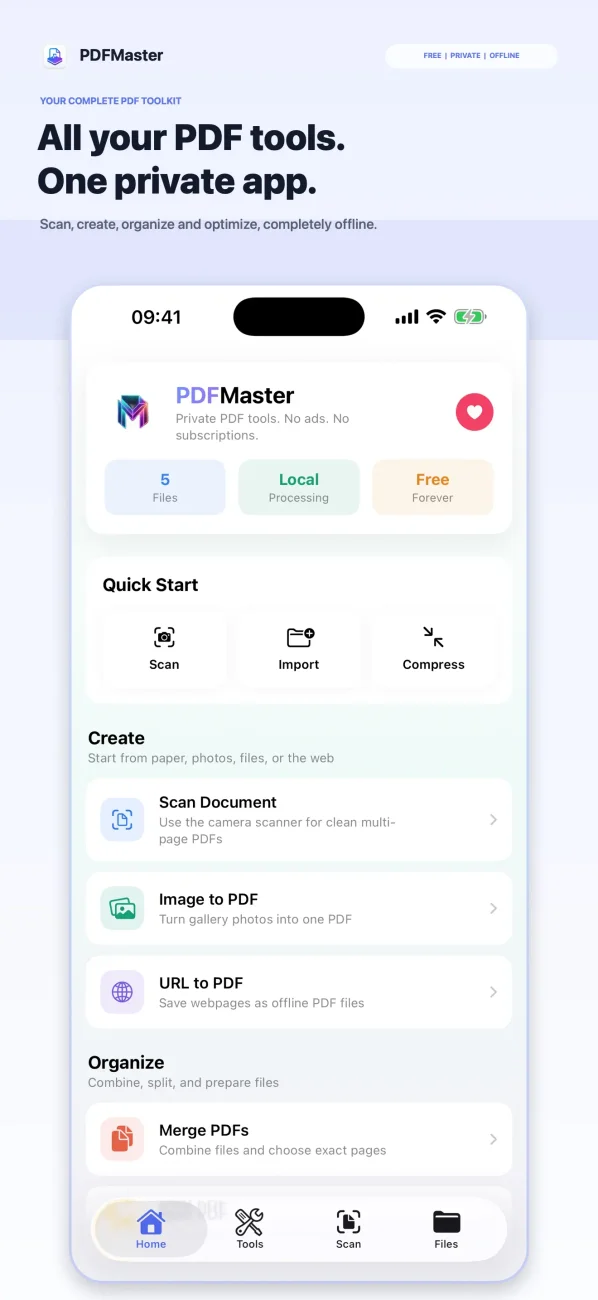
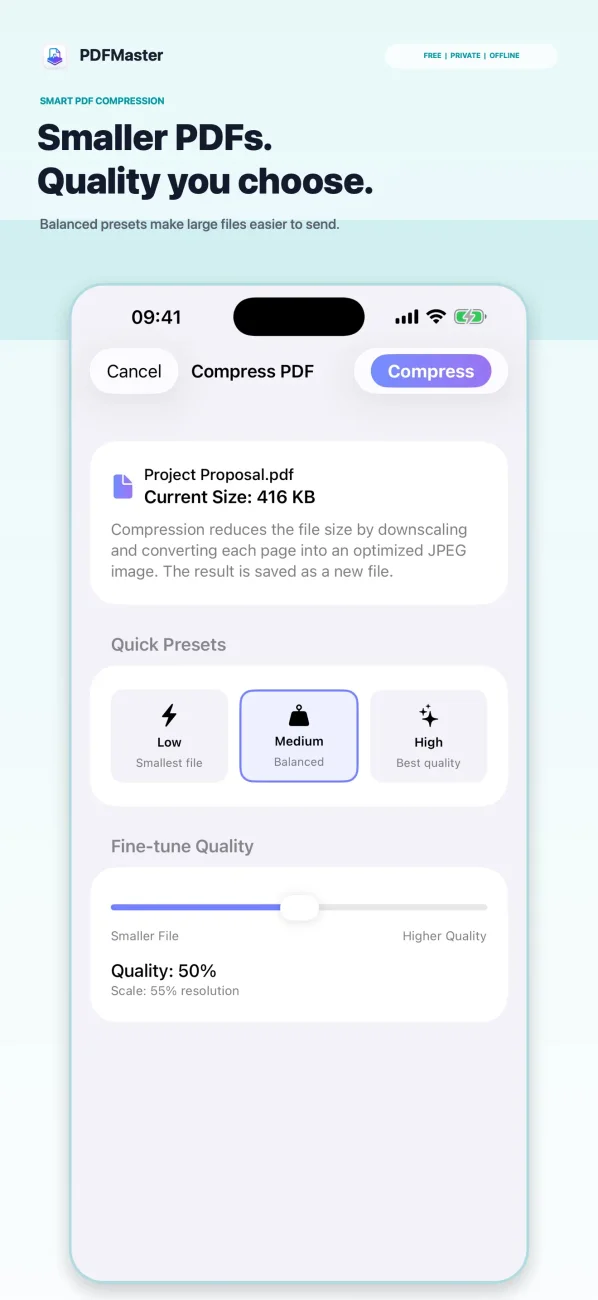
Compress PDF: Shrink oversized PDFs by up to 80% while maintaining crisp quality. Choose from Low, Medium, or High presets, or fine-tune with the custom slider. Perfect for bypassing email attachment limits.
Merge PDFs: Combine multiple files into one seamless document. Easily drag to reorder, select specific pages, and merge with a single tap.
Document Scanner: Turn your iPhone into a high-quality scanner. Auto-edge detection captures clean, sharp scans of physical documents every single time.
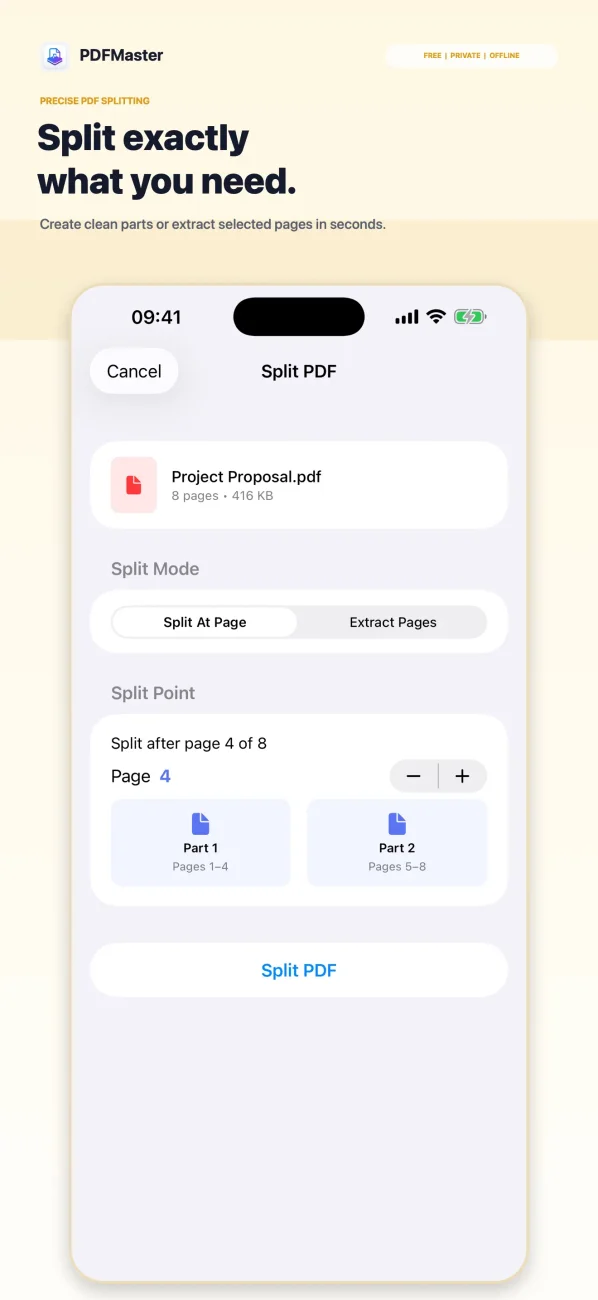
Split & Extract: Break a large PDF into multiple parts or extract specific, important pages into a brand-new document.
Image to PDF: Convert photos and gallery images into professional documents instantly. Create multi-page PDFs from your camera roll in seconds.
URL to PDF: Save web pages for offline reading. Just paste a URL, and we will render the entire page as a high-quality document.
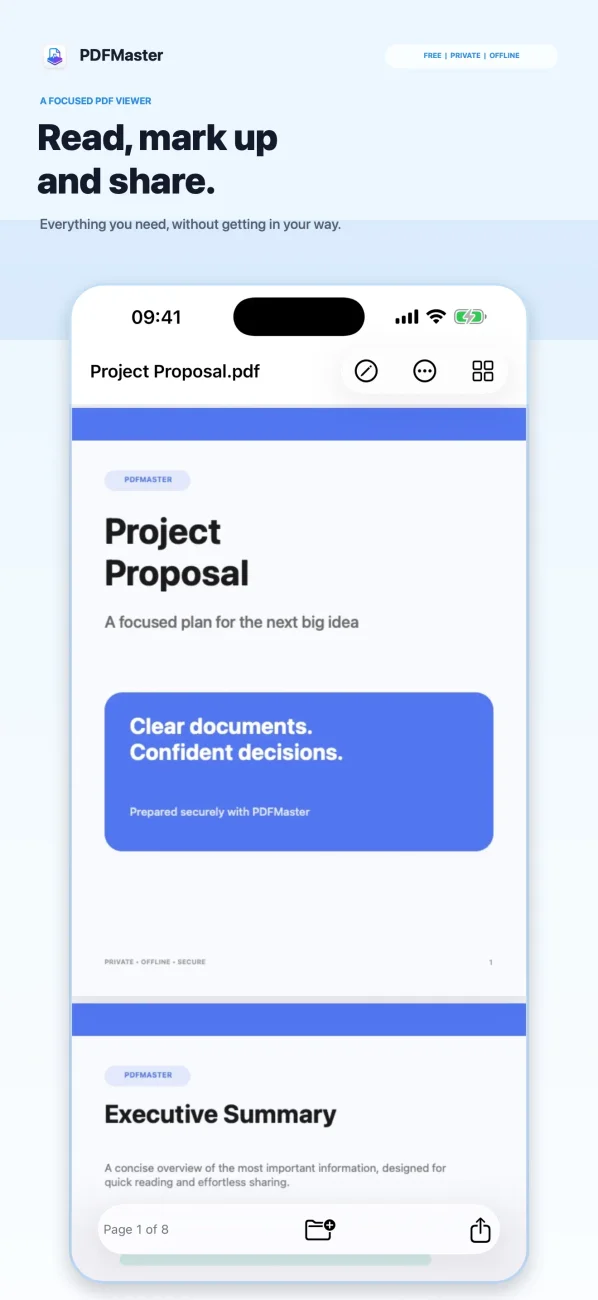
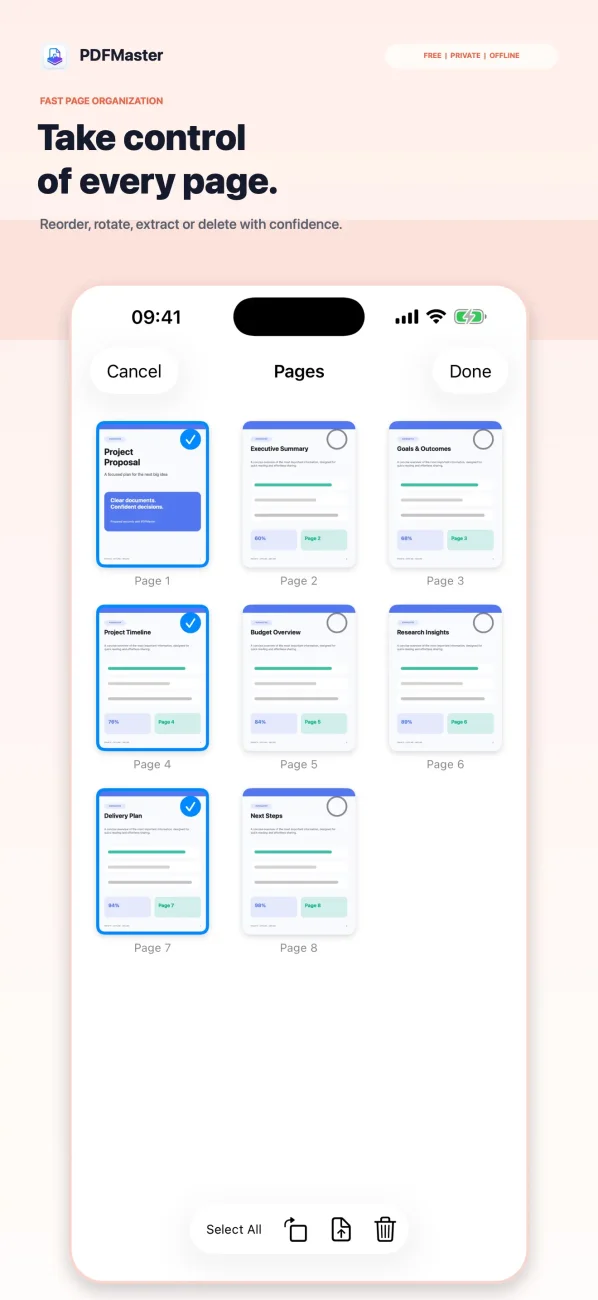
Annotate & Edit: Draw, highlight, and annotate directly on your files. Manage your workflow with the intuitive grid view to rearrange or delete individual pages.
100% PRIVATE & OFFLINE
Your privacy is our priority. Your sensitive files never leave your device. All compression, merging, and conversion happens locally on your iPhone or iPad. We do not upload, collect, or access your documents. Zero analytics. Zero tracking.
EFFORTLESS FILE MANAGEMENT
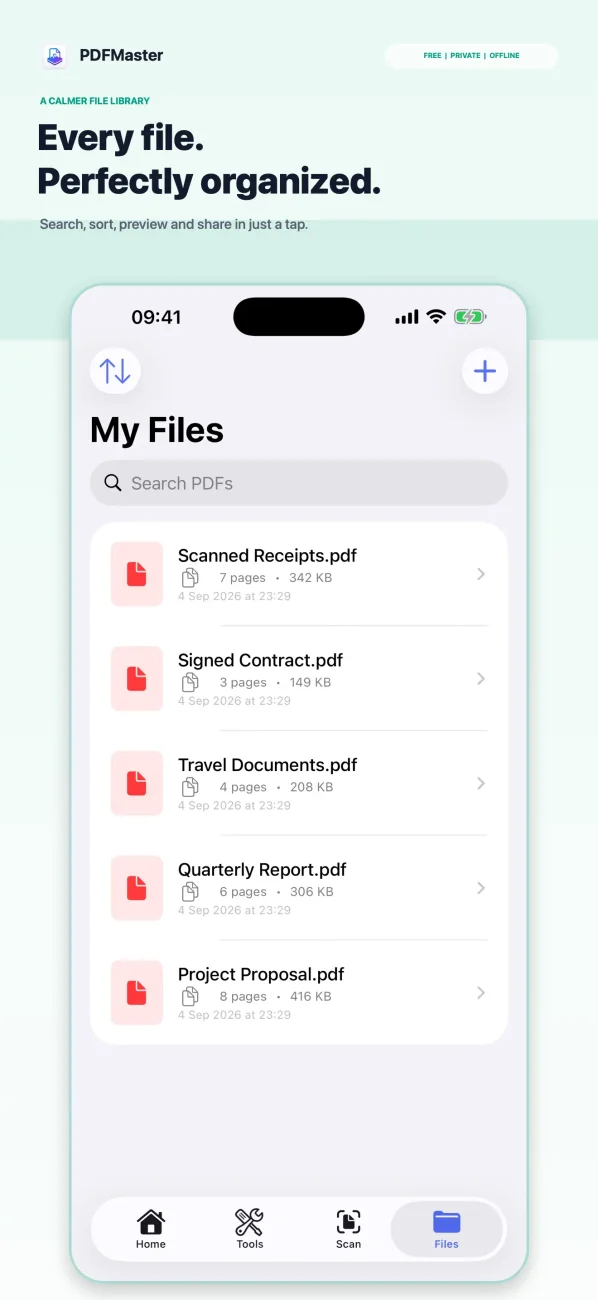
Access your documents seamlessly from iCloud Drive, Google Drive, OneDrive, and Dropbox directly within the app. Share your finished files via AirDrop, Email, or Messages in one tap.
WHY CHOOSE PDFMASTER?
Completely Free: No subscriptions, no premium tiers, no paywalls.
Zero Ads: A clean, professional, and distraction-free experience.
Offline Ready: Work anywhere, without an internet connection (URL to PDF requires internet).
Lightweight & Fast: Battery-friendly and highly responsive.
Love the app? PDFMaster is built by an independent developer. You can support future updates and keep the app ad-free by leaving an optional tip in the "Support Us" section. Every coffee helps!
What’s new
Version 1.6 · Nov 4, 2026
Now you can edit and sign the documents.
App privacy
What G A Shehan De Silva declares on the App Store about how this app handles data.
-
Data not collected
The developer does not collect any data from this app.
Privacy practices may vary, for example with the features you use or your age.
Information
- Seller
- G A Shehan De Silva
- Category
- Productivity
- Version
- 1.6
- Updated
- Nov 4, 2026
- Released
- Mar 11, 2026
- Size
- 4.0 MB
- Requires
- iOS 17.0 or later
- Age rating
- 4+
- Price
- Free
- In-app purchases
- Yes
- Languages
- English
- Copyright
- © 2025 Shehan De Silva
You might also like
-
 Saved for laterProductivity
-
 MemoNow - Instant Quick Memo.Quick memo from your widget.
-
 Image to PDF Convert & SecureEdit & Merge, Lock & Unlock
-
 DFLOW - Habit TrackerHabits and to-do-list tracking
-
 VolunTreeVolunteers and Organisations
-
 Schedy: Daily PlannerPrivate Time Blocker
-
 Pomodoro Focus Timer–Time FarmStay Focused & Study with Pets
-
 Merge JPG to PDF : StitchPDFPhotos & Documents Converter
-
 Busy B Planner: To-Do ListBrain Dump & Daily Reminders
-
 TapHabit - Daily Habit TrackerSimple Habits, Daily Streaks