
- Age rating4+
- CategoryProductivity
- DeveloperRoberto Alcazar
- LanguagesEnglish+ 1 more
- Size4.7 MB
Links to the official App Store page
Download.org hosts no file of Pending Tasks. The button opens its official App Store page, published by Roberto Alcazar. Listing last checked on Nov 10, 2026.
Screenshots



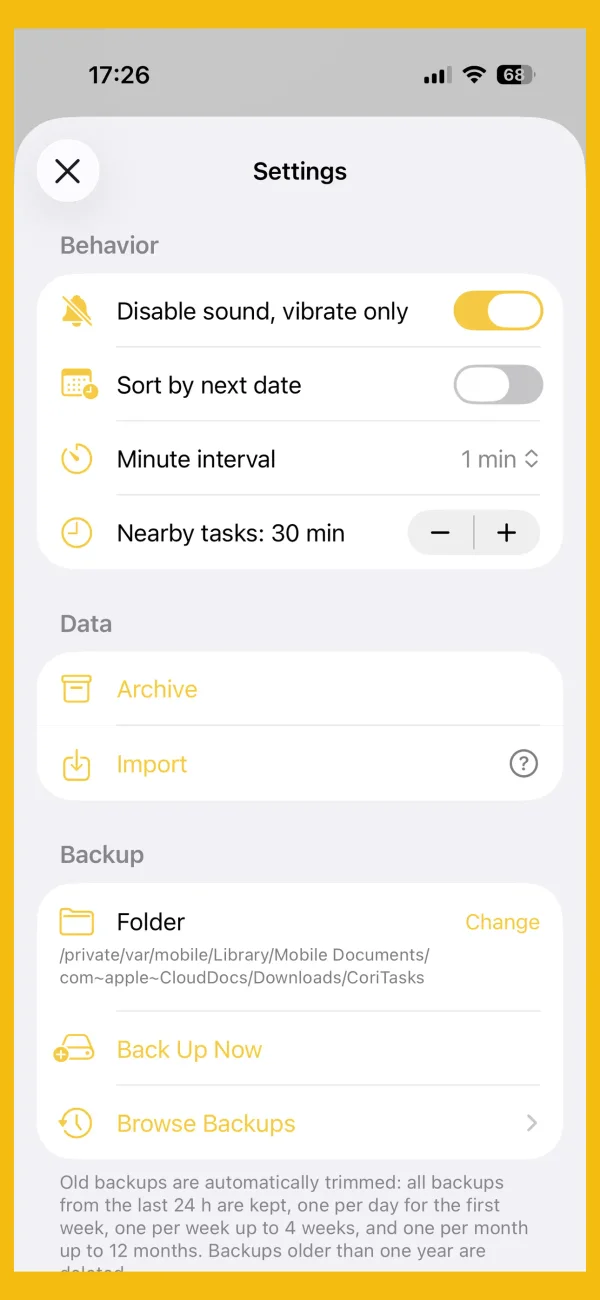
About
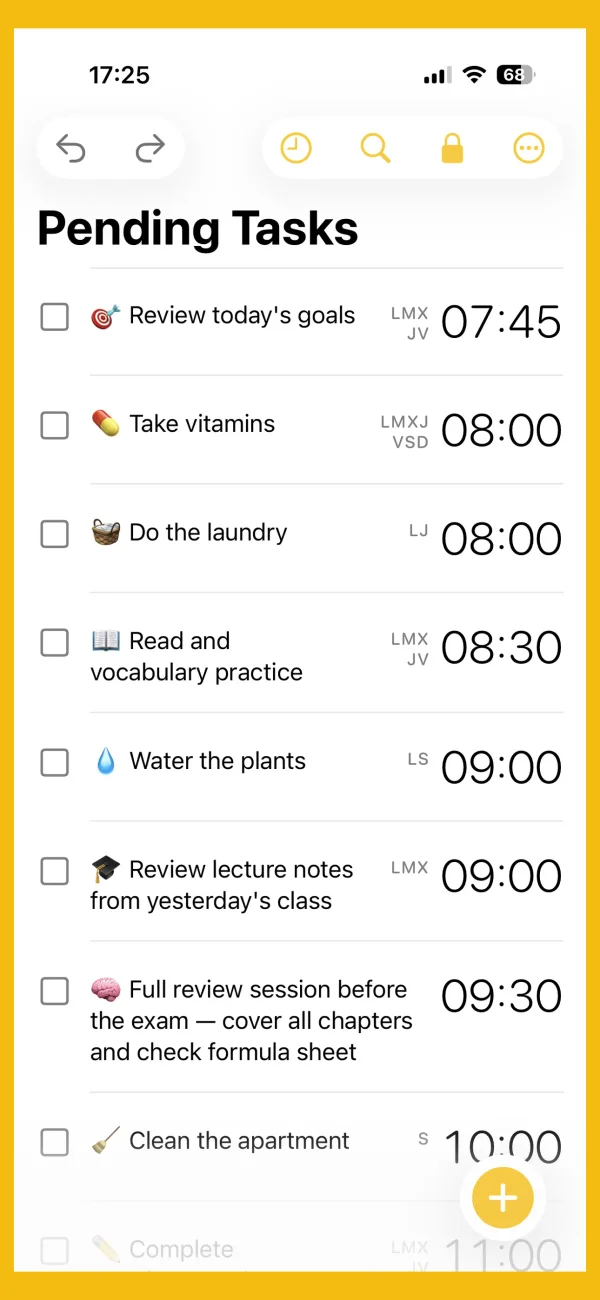
Got something pending? Pending makes sure it doesn't stay that way — with real system alarms that ring even when your iPhone is on silent or Do Not Disturb.
REAL SYSTEM ALARMS
Every reminder uses AlarmKit (iOS 26) to ring for real, without relying on push notifications that the system can silence, delay, or drop.
WHEN IT RINGS
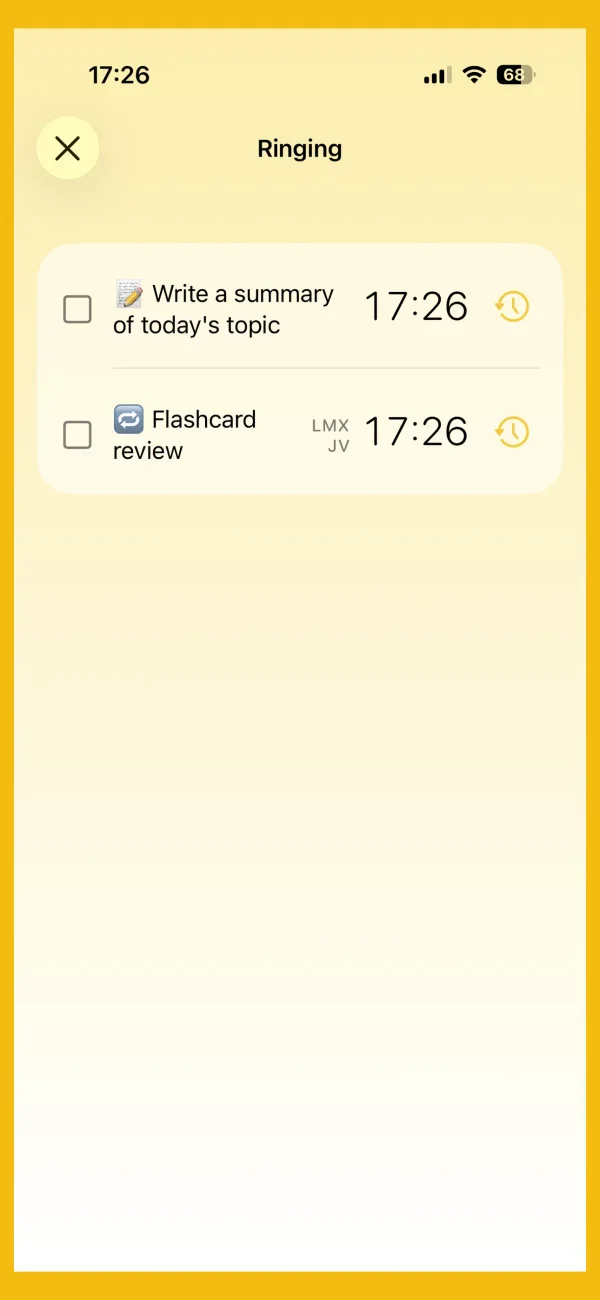
Right from the alarm screen you can complete the task, snooze it, edit it, or silence it. When several tasks ring at the same time they're grouped together, so you can deal with each one in place.
FOCUS ON WHAT'S NOW
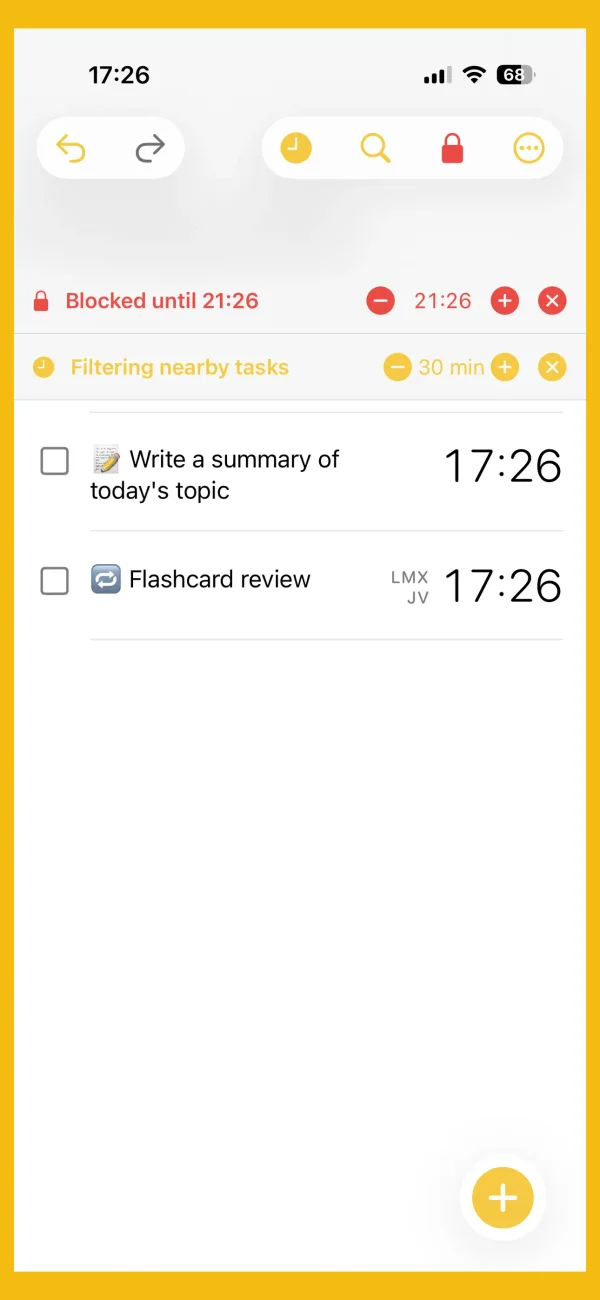
The "Now" filter hides everything except the tasks due around the current time, so a long list never gets in your way.
WEEKLY REPEAT
Set which days each reminder should repeat. Perfect for habits and routines: weekdays only, every Tuesday, or any combination you choose.
SILENCE WHEN YOU NEED TO
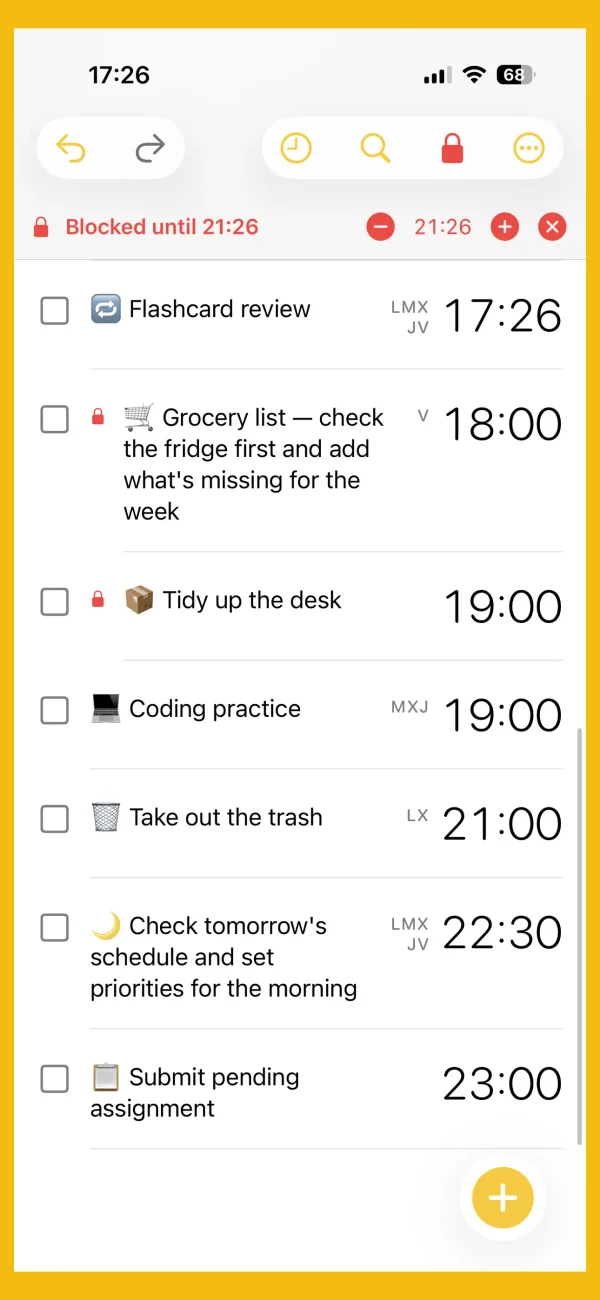
Mute everything for 1 hour, 4 hours, until tomorrow, or from now — and see exactly which tasks are affected before you confirm.
SKIP THE NEXT ONE
Don't need it to ring tomorrow? Silence the next occurrence without deleting the reminder or losing its repeat schedule.
COMPLETION HISTORY
Mark a task done and it's logged with date and time in a file you can browse. You'll always know what you did and when.
WIDGETS & QUICK ACTIONS
A Lock Screen widget keeps your next tasks in view, and home screen quick actions let you add a task, show what's next, or silence in one tap.
CREATE FROM ANY APP
Share text or web links from Safari, Notes, or any other app directly into Pending: it arrives ready as a new task, set to schedule.
IMPORT YOUR TASKS
Bring in tasks from a file, with a clear report of any rows that couldn't be added.
AUTOMATIC BACKUP
Choose where to save your tasks — iCloud Drive, Files, or an external drive — and the app keeps it synced in the background.
No accounts, no ads, no tracking. Your pending tasks are yours to keep.
Requires iOS 26 or later.
What’s new
Version 2.0 · Aug 22, 2026
What's new in 2.0
• Redesigned "Ringing" screen: when several tasks are due at the same time they now appear together, even with the app closed.
• Live Activity while a task is ringing, so you can see it and act without opening the app.
• Snooze your way: pick the minutes with the +/- controls and see exactly when each task will ring again.
• Confirmation before completing a repeating task, so you don't dismiss it by mistake.
• "Silence" is now "Block": block a time range even when it doesn't currently affect any task.
• More reliable alarms: they re-arm correctly across day changes and time zone changes.
• Fix: non-repeating tasks ring only once again.
• New shareable diagnostics screen to help report issues.
App privacy
What Roberto Alcazar declares on the App Store about how this app handles data.
-
Data not collected
The developer does not collect any data from this app.
Privacy practices may vary, for example with the features you use or your age.
Information
- Seller
- Roberto Alcazar
- Category
- Productivity
- Version
- 2.0
- Updated
- Aug 22, 2026
- Released
- Jun 10, 2026
- Size
- 4.7 MB
- Requires
- iOS 26.0 or later
- Age rating
- 4+
- Languages
- English, Spanish
- Copyright
- © 2026 Roberto Alcazar
You might also like
-
 Callendar: Meeting Call AlertsCalendar Reminders & Alarm
-
 Soniro: Alerts That InsistReminders, alarms and voice
-
 Reminder Alarm - RemyloTask notifications until done
-
 DeetFlow - Focus Timerminimalistic focus timer
-
 Focus Realm: Level Up FocusGamified Focus Timer
-
 To Do List, Goals & SortingExecutive Function Support
-
 Event Alarm SyncCalendar events into alarms
-
 Tuesdays - Alarms & RemindersCustomized & Persistent Alarms
-
 Habit Tracker: 66-DayChallengeAI Feedback and Checklists
-
 Reminder Alarm & DeadlinesBill, Birthday & Date Alerts