To Do List, Goals & Sorting
Executive Function Support
Designed for iPhone, iPad
Free
- Age rating4+
- CategoryProductivity
- DeveloperJames Williams
- LanguagesEnglish
- Size4.0 MB
Links to the official App Store page
Download.org hosts no file of To Do List, Goals & Sorting. The button opens its official App Store page, published by James Williams. Listing last checked on Nov 15, 2026.
Screenshots

About
More Than Just Another To-Do List
Struggling with task paralysis? Overwhelmed by your to-do list? Can't decide what to tackle first? This isn't your typical task manager, it's designed specifically for people who need more than just a list of tasks.
BUILT FOR REAL CHALLENGES
Whether you have ADHD, experience executive dysfunction, are neurodivergent, have a disability affecting planning and organization, or simply get overwhelmed by long to-do lists, this app helps you actually do the tasks, not just track them.
UNIQUE FEATURES THAT HELP YOU DECIDE & ACT
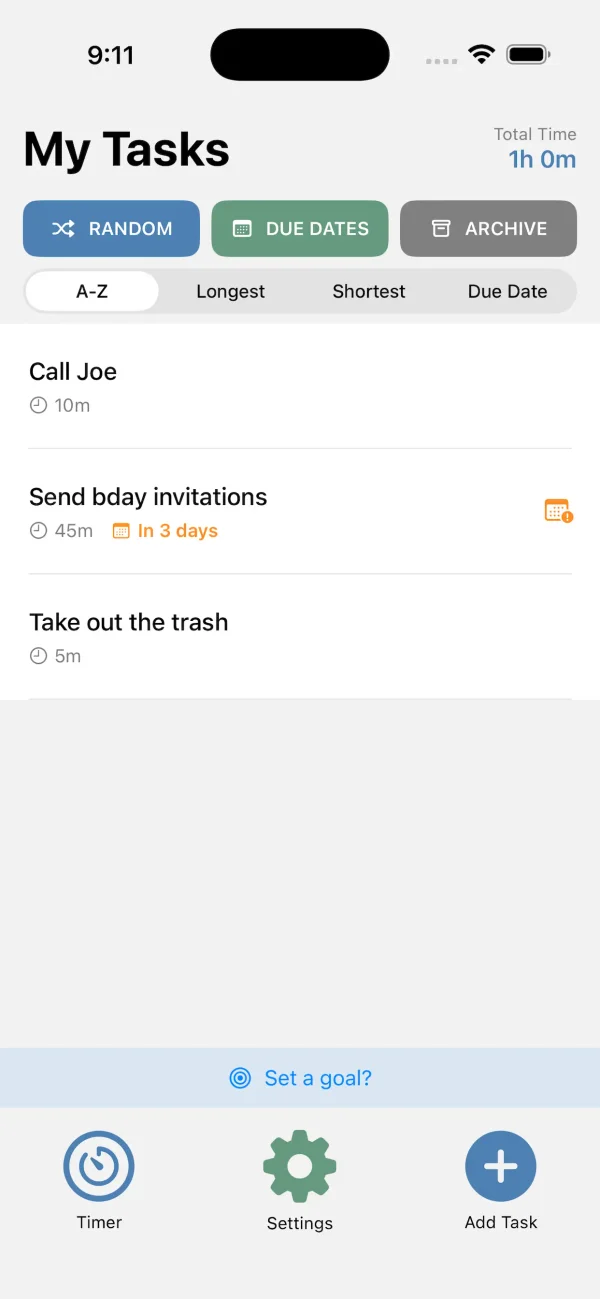
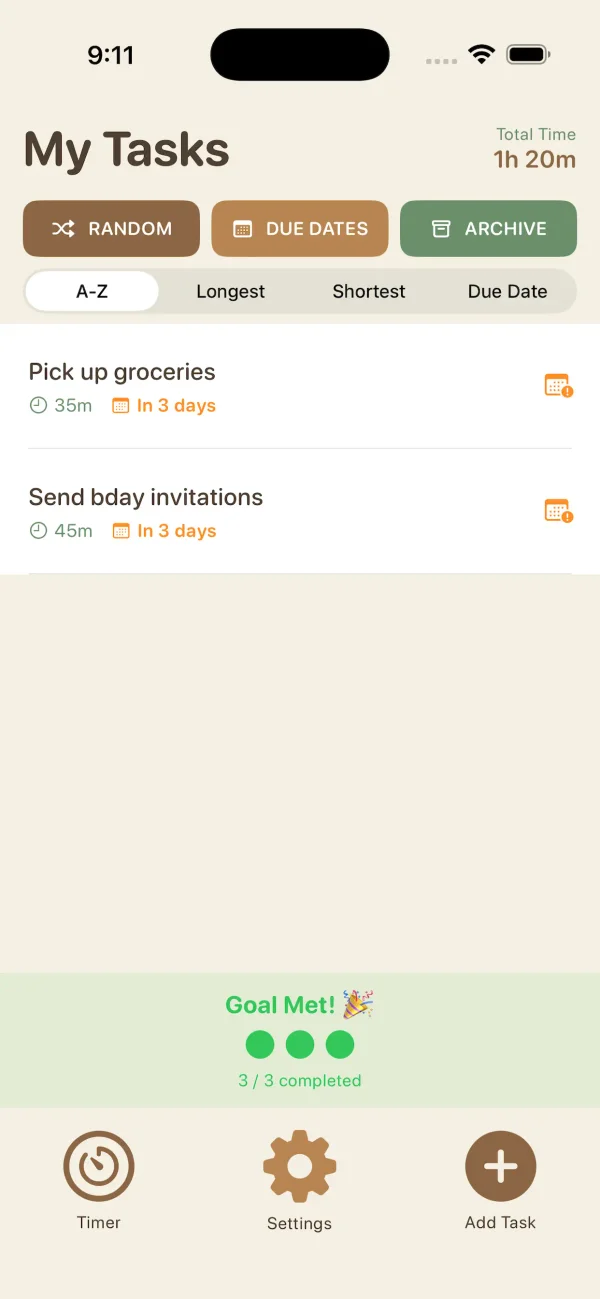
Random Task Selector - Can't decide what to do? Let the app choose for you. Perfect for breaking through decision paralysis.
Smart Sorting Options - Sort by estimated time, alphabetically, or due date. See your shortest tasks first when you're low on energy, or tackle the longest ones when you're ready for a challenge.
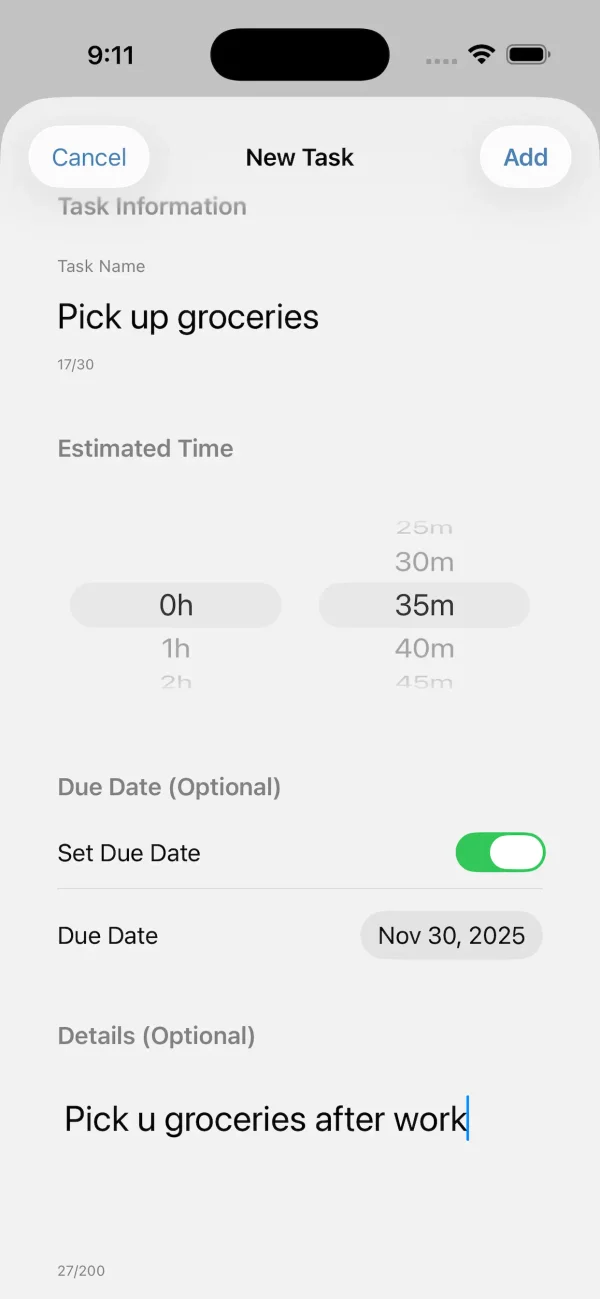
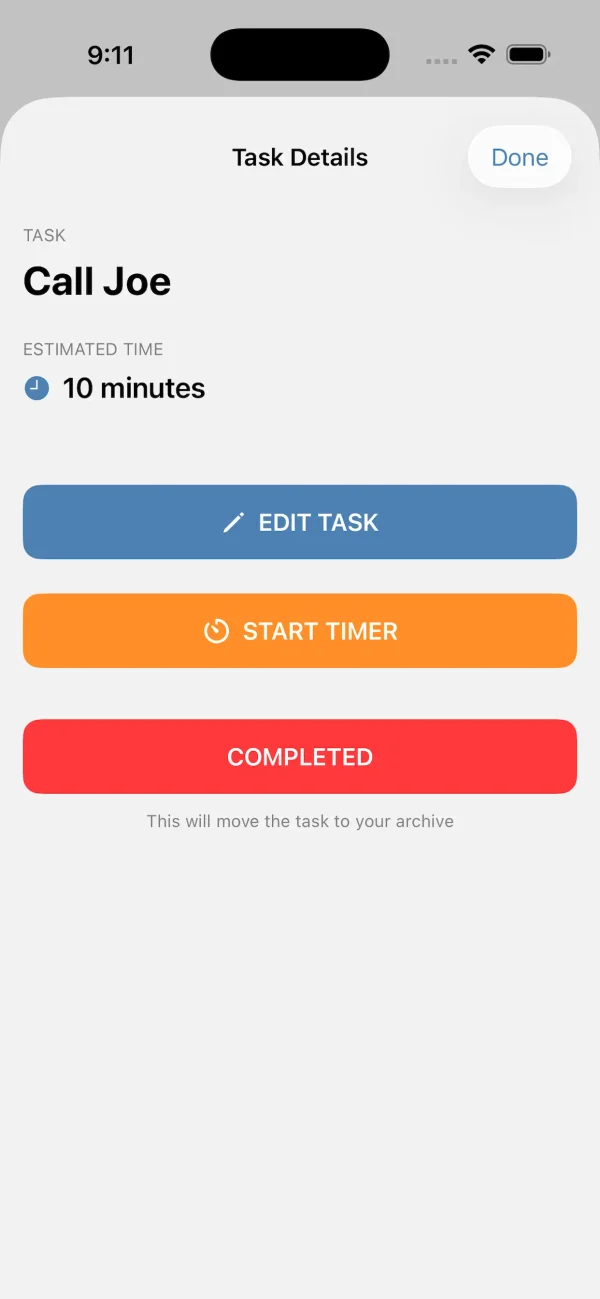
Time Estimates for Every Task - Know exactly how much time each task will take. No more feeling overwhelmed by your list.
Visual Time Tracking - See your total workload at a glance. Make informed decisions about what's realistic for today.
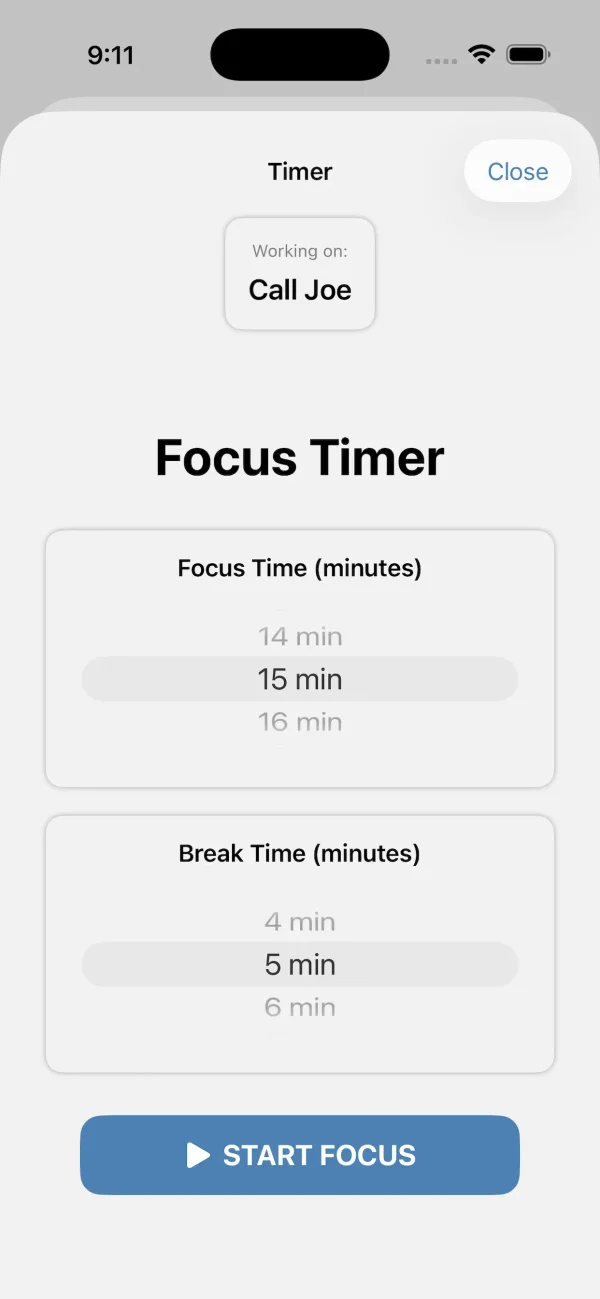
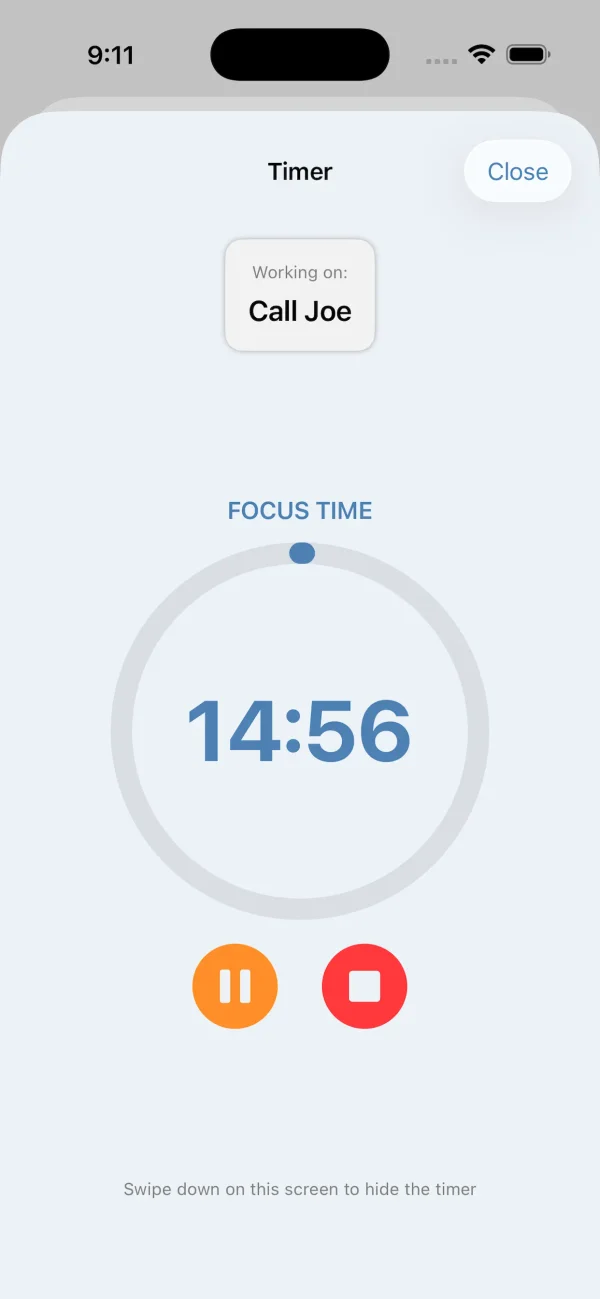
Focus Timer - Built-in timer with customizable work and break periods. Stay on track without switching apps.
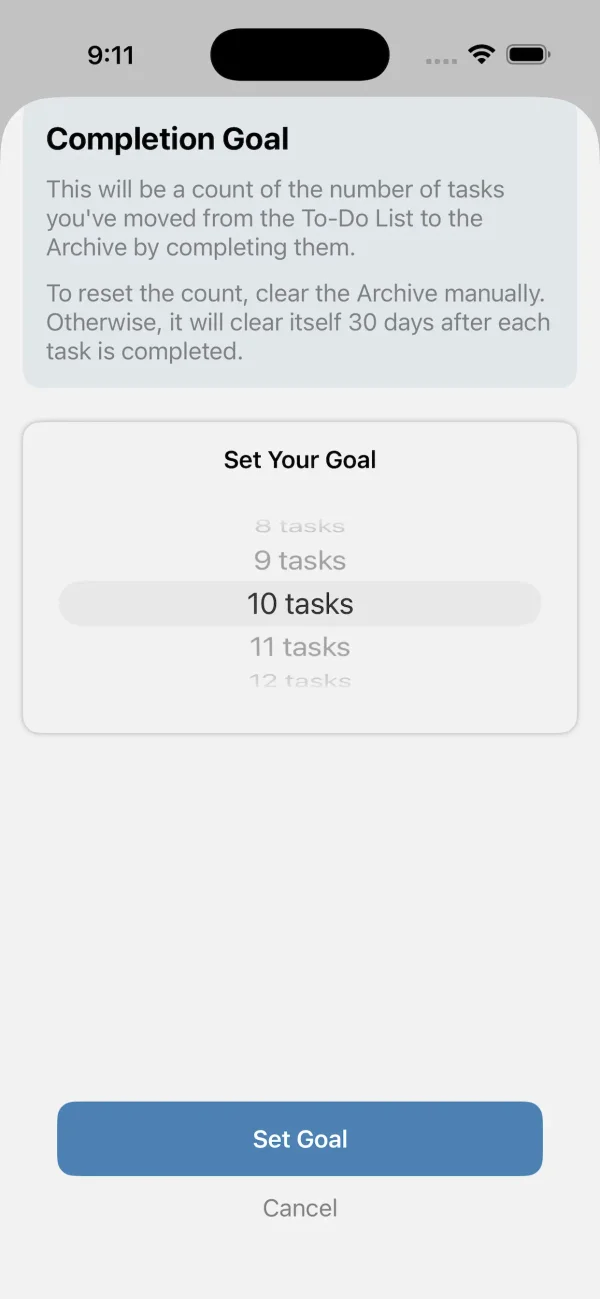
Completion Goals with Visual Progress - Set daily task completion goals and watch your progress grow. Build momentum and celebrate wins.
Due Date Calendar - See what's coming up, what's overdue, and what needs attention today. No surprises.
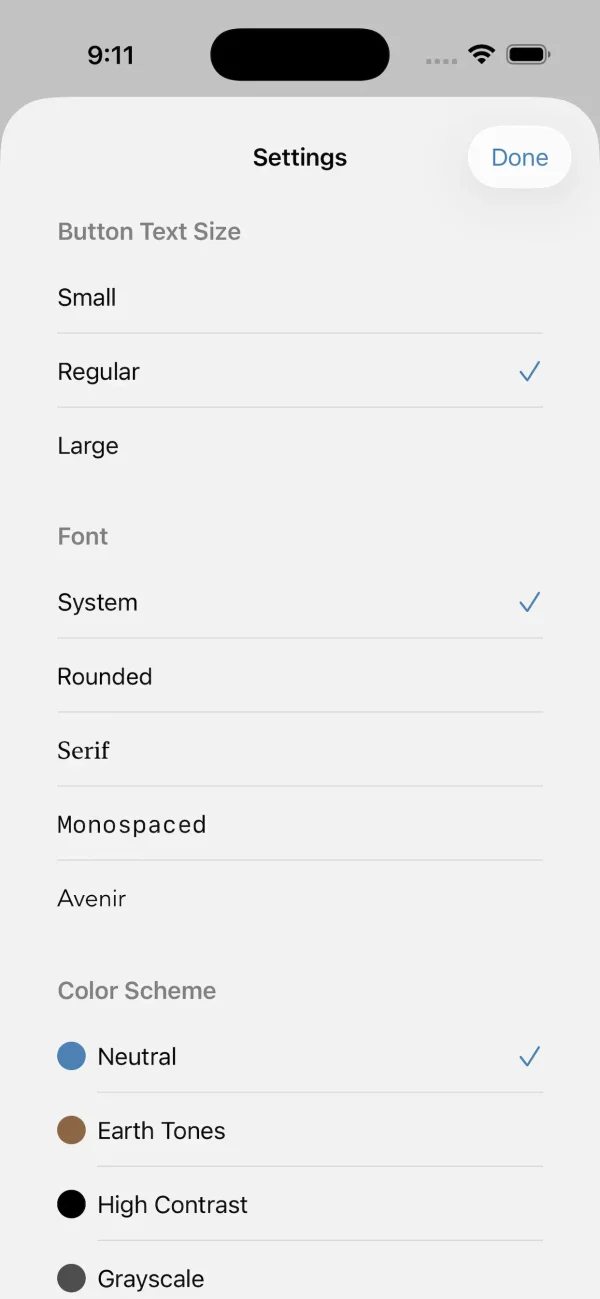
Customizable Interface - Choose from 5 color schemes, 5 fonts, and 3 text sizes. Create an environment that works for your brain and vision needs.
Categorize Your Tasks - Further filter the visual clutter, turning on/off different categories, for more focused task completion sessions.
DESIGNED WITH ACCESSIBILITY IN MIND
High contrast color options
Adjustable text sizes for better readability
Clean, uncluttered interface reduces sensory overload
Clear visual indicators for task status and urgency
Flexible customization for individual needs
PERFECT FOR:
Students managing coursework and deadlines
People with ADHD who struggle with task initiation
Anyone experiencing executive dysfunction
Neurodivergent individuals who need structure without rigidity
People with disabilities affecting organization and planning
Anyone who experiences decision fatigue or task paralysis
Professionals juggling multiple projects
Anyone who wants to actually complete tasks, not just list them
NO SUBSCRIPTIONS. NO ADS. NO NONSENSE.
Your tasks, your way. All features included. Your data stays on your device.
WHY IT WORKS
Traditional to-do lists tell you what to do. This app helps you decide what to do first and gives you the tools to actually do it. The random task feature alone has helped countless users overcome the "I don't know where to start" freeze that derails entire days.
Start tackling your to-do list with confidence. Download now and experience the difference a truly supportive task manager can make.
What’s new
Version 1.4 · Dec 3, 2025
Version 1.4 - Organize with Categories
NEW: Custom Categories
- Create up to 50 categories to organize your tasks your way
- Filter your task list by category with one tap
- Easily switch between categories or view all tasks at once
- Perfect for separating work, personal, school, and more
IMPROVEMENTS:
- All existing tasks automatically organized under "Uncategorized"
- Category management in Settings for easy organization
- Enhanced dark mode support across all screens
- Continued accessibility improvements
Stay organized, stay focused!
App privacy
What James Williams declares on the App Store about how this app handles data.
-
Data not collected
The developer does not collect any data from this app.
Privacy practices may vary, for example with the features you use or your age.
Information
- Seller
- James Williams
- Category
- Productivity
- Version
- 1.4
- Updated
- Dec 3, 2025
- Released
- Nov 30, 2025
- Size
- 4.0 MB
- Requires
- iOS 17.6 or later
- Age rating
- 4+
- Price
- Free
- Languages
- English
- Copyright
- © James Williams 2025
You might also like
-
 Do! Simple, Ad-Free To Do ListPrivate, minimal task manager
-
 Reckon: To-Do List & TasksFast, calm to-do. No account.
-
 Sentroy NotesNotes, folders, your team
-
 StoicLock: Screen Time & FocusApp Blocker, Limit screen time
-
 TinyLists: To-Do List & TasksOffline Checklist & Reminders
-
 UltraMarine - ADHD daily focus3 Tasks Daily Planner
-
 To-Do List - SLOXSimple offline task list
-
 ClarityGoalsLong-Term Goal Tracker
-
 Pending TasksReminders that actually ring
-
 ListWatchEasy ToDo List