- Age rating4+
- CategoryProductivity
- DeveloperPenstar Innovation Inc.
- LanguagesEnglish+ 1 more
- Size215.7 MB
Links to the official App Store page
Download.org hosts no file of Penstar eNote. The button opens its official App Store page, published by Penstar Innovation Inc. Listing last checked on Nov 18, 2026.
Screenshots



About
Penstar eNote: Redefining Handwritten Note-Taking Experience!
As a sync tool of Penstar e-ink tablet, the Perstar eNote app lets you power up your productivity.
Experience the same sensation as natural paper feel, with the convenience and versatility of electronic ink notes. Effortlessly replace traditional notebooks with free and unlimited usage.
· DIVERSE PATTERN TEMPLATES PRELOAD: plans, meeting minutes, study notes, Cornell notes, and more, catering to your various needs.
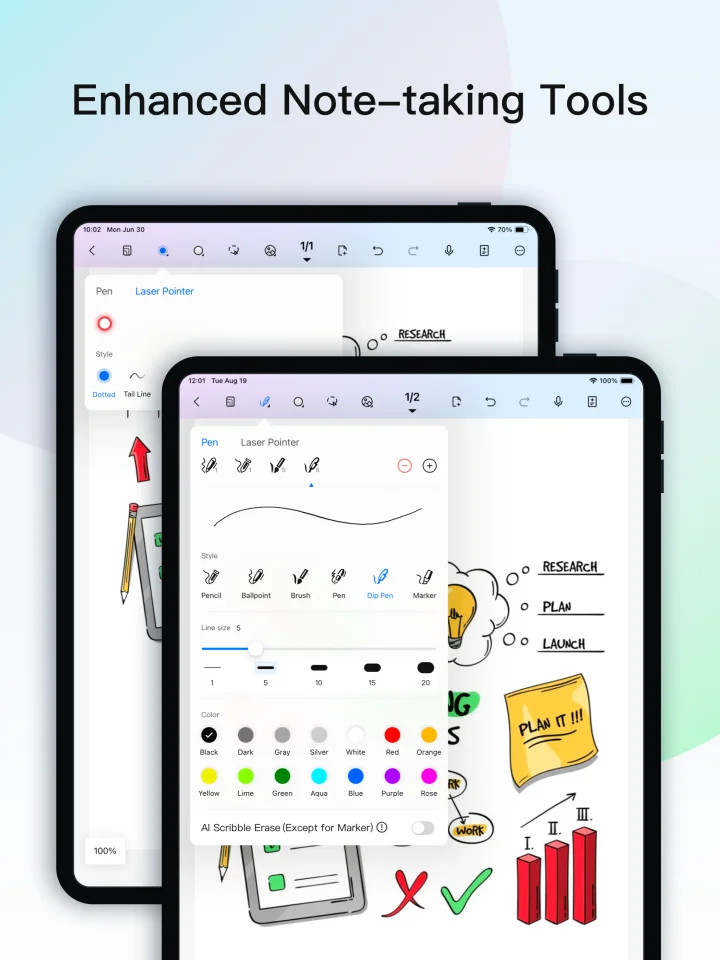
· SUPPORT FOR VARIOUS PHYSICAL PEN BRUSHES: pencil, ballpoint pen, brush, fountain pen, calligraphy pen, highlighter, catering to your personalized writing needs.
· MULTIPLE ERASING METHODS: pixel erasing, stroke erasing, range erasing, offering flexibility in your modifications.
· ADDING GRAPHICS AND TEXT FREELY: single-stroke shaping, graphic templates, images, and text, significantly enhancing creative freedom.
· FLEXIBLE LASSO FUNCTION: move page elements within the lasso, with one-click copy, cut, and paste, making operations more convenient.
· RICH PAGE MANAGEMENT FEATURES: adjust page at will, copy and save as new notes, making note organization more efficient.
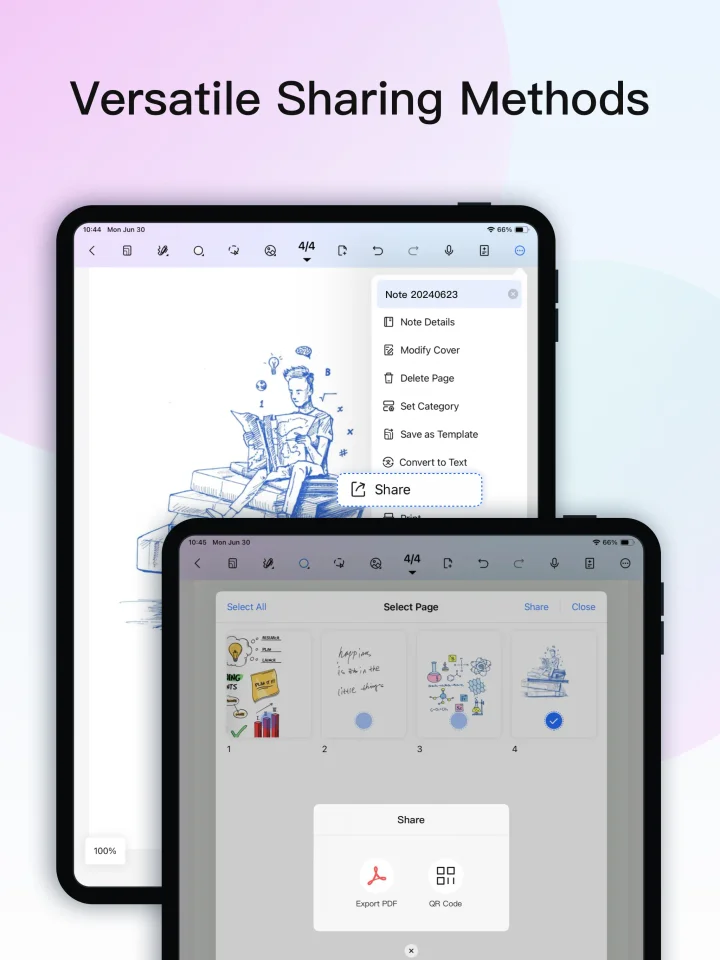
· QUICKLY EXPORT AND SHARE: support quickly export of PDFs, making sharing more convenient, with links permanently valid.
· MULTI-PLATFORM SYNCHRONIZATION: support synchronization across multiple platforms including Penstar e-ink tablets, iPad, mobile phones, and laptops, with cloud storage for knowledge creation, encrypted storage, ensuring data security and reliability.
--------------------
Penstar eNote helps you easily achieve the following scenarios:
Academic achievers:
· Record class notes while also recording audio, leaving no omissions, making note-taking and review more efficient.
· Import various images, lecture notes, textbooks, test papers, directly annotate on iPad, and review test papers an unlimited number of times.
Professionals:
· Record daily meeting minutes, handwritten notes of key points, while also recording meeting audio.
· Provide dozens of templates such as Cornell notes.
Planner enthusiasts:
· Freely combine brushes, line widths, and colors, giving text multiple dimensions of beauty.
· Eraser, lasso, single-stroke shaping, images, text, etc., helping you create more exquisite planners.
What’s new
Version 1.3.0 · Nov 20, 2025
Penstar eNote 1.3.0 Updates
Description:
1. Added template pattern feature.
2. Added single-shape styles (dashed lines, wavy lines, five-pointed stars, etc.).
3. Fully optimized the cloud sync feature.
4. Added Dip Pen.
5. Optimized the naming rules for template.
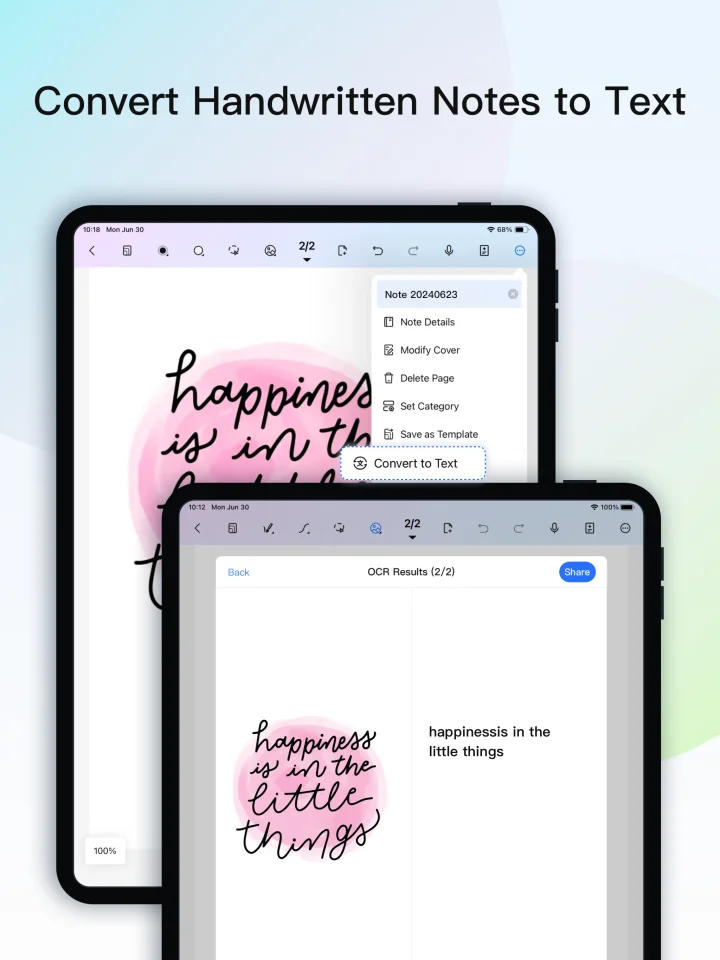
6. Added delete and convert to text functions to the lasso tool in note editing.
7. Optimized the interaction between the page addition function and the undo/redo functions in note editing.
8. Fixed known issues and improved user experience.
App privacy
What Penstar Innovation Inc. declares on the App Store about how this app handles data.
-
Data not collected
The developer does not collect any data from this app.
Privacy practices may vary, for example with the features you use or your age.
Information
- Seller
- Penstar Innovation Inc.
- Category
- Productivity
- Version
- 1.3.0
- Updated
- Nov 20, 2025
- Released
- Jun 30, 2024
- Size
- 215.7 MB
- Requires
- iOS 15.0 or later
- Age rating
- 4+
- Price
- Free
- Languages
- English, Simplified Chinese
- Copyright
- © Penstar Innovation Inc.
You might also like
-
 DocuBoxProductivity
-
 Simplify Notes: PDF NotebookHandwriting, Notes & Study
-
 Sotto - Offline Auto NotetakerNotes that start themselves
-
 Menu Bar Notes: Quick CaptureQuick and Easy Menu Bar Notes
-
 Vibelist: Sequential TodolistFocus on what's actionable
-
 OpenNotes: Notes & PDF MarkupHandwriting, PDFs, no account
-
 NoteApp, Mindmap, PDF: InkNodeNote-taking & Handwriting App
-
 ScribblePad: Notes & PDFHandwriting notes & PDF markup
-
 CanvasNoteThe ultimate note-taking app
-
 AINotes: Note Taking & PDFHandwriting & Infinite Canvas