
Perfect Pear: Couples Widget
Long Distance Love & Questions
Designed for iPhone, iPad
In-app purchases
- Age rating4+
- CategoryLifestyle
- DeveloperCode noodle, MB
- LanguagesEnglish
- Size81.7 MB
Links to the official App Store page
Download.org hosts no file of Perfect Pear: Couples Widget. The button opens its official App Store page, published by Code noodle, MB. Listing last checked on Nov 12, 2026.
Screenshots
About
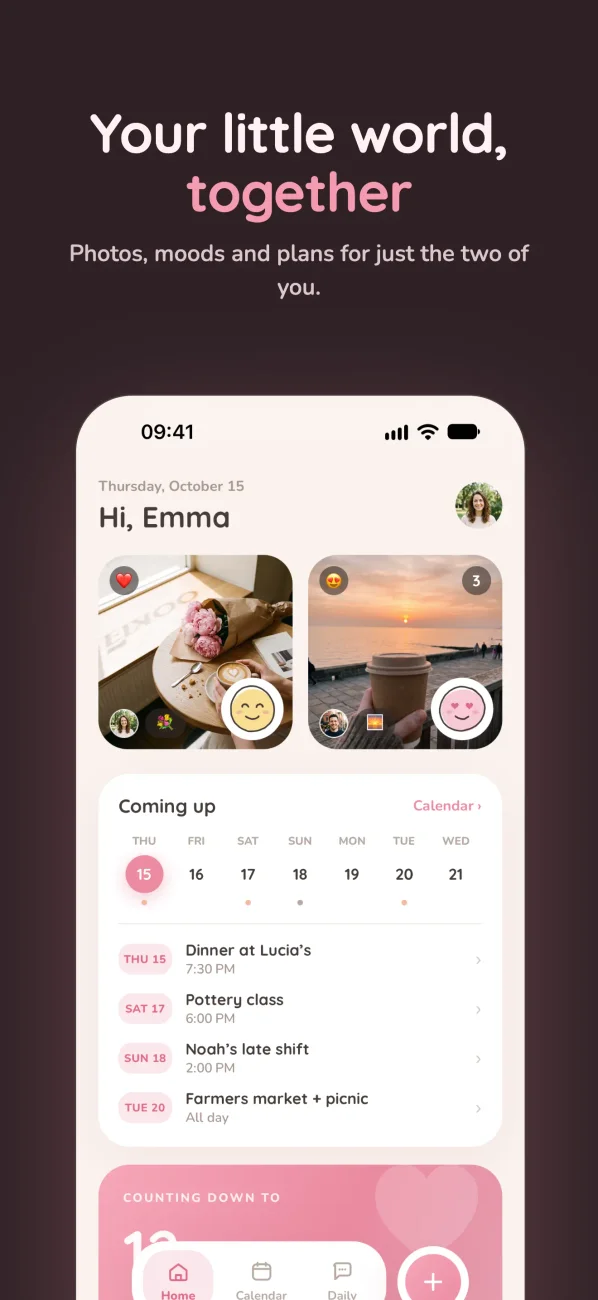
Perfect Pear is a private little space for couples. Once you and your partner pair up, everything you share stays between the two of you.
Daily photos
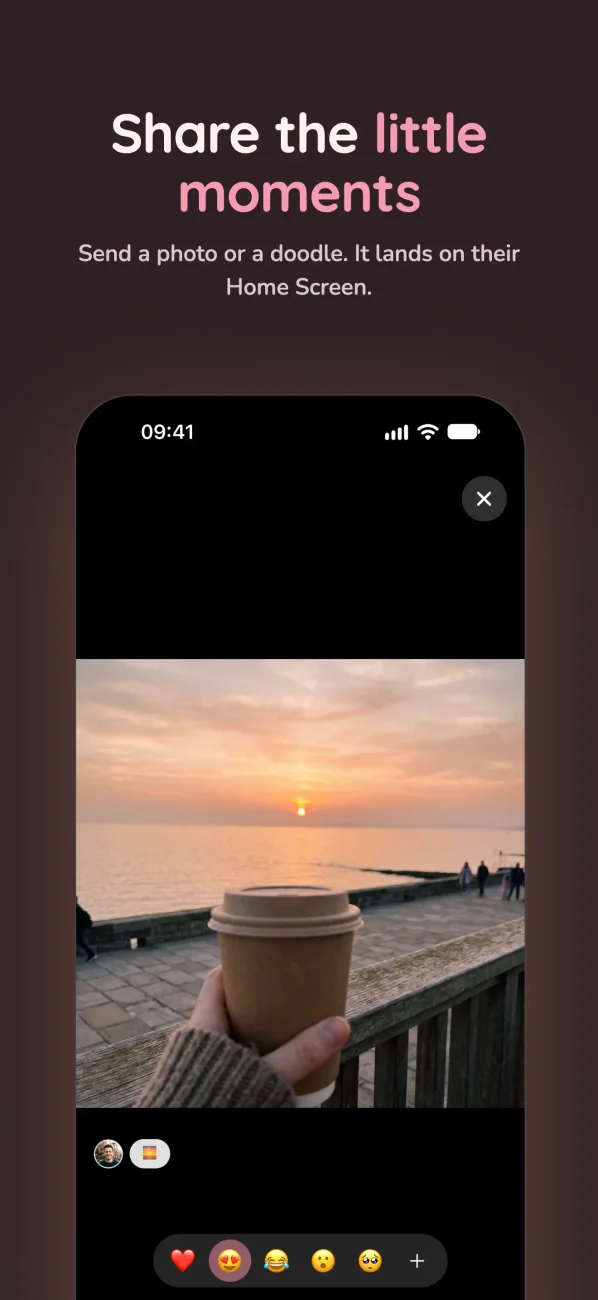
Each of you shares a photo a day, shown side by side on both your home screens. Add a caption, react to your partner's photo, or send a quick drawing instead.
Moods
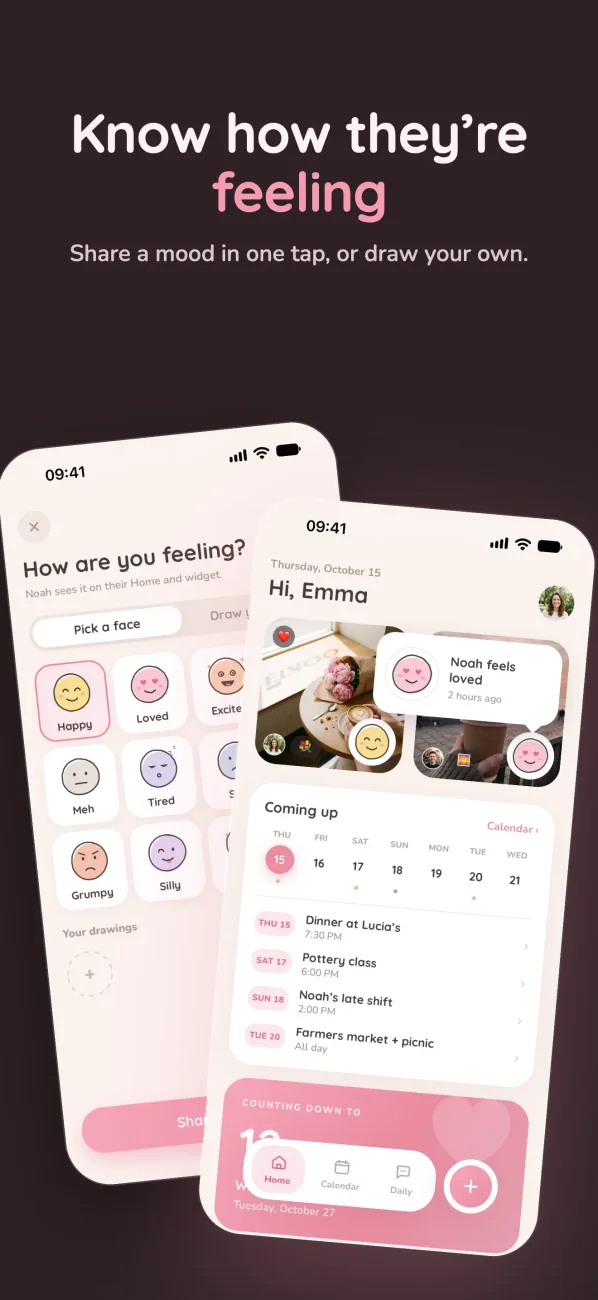
Choose from twelve hand-drawn faces or draw your own. Your mood appears on your partner's home screen and widget for the day, so they know how you're doing at a glance.
Daily games
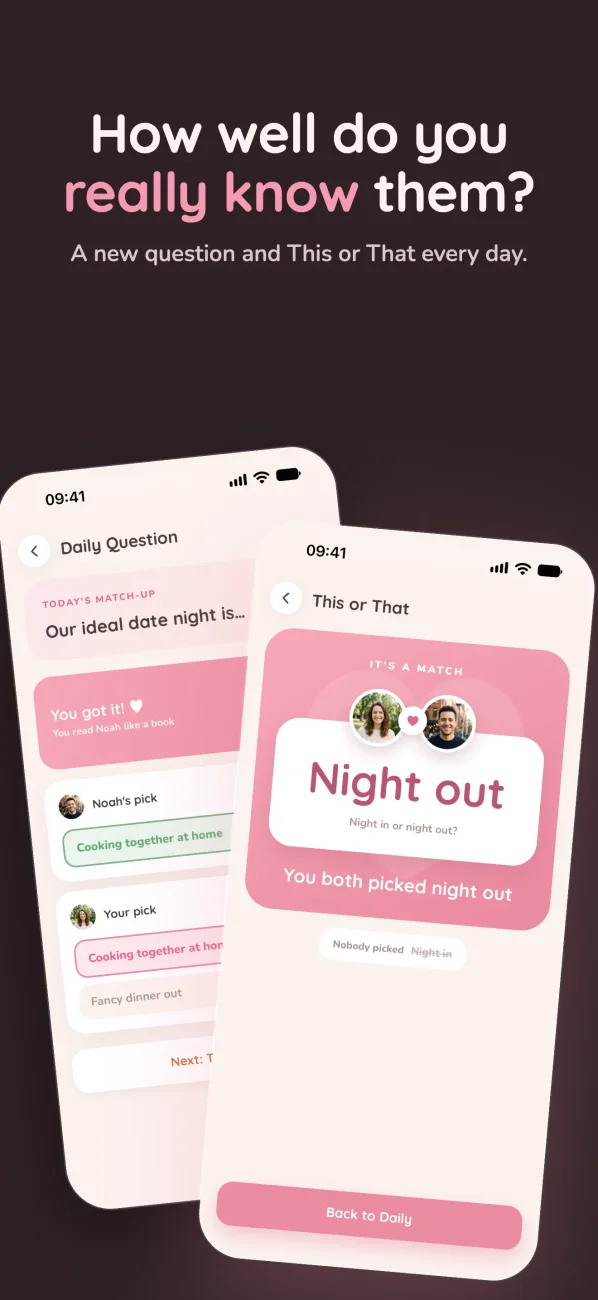
A new question every morning: answer it, then guess your partner's answer, and compare once you've both played. This or That adds a quick second game each day, and a streak keeps track of how many days in a row you've played.
Shared calendar
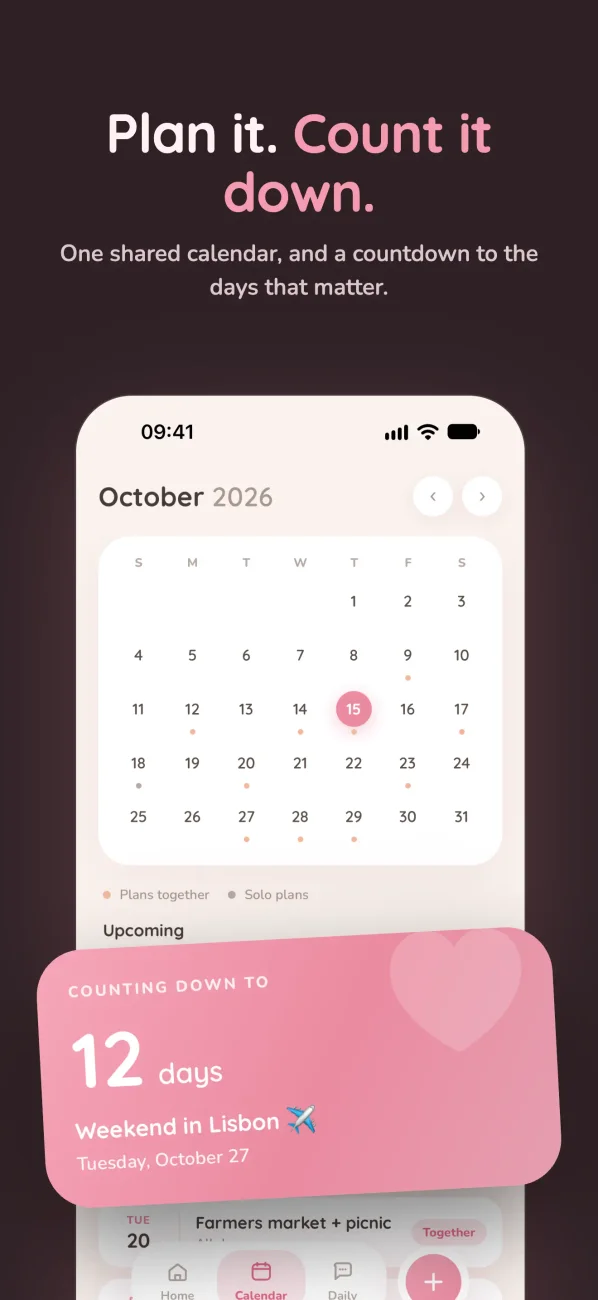
Keep date nights, trips and appointments in one place. Plans can be for both of you or just one, upcoming highlights get a countdown, and everything can be copied to your phone's calendar.
Widgets
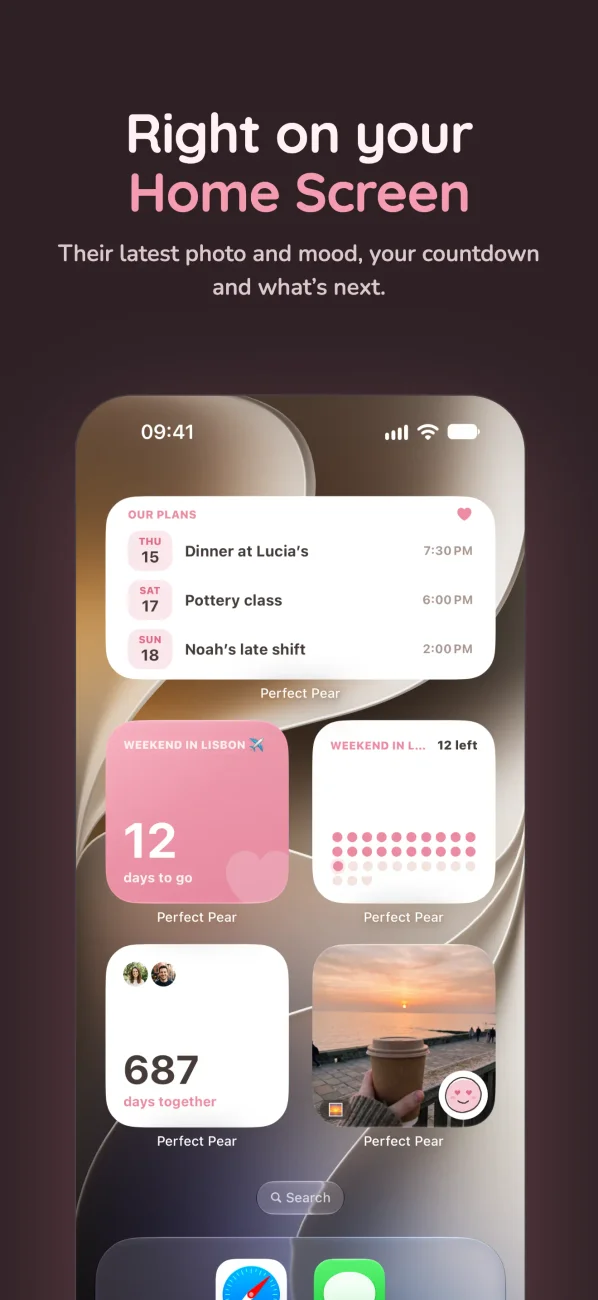
Home Screen widgets show your partner's latest photo and mood, a countdown, how many days you've been together and your next plans. The countdown is also available on the Lock Screen.
Designed for iPhone and iPad, and on iPhone Duo the app spans both screens when it's open.
Pairing takes just an invite code or link. A single subscription covers you both, with a one-week free trial.
Terms of Use (EULA): https://www.apple.com/legal/internet-services/itunes/dev/stdeula/
What’s new
Version 1.1.0 · Oct 17, 2026
Share your mood
Pick a face or draw your own, add a word, and your partner sees it on their Home and widget for the day. Tap their badge to see how they feel.
Draw for each other
Sketch a little doodle with Apple Pencil or your finger and send it like a photo.
More daily games
The Daily tab now has This or That alongside the daily question. Pick a side, see if you match, and keep your streak alive. Scores grow with every round you guess right.
Made for iPhone Duo
Open it up and Perfect Pear spreads across both pages, with tabs in the side bar.
Better widgets
• Countdowns roll over to your next plan by themselves
• New Countdown · Dots widget, now fast and reliable
• Widgets look right in Clear and Tinted Home Screens
• Tap the photo widget to open the photo
• New guide in Settings shows how to add them
Also
• Notifications open right where they belong
• More reliable syncing between you two
• Fixed the dots widget showing nothing for some regions
App privacy
What Code noodle, MB declares on the App Store about how this app handles data.
-
Data linked to you
May be collected and linked to your identity.
- Contact info
- User content
- Identifiers
Privacy practices may vary, for example with the features you use or your age.
Information
- Seller
- Code noodle, MB
- Category
- Lifestyle
- Version
- 1.1.0
- Updated
- Oct 17, 2026
- Released
- Aug 19, 2026
- Size
- 81.7 MB
- Requires
- iOS 16.4 or later
- Age rating
- 4+
- In-app purchases
- Yes
- Languages
- English
- Copyright
- © Code Noodle, MB
You might also like
-
 Us: Relationship & Couples AppShared calendar, lists & gifts
-
 Cove: Couples Check-inBuild the habit. Stay close.
-
 Doodles - Couples Love WidgetRelationship Counter & Games
-
 Pear: Relationship CounterLove Counter & Couple Calendar
-
 Phorb: Couples JournalMood Check-In & Shared Notes
-
 Amourly: Couple & RelationshipLong Distance & Love Tracker
-
 Closer: Couples RelationshipDaily questions & couple games
-
 Rezonans: Voice Dating & ChatMeet Singles & Make Friends
-
 LoveClock - Couple CountdownAnniversary, reunion, widgets
-
 Konda: Couples & RelationshipQuestions, Quizzes & Games