Perspective Transcribe
Private AI Audio Transcription
Designed for iPhone, iPad, Mac
Free · In-app purchases
- Age rating4+
- CategoryProductivity
- DeveloperTechopolis Online Solutions, LLC
- LanguagesEnglish
- Size31.4 MB
Links to the official App Store page
Download.org hosts no file of Perspective Transcribe. The button opens its official App Store page, published by Techopolis Online Solutions, LLC. Listing last checked on Nov 18, 2026.
Screenshots
About
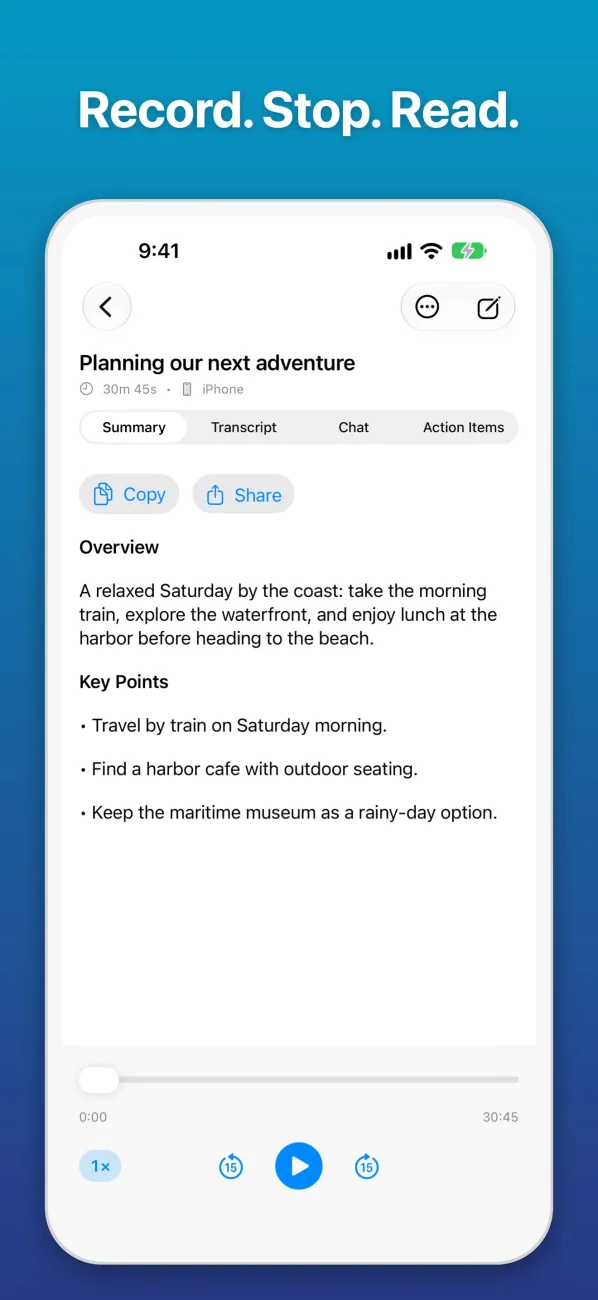
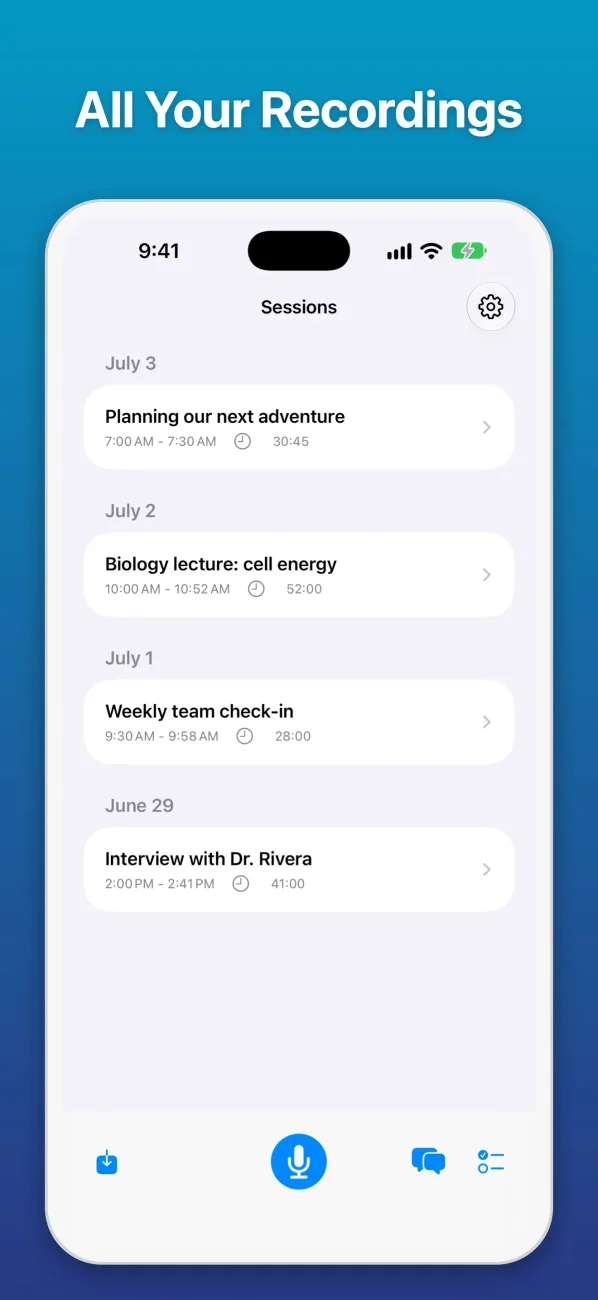
Perspective Transcribe brings private recording, transcription, summaries, and chat to your iPhone, iPad, and Mac, with recording on Apple Watch. Turn meetings, lectures, interviews, and everyday conversations into readable text and useful information you can return to later. With All Access, the Transcribe keyboard lets you dictate into any app.
Whether you are capturing an idea, reviewing a discussion, or finding a detail you missed, Perspective Transcribe helps you make more of what was said. Transcription and AI processing happen on your device.
Private Recording. Clear Transcripts. Useful Answers.
Key Features
• NEW: Made for iPhone Duo
Use Perspective Transcribe folded or unfolded. Unfolded, your sessions sit beside the recording you are reading. Fold or unfold at any time, even while recording, and you stay right where you were.
• Record Across Your Apple Devices
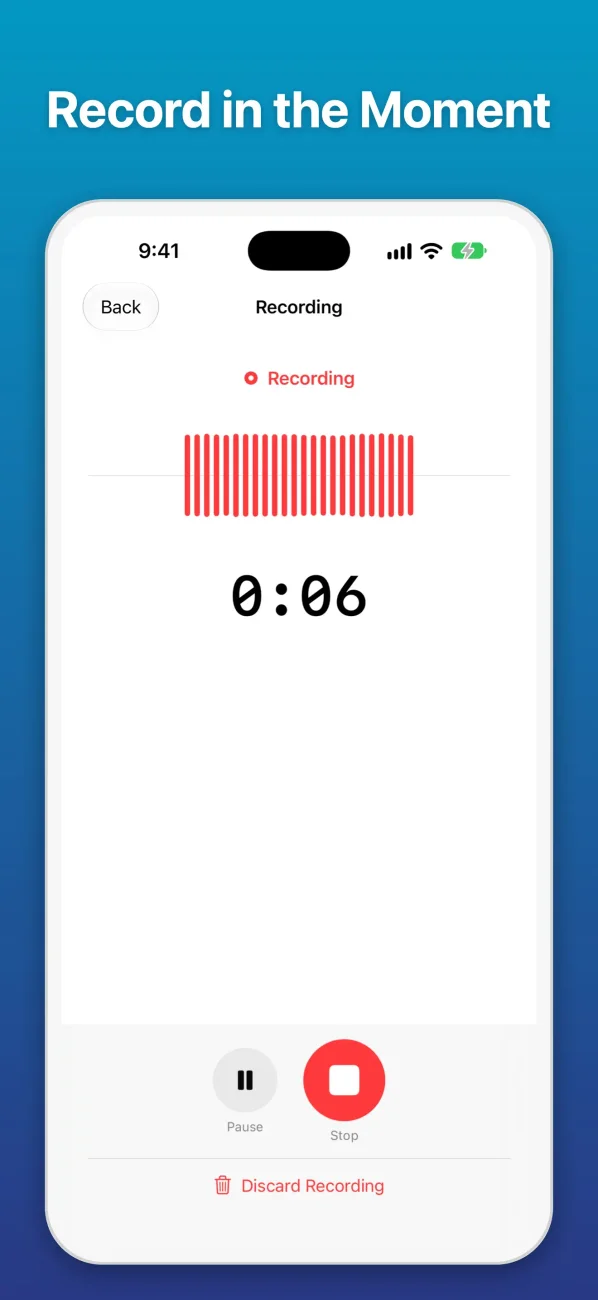
Record on iPhone, iPad, Mac, or Apple Watch. Pause and resume as needed, then review the transcript when processing finishes.
• On-Device Transcription
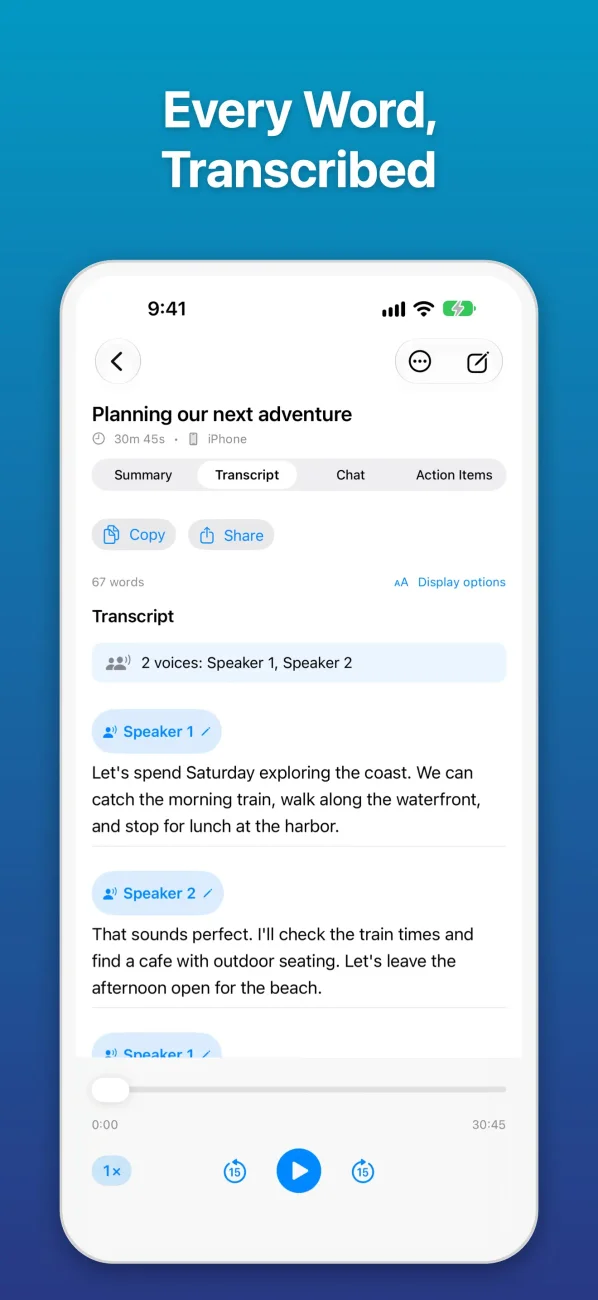
Turn speech into searchable text. Choose Parakeet for fast transcription of everyday recordings, or Whisper for difficult audio, such as background noise, accents, or distant voices.
• Summaries and Key Points
Get an overview of your recording and revisit the important points without reading the entire transcript.
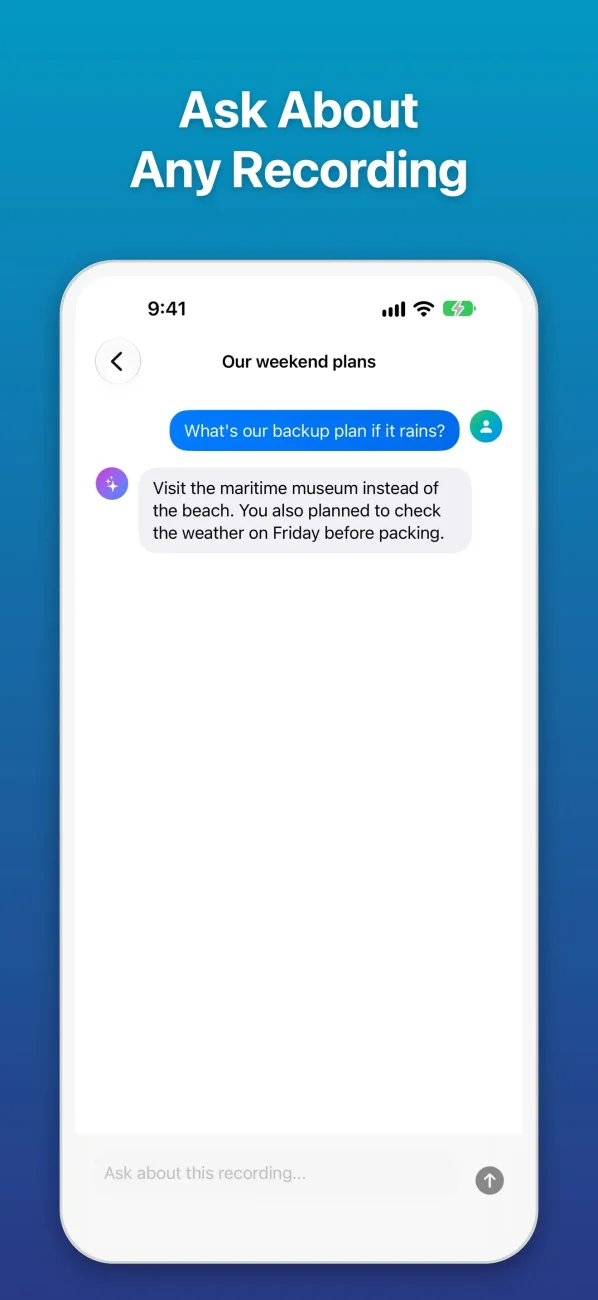
• Chat with Your Recordings
Ask questions about a recording or explore conversations across a date range or your full history. Find decisions, details, and ideas in your saved transcripts.
• Playback and Sharing
Listen again with playback speed controls. Copy text, share a summary, or export transcripts as Text, Markdown, Word, or PDF. Export your original audio when you need it.
• iCloud Sync
Keep recordings, transcripts, and summaries together across your Apple devices using your private iCloud account.
• Shortcuts and Accessibility
Start and stop recordings with Shortcuts. Use an interface designed for VoiceOver, Dynamic Type, keyboard navigation, and spoken status updates.
Perspective Intelligence All Access (Subscription Features)
Unlock additional tools with Perspective Intelligence All Access:
• NEW: Transcribe Keyboard
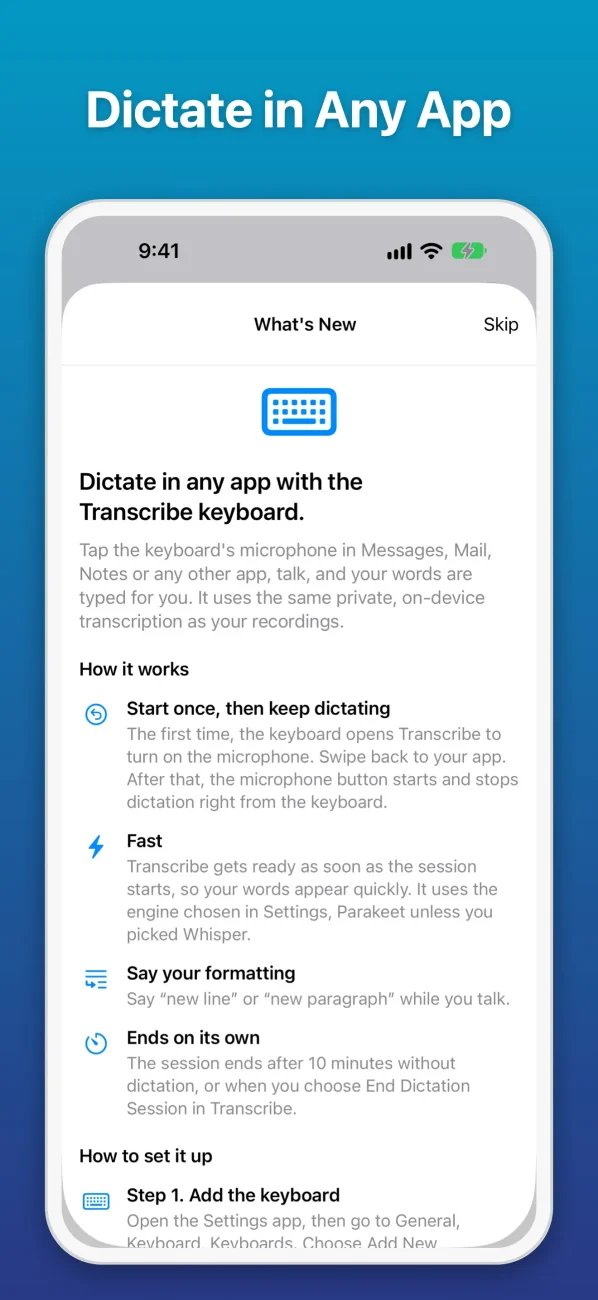
Dictate in Messages, Mail, Notes, or any other app. Tap the keyboard's microphone, talk, and your words are typed for you using the same private, on-device transcription as your recordings. Say "new line" or "new paragraph" to format as you speak, and choose whether to save each dictation to your sessions.
• Speaker Identification
Follow who said what with separate speaker labels in your transcripts.
• Saved Speakers
Name detected voices and save speakers so their names can be reused in other recordings.
• Quick Capture on Mac
Choose an app and assign a keyboard shortcut to capture its audio together with your microphone.
• Audio Import
Bring existing audio into Perspective Transcribe from Files, the share sheet, or other apps for transcription.
• Action Items and Reminders
Find tasks and follow-ups in recordings, mark them complete, and add them to Apple Reminders.
One All Access subscription unlocks premium features in both Perspective Transcribe and Perspective Intelligence. Pricing and any trial details are shown before purchase. Subscriptions renew automatically unless canceled in your App Store account settings.
Local Processing, Private Storage
Transcription, speaker processing, summaries, and chat run on your device. If you enable iCloud sync, your saved content syncs through your private iCloud account. Downloads may be needed to set up transcription and optional AI features.
Privacy Policy:
https://techopolis.app/perspective-apps-privacy-policy
Standard End User License Agreement:
https://www.apple.com/legal/internet-services/itunes/dev/stdeula/
Requirements:
• iOS 26 or later; iPadOS 26 or later; watchOS 26 or later
• Some summary and chat options require an Apple Intelligence-enabled device or an optional private AI download.
What’s new
Version 3.0.1 · Oct 25, 2026
Welcome to version 3.0.1 of Perspective Transcribe! Here's what's new:
• Apple Watch recordings now keep recording until you press Stop, and they reach your iPhone even when you're away from Wi-Fi.
• If a watch recording didn't finish sending, the app now finds the leftover audio and sends it to your iPhone.
• Chat answers about the one recording you ask about, without mixing in your other recordings.
• Chat works better with long recordings, and tells you clearly what went wrong if it can't answer.
• The Transcribe keyboard now helps you set up a transcription model before your first dictation.
• The Transcribe keyboard only appears in Settings when you have Perspective Intelligence All Access.
App privacy
What Techopolis Online Solutions, LLC declares on the App Store about how this app handles data.
-
Data not linked to you
May be collected but is not linked to your identity.
- Purchases
- Identifiers
- Diagnostics
Privacy practices may vary, for example with the features you use or your age.
Information
- Seller
- Techopolis Online Solutions, LLC
- Category
- Productivity
- Version
- 3.0.1
- Updated
- Oct 25, 2026
- Released
- Mar 30, 2026
- Size
- 31.4 MB
- Requires
- iOS 26.0 or later
- Age rating
- 4+
- Price
- Free
- In-app purchases
- Yes
- Languages
- English
- Copyright
- © 2026 Techopolis, LLC
You might also like
-
 Remote Incident Manager MobileAccessibility Anywhere
-
 Scribe for DocumentsProductivity
-
 ghostWriter MarkdownAccessible Markdown Editor
-
 PATH - Your Voice AssistantGet things done with voice
-
 koedeskVoice keyboard for AI agents
-
 Folio: Tracking NotebooksMeds, Bills, Books & Habits
-
 Listen Later: Text to PodcastArticles & PDFs into Podcasts
-
 Privacy AI: Agent & ChatbotGGUF/MLX, voice, image, skills
-
 ScribeMeAI Scanner & Visual Assistant
-
 Emvi.aiWorld’s first visual assistant