
Phone Diagnostics - Hardware
Phone Test & Device Check
Designed for iPhone, iPod touch
Free
- Age rating4+
- CategoryUtilities
- Developer珩 周
- LanguagesEnglish+ 15 more
- Size20.2 MB
Links to the official App Store page
Download.org hosts no file of Phone Diagnostics - Hardware. The button opens its official App Store page, published by 珩 周. Listing last checked on Nov 14, 2026.
Screenshots

About
Professional Phone Diagnostics & Hardware Testing
Check your phone, test its hardware, monitor device status, and create a detailed inspection report—all in one app.
Whether you're checking your own device, troubleshooting a problem, or inspecting a used phone before purchase, this app gives you a convenient way to test and review your device.
Comprehensive Hardware Tests
Test essential phone components one by one:
• Display and touchscreen
• Front and rear cameras
• Microphone and speakers
• Vibration
• Flashlight
• Face ID / Touch ID
• Compass
• Network
• Storage
• CPU and performance
• Sensors
• Battery status
Each manual test can be marked as:
Pass / Abnormal / Skipped
You can pause and resume an inspection at any time.
Used Phone Inspection
Buying a used phone?
Run through the inspection checklist to check important hardware and device functions before completing a purchase.
Review each test individually and create a complete inspection report when you're finished.
One-Tap Device Check
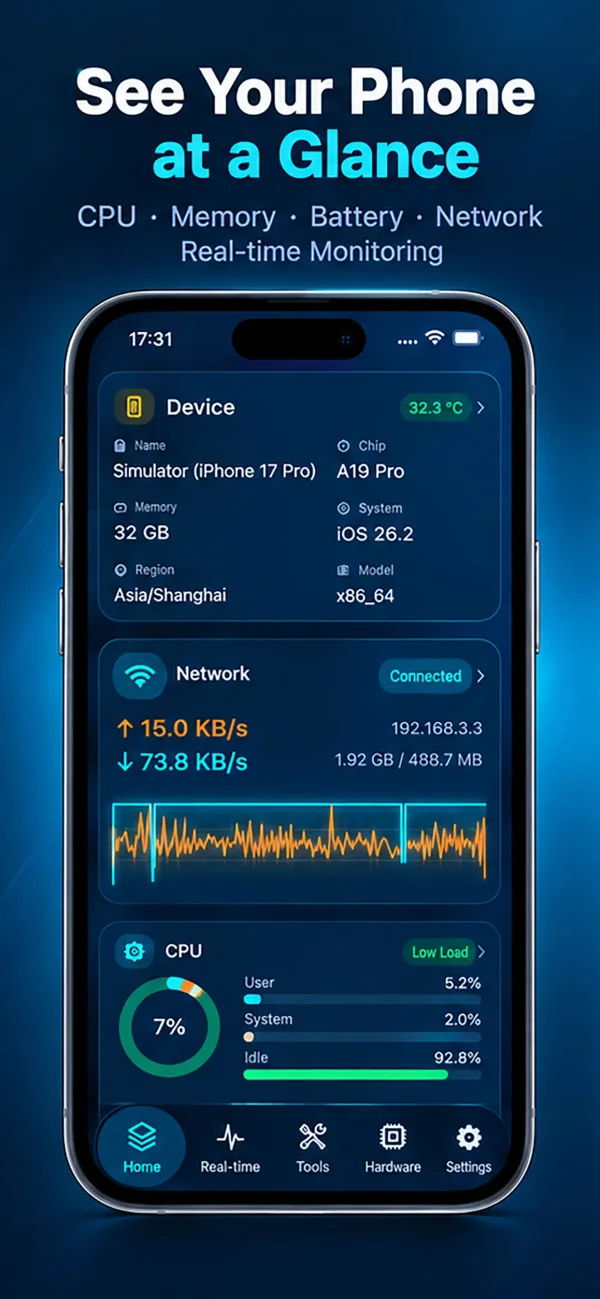
Quickly review key device information and status, including:
• CPU
• Memory
• Storage
• Network
• Temperature
• Battery status
• Hardware
• Sensors
• System information
Get a clear overview of your device without navigating through multiple system screens.
Real-Time Monitoring
Monitor important device information in real time, including CPU activity, memory, storage, network status, battery state and temperature-related information.
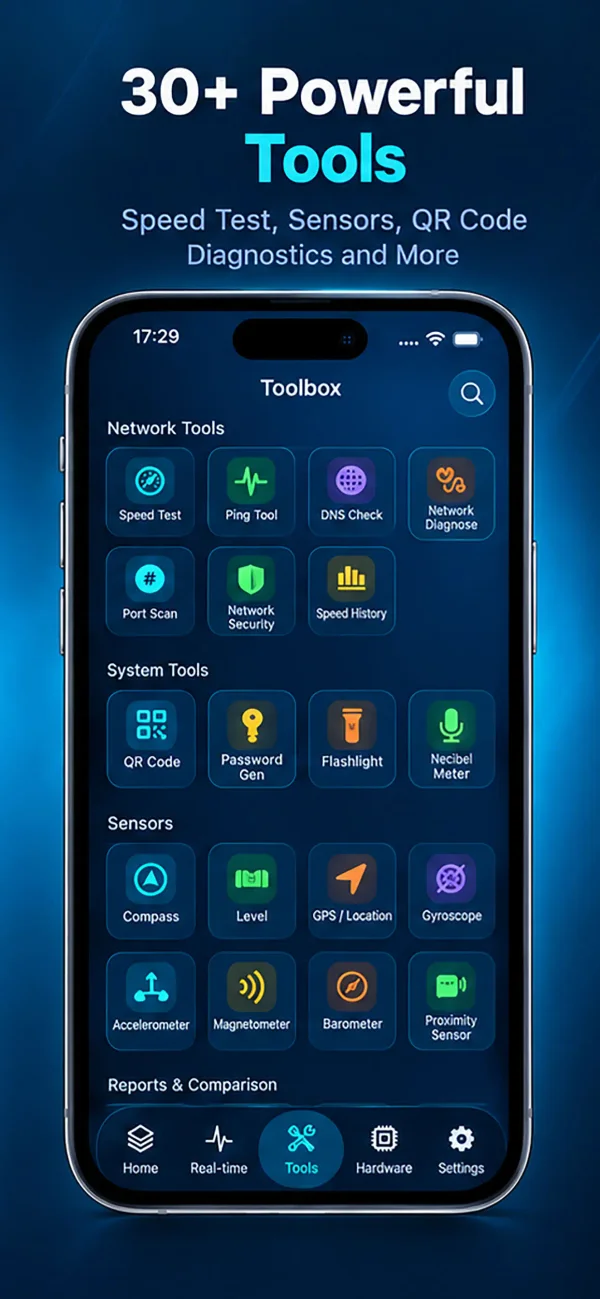
Network Tools
Built-in network utilities include:
• Internet speed test
• Ping test
• DNS check
• Network diagnostics
• Port check
• Network security tools
• Test history
Sensors & Utility Tools
Check and use your device's compass, level, gyroscope, accelerometer, magnetometer, barometer and proximity sensor.
Additional tools include QR code generation and scanning, password generation, flashlight and decibel measurement.
Inspection Reports
Generate a detailed device inspection report after testing.
Save and share your report as an image or PDF, and keep previous reports for future reference.
Widgets & Live Activities
Use Home Screen and Lock Screen widgets to view important device information at a glance.
Supported features also include Live Activities and Dynamic Island for selected device and network information.
Important Information
Some temperature, CPU, charging and battery-related information is based on publicly available iOS APIs, device state and software analysis. It may be estimated and should not be considered laboratory measurements or official Apple system data.
Inspection results are based on user-confirmed test results and are not official certificates or professional device appraisal reports.
App privacy
What 珩 周 declares on the App Store about how this app handles data.
-
Data used to track you
May be used to track you across apps and websites owned by other companies.
- Location
- Identifiers
- Usage data
-
Data linked to you
May be collected and linked to your identity.
- Location
- Identifiers
- Usage data
Privacy practices may vary, for example with the features you use or your age.
Information
- Seller
- 珩 周
- Category
- Utilities
- Version
- 1.0.0
- Updated
- Sep 10, 2026
- Released
- Sep 9, 2026
- Size
- 20.2 MB
- Requires
- iOS 15.0 or later
- Age rating
- 4+
- Price
- Free
- Languages
- English, Arabic, Danish, Dutch, French, German, Italian, Japanese, Korean, Norwegian Bokmål, Russian, Simplified Chinese + 4 more
- Copyright
- © 2026 zh Inc.
You might also like
-
 Phone Hardware & DiagnosticsIntegrity & Performance Report
-
 验机助手-电池检测硬件查询Utilities
-
 iChecker: Phone DiagnosticsBattery Health & System Status
-
 Device Monitor & Diagnostics +Phone settings app for iPhone
-
 iDOCTOR: Hardware TestComplete Device Hardware Scan
-
 Sensors ToolboxCheck your device's Sensors
-
 iDiagnosisUtilities
-
 CPU Dasher Mobile Master ToolsSystem info & desktop widget
-
 Fileso: zip rar 7zip ExtractorPreview,video,audio,convert
-
 JCID DOCTOR精诚验机助手