
Photo Print Layout
Print Photos at Exact Size
Designed for iPhone, iPad, iPod touch
Free · In-app purchases
- Age rating4+
- CategoryUtilities
- Developeralitasoft
- LanguagesEnglish+ 4 more
- Size14.1 MB
Links to the official App Store page
Download.org hosts no file of Photo Print Layout. The button opens its official App Store page, published by alitasoft. Listing last checked on Nov 23, 2026.
Screenshots

About
Print photos at the physical size you need, directly from your iPhone or iPad.
Photo Print Layout turns your pictures into clean, print-ready sheets for home printers and photo labs. Choose a paper size, select a layout, adjust each crop, then print or save the finished pages.
EVERYDAY SMALL PRINTS
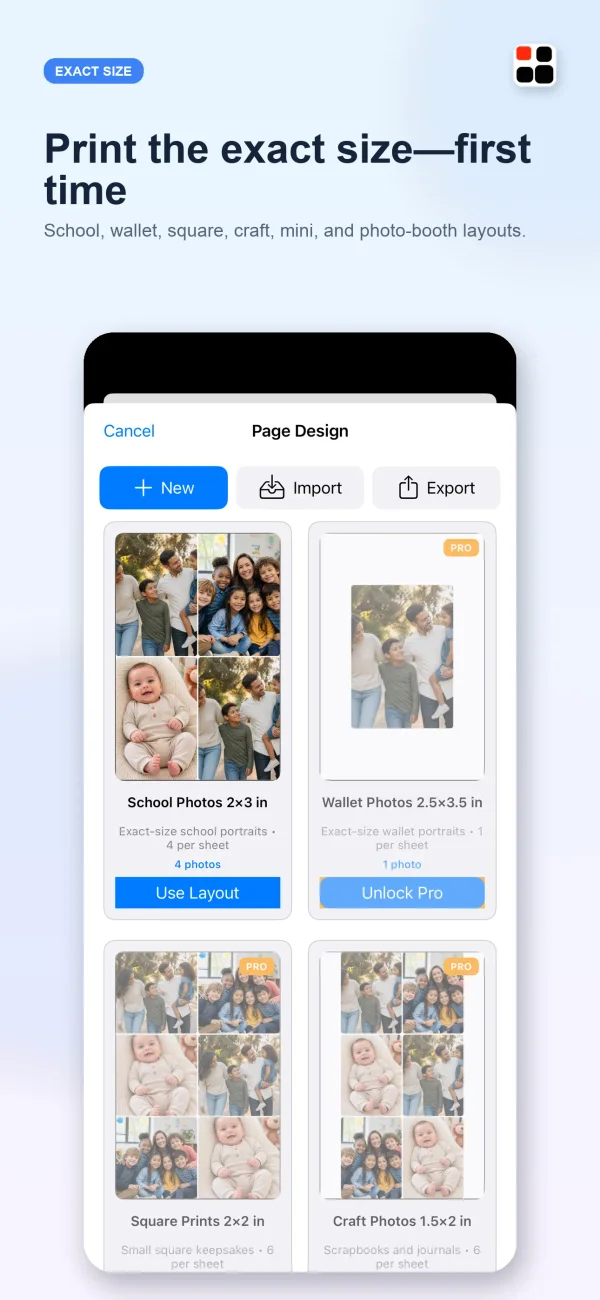
• School portraits at 2×3 inches
• Wallet photos at 2.5×3.5 inches
• Square 2×2-inch keepsakes
• Small craft, journal, and locket photos
• Four-photo strips sized for 2×6-inch photo-booth prints
PRINT AND SAVE
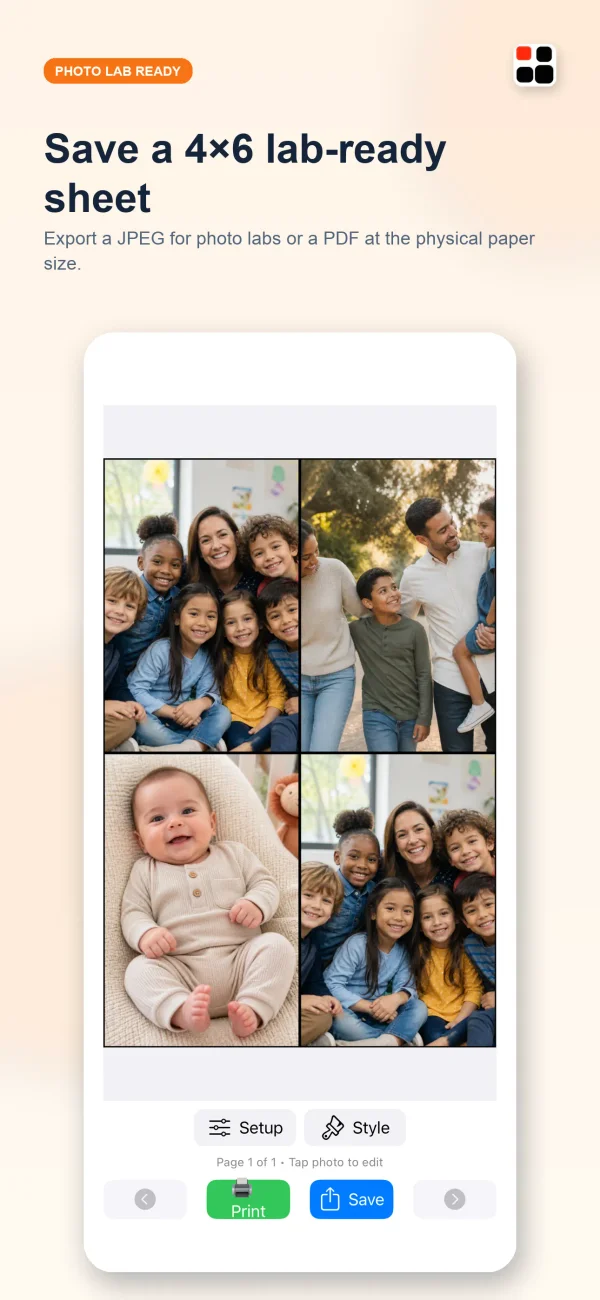
• Print directly with AirPrint
• Save photo-lab JPEG sheets
• Export PDF files that preserve the selected physical paper size
• Use A4, Letter, Legal, 4×6, 5×7, 8×10, and custom paper sizes
PASSPORT AND VISA PHOTOS
• Create multiple copies on one sheet
• Use country and document-size presets
• Adjust face position with guide overlays
• Choose white, gray, or blue backgrounds
• Unlock on-device background removal with Pro
LAYOUT TOOLS
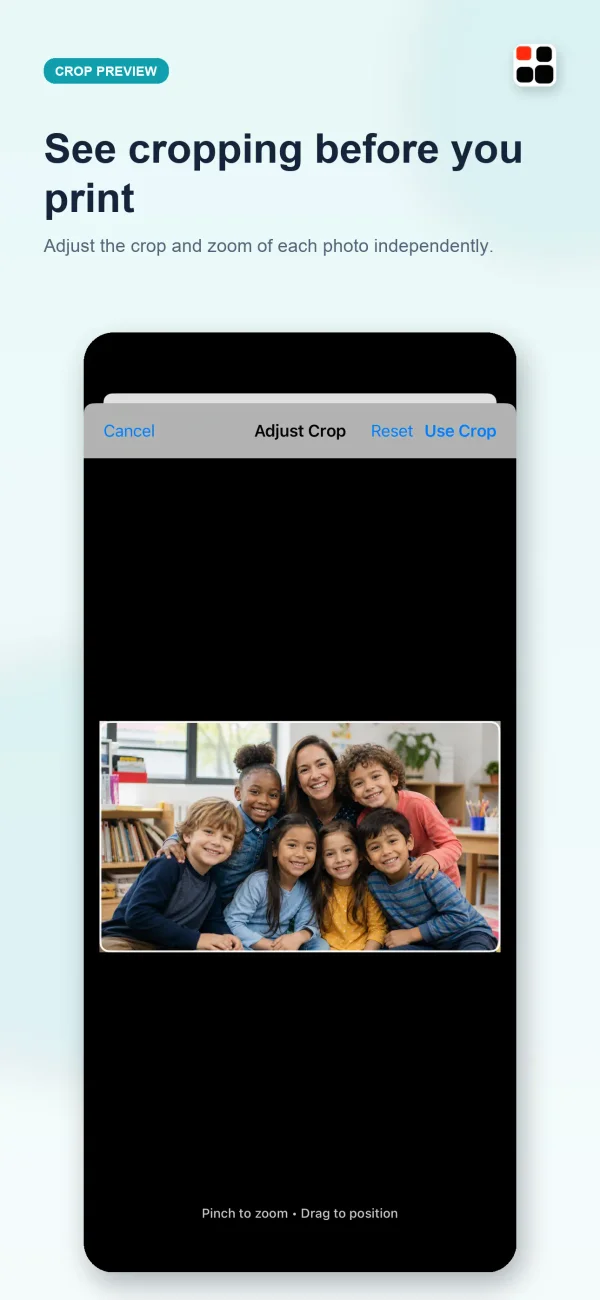
• Preview cropping before printing
• Fit the full photo or fill the frame
• Adjust individual crops and zoom
• Repeat one photo across every slot
• Create and reuse custom layouts
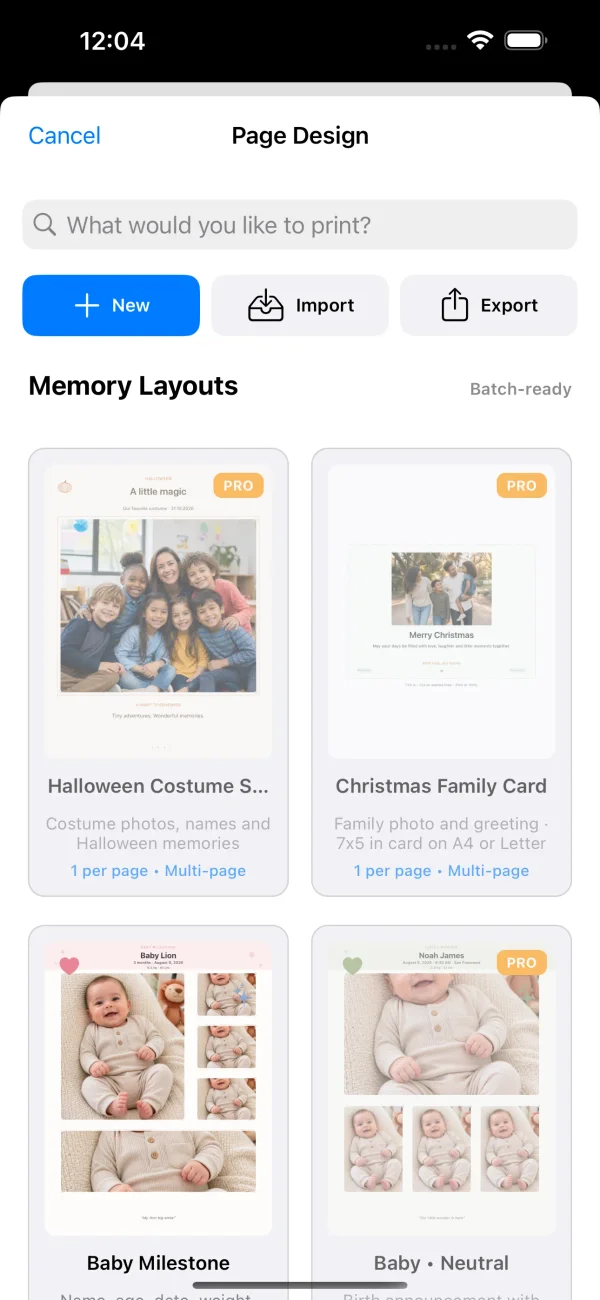
• Build batch memory pages for baby, school, family, and yearly albums
FIND A DESIGN FOR THE MOMENT
Search by theme, photo size, or everyday words in English, Vietnamese, Japanese, and Korean. Explore photo and memory layouts in Album, or writing paper and forms in Templates.
SEASONAL KEEPSAKES WITH PRO
Create a Halloween Costume Story or a Christmas Family Card. Print a 7×5-inch card, 50×80 mm Christmas gift tags, or a Holiday Gift Planner on A4 or Letter paper. These four designs require the one-time Pro purchase.
PRIVATE BY DESIGN
Your selected photos stay on your device. Photo Print Layout does not collect personal data or require an account.
Pro is a one-time purchase with no subscription. It unlocks the complete small-print and memory-layout collections, unlimited custom layouts, premium printables, and visa background tools.
Always verify current official requirements before using a photo for a passport, visa, or identity document.
What’s new
Version 2.0.2 · Nov 22, 2026
• Turn your photos into a free daily keepsake with Today’s Memory and Kindergarten Daily. Both layouts arrange photos to fit the page and let you edit the date and notes.
• Four new holiday photo frames: Harvest Editorial, Frosted Window, Evergreen Couture, and Christmas Hearth.
• Make greetings your own with editable English and German suggestions.
• Glass colors and fades adapt to each photo, with Auto, a strength slider, and protection for detected faces.
• Preview Pro designs freely and try one premium print/export job for free.
App privacy
What alitasoft declares on the App Store about how this app handles data.
-
Data not collected
The developer does not collect any data from this app.
Privacy practices may vary, for example with the features you use or your age.
Information
- Seller
- ALITA SOFTWARE JOIN STOCK COMPANY
- Category
- Utilities
- Version
- 2.0.2
- Updated
- Nov 22, 2026
- Released
- Jul 28, 2024
- Size
- 14.1 MB
- Requires
- iOS 15.0 or later
- Age rating
- 4+
- Price
- Free
- In-app purchases
- Yes
- Languages
- English, German, Japanese, Korean, Vietnamese
- Copyright
- © ALITA SOFTWARE JSC.
You might also like
-
 PicSheetA4 layouts for photos & crafts
-
 Prime Print LiteUtilities
-
 Seacat Photo LayoutA4 Photo Print & Passport ID
-
 PhotoTrueSizeUtilities
-
 FlashCollageCollage fast. Print now.
-
 Print Photos: Print Exact SizePhotos Printer in Eaxct Size
-
 Prime PrintUtilities
-
 Image Scale & Printprint to large size
-
 Tally Counter: Click & TrackDigital Number & Tap Clicker
-
 Smart Learning Suite: DataUtilities