
- Age rating4+
- CategoryPhoto & Video
- DeveloperMichael Schwarz
- LanguagesEnglish+ 3 more
- Size8.1 MB
Links to the official App Store page
Download.org hosts no file of Photo Statistic. The button opens its official App Store page, published by Michael Schwarz. Listing last checked on Nov 18, 2026.
Screenshots

About
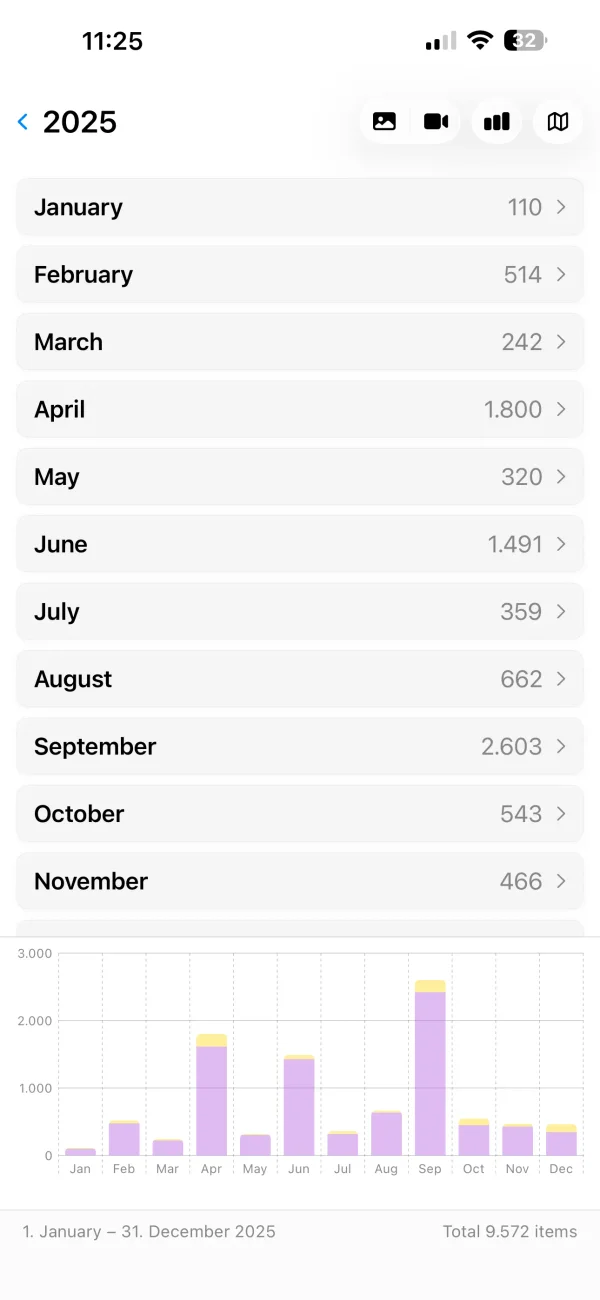
Photo Statistic turns the photos and videos already on your iPhone, iPad, or Mac into a picture of your own life: how many you took, when you took them, and where. Nothing is imported, nothing is uploaded, and nothing in your library is changed - the app simply reads what is already there and counts it.
There is no account to create, no setup to work through, and no file to import. Open the app, allow access to your library, and start exploring.
KEY FEATURES
From Years Down to Hours
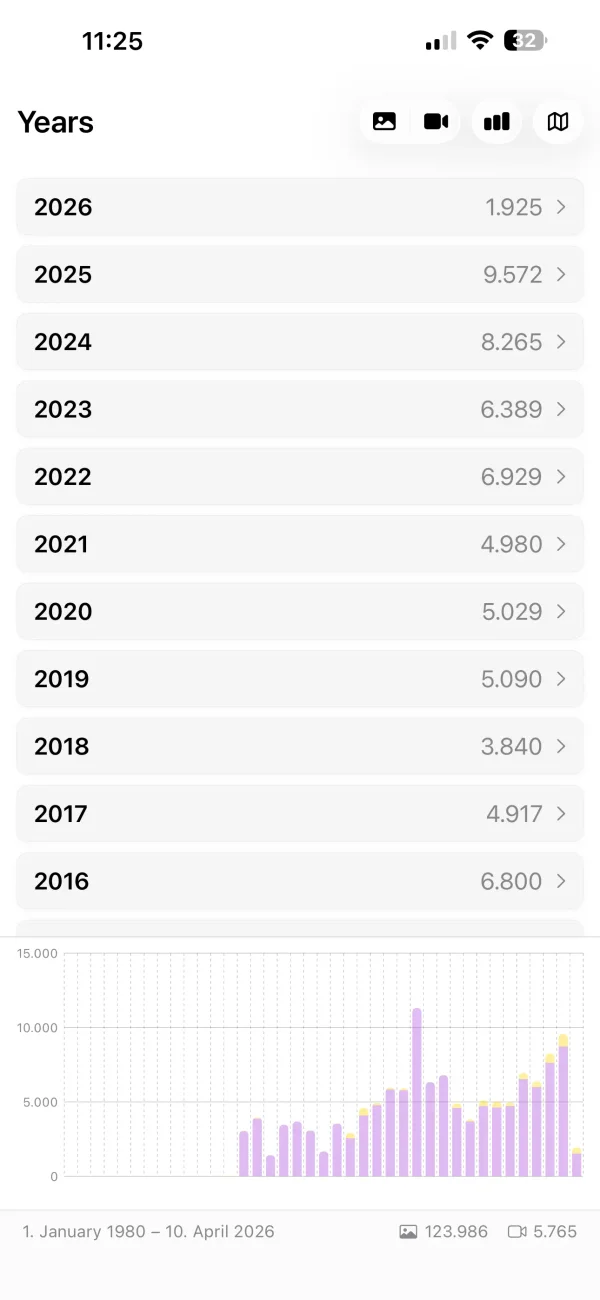
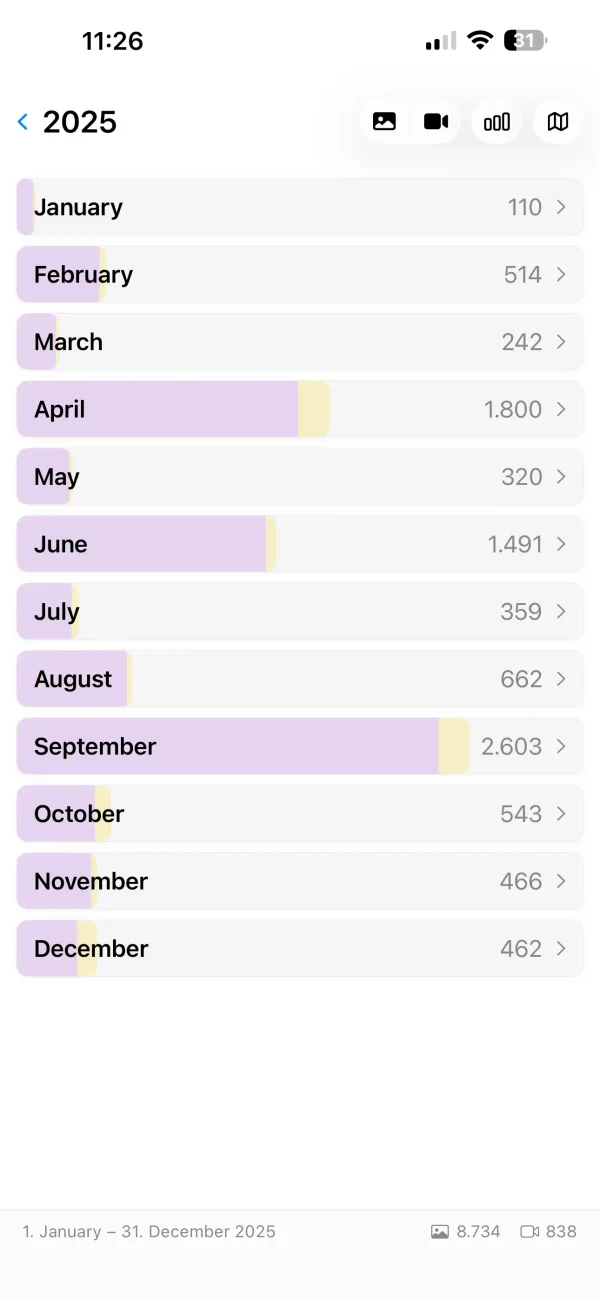
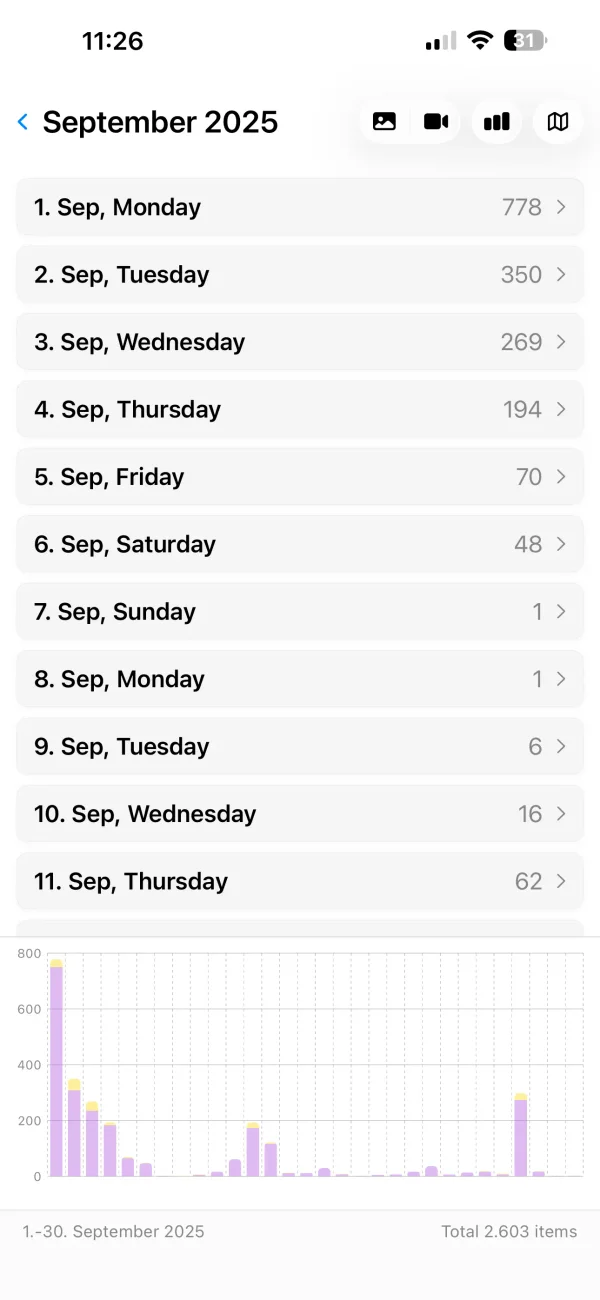
- Your library becomes a timeline you can open like nested drawers: years, then months, then days, then hours, and finally the pictures themselves
- Stacked bars show photos and videos side by side, so you see at a glance when you shot the most
- Tap any bar for the exact numbers, or jump straight into that period
- Switch between photos, videos, or both at any level
- Watch your library grow over time on a chart
Every Year at Once
- One button folds all years onto a single calendar: January holds all your Januaries, 24 December every Christmas Eve
- The way down stays the same - months, days, hours, then the pictures - only with the year left out
- See which day of the year you take the most pictures, or what one date looks like across your whole library
- One tap switches back to the single year you came from
A Map Made of Hexagons
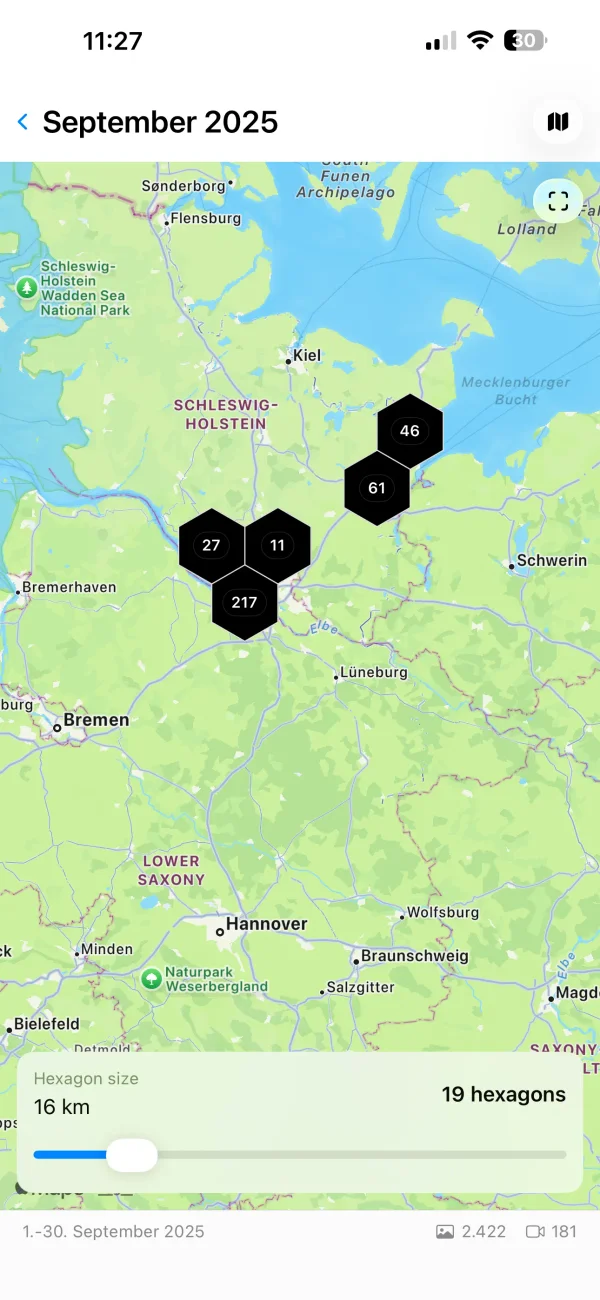
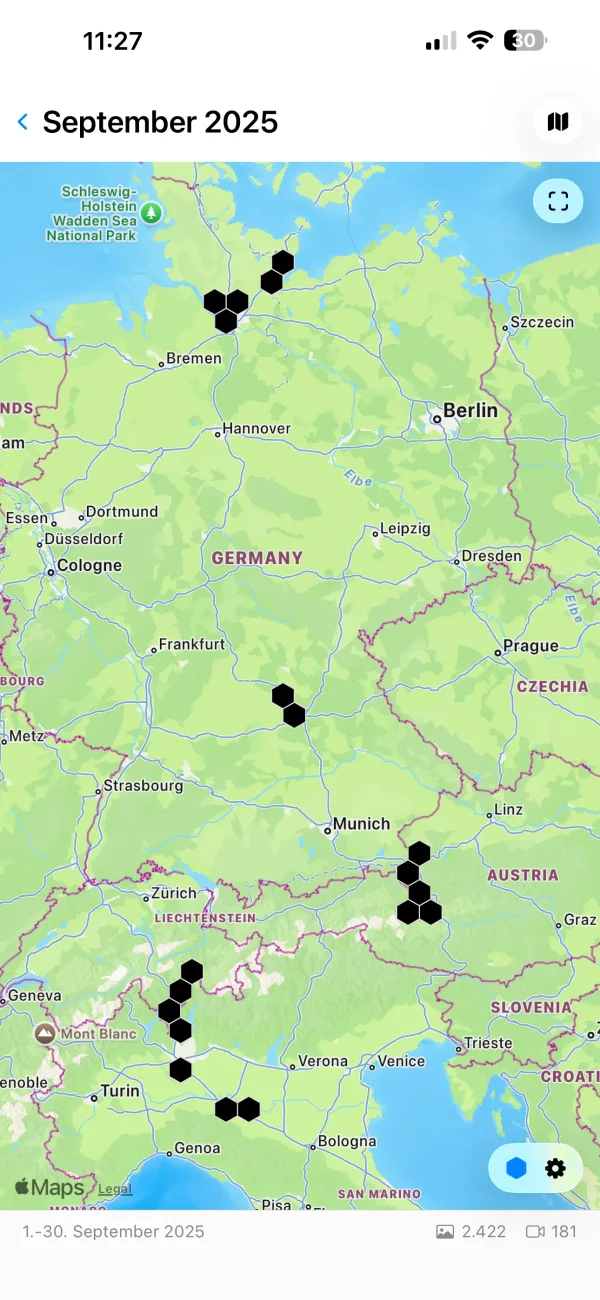
- Photos that carry a location cluster into honeycomb cells, each labeled with how many pictures were taken there
- Adjust the cell size from 1 to 100 kilometers, from a single neighborhood out to a whole continent
- Tap any cell to see the pictures behind it
- Drawn only from coordinates already saved in your photos - the app never asks for your device location
Mark the Ones You Love
- Browse thumbnails grouped by period, and pinch to resize the grid
- Select several pictures at once, or a whole group by tapping its title
- Collect everything you marked into a real album in the Photos app, and clear it again whenever you like
Fix a Stuck iCloud Photos Sync
- When iCloud Photos insists that items are still to sync, the app finds out exactly which ones
- Two devices on the same iCloud account find each other over the local network and compare their libraries year by year, month by month, day by day
- Each device gathers the items the other one is missing into its album, so iCloud picks them up and carries them across
- Every step asks first, and it works between iPhone, iPad, and Mac
Ask Instead of Tapping
- Apple Intelligence: describe what you want in plain language and the app opens at the matching year, month, or day
- Siri answers out loud without opening the app - ask for a photo report for last month, or how many videos you took this year
- Four Shortcuts actions turn your library into a report, a spreadsheet, or a plain number
- Export as CSV or JSON, or build a PDF report inside a shortcut
- Choose today, last month, a specific year, a date range, or any number of days back
Private By Design
- Every calculation happens on your device, using Apple's own PhotoKit
- Nothing is uploaded and nothing is shared; no photo ever leaves your device
- On the Mac the app runs in Apple's App Sandbox, with access to nothing but your photo library and the local network
- The device comparison talks straight to your other device - only counts and anonymous identifiers, never a photo
- No account, no ads, no usage tracking, no analytics
Also Included
- Handoff: start on your iPhone and pick up on your Mac where you left off
- Dark Mode
- One app for iPhone, iPad, and Mac
- Available in English, German, Spanish, and French
- Completely free, with no in-app purchases and no subscription
Photo Statistic only ever reads and counts - it never moves, edits, or deletes a picture, so you can explore your whole library without risk.
Terms of Use (EULA): https://apps.schwarz-interactive.de/terms-of-use.html
What’s new
Version 2.2 · Oct 19, 2026
Fixed some minor issues.
App privacy
What Michael Schwarz declares on the App Store about how this app handles data.
-
Data not collected
The developer does not collect any data from this app.
Privacy practices may vary, for example with the features you use or your age.
Information
- Seller
- Michael Schwarz
- Category
- Photo & Video
- Version
- 2.2
- Updated
- Oct 19, 2026
- Released
- Apr 8, 2026
- Size
- 8.1 MB
- Requires
- iOS 18.6 or later
- Age rating
- 4+
- Price
- Free
- Languages
- English, French, German, Spanish
- Copyright
- © 2026 Michael Schwarz
You might also like
-
 Video to GIF: ViftoMaker, Editor & Converter
-
 iVideo - Video Editor ToolboxTrim, Caption, Color, Compress
-
 RevoCamDual Camera Video Recorder
-
 MarkFrameAdd border watermarks to photo
-
 Blur Background - Studio BlurBlur and Background Cam Vlog
-
 ReflectionsCameraMirror and kaleidoscope camera
-
 FlipPhotos:3D Flip Photosnew way to browse photo albums
-
 GIF Aura - GIF & Live PhotoMake, Edit GIF & Live Photo
-
 EXIF Photo Metadata ScrubberRemove GPS, Keep Originals
-
 ReciproMeterFilm reciprocity light meter