Phrabbit Shadowing & Dictation
AB Loop, Language Practice
Designed for iPhone, iPad
Free · In-app purchases
- Age rating4+
- CategoryEducation
- DeveloperKIYOUN KIM
- LanguagesEnglish+ 7 more
- Size25.5 MB
Links to the official App Store page
Download.org hosts no file of Phrabbit Shadowing & Dictation. The button opens its official App Store page, published by KIYOUN KIM. Listing last checked on Nov 17, 2026.
Screenshots
About
The surest way to make a sentence truly your own — listen, repeat, and say it out loud.
Phrabbit is an A/B loop practice app for language learners. Grab any passage from an audio file, a video, a podcast, or a YouTube stream, loop it until it clicks, then speak it and write it.
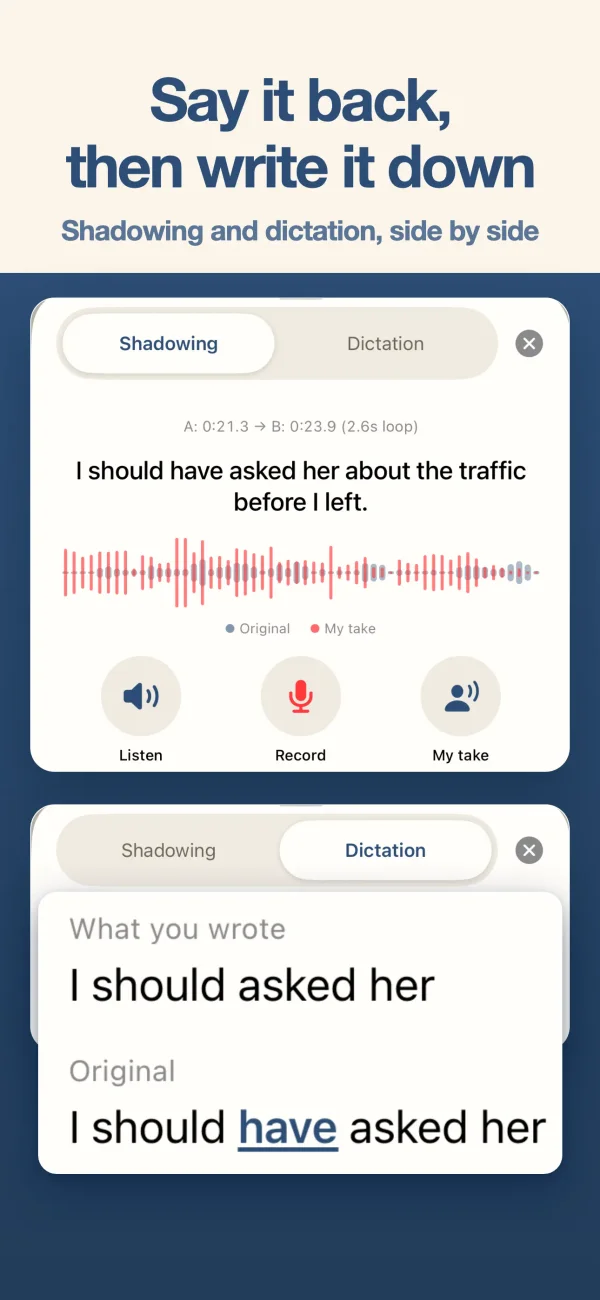
◆ Shadowing
· Listen to an A/B range, then repeat it in your own voice
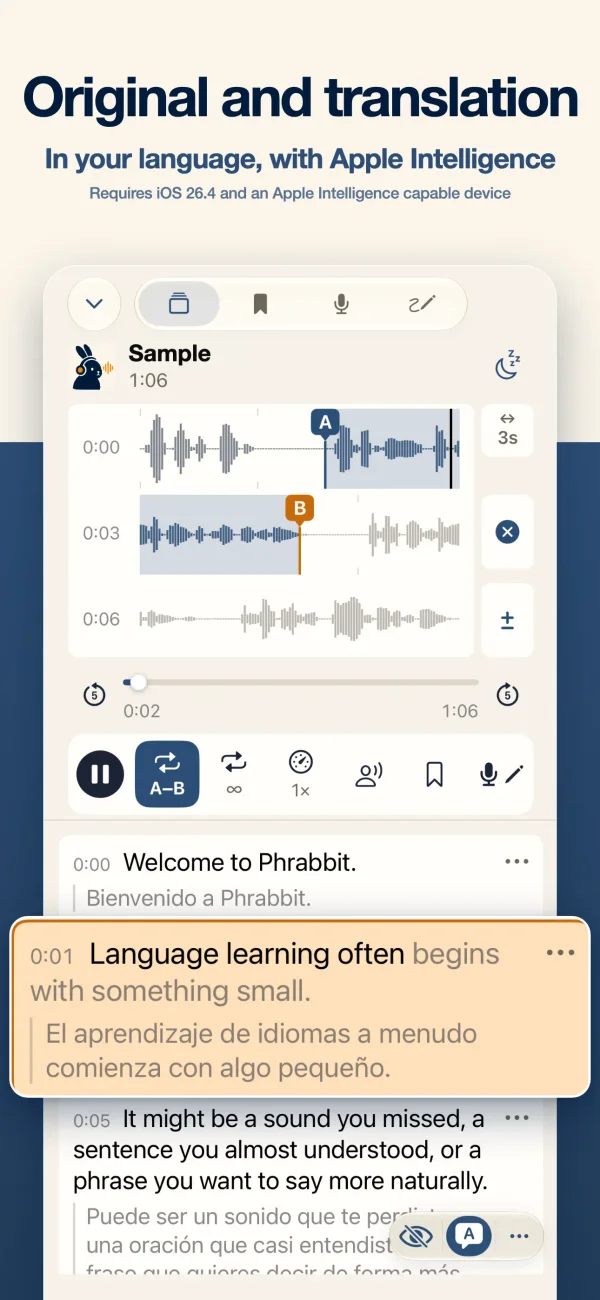
· Play your take over the original and compare waveforms (audio files)
· The passage's subtitles show on the shadowing screen, line by line as it plays (audio files)
· Shadowing gap — leaves time to speak between loops, with a countdown
· Adjust playback speed while shadowing
· Shadowing also works with video files and YouTube streams
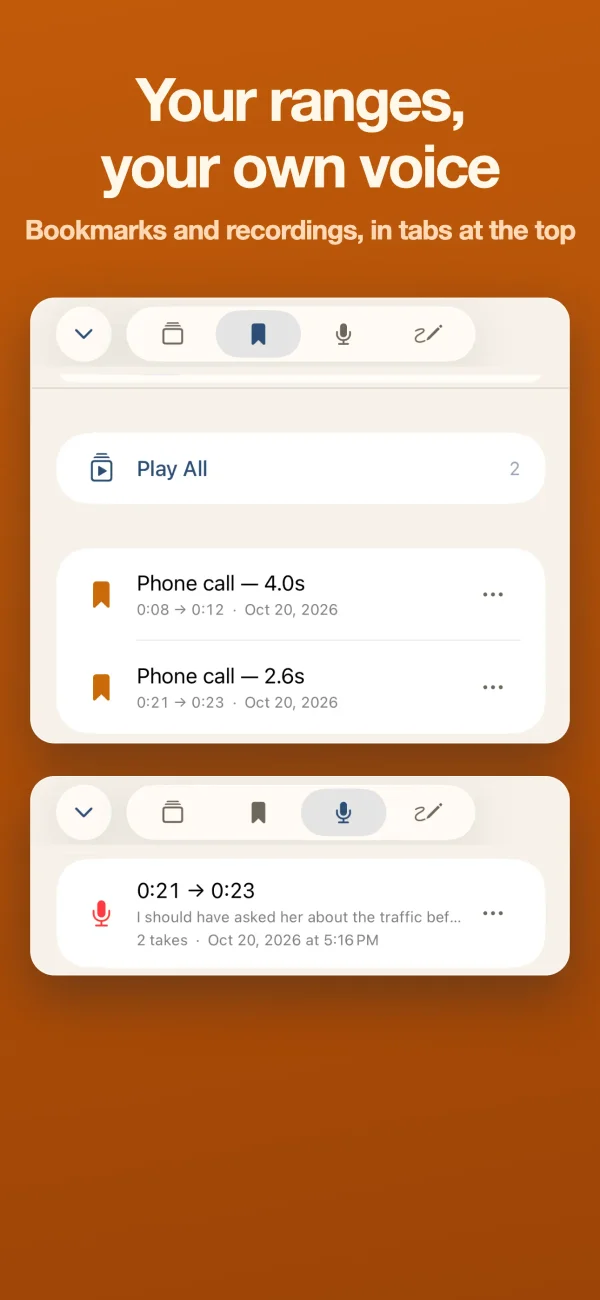
· My Recordings — save your best takes and pick up on the same range
◆ Dictation
· Listen to your A/B range one sentence at a time, write it down, and compare it with the original
· With subtitles, differences are marked for you
· Audio files, video files, and YouTube streams
· On iPad, write by hand — your handwriting is saved to look back at
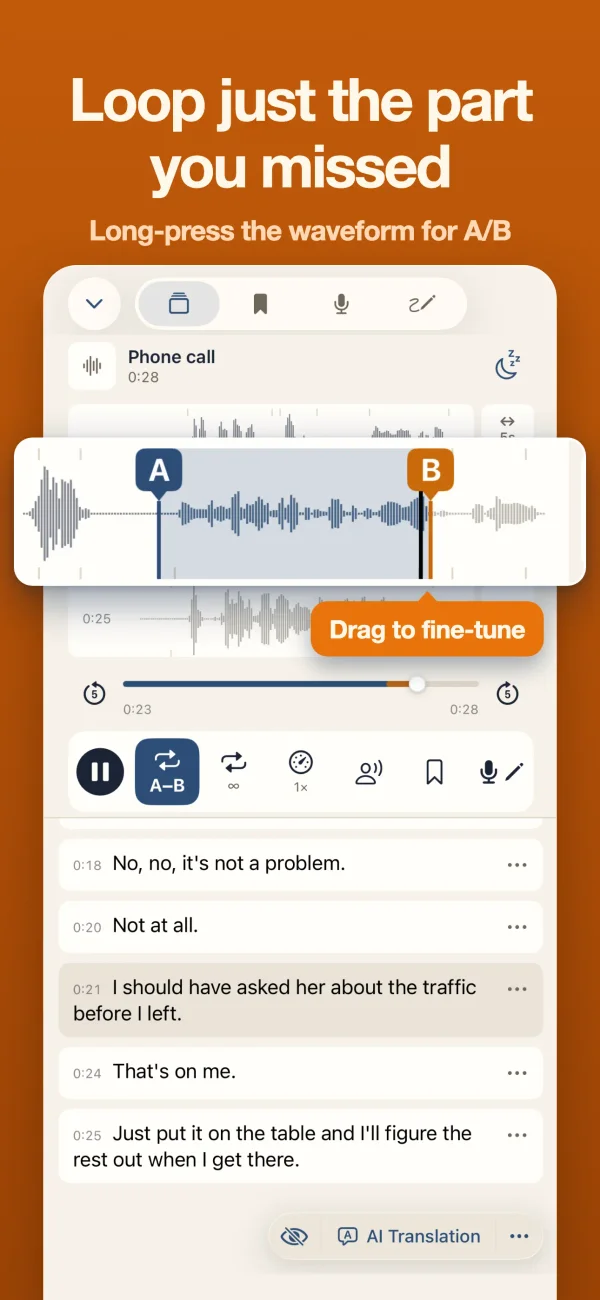
◆ A/B looping right on the waveform
· Set precise ranges with your fingertip while watching the waveform
· Loop as much as you want, adjust speed (0.5x–2.0x)
· Save important ranges as bookmarks
◆ Practice with video
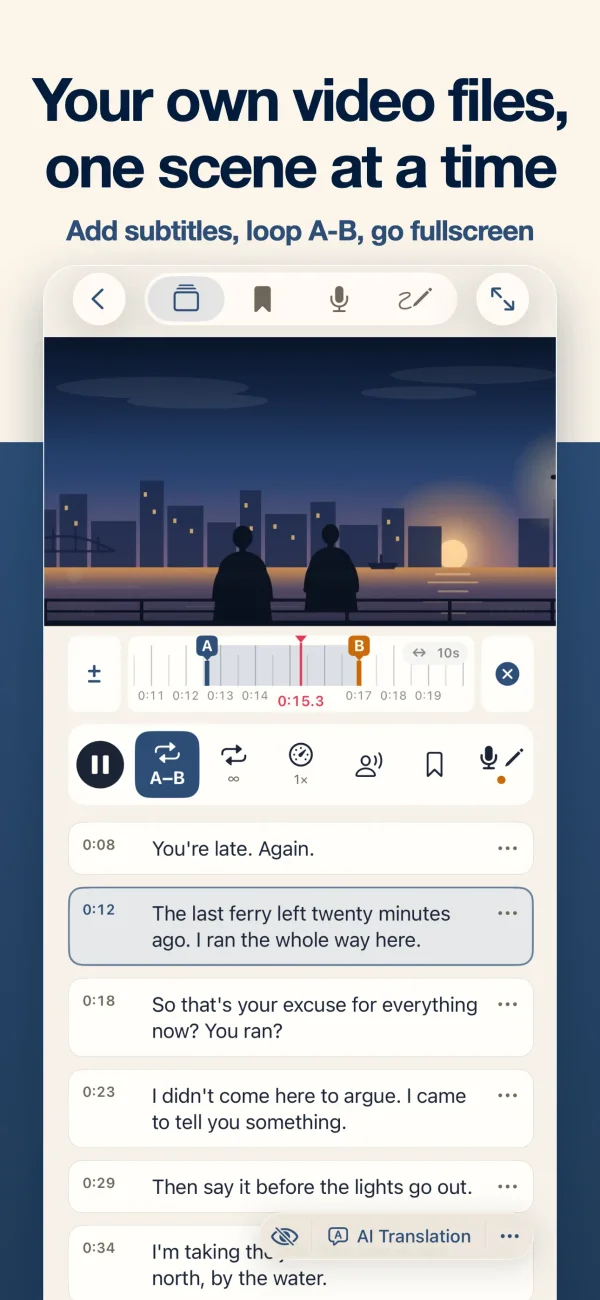
· Bring in video files on your device (MP4, M4V, MOV) and loop them the same way
· Attach an SRT, VTT or SMI subtitle file, read it as sentence cards, and fix the sync in 0.5 s steps
· Sentence practice — tap a sentence card and it becomes the loop
· Bilingual subtitles — split a two-language subtitle file into the original and its translation
· No subtitles? Mark an A/B range and convert just that part with speech recognition
· Full screen — sentence cards beside the video, with the range tools
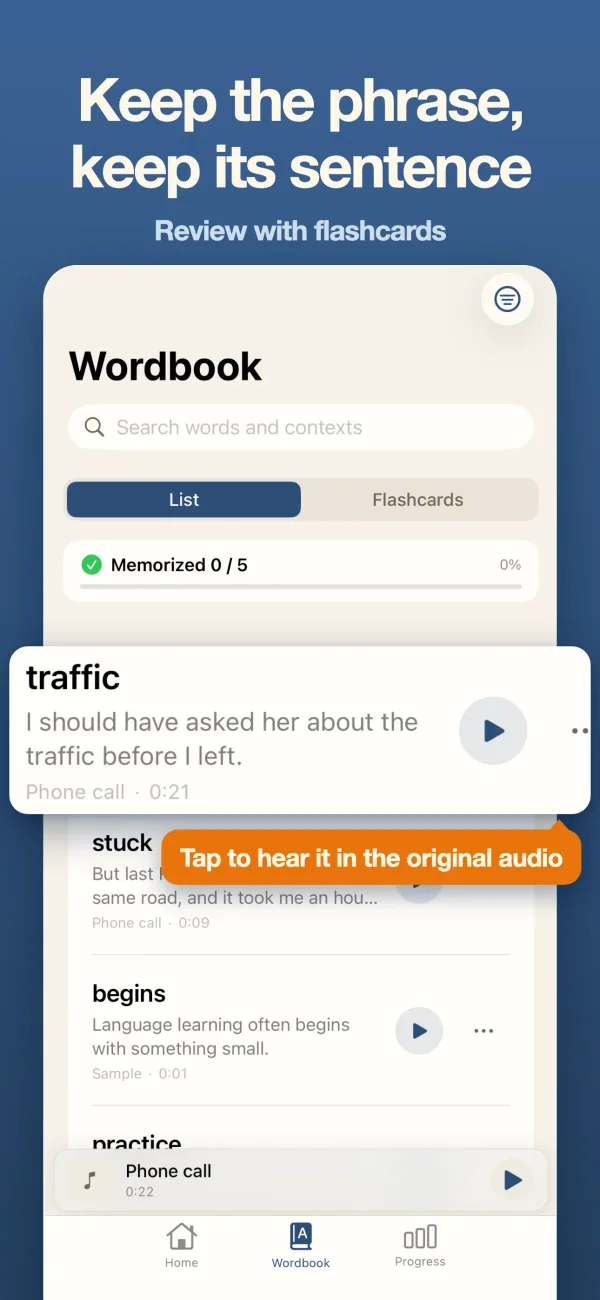
· Save a word from a subtitle card to your wordbook, with its context
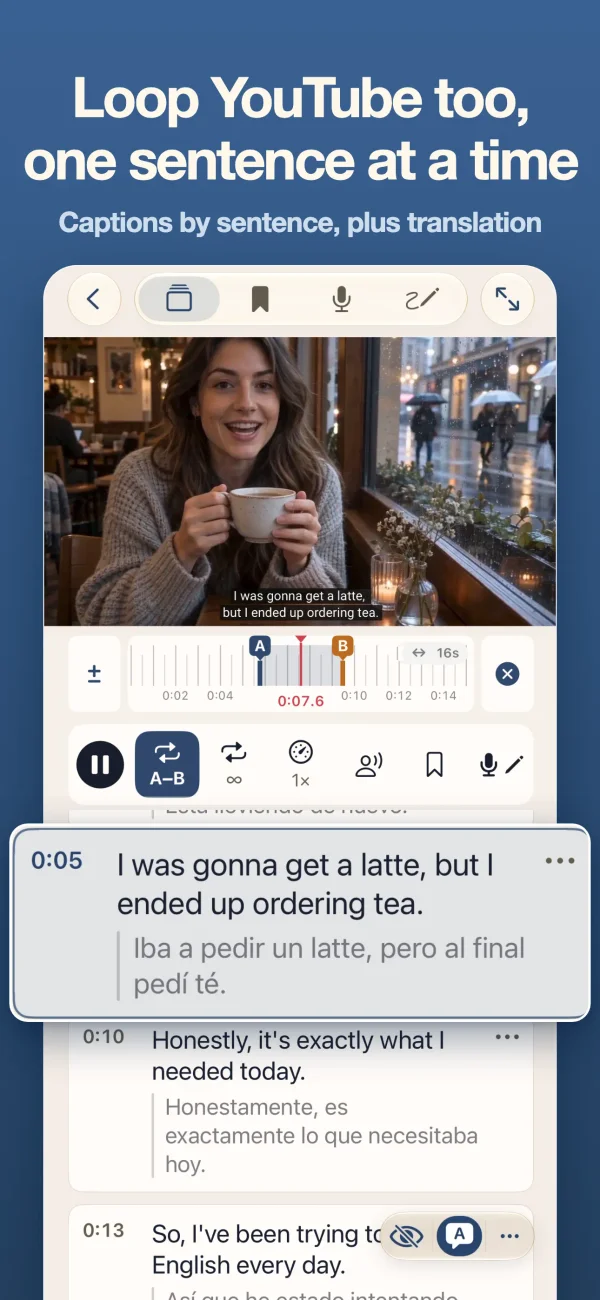
◆ YouTube caption cards
· Bring a YouTube video's captions in as sentence cards; tap one to repeat it
· Translate a card, add it to your wordbook, or edit it
· The captions carry into Shadowing and Dictation
· No YouTube captions? Type a line per A/B range
◆ Comfortable anywhere, anytime
· Background audio — loops keep running with the screen off or in other apps
· Sleep timer — auto-pause after 5, 15, 30, or 60 minutes
· Earphone remote — previous/next steps through sentences
· Play All — saved ranges back-to-back, on audio, video and YouTube
◆ Speech to text (STT)
· Turn speech into sentence-by-sentence text, synced to the waveform
· Type subtitles yourself — practice from your own script; typed lines stay put if you run recognition later
· Apple Intelligence subtitle translation — translate a whole transcript on-device and read it beside the original (iOS 26.4+, Apple Intelligence device)
· On-device first — recognition may use Apple's servers when your device can't handle it
◆ Many sources
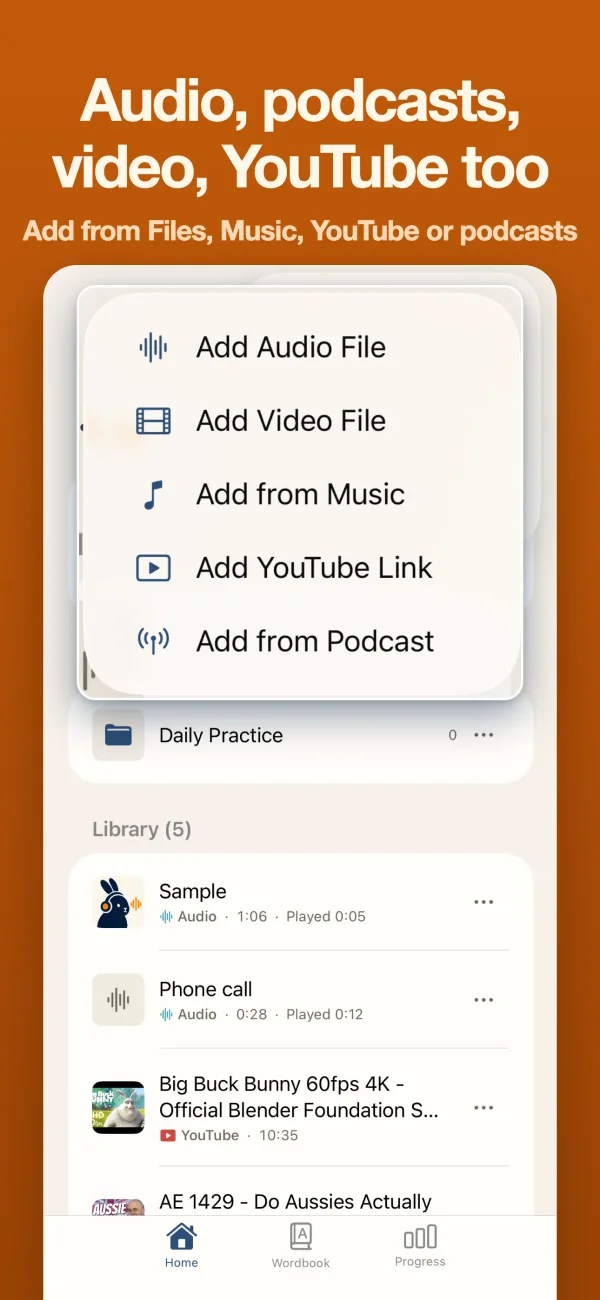
· Import audio files (mp3, m4a, and more)
· Import video files (MP4, M4V, MOV)
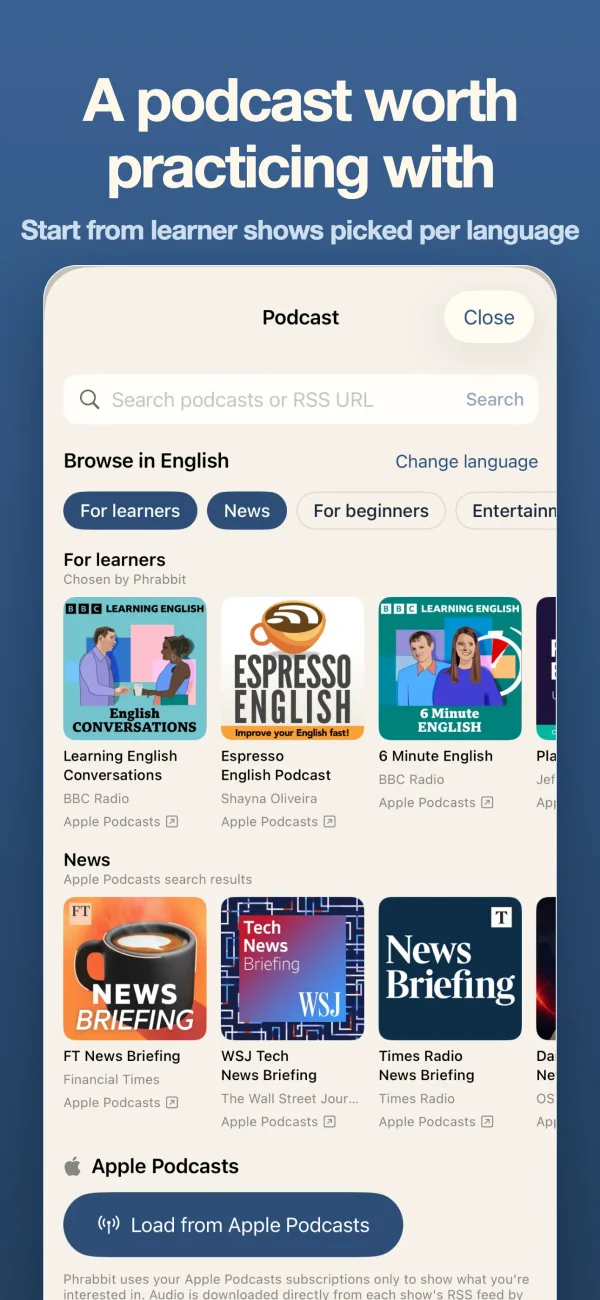
· Podcasts — browse shows curated for your language, or add one by name or RSS address
· Download episodes, or bring in your Apple Podcasts subscriptions
· Practice any YouTube link
◆ Keep your library in order
· Folders — group your material, nested as deep as you like
· Favorites — mark what you open most and reach it straight from Home
· Sort — by name, date added and more
· Search — finds items inside folders and shows where they live
◆ Tools that help you learn
· Wordbook — save words you don't know and review them
· AI word explanations (Beta) — tap a wordbook entry and Apple Intelligence explains it on-device, in context
· Stats — practice time and streak
· Works on iPhone, iPad and iPhone Duo
Start free. A/B looping, playback speed, the shadowing gap, the sleep timer, and one bookmark per file or video are free. STT, YouTube caption cards, shadowing recordings, dictation, unlimited bookmarks and wordbook (with AI word explanations), background playback, podcasts, and subtitle translation come with Premium — a one-time purchase, no subscription.
What’s new
Version 4.2.0 · Nov 11, 2026
Play All now works on video and YouTube, and Phrabbit is now available in Spanish, Vietnamese and Portuguese (Brazil).
• Play All on video and YouTube — tap Play All at the top of the Bookmarks tab to play your saved bookmarks in time order, each repeated as many times as you choose. Video and YouTube play while the app is on screen.
• A better Play All, on audio too — tap the card and it starts at once. Choose 1, 2, 3, 5 or 10 repeats per bookmark. While it plays, dots show which repeat you're on, Stop ends it, and the previous and next buttons skip between bookmarks. The bookmark that's playing is marked in the list.
• Spanish, Vietnamese and Portuguese (Brazil) — Phrabbit follows your device language, and you can also set its language on its own in the Settings app.
• Fixed a crash when an AI subtitle-translation notice about the source language appeared in English and some other languages.
App privacy
What KIYOUN KIM declares on the App Store about how this app handles data.
-
Data linked to you
May be collected and linked to your identity.
- Location
- Identifiers
- Usage data
- Diagnostics
-
Data not linked to you
May be collected but is not linked to your identity.
- Diagnostics
Privacy practices may vary, for example with the features you use or your age.
Information
- Seller
- KIYOUN KIM
- Category
- Education
- Version
- 4.2.0
- Updated
- Nov 11, 2026
- Released
- Jun 17, 2026
- Size
- 25.5 MB
- Requires
- iOS 18.0 or later
- Age rating
- 4+
- Price
- Free
- In-app purchases
- Yes
- Languages
- English, Japanese, Korean, Portuguese, Simplified Chinese, Spanish, Traditional Chinese, Vietnamese
- Copyright
- © 2026 KIYOUN KIM
You might also like
-
 ShadowingGOShadow English with YouTube
-
 Dollim: English ShadowingReal listening & audio looper
-
 Shadow: English ShadowingSound native & rehearse speech
-
 Loop Note - AB Repeat StudyListening, Dictation & AB Loop
-
 Shadow Flow: Shadow & SpeakAI Pronunciation & Subtitles
-
 Rehear: Learn from Any AudioTranscribe. Repeat. Learn.
-
 ReSpeak: Shadowing exercisesSpeak with shadowing
-
 AudioLingo Language ShadowingListen, Repeat, Speak Fluently
-
 Shadowing English - ShadosenSpeaking & Pronunciation
-
 Shado: English ShadowingBuild Fluency With Repetition