
Loop Note - AB Repeat Study
Listening, Dictation & AB Loop
Designed for iPhone, iPad, iPod touch
In-app purchases
- Age rating4+
- CategoryEducation
- Developerminsik kim
- LanguagesEnglish+ 3 more
- Size28.0 MB
Links to the official App Store page
Download.org hosts no file of Loop Note - AB Repeat Study. The button opens its official App Store page, published by minsik kim. Listing last checked on Nov 10, 2026.
Screenshots
About
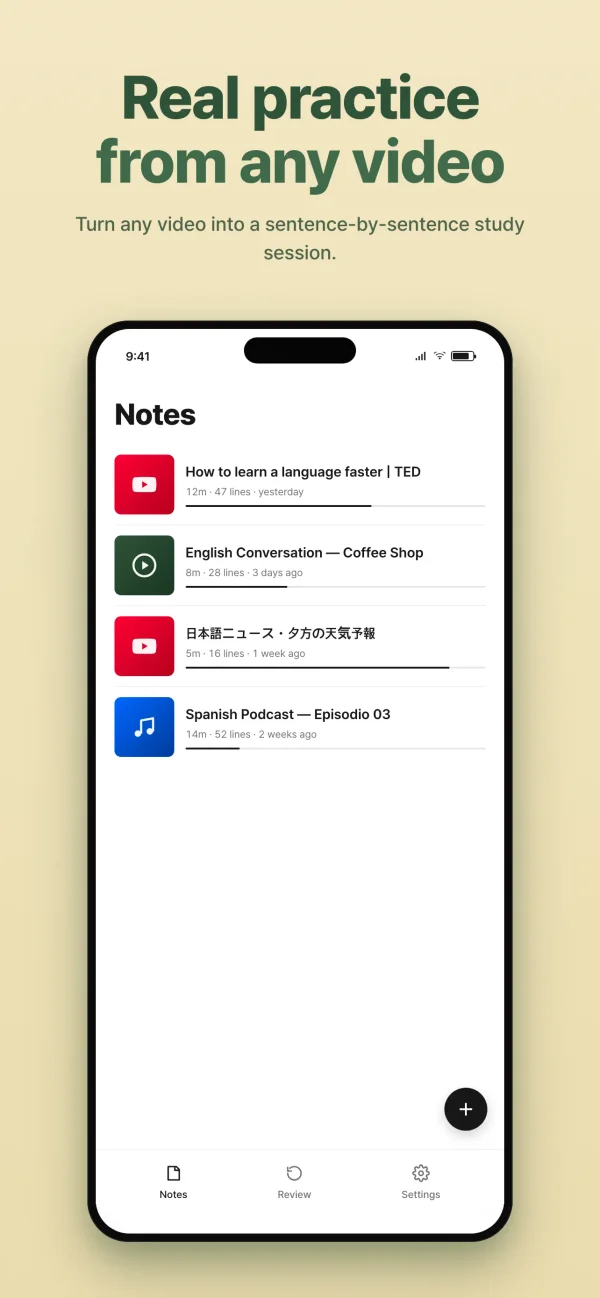
Practice listening, shadowing, and dictation with videos and audio you enjoy, one sentence at a time. Loop Note helps you repeat difficult passages, speak along, and return to them for review.
Make a difficult sentence easier to hear
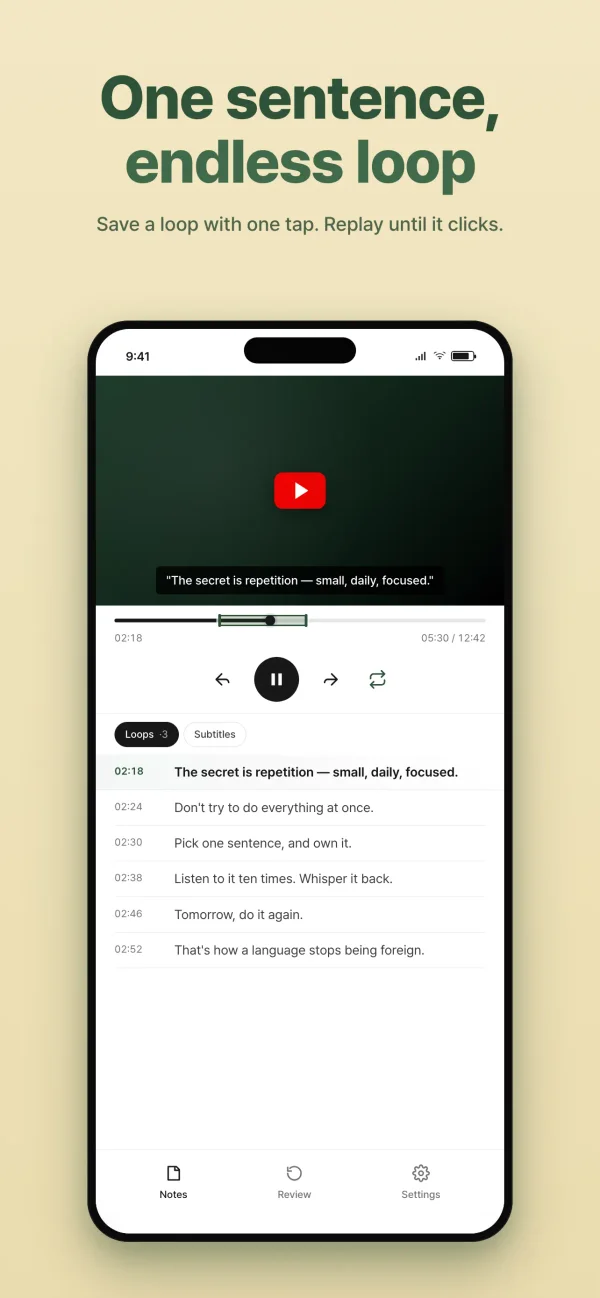
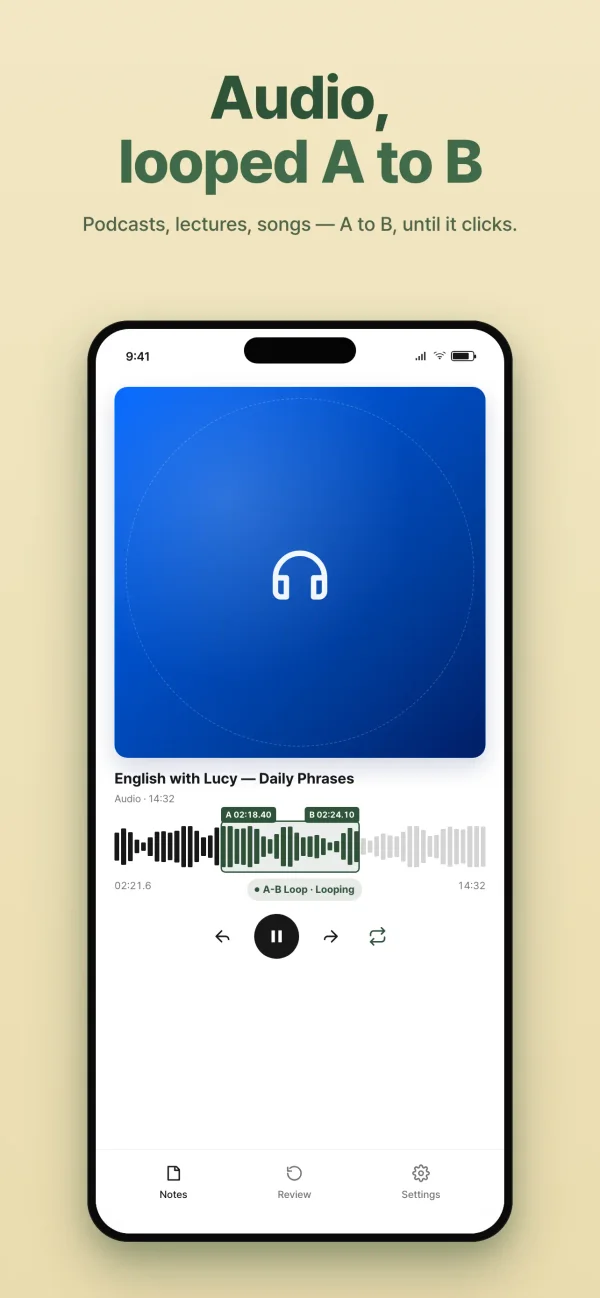
• AB repeat: set a start and end point to replay just the passage you need.
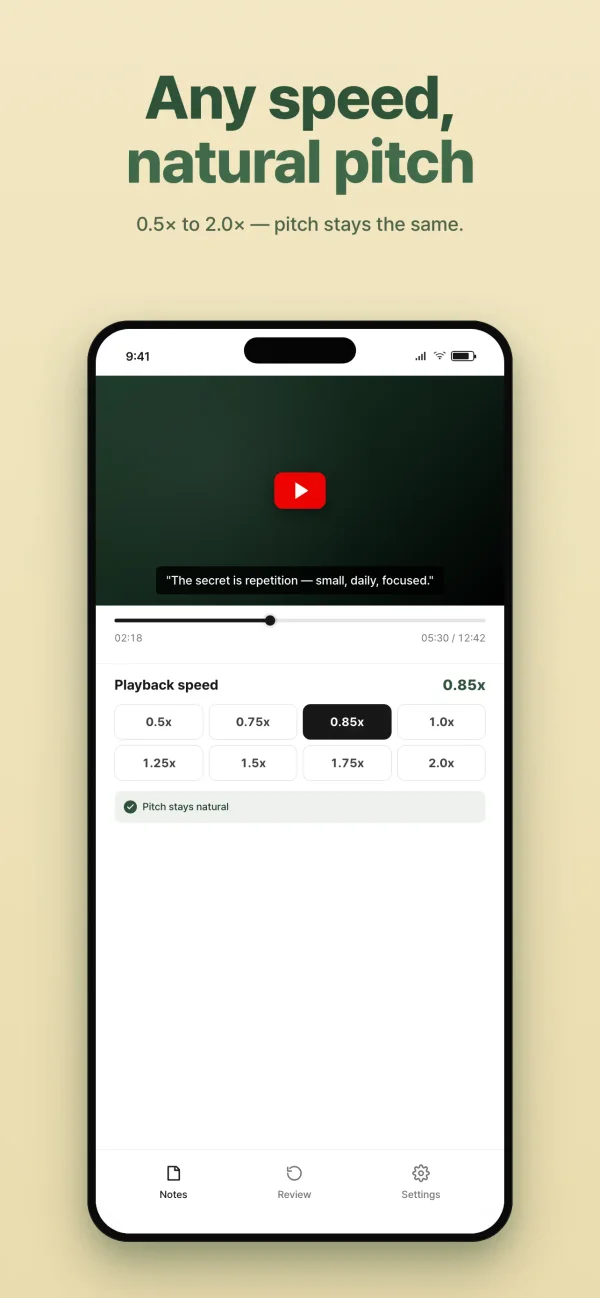
• Shadowing: adjust playback from 0.5x to 2x and speak along at your own pace.
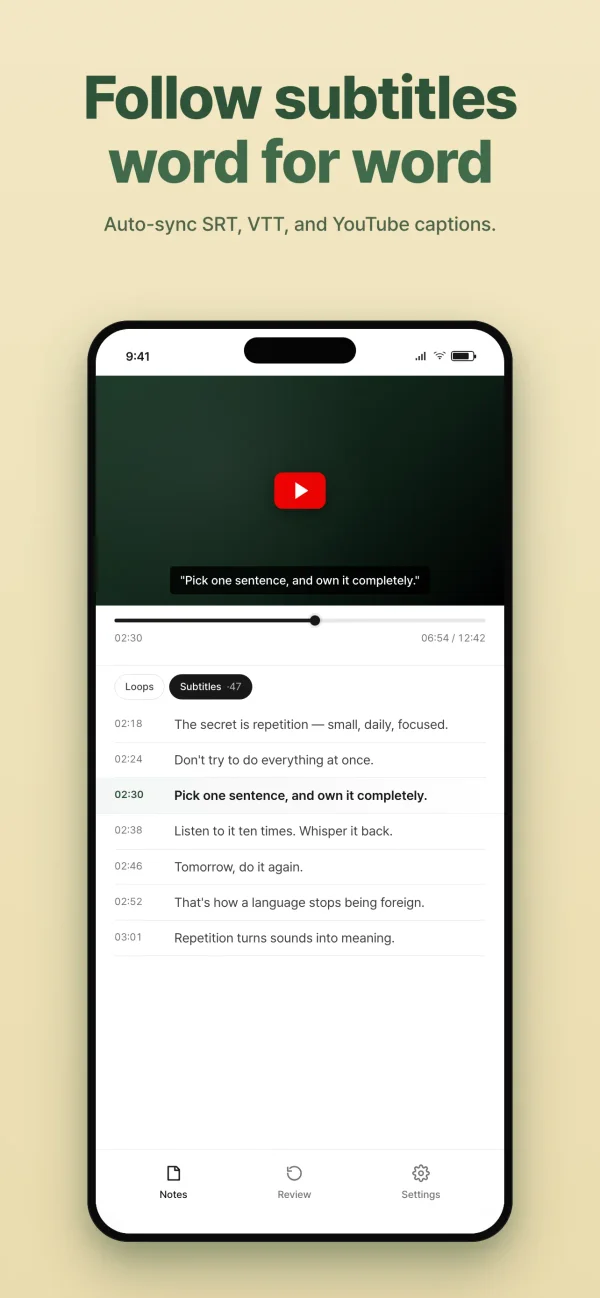
• Dictation: type what you hear, compare it with the subtitles, and find the words you missed.
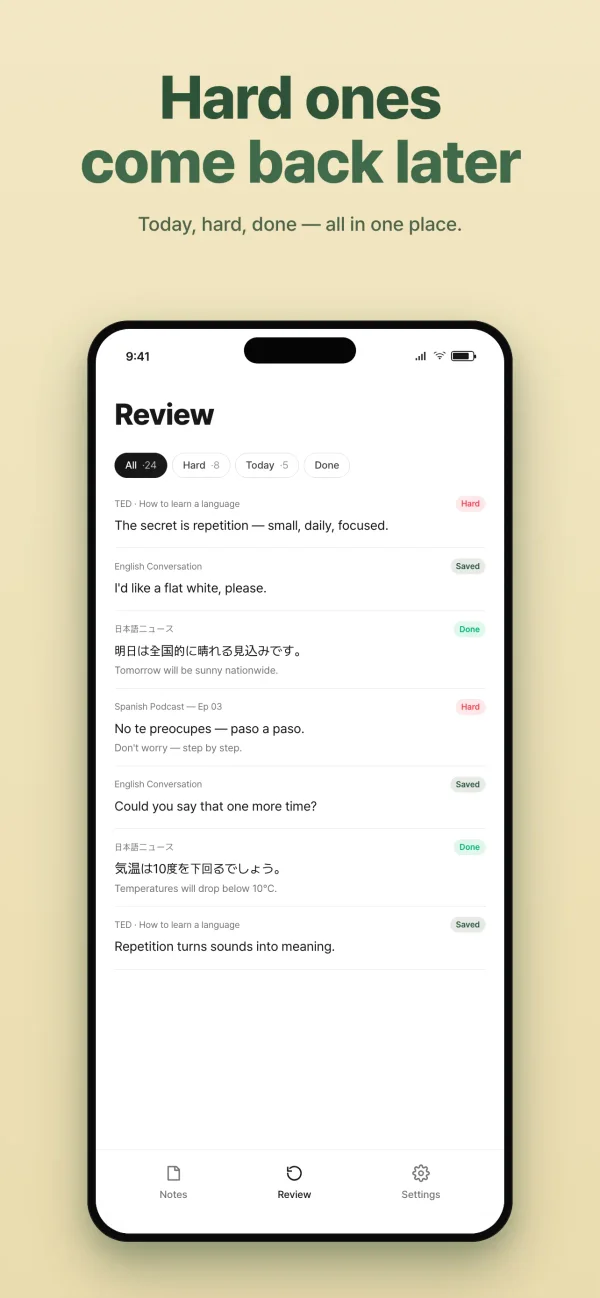
• Saved sentences and Grow: collect lines to revisit, then try today's review or a random listen. Set review reminders for a time that suits you.
Bring your own study material
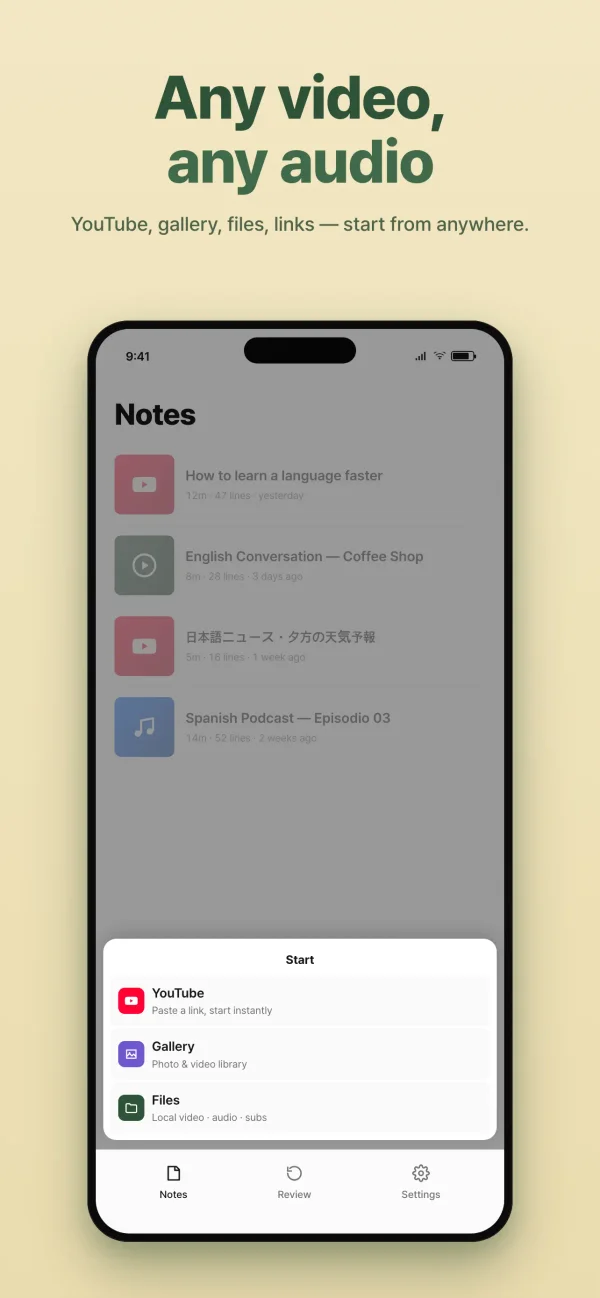
Add a supported video link or import local video, audio, and SRT or VTT subtitle files. Captions for video links depend on availability. On supported devices and languages, on-device speech recognition can also help create subtitles; check the results for accuracy.
Use material in English, Japanese, Korean, Spanish, or another language you are learning. Slow down a difficult conversation, then listen again at its original speed as it becomes familiar.
Get started with one sentence
1. Add a supported video link or choose a file on your device.
2. Repeat a subtitle sentence or a passage you select yourself.
3. Speak along or try dictation, then save a sentence to practise again.
Start without creating an account. On-device speech recognition processes study material on your device. Video links and some features need an internet connection. You can choose whether to send app usage data in Settings; diagnostic information may also be collected.
Play your own content and save sentences and repeat ranges to practise again.
Terms of Use:
https://www.apple.com/legal/internet-services/itunes/dev/stdeula/
What’s new
Version 1.10.4 · Oct 23, 2026
Pick up where you left off.
• Reopen your last selected repeat range from Notes.
• Clearer Grow guidance based on your content and saved ranges.
• Paid upgrade screens and automatic purchase prompts are paused. Existing purchase restoration and subscription management remain available in Settings.
App privacy
What minsik kim declares on the App Store about how this app handles data.
-
Data used to track you
May be used to track you across apps and websites owned by other companies.
- Purchases
- Identifiers
- Usage data
- Diagnostics
-
Data not linked to you
May be collected but is not linked to your identity.
- Purchases
- Identifiers
- Usage data
- Diagnostics
Privacy practices may vary, for example with the features you use or your age.
Information
- Seller
- minsik kim
- Category
- Education
- Version
- 1.10.4
- Updated
- Oct 23, 2026
- Released
- May 9, 2026
- Size
- 28.0 MB
- Requires
- iOS 15.0 or later
- Age rating
- 4+
- In-app purchases
- Yes
- Languages
- English, Japanese, Korean, Spanish
- Copyright
- © 2026 LoopNote
You might also like
-
 Phrabbit Shadowing & DictationAB Loop, Language Practice
-
 ReBit - 어학용 반복 듣기 플레이어음절단위로 학습하는 어학용 반복 플레이어
-
 ListeningDrill-AI: SubtitlesShadowing & A-B Repeat Player
-
 Langplayer - AB RepeatLoop a line until you get it
-
 ListenBack - English ShadowingAI Transcription&MP3LoopPlayer
-
 Inception : English SentenceLayered sentence decoded
-
 AudioLingo Language ShadowingListen, Repeat, Speak Fluently
-
 Shadowing MasterSpeak Fluently with Shadowing
-
 Dictation Homework HelperTake Photos & Create Dictation
-
 nawana: Language LearningAI speaking tutor, your voice