
- Age rating4+
- CategoryPhoto & Video
- DeveloperSANGSU PARK
- LanguagesKorean+ 2 more
- Size32.9 MB
Links to the official App Store page
Download.org hosts no file of Picture Merge. The button opens its official App Store page, published by SANGSU PARK. Listing last checked on Nov 14, 2026.
Screenshots


About
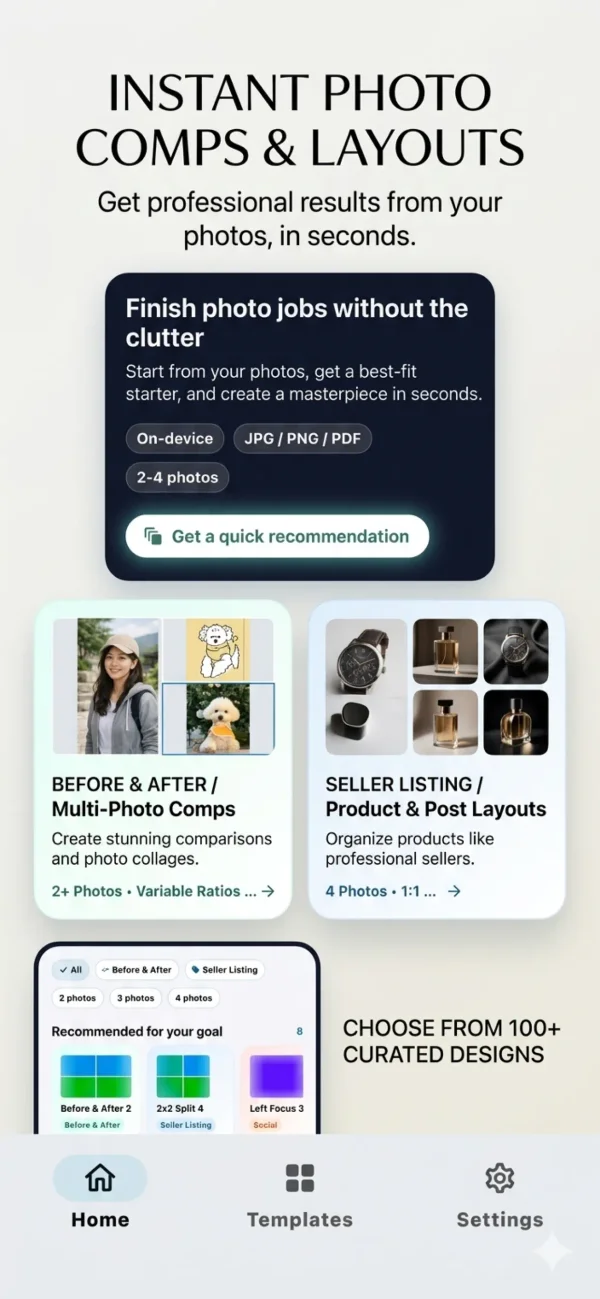
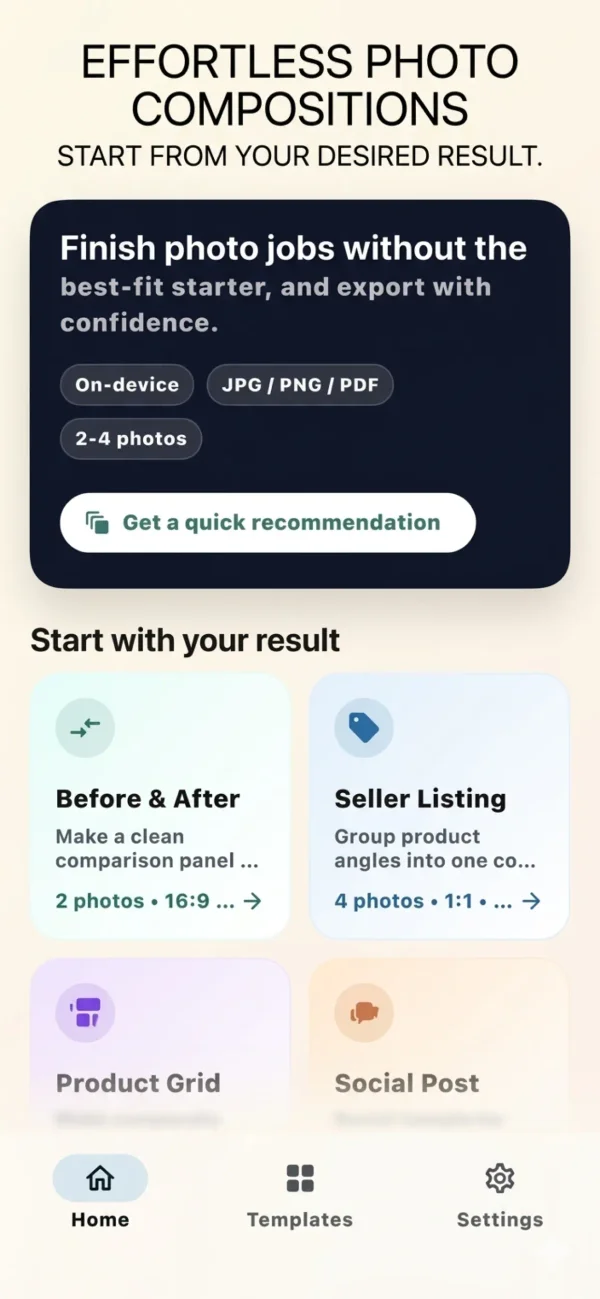
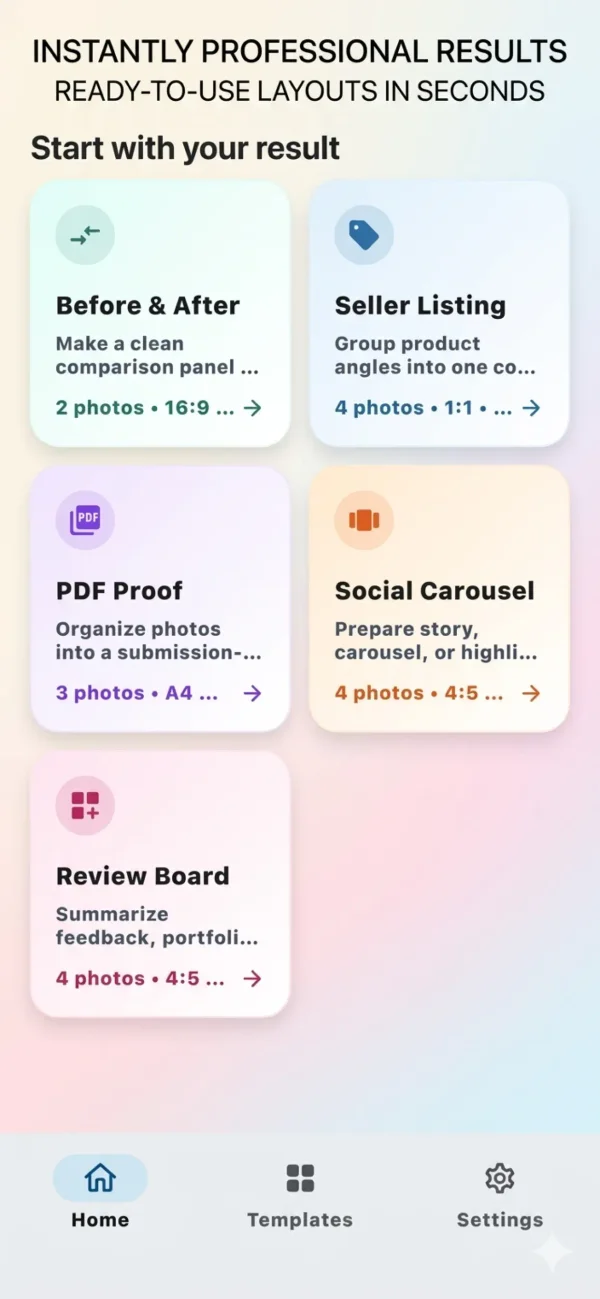
Picture Merge is a template-driven photo merging app designed to organize, save, and share multiple photos into a single image. By streamlining complex features and focusing on the most frequently used editing workflows, even first-time users can quickly create results. The simple structure—just select a template, arrange photos, and save—allows you to quickly adapt to anything from everyday journaling to creating professional images.
App Core Values
Quick Start
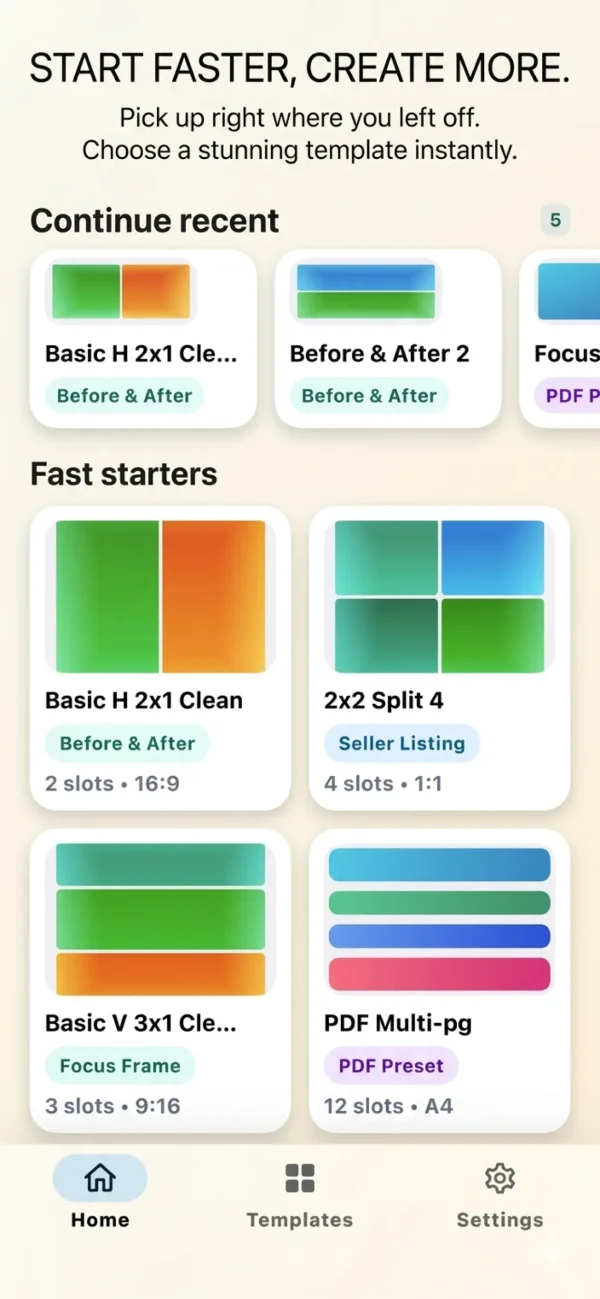
Opening the app instantly reveals recent and recommended templates, saving you time when performing common tasks.
Easy Navigation
Search, categories, and conditional filters allow you to quickly find the composition you want, even with a large number of templates. You can narrow down your selection by number of cells, screen orientation, and aspect ratio, allowing you to precisely select the layout that best suits your needs.
Intuitive Editing
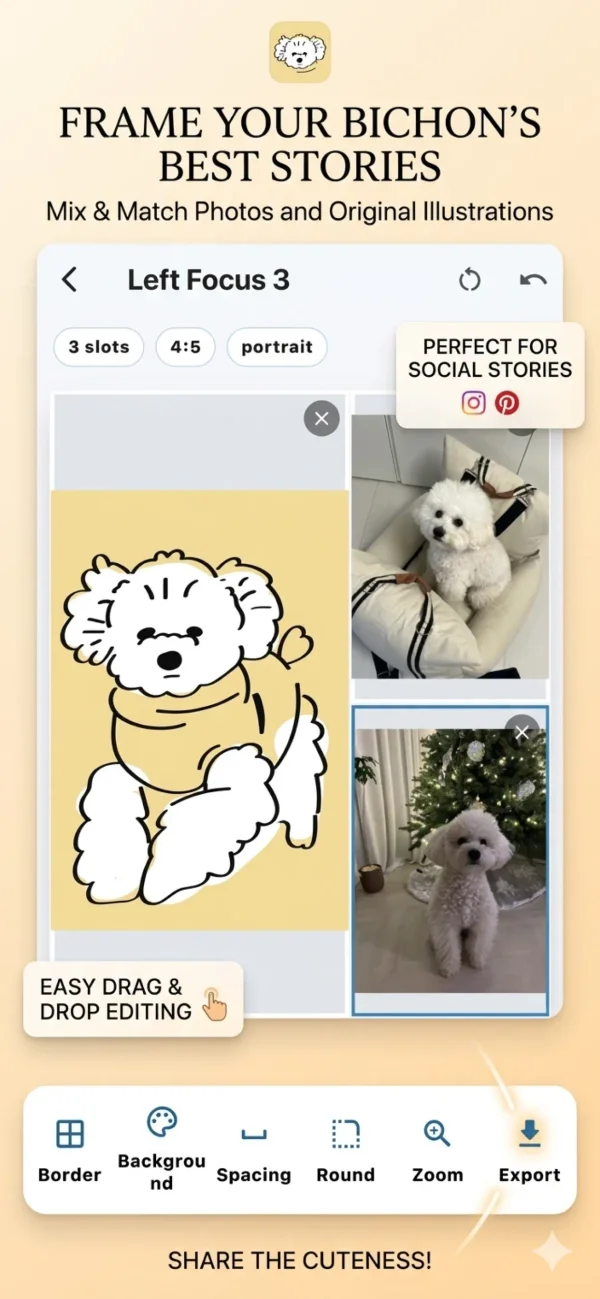
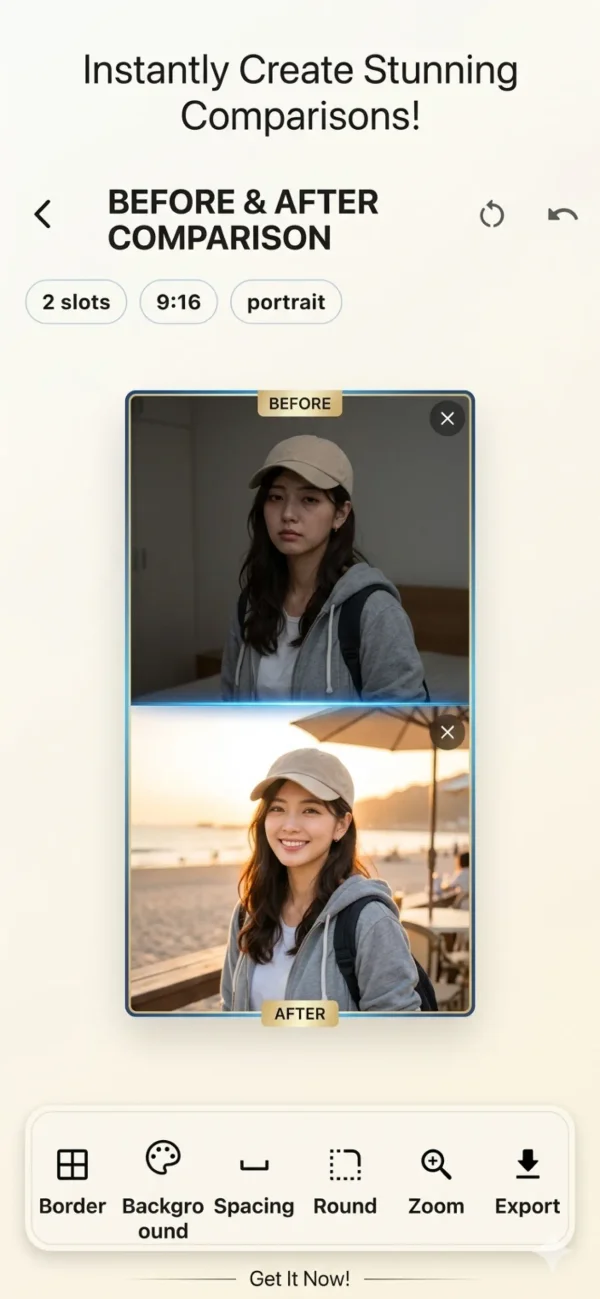
Tap a slot to fill the photo, then drag and zoom to adjust the position. Adjust the border, background, spacing, and rounding to achieve a variety of finishes, from clean card-style images to emotional collage styles. Undo and reset ease the hassle of trial and error.
High-quality results
Finished images can be exported in JPG, PNG, and PDF formats. It also offers device photo storage and sharing features, allowing you to edit and share photos in one step.
What Picture Merge Can Do
Organize travel, family, and pet photos into a single image
Cleanly organize product shots for online shopping, markets, and secondhand trading
Easily view before-and-after comparison photos
Create images with ratios suitable for stories and feeds
Create organized images for printing in A4 format
Create summary images for portfolios, work records, and progress reports
Key Features
46 Templates
Provide a wide range of layouts, including basic, grid, split, strip, ratio, and A4 printing. Choose from simple alignment to visually appealing asymmetrical layouts to suit your needs.
Navigation-optimized UI
Reduces navigation fatigue by separating the Recommendations section, Recent History, Category section, and Overall Results section. Quickly find the template you need and jump right into editing.
Editing Controls
Supports photo layout adjustments for each slot and overall style adjustments. Even within the same template, you can create completely different looks by simply adjusting the spacing, background, and roundness values.
Save and Share
You can save or share your completed app immediately, allowing for seamless workflows from messaging, uploading posts, and preparing for printing.
Language Support
You can choose between Korean or English, or choose your system language.
Easy to Use
You can get started right away without registering, reducing the barrier to entry and allowing you to quickly access the app whenever you need it.
Privacy and Permissions Guide
Picture Merge only uses the permissions necessary to select and save photos. Editing and exporting are handled on-device, and the app is designed to keep your workflow simple.
Operation Guide
Some screens may contain advertisements for app operation.
If you're looking for a photo merging app, Picture Merge delivers fast, clean, and reliable results.
What’s new
Version 1.17.0 · Jul 28, 2026
Bug fixes and stability improvements.
App privacy
What SANGSU PARK declares on the App Store about how this app handles data.
-
Data used to track you
May be used to track you across apps and websites owned by other companies.
- Identifiers
-
Data linked to you
May be collected and linked to your identity.
- Identifiers
- Usage data
Privacy practices may vary, for example with the features you use or your age.
Information
- Seller
- SANGSU PARK
- Category
- Photo & Video
- Version
- 1.17.0
- Updated
- Jul 28, 2026
- Released
- Mar 6, 2026
- Size
- 32.9 MB
- Requires
- iOS 18.0 or later
- Age rating
- 4+
- Languages
- Korean, English, Japanese
- Copyright
- © 2026 TORA PARK. All rights reserved
You might also like
-
 Parallely - Side by SideCompare Clips & Photos
-
 Before & After Video MakerShow off your progress
-
 peakpic내 모습 보면서 찍는 미러링 카메라
-
 사진쉽게합치기Photo & Video
-
 Long Screenshot: StitchScreen Recording & Web Capture
-
 GenSnapPhoto & Video
-
 Face Blur AI - Hide & CensorPhoto Pixelator, Mosaic & Bar
-
 Threes: 3s × 3 Video DiaryThree 3-second clips a day
-
 CopyCam - Photo Overlay CameraPose reference overlay camera