
Pilofy - Work Notes & Receipts
Meetings to receipts, one flow
Designed for iPhone, iPad
In-app purchases
- Age rating4+
- CategoryProductivity
- DeveloperSEONGROK KIM
- LanguagesTraditional Chinese+ 4 more
- Size34.7 MB
Links to the official App Store page
Download.org hosts no file of Pilofy - Work Notes & Receipts. The button opens its official App Store page, published by SEONGROK KIM. Listing last checked on Nov 11, 2026.
Screenshots

About
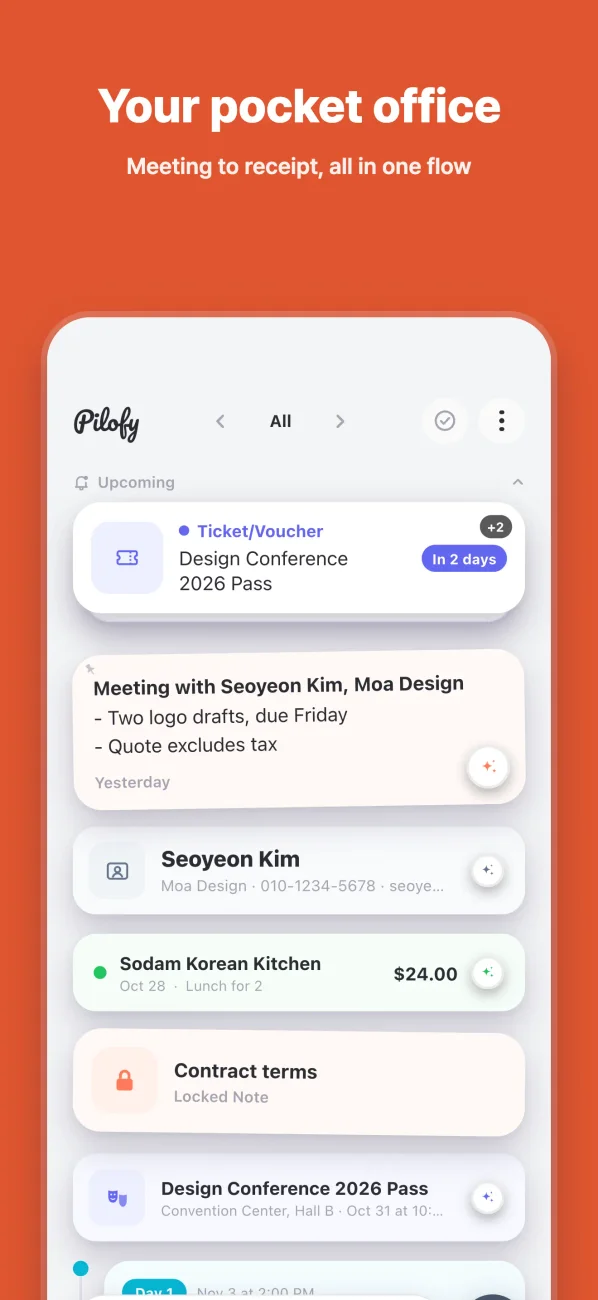
Your pocket office.
Meeting to receipt, all in one flow.
Pilofy keeps your own work records together: the appointment, the business card, the meeting notes and the receipt. Snap a photo or type a line, and Pilofy files it in the right place.
ONE MEETING, START TO FINISH
• Set it up: type "Lunch with Dana, Nov 6 at 12:30". Pilofy finds the date, asks if you want to save it as an event, and adds it to your calendar.
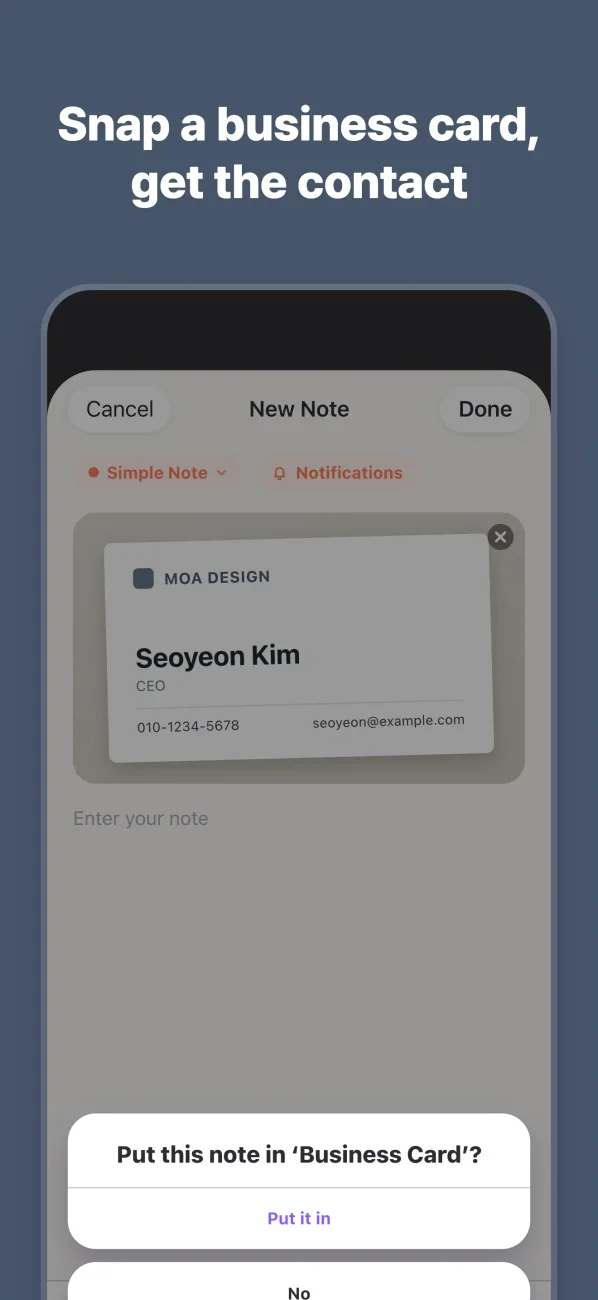
• Meet: snap their business card. Name, company, phone and email are filled in, and you can save them to Contacts.
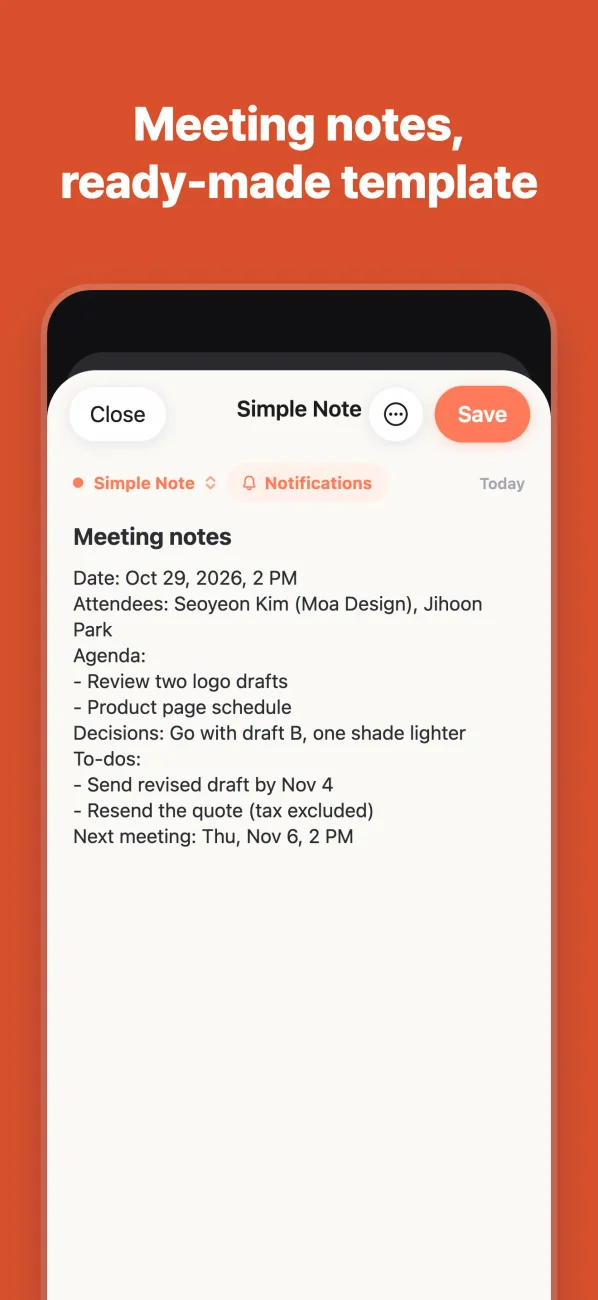
• Talk: start a note from the meeting notes template, with attendees, agenda, decisions, to-dos and next meeting.
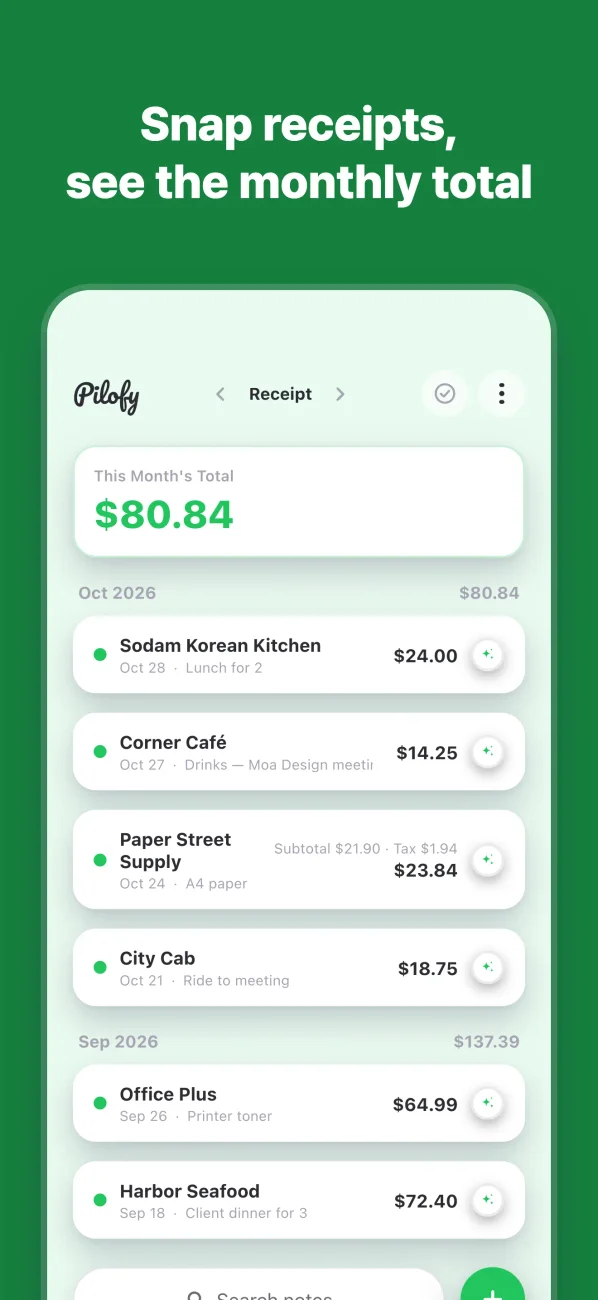
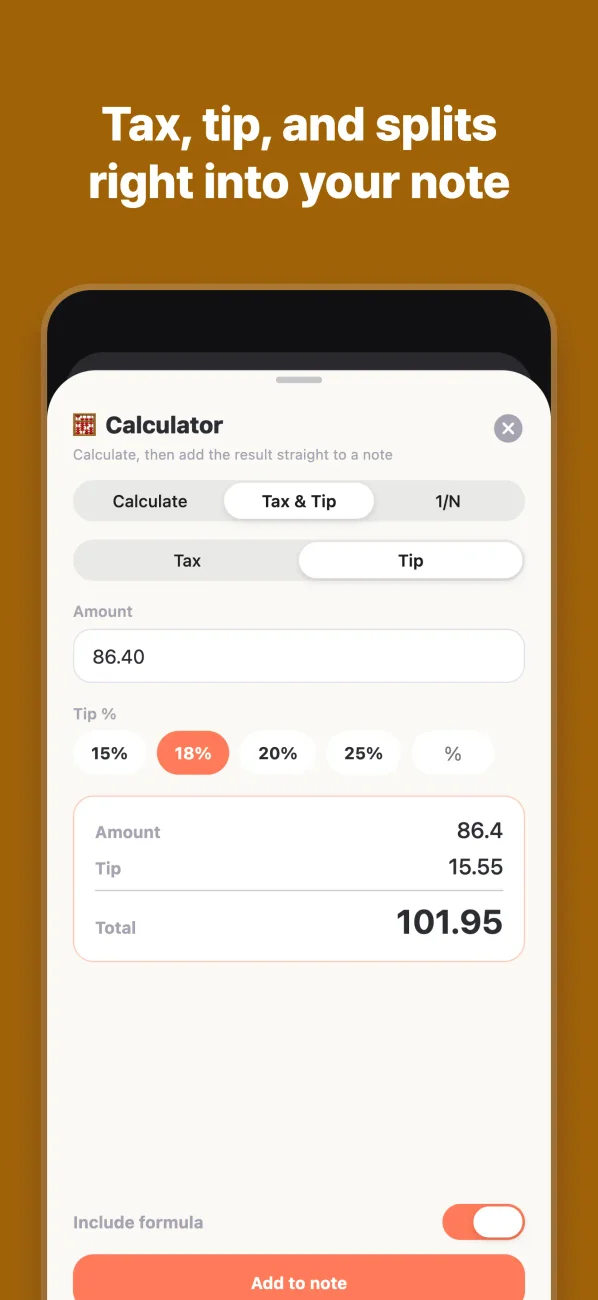
• Pay: snap the receipt. Pilofy reads the store, date and amount, and the Receipt category shows this month's total. Splitting the bill or adding a tip? The calculator puts the result straight into your note.
TRIPS AND TICKETS
Flights, hotels and event tickets are saved as tickets, and Pilofy offers to group them with an event on the same dates. A booking confirmation with flights, hotels and a schedule is split into tickets and day-by-day events.
FIND IT AGAIN
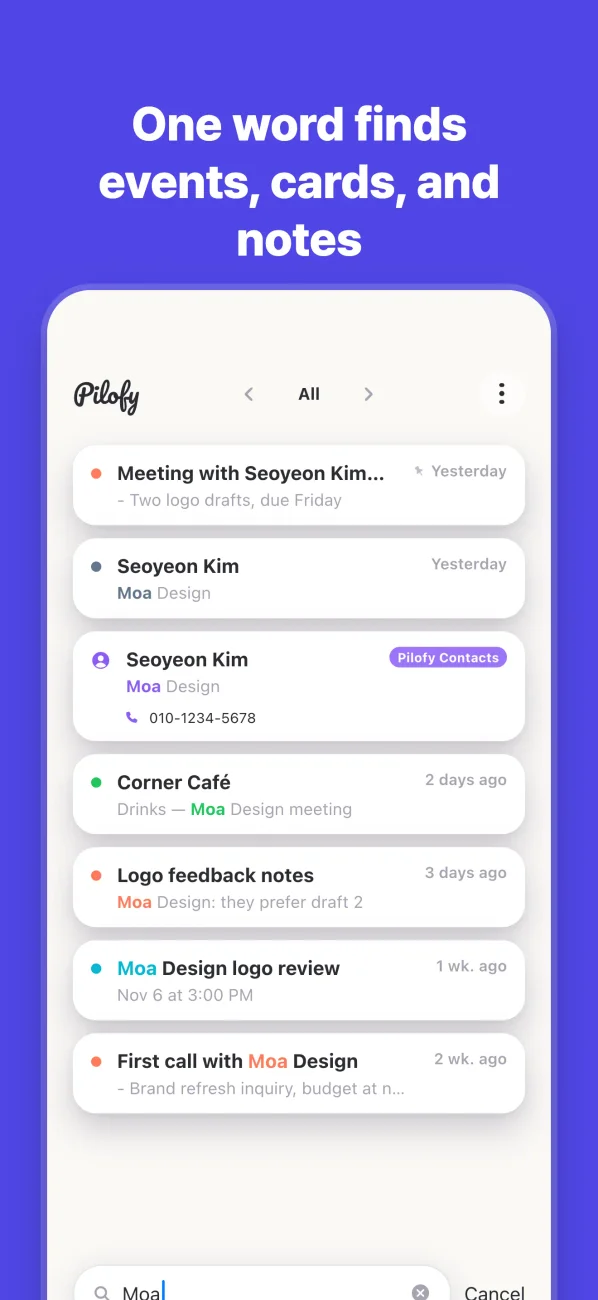
Search your notes, browse by category, and pin the ones you need most to the top.
LOCK WHAT'S PRIVATE
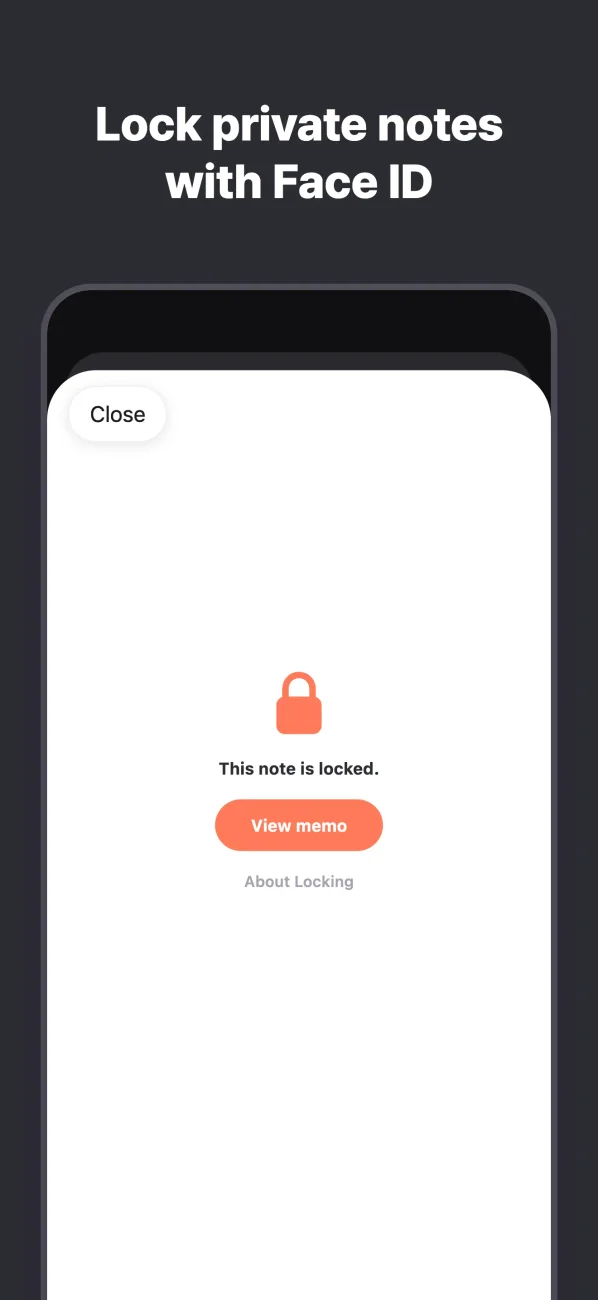
Lock a note with Face ID, Touch ID or your passcode. Lists and search show only its title, and its content stays out of notifications, the calendar and AI. Locking hides the content on screen; it does not encrypt it.
YOUR RECORDS, YOUR TOOL
Team apps hold the team's records. Pilofy holds yours: a personal app for your share of the work.
ON-DEVICE AI FIRST
Sorting runs on your iPhone with Apple Intelligence, so your notes, photos and voice recordings stay on the device. Online AI is optional and runs only when you choose it and agree. On-device AI needs an iPhone that supports Apple Intelligence.
SYNCED WITH ICLOUD
Your notes sync through your own iCloud account. No separate sign-up.
PILOFY FOR MAC
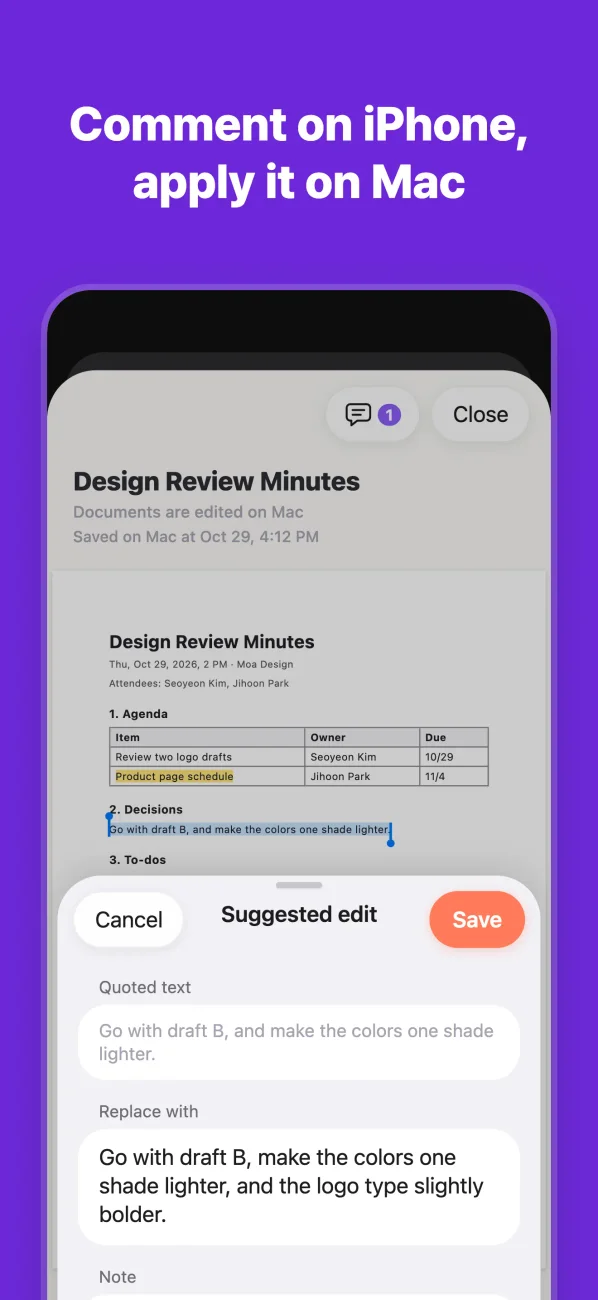
Back at your desk, open the same notes on your Mac. Write documents with tables and images, import and export Word files, save as PDF, and ask the AI chat about all your notes. On iPhone, you can comment on those documents or suggest edits. The Mac app starts with a 90-day free trial.
Free to download, with ads. Ad removal and tickets for online AI are available as in-app purchases.
What’s new
Version 1.1.0 · Oct 31, 2026
• Meeting notes template: start a note with date, attendees, agenda, decisions, to-dos and next meeting. Long-press + or open the ⋯ menu in a note.
• The calculator now does tax, tip and splitting the bill. Add the result to the note you have open, or save it as a new note.
• When a note has a date or a date range, Pilofy asks "Save as an Event?" Dates without a time are saved as all-day events.
• Pin notes to the top. Lock notes with Face ID, Touch ID or your passcode: lists and search show only the title.
• Comment on Mac documents: in a document's PDF preview on iPhone, select a passage and leave a comment or a suggested edit. Apply or resolve it on your Mac.
• Receipt totals now use your region's currency. Receipts in other currencies are listed separately.
• A booking confirmation with flights, hotels and a schedule is split into tickets and day-by-day events, kept together in one group.
• Simpler AI sorting: Receipt, Business Card, Ticket or note. Existing flashcard and diary notes become Simple Notes, with their text, photos and dates kept.
• Roulette and the allowance ledger are no longer in the menu. Your existing data stays.
• App languages are now English, Korean, Japanese, Traditional Chinese and Vietnamese. Other languages show English.
• Pilofy is now on Mac. Your notes sync through iCloud.
App privacy
What SEONGROK KIM declares on the App Store about how this app handles data.
-
Data used to track you
May be used to track you across apps and websites owned by other companies.
- Location
- Identifiers
-
Data linked to you
May be collected and linked to your identity.
- Purchases
- User content
- Identifiers
- Usage data
-
Data not linked to you
May be collected but is not linked to your identity.
- Location
- User content
- Usage data
- Diagnostics
Privacy practices may vary, for example with the features you use or your age.
Information
- Seller
- SEONGROK KIM
- Category
- Productivity
- Version
- 1.1.0
- Updated
- Oct 31, 2026
- Released
- Sep 22, 2026
- Size
- 34.7 MB
- Requires
- iOS 27.0 or later
- Age rating
- 4+
- In-app purchases
- Yes
- Languages
- Traditional Chinese, Vietnamese, Japanese, English, Korean
- Copyright
- © 2026 Sai Bridge People
You might also like
-
 SwiftBeamTransfer Files Anywhere
-
 OfflendarOffline calendar & tasks
-
 Prubi - AI Note Taking JournalDiary that gets prettier daily
-
 Fenlin: Planner & CalendarThe old-school pocket planner
-
 스태시 Stashhh - AI 스샷 정리, 링크 저장Productivity
-
 Eisenhower To-Do - MellowTaskEisenhower Matrix Task Manager
-
 Hi Sticky: Sticky NotesQuick Notes, Lists & Widgets
-
 Scheduler - Calendar WidgetsCalendar Sync. Made Simple.
-
 initial (이니셜)Productivity
-
 UnTrap for YouTubeRemove Shorts & Distractions