
Pinwork - To-Do List & Tasks
Daily Planner & Calendar
Designed for iPhone, iPad, Mac
Free · In-app purchases
- Age rating4+
- CategoryProductivity
- Developeradapting.tech sp. z o.o.
- LanguagesEnglish+ 7 more
- Size103.9 MB
Links to the official App Store page
Download.org hosts no file of Pinwork - To-Do List & Tasks. The button opens its official App Store page, published by adapting.tech sp. z o.o. Listing last checked on Nov 24, 2026.
Screenshots

About
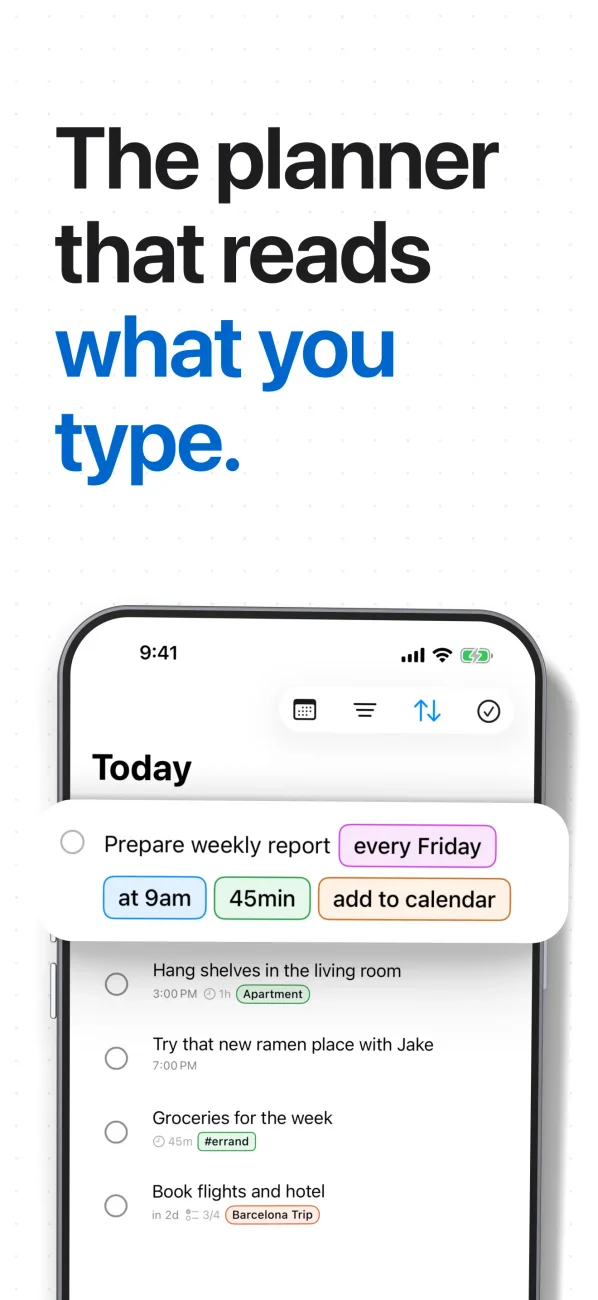
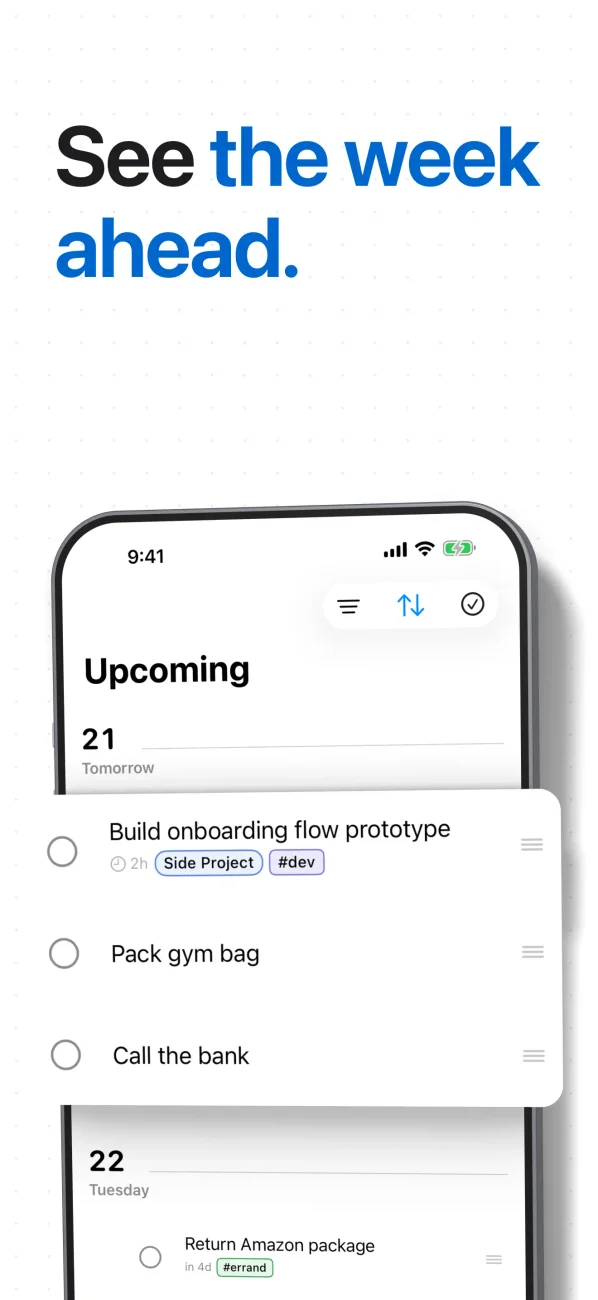
Pinwork is a private, native to-do app and daily planner for iPhone, iPad, Mac, and Apple Watch. No account, no sign-up. Type a task in plain English, it lands on the day you plan to do it, and planned work can become time in Apple Calendar.
CAPTURE THE WHOLE TASK IN ONE SENTENCE
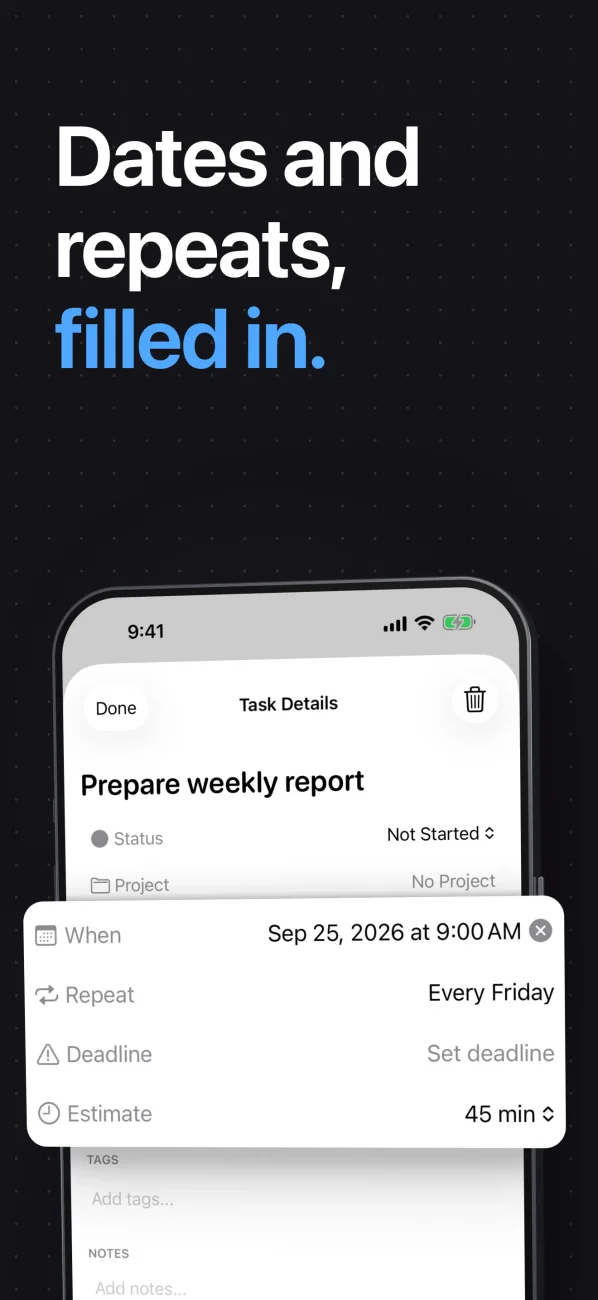
Type "Feed the dog every day at 7pm 15min, by Friday, add to calendar" into Quick Add. Pinwork reads the schedule, the time, the recurrence, the estimate, the Deadline, and the Calendar command from that one sentence. Tags and a project can go in the same line. One sentence, no separate fields to fill in. A task without a date goes to the Inbox.
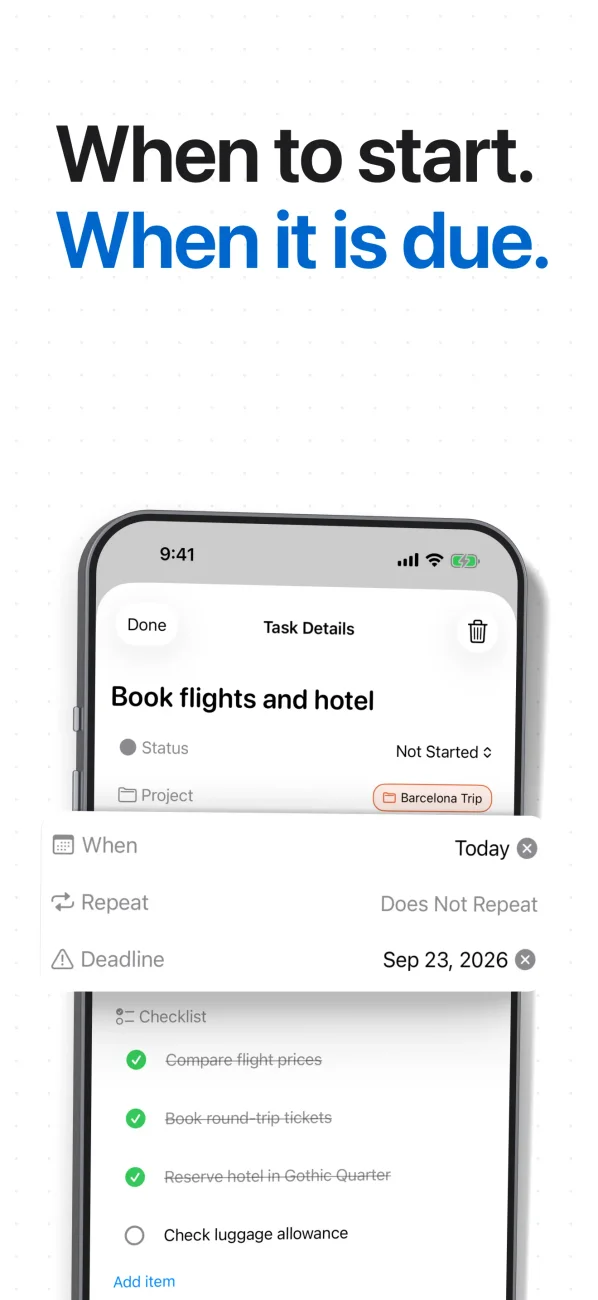
WHEN AND DEADLINE ARE SEPARATE FIELDS
When is the day or time you plan to work on a task. Deadline is the latest moment it must be done. A single due date mixes the two. Keeping them apart lets you plan the work early and still see the date that cannot move.
TURN TASKS INTO CALENDAR TIME
Create a linked Apple Calendar event from any scheduled task, or let Pinwork add scheduled tasks to your calendar automatically. When sets the event time and your estimate sets its length. A Deadline can become a Calendar alert. Edits to the task flow to the linked event, and edits to the event can flow back. Calendar Peek shows selected events beside your tasks, and every event Pinwork creates links back to its task.
RECURRING TASKS WITHOUT THE CLUTTER
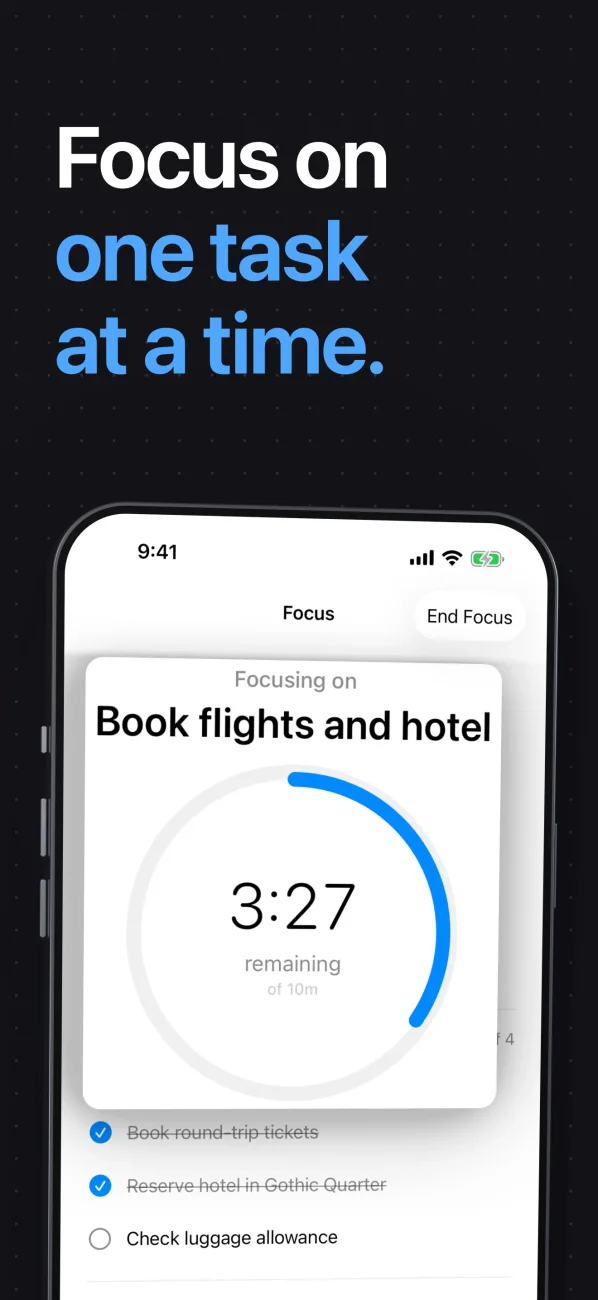
Preview future occurrences of a recurring task without filling your list with duplicates. Open Today, browse any other day, or review Upcoming. Filter by date, Deadline, estimate, tags, project, or recurrence, and sort by When, Deadline, estimate, or name. Organize with projects, tags, notes, checklists, and estimates. Snooze a task reminder for 15 minutes when now is not the right moment.
MADE FOR APPLE DEVICES
Use Pinwork on iPhone, iPad, Mac, and Apple Watch. Capture with Siri, Shortcuts, the Action Button, widgets, the Share Sheet, Apple Pencil, or the Mac menu bar. Complete tasks from interactive widgets, find them with Spotlight, and use Focus Filters to keep the right list close. Pinwork works offline.
PRIVATE BY DESIGN
No Pinwork account, no sign-up. Pinwork automatically collects limited usage and purchase-flow events to improve the app. Task and calendar content is excluded. Tasks are stored on your device and sync through your own private iCloud database. There are no Pinwork servers for your task data. Lock Screen widgets can hide task titles.
ONE PLAN, ALL YOUR DEVICES
A monthly or yearly plan, or a lifetime purchase, unlocks Pinwork on every supported Apple device signed in with the same Apple Account.
OPTIONAL GTD MODE
Turn on GTD mode for Next Actions, Waiting For, Someday/Maybe, and a guided weekly review. It is there when useful and stays out of the way when it is not.
Available in English, French, German, Italian, Japanese, Portuguese, Simplified Chinese, and Spanish.
Privacy Policy: https://pinwork.app/privacy
Terms of Use: https://www.apple.com/legal/internet-services/itunes/dev/stdeula/
What’s new
Version 1.0.13 · Nov 24, 2026
Bug fixes and reliability improvements.
App privacy
What adapting.tech sp. z o.o. declares on the App Store about how this app handles data.
-
Data linked to you
May be collected and linked to your identity.
- Purchases
- Identifiers
- Usage data
Privacy practices may vary, for example with the features you use or your age.
Information
- Seller
- adapting.tech sp. z o.o.
- Category
- Productivity
- Version
- 1.0.13
- Updated
- Nov 24, 2026
- Released
- Aug 10, 2026
- Size
- 103.9 MB
- Requires
- iOS 18.0 or later
- Age rating
- 4+
- Price
- Free
- In-app purchases
- Yes
- Languages
- English, French, German, Italian, Japanese, Portuguese, Simplified Chinese, Spanish
- Copyright
- © 2026 Adapting Tech
You might also like
-
 Dayvant: Energy Day PlannerFocus timer & time blocking
-
 スクショリマインダー - あとで見る通知メモProductivity
-
 Planwise: Timeline Day PlannerTime Blocking, To-Do & Routine
-
 BLISS Glim: Daily PlannerPlans, to-dos, memos, weather
-
 IWL: Smarter WritingMarkdown editor, text analyzer
-
 T2DoTasks, time blocks & reminders
-
 Refind: Read Later & BookmarksSave Links Without Folders
-
 Savely - Your Personal SpaceSave images, links & notes
-
 Handled: Calm Daily PlannerTodos, Links, Notes & Calendar
-
 Doendar: To-Do List & CalendarTime Blocking Daily Planner