
- Age rating4+
- CategoryProductivity
- DeveloperKadeem Jeffery
- LanguagesEnglish
- Size5.2 MB
Links to the official App Store page
Download.org hosts no file of T2Do. The button opens its official App Store page, published by Kadeem Jeffery. Listing last checked on Nov 26, 2026.
Screenshots
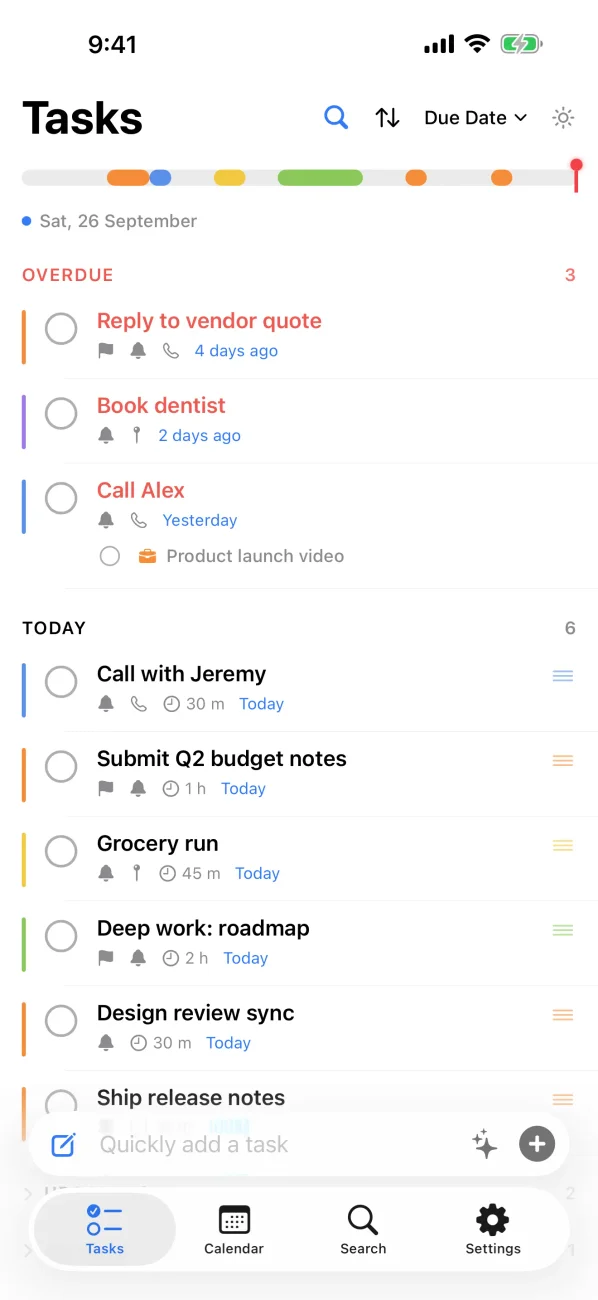
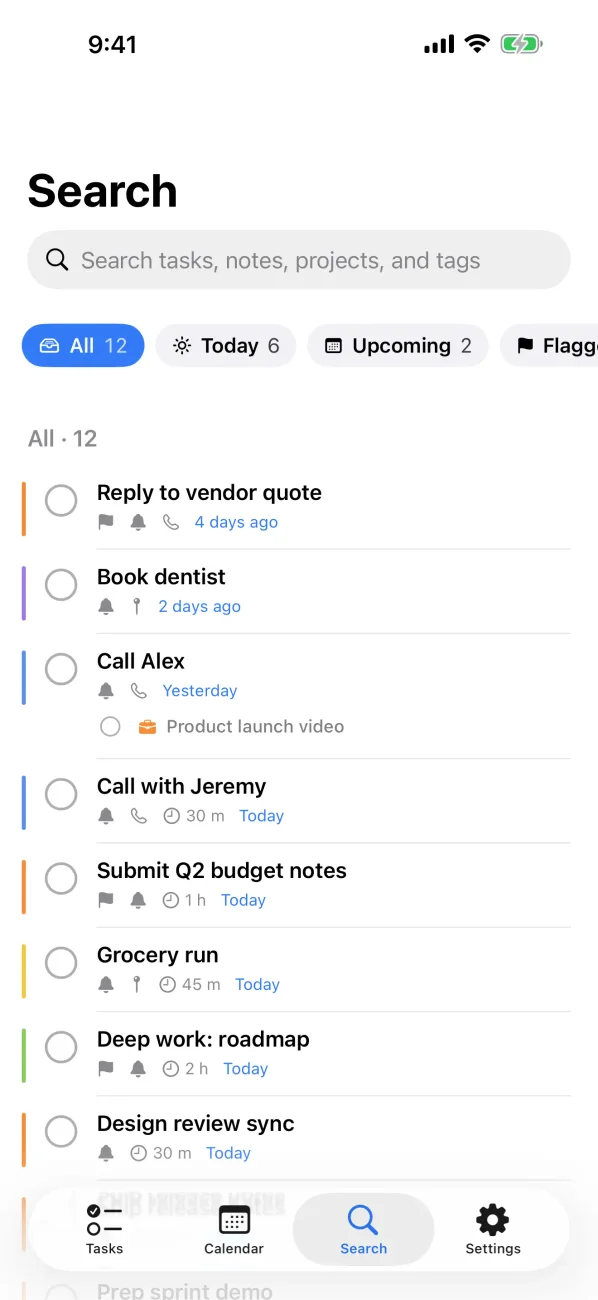
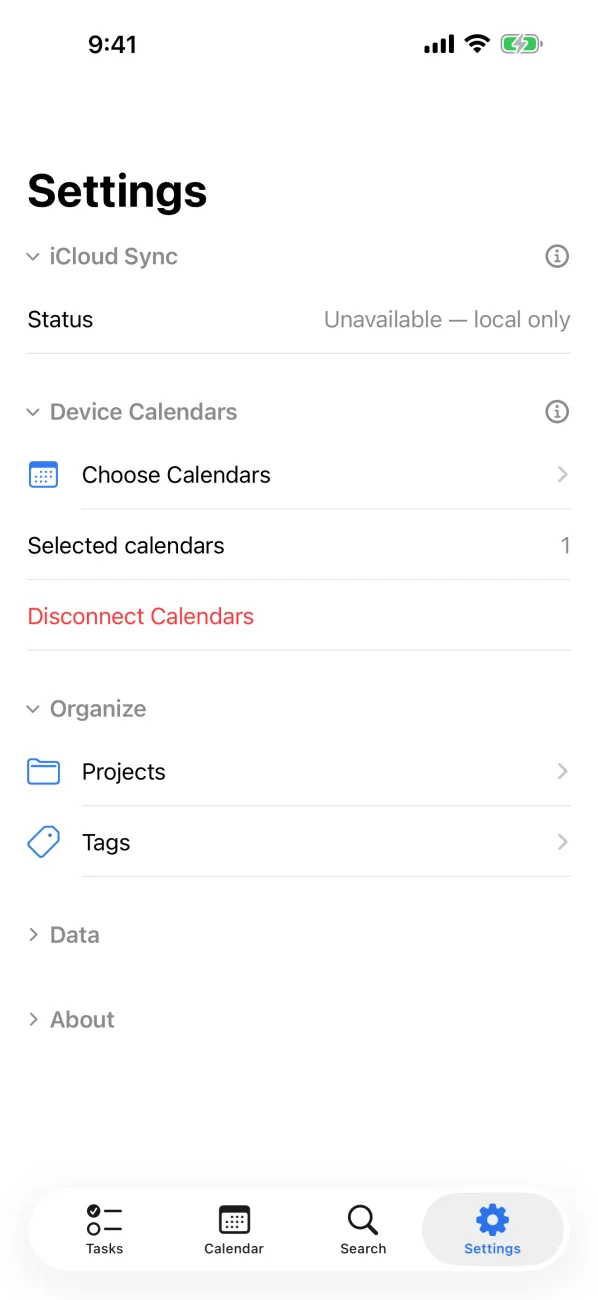

About
Turn a busy day into a clear plan with T2Do. Keep track of what needs doing, decide when to do it, and see your tasks alongside events from your device calendars.
PLAN YOUR DAY
Organize tasks into overdue, today, upcoming, and undated sections. Schedule time blocks to make room for the work that matters.
SEE YOUR SCHEDULE
Use the Calendar tab to see planned tasks and events from the calendars you choose. Optional calendar access works with calendars already configured in Apple Calendar, including iCloud, Google, and Outlook. T2Do displays events without changing them.
KEEP THE DETAILS TOGETHER
Add notes, projects, tags, flags, subtasks, locations, and phone details to your tasks. Search by title, project, or notes to find what you need.
REMEMBER WHAT'S NEXT
Set due dates and scheduled blocks, with local notifications to help you stay on track. Add Home Screen widgets for focus, today, and upcoming tasks.
SYNC WITH ICLOUD
Keep task data in sync across your devices when iCloud is available. You can also use T2Do locally without connecting calendars. No separate T2Do account is required.
What’s new
Version 1.5 · Nov 25, 2026
A full Calendar view, direct event editing, and iPhone Duo support.
• Day, Week, and Month views: switch scopes in the Calendar tab, scroll 3-day or 7-column weeks, and tap any empty slot to create a task or calendar event.
• Move and resize calendar events: drag writable events on the Day and Week grids, or drag them between days in Month view, with "This Event Only" or "All Future Events" choices for repeating events.
• New Event in Month view: long-press or double-tap a day to add an all-day event next to New Task.
• Built for iPhone Duo: unfolded two-column layout and Quick Add positioned clear of the floating tab bar.
• Smarter reminders and widgets: complete a task or jump straight to it from a notification, hide widget task titles when locked, and undo accidental swipe-deletes.
• Fixes across Quick Add, time-zone due dates, monthly repeating tasks, daylight saving shifts, and iCloud sync.
App privacy
What Kadeem Jeffery declares on the App Store about how this app handles data.
-
Data not collected
The developer does not collect any data from this app.
Privacy practices may vary, for example with the features you use or your age.
Information
- Seller
- Kadeem Jeffery
- Category
- Productivity
- Version
- 1.5
- Updated
- Nov 25, 2026
- Released
- Sep 22, 2026
- Size
- 5.2 MB
- Requires
- iOS 18.0 or later
- Age rating
- 4+
- Price
- Free
- Languages
- English
- Copyright
- © 2026 Kadeem Jeffery
You might also like
-
 Clutch: Screenshot to ReminderTo-Do List & Task Planner
-
 Cozydo - Calm Task & HabitsCalm Tasks and Habit Tracker
-
 Filex AI: File ManagerDocument Organizer & Scanner
-
 Remainder: Timebox To Do ListDaily Planner & App Blocker
-
 AnkiLockUnlock Apps by Studying
-
 Envi MMISProductivity
-
 DriveOn by BytecurveProductivity
-
 Time Blocking for ADHD: AlignDaily Planner, To-Do & Habits
-
 2FA Authenticator • Auth App+Secure & Fast Authentication
-
 Global Pet SecurityGlobal Pet Security