
- Age rating4+
- CategoryProductivity
- DeveloperSascha Henning
- LanguagesGerman+ 11 more
- Size5.2 MB
Links to the official App Store page
Download.org hosts no file of PioTime. The button opens its official App Store page, published by Sascha Henning. Listing last checked on Nov 23, 2026.
Screenshots
About
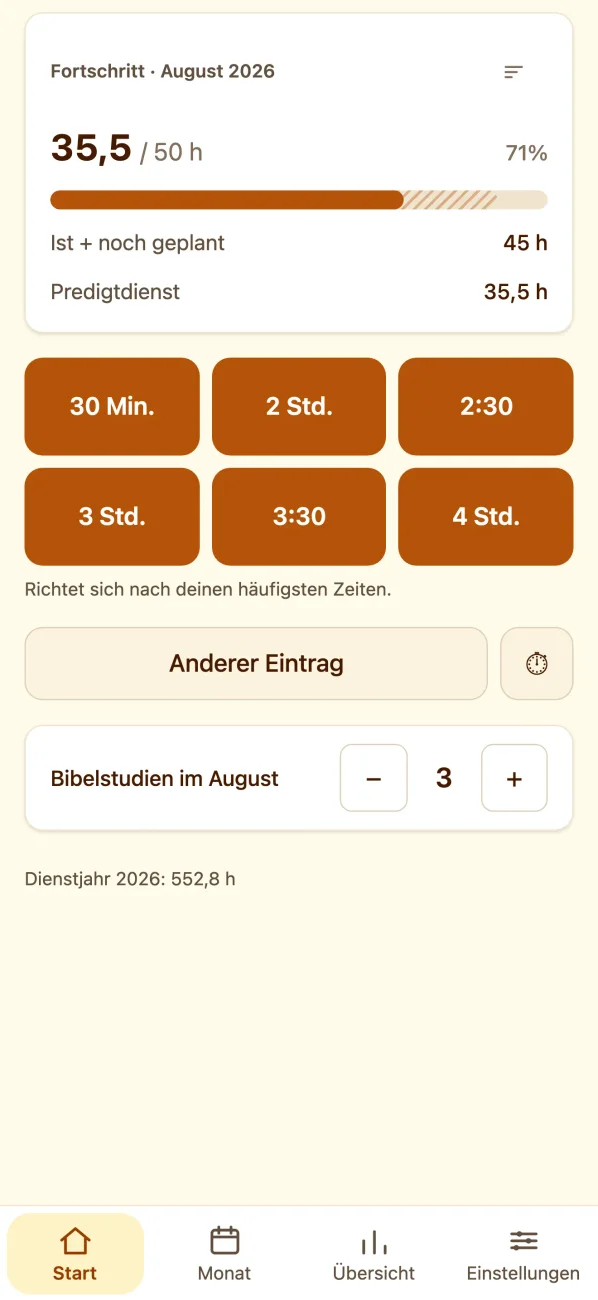
One tap and your field ministry time is logged. PioTime shows what is left to your monthly goal and puts your service report for the month together. Free, no ads, no account, even offline. Your entries live on your device; pair a second one and both sync through an end-to-end encrypted copy on the server.
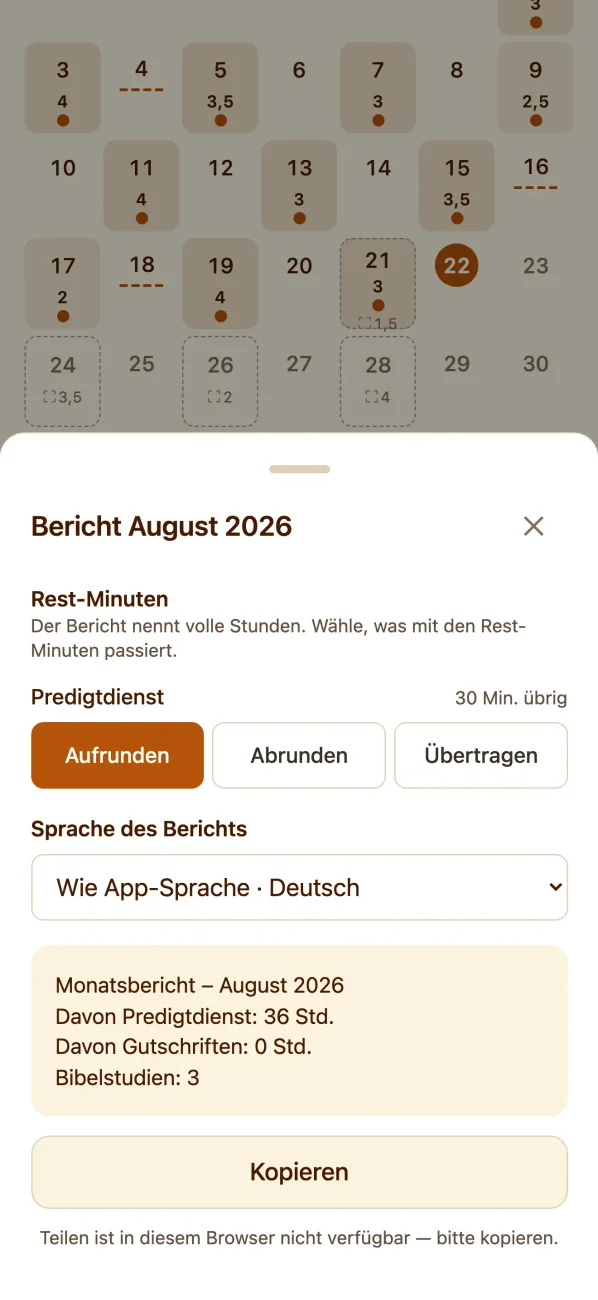
The report holds your field-ministry hours, credit and Bible studies as a short text that you copy or send straight away. Leftover minutes can be rounded up, rounded down or carried over to the next month. Your note for the month, with a list, bold and struck-through text, shows up with the report but is never sent.
A progress bar shows how far you are toward your monthly goal: 50, 30, 15 hours, or a goal of your own. You can also change it for a single month only, for example when you switch between pioneer and auxiliary pioneer. With a goal of 0 you log your time just for yourself, without a bar.
For entering time there are buttons with your most common durations from recent weeks; if you prefer, run the built-in timer instead.
Credited hours, for example for Bethel, construction or conventions, go into categories of your own and count into the month. A yearly credit lowers the year's goal instead. Count your Bible studies up and down per month.
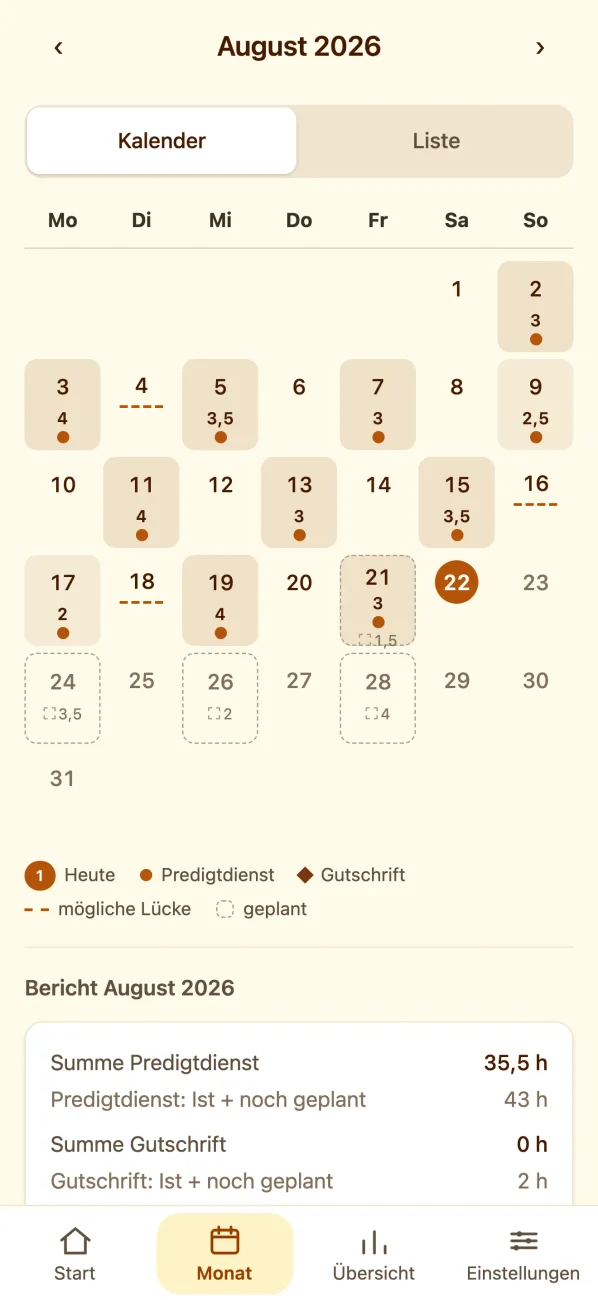
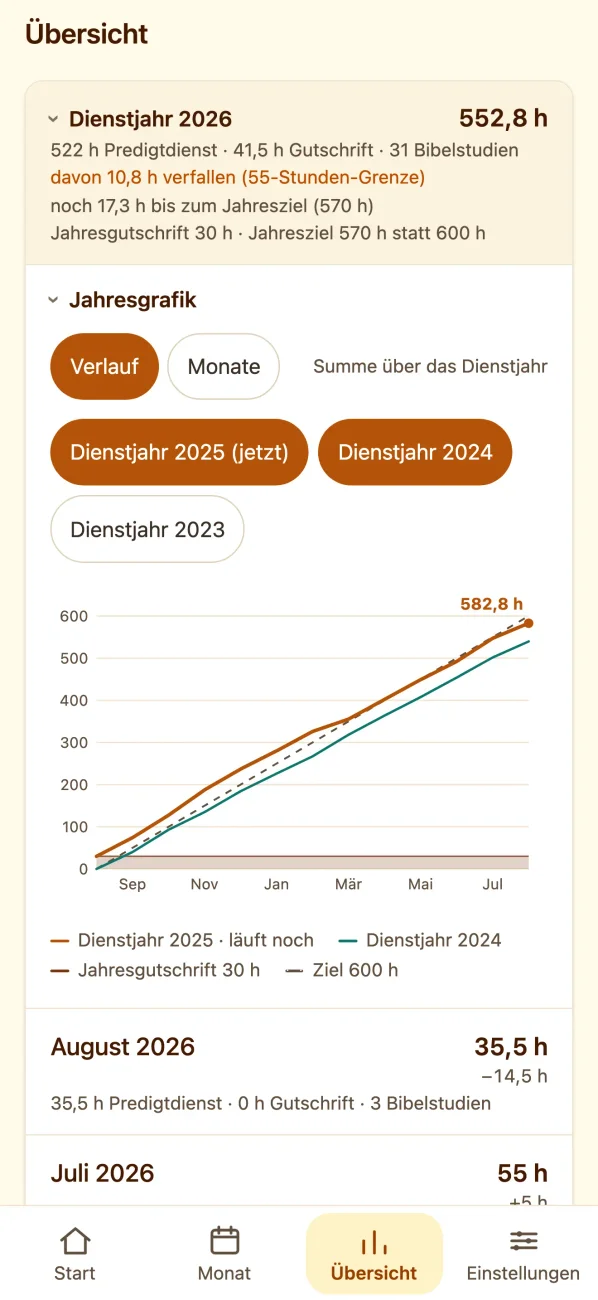
Every month appears as a calendar with markers or as a list. If you are usually out in the ministry on a weekday and an entry is missing there, PioTime marks the day as a possible gap. The service-year overview shows September through August with the year's goal and monthly totals.
Pair a tablet or a second phone with a QR code; the pairing can be undone.
Twelve languages. German, English, Spanish, French, Italian, Russian, Ukrainian, Simplified Chinese, Polish, Brazilian Portuguese, Romanian and Turkish, with automatic device-language detection.
A demo with sample data is available right on the start screen, separate from your own entries.
What’s new
Version 2.7.8 · Nov 21, 2026
2.7.8:
New: by default a picture now sits behind the app, matching your colour scheme. Cards and buttons look like glass, and the picture shows through a little. In Settings → Appearance → Background you choose Picture, Wheat field or Off. With Picture you set Strength and See-through and pick one of ten pictures.
New: new installs start with the “Season” colour scheme: the colours change with the season.
Fixed: when you tap Stop on the stopwatch, the time stays until you save the entry. Closing the window without saving loses nothing. The Stop button is red and easy to read again.
Fixed: if changing, deleting or extending a repeating plan fails, the window stays open with what you entered.
Fixed: while you type, the selected field stays visible in the entry window, and there is no gap between the window and the keyboard any more.
Fixed: an open day in the future is easy to read in the calendar. On iPad, a future month in Overview shows its own goal when it differs from the usual one.
Faster: PioTime starts faster because it loads only the language you use.
Language: if PioTime is not available in your device’s language, it starts in English instead of German.
Earlier versions: 2.7.7: floating glass bar for the tabs, Yearly goal line in Overview, notice after 12 months without sync, entry window above the keyboard.
2.7.6: the 55-hour limit trims only credits, field ministry always counts in full.
2.7.5: starts in your device’s language, Bible studies as an average per month, a new Monthly goal also applies to the current month, a message when saving fails.
App privacy
What Sascha Henning declares on the App Store about how this app handles data.
-
Data not linked to you
May be collected but is not linked to your identity.
- User content
- Identifiers
- Usage data
- Diagnostics
Privacy practices may vary, for example with the features you use or your age.
Information
- Seller
- Sascha Henning
- Category
- Productivity
- Version
- 2.7.8
- Updated
- Nov 21, 2026
- Released
- Aug 25, 2026
- Size
- 5.2 MB
- Requires
- iOS 15.0 or later
- Age rating
- 4+
- Languages
- German, English, French, Italian, Polish, Portuguese, Romanian, Russian, Spanish, Turkish, Ukrainian, Simplified Chinese
- Copyright
- © 2026 Sascha Henning
You might also like
-
 Service-BuddyPlaner für deine Stunden
-
 FieldJoy: Field Service LogReturn Visits & Ministry Hours
-
 M.Planner Plan your ministryTrack and Plan your ministry
-
 HourSyncPioneer Hours & Field Service
-
 PAE mobile ZeiterfassungProductivity
-
 Ministry Service LogHours, return visits & studies
-
 MyHours!For Jehovah’s Witnesses
-
 TheoPad: Notes with JehovahNotes for Jehovah's Witnesses
-
 CAS - Car Appraisal with SAMProductivity
-
 Ministry PlannerJW field service tool app