- 対象年齢4+
- カテゴリ仕事効率化
- 開発元Sascha Henning
- 言語ドイツ語ほか11言語
- サイズ5.2 MB
App Storeの公式ページにリンクしています
Download.orgはPioTimeのファイルを一切ホストしていません。ボタンを押すと、Sascha Henningが公開しているApp Storeのアプリページが開きます。ページの最終確認:2026/11/23。
スクリーンショット
概要
開発元はこのテキストをお使いの言語で提供していません。
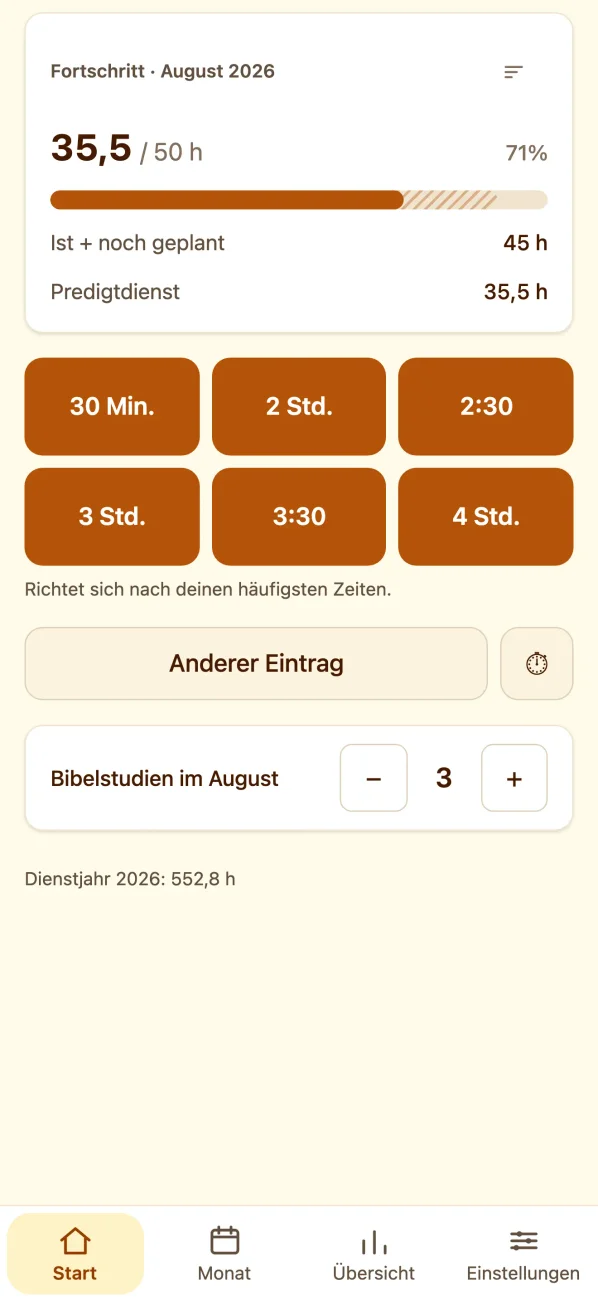
One tap and your field ministry time is logged. PioTime shows what is left to your monthly goal and puts your service report for the month together. Free, no ads, no account, even offline. Your entries live on your device; pair a second one and both sync through an end-to-end encrypted copy on the server.
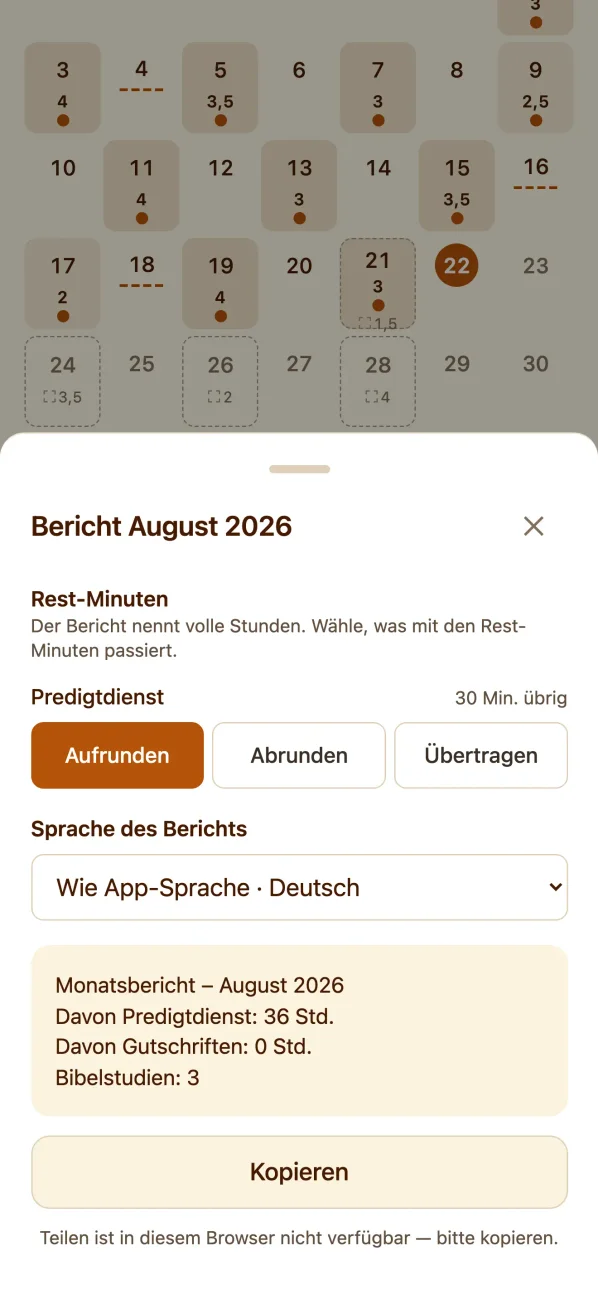
The report holds your field-ministry hours, credit and Bible studies as a short text that you copy or send straight away. Leftover minutes can be rounded up, rounded down or carried over to the next month. Your note for the month, with a list, bold and struck-through text, shows up with the report but is never sent.
A progress bar shows how far you are toward your monthly goal: 50, 30, 15 hours, or a goal of your own. You can also change it for a single month only, for example when you switch between pioneer and auxiliary pioneer. With a goal of 0 you log your time just for yourself, without a bar.
For entering time there are buttons with your most common durations from recent weeks; if you prefer, run the built-in timer instead.
Credited hours, for example for Bethel, construction or conventions, go into categories of your own and count into the month. A yearly credit lowers the year's goal instead. Count your Bible studies up and down per month.
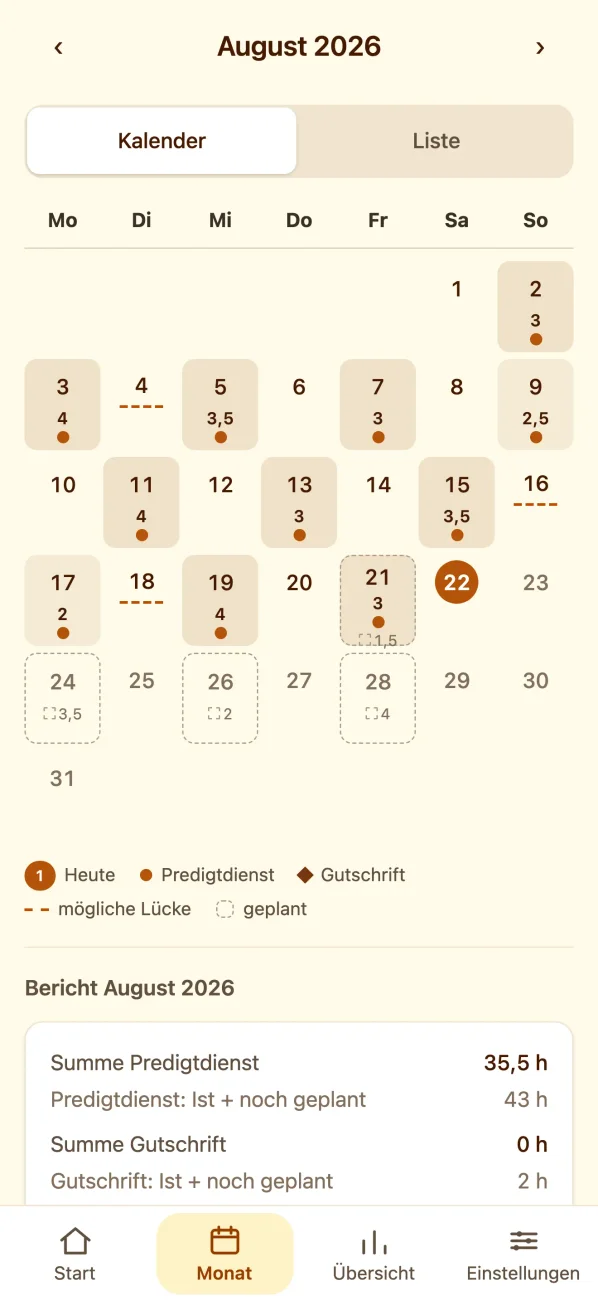
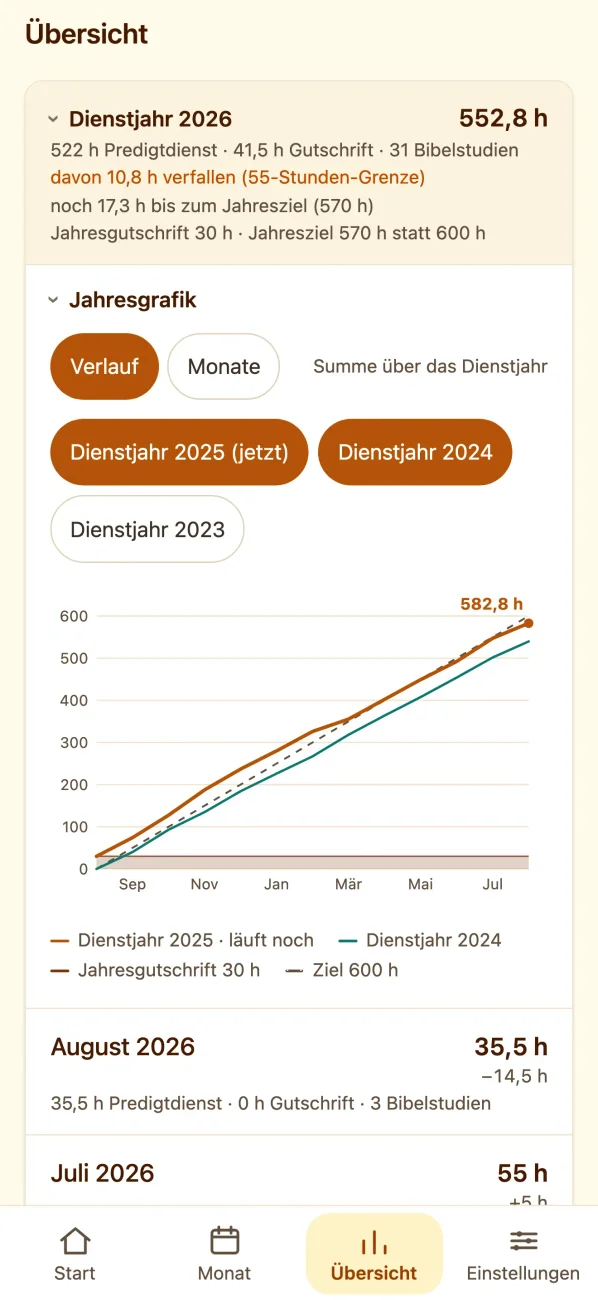
Every month appears as a calendar with markers or as a list. If you are usually out in the ministry on a weekday and an entry is missing there, PioTime marks the day as a possible gap. The service-year overview shows September through August with the year's goal and monthly totals.
Pair a tablet or a second phone with a QR code; the pairing can be undone.
Twelve languages. German, English, Spanish, French, Italian, Russian, Ukrainian, Simplified Chinese, Polish, Brazilian Portuguese, Romanian and Turkish, with automatic device-language detection.
A demo with sample data is available right on the start screen, separate from your own entries.
新機能
バージョン 2.7.8 · 2026/11/21
2.7.8:
New: by default a picture now sits behind the app, matching your colour scheme. Cards and buttons look like glass, and the picture shows through a little. In Settings → Appearance → Background you choose Picture, Wheat field or Off. With Picture you set Strength and See-through and pick one of ten pictures.
New: new installs start with the “Season” colour scheme: the colours change with the season.
Fixed: when you tap Stop on the stopwatch, the time stays until you save the entry. Closing the window without saving loses nothing. The Stop button is red and easy to read again.
Fixed: if changing, deleting or extending a repeating plan fails, the window stays open with what you entered.
Fixed: while you type, the selected field stays visible in the entry window, and there is no gap between the window and the keyboard any more.
Fixed: an open day in the future is easy to read in the calendar. On iPad, a future month in Overview shows its own goal when it differs from the usual one.
Faster: PioTime starts faster because it loads only the language you use.
Language: if PioTime is not available in your device’s language, it starts in English instead of German.
Earlier versions: 2.7.7: floating glass bar for the tabs, Yearly goal line in Overview, notice after 12 months without sync, entry window above the keyboard.
2.7.6: the 55-hour limit trims only credits, field ministry always counts in full.
2.7.5: starts in your device’s language, Bible studies as an average per month, a new Monthly goal also applies to the current month, a message when saving fails.
アプリのプライバシー
このアプリのデータの取り扱いについて、Sascha HenningがApp Storeで申告している内容です。
-
ユーザーに関連付けられないデータ
収集される場合がありますが、ユーザーの識別情報には関連付けられません。
- ユーザーコンテンツ
- ID
- 使用状況データ
- 診断
プライバシーの取り扱いは、ご利用の機能やお客様の年齢などに応じて異なる場合があります。
情報
- 販売元
- Sascha Henning
- カテゴリ
- 仕事効率化
- バージョン
- 2.7.8
- 更新日
- 2026/11/21
- リリース
- 2026/8/25
- サイズ
- 5.2 MB
- 必要条件
- iOS 15.0以降
- 対象年齢
- 4+
- 価格
- 無料
- 言語
- ドイツ語, 英語, フランス語, イタリア語, ポーランド語, ポルトガル語, ルーマニア語, ロシア語, スペイン語, トルコ語, ウクライナ語, 簡体字中国語
- 著作権
- © 2026 Sascha Henning