
PiP Now
選んだ写真をピクチャインピクチャ(PiP)で画面上に常時表示
Designed for iPhone, iPad, iPod touch
Free · In-app purchases
- Age rating4+
- CategoryPhoto & Video
- DeveloperShun Kurauchi
- LanguagesEnglish
- Size46.2 MB
Links to the official App Store page
Download.org hosts no file of PiP Now. The button opens its official App Store page, published by Shun Kurauchi. Listing last checked on Nov 23, 2026.
Screenshots




About
PiP Now - Float photos on your screen
■ What it does
PiP Now is a simple app that lets you permanently display selected photos as a picture-in-picture (PiP) window on your screen.
Even while using other apps, the photo floats as a small window on your screen, making it useful for:
• Working while referencing design materials
• Cooking while viewing recipes
• Working while checking blueprints or manuals
• Keeping photos of loved ones always visible
• Using your phone while viewing pet photos
• Keeping notes or to-do lists constantly displayed
■ How to Use
1. Tap the “+” button in the center
2. Select 1-2 photos from your photo library
3. Tap “Start PiP”
That's all it takes—your chosen photos will float and display on your screen.
■ Handy Features
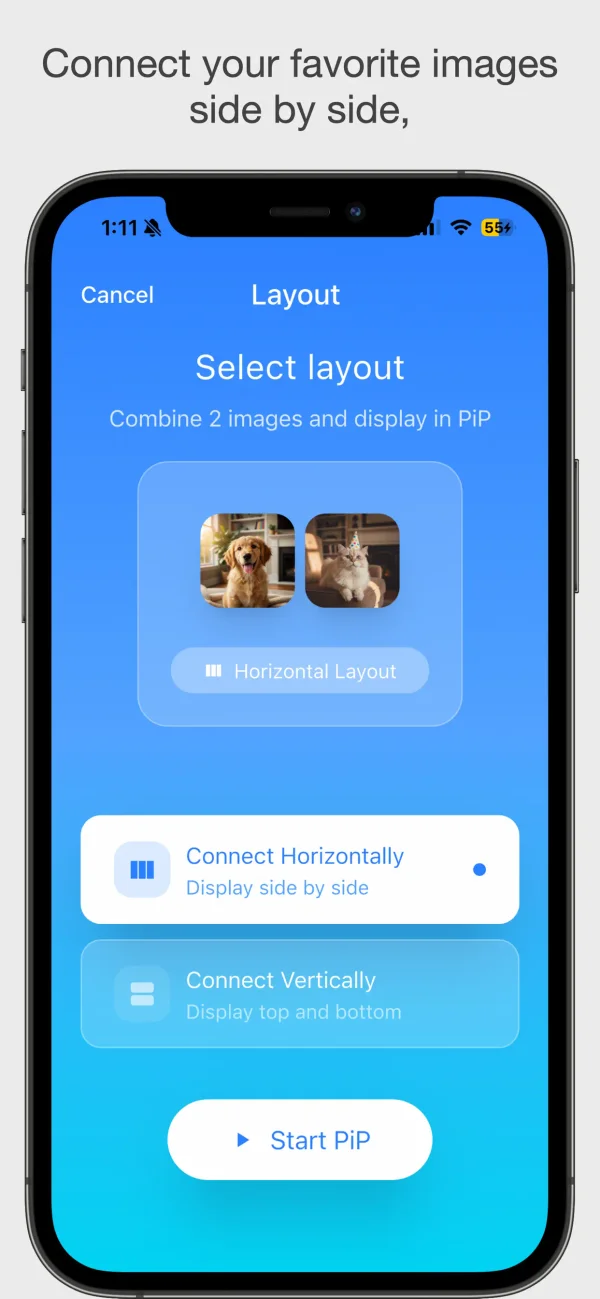
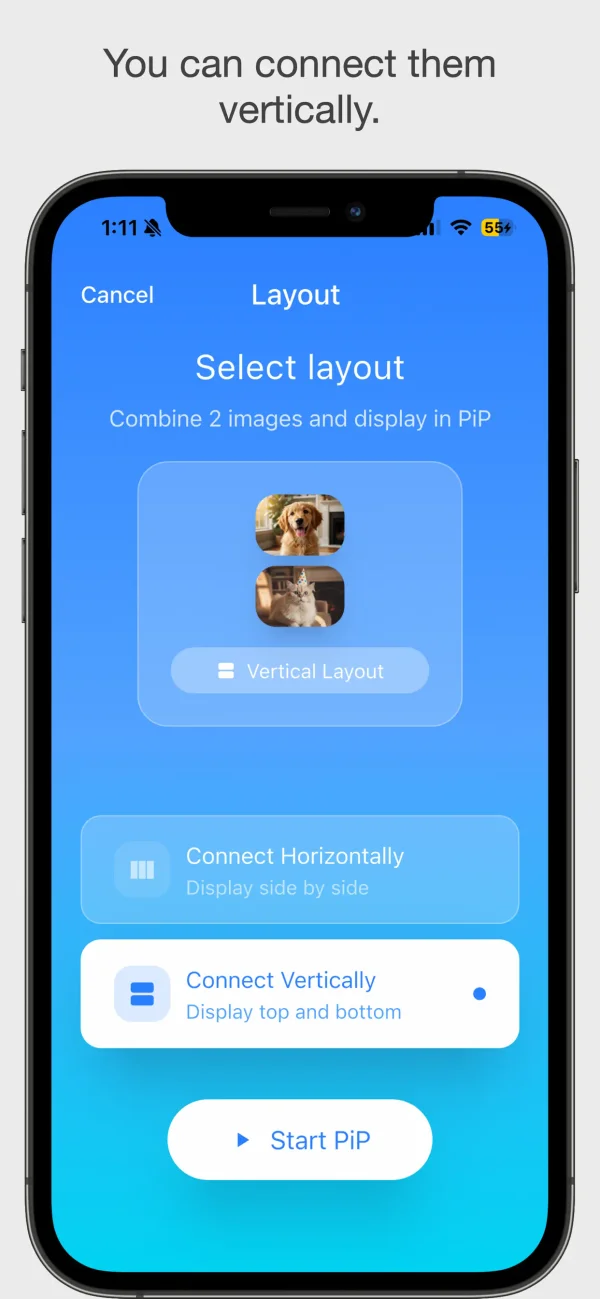
【Display Two Photos Side-by-Side】
Select two photos to automatically composite them horizontally. Great for comparing images.
【Launch Directly from Share Sheets】
When sharing photos from other apps, just choose “PiP Now” to instantly start PiP display.
【Simple, Beautiful UI】
Minimalist design for intuitive operation.
■ Recommended For
• Keeping reference materials constantly visible while working
• Cooking while following a recipe
• Wanting to always see cherished photos
• Using multiple apps simultaneously
• Wanting to use your screen efficiently
■ Notes
• Uses iOS's built-in Picture-in-Picture feature
• Specializes in displaying still images, not videos
• You can freely use other apps while PiP is active
■ Privacy
• Selected photos are processed only on your device
• No data is sent to external servers
• Access to your photo library occurs only during selection
About Premium Plan
PiP Now offers the following subscriptions:
• PiP Now Premium (Monthly): $1.99 / month (auto-renewable)
• PiP Now Premium (Lifetime): $9.99 (one-time purchase, no auto-renewal)
Premium benefits:
• Remove all ads
• Unlimited combined image saves
• Support future development
Auto-renewable subscription details:
• Subscriptions automatically renew at the same price unless auto-renewal is turned off at least 24 hours before the end of the current period.
• Payment will be charged to your Apple ID account at confirmation of purchase.
• You can manage and cancel your subscriptions anytime from Settings > Apple ID > Subscriptions.
• Cancellation of the current active subscription period is not allowed.
• Any unused portion of a free trial period will be forfeited when purchasing a subscription.
Terms of Use & Privacy Policy
Terms of Use (EULA): https://www.apple.com/legal/internet-services/itunes/dev/stdeula/
Privacy Policy: https://pip-now-lp3.vercel.app/privacy-policy/pip-now
Make your photos more useful with the simple and easy-to-use PiP Now.
What’s new
Version 1.0.9 · Oct 25, 2026
Thank you for using PiP Now!
What's new:
• Added a "PRO" button to the home screen so you can check out Premium anytime
• You can now see how many saves you have left today, right below the Save button
• Reorganized the Settings screen so Premium is easier to find
Premium removes all ads and lets you save combined images without limits.
App privacy
What Shun Kurauchi declares on the App Store about how this app handles data.
-
Data used to track you
May be used to track you across apps and websites owned by other companies.
- Usage data
-
Data not linked to you
May be collected but is not linked to your identity.
- Usage data
Privacy practices may vary, for example with the features you use or your age.
Information
- Seller
- Shun Kurauchi
- Category
- Photo & Video
- Version
- 1.0.9
- Updated
- Oct 25, 2026
- Released
- Nov 27, 2025
- Size
- 46.2 MB
- Requires
- iOS 15.0 or later
- Age rating
- 4+
- Price
- Free
- In-app purchases
- Yes
- Languages
- English
- Copyright
- © 2025 Shun Kurauchi
You might also like
-
 CoffeePixelTurn photos into pixel art
-
 Rainbow Video EffectsCinematic Light Filters & VFX
-
 Favo - Pick Best PhotosSimilar & Duplicate Cleanup
-
 Swipe Album Cleaner - AI CleanAI Sort, Similar Photos, Space
-
 iCleanShot - For Lazy PeopleSwipe up to bulk delete photos
-
 ExifSmith: Batch Exif EditorMetadata Remover & Photo Info
-
 Old Photo Restore & Repair ProAI Enhance Picture Quality
-
 Dual Camera GeoTagDual Cam Capture with Location
-
 Meme Maker & Text Behind PicSticker, Fonts & Collage
-
 PocketBox: Video CompressorHEIC to JPG·MOV to MP4·GIF