
PixComic - Manga Reader
Wi-Fi transfer, read offline
Designed for iPhone, iPad
Free
- Age rating4+
- CategoryBooks
- DeveloperPIXDYNE PTY LTD
- LanguagesEnglish+ 6 more
- Size8.2 MB
Links to the official App Store page
Download.org hosts no file of PixComic - Manga Reader. The button opens its official App Store page, published by PIXDYNE PTY LTD. Listing last checked on Nov 20, 2026.
Screenshots





About
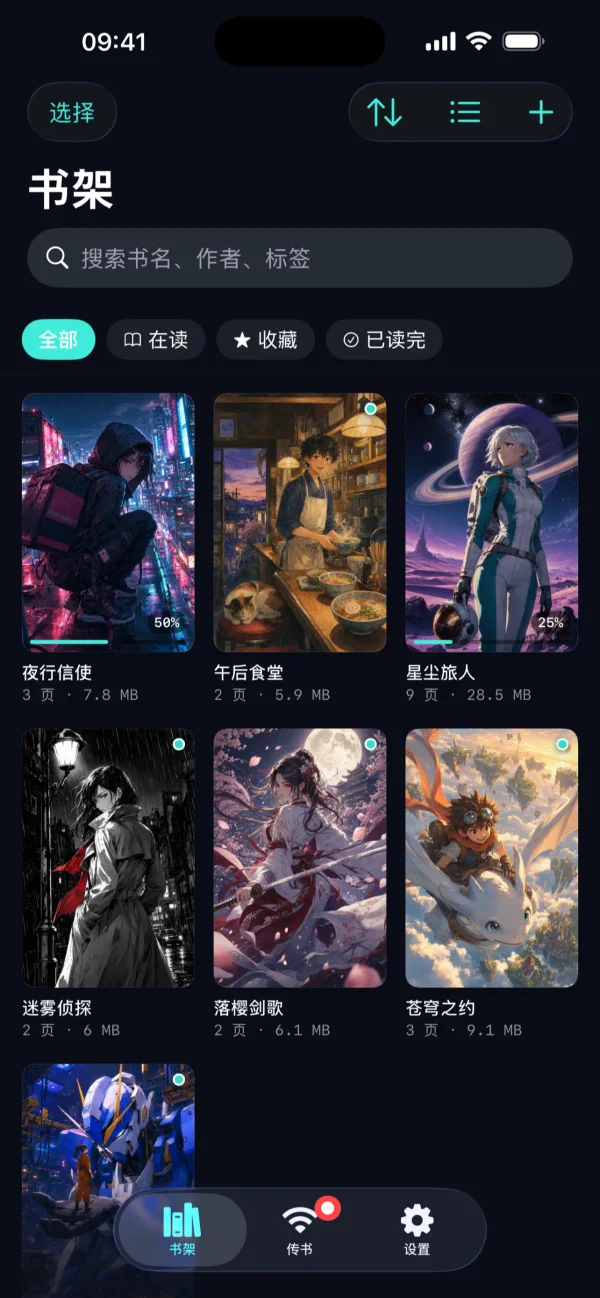
PixComic is a local comic reader. It does not provide any comics — it reads the
archives you already own, and it reads them fast.
WI-FI TRANSFER, NO CABLE
Start the server on your phone, open the address it shows in your computer's
browser, and drag your files in. Uploads are chunked and resumable, so a
multi-gigabyte archive survives a dropped connection, a locked screen or a closed
tab — it picks up where it left off. The same page lets you browse what is on the
device, pull a book back to your computer, delete one, and check free space.
Importing from the Files app, AirDrop and "Open in" from other apps all work too.
EVERY FORMAT, NO MOJIBAKE
CBZ / ZIP, CBR / RAR, PDF, and plain folders of images.
Scan releases from Japan and Greater China routinely store filenames in Shift-JIS
or GBK rather than UTF-8, which turns into garbage text in most readers. PixComic
detects the encoding automatically, and sorts chapters naturally — page 2 comes
before page 10, not after it.
THREE READING MODES
· Manga: right-to-left, automatic two-page spreads in landscape, cover on its own
page so the spreads line up the way print does
· Standard: left-to-right
· Webtoon: seamless vertical scrolling, pinch to set the page width
A wide double-page scan can also be split into two screens, so spreads are
comfortable to read on a phone held upright.
BUILT TO STAY SMOOTH
Every image is decoded off the main thread and downsampled to your screen, with
pages preloaded in both directions. Page dimensions are measured once in the
background — you can read the whole time it runs — and cached, so reopening the
same book skips the rescan, the "Analyzing pages" strip along the bottom, and the
one relayout that lands when it finishes.
FOUR THEMES
Standard, Sci-fi, Pixel and Paper. Not just a tint — corners, borders, typeface and
light/dark all change together.
ALSO
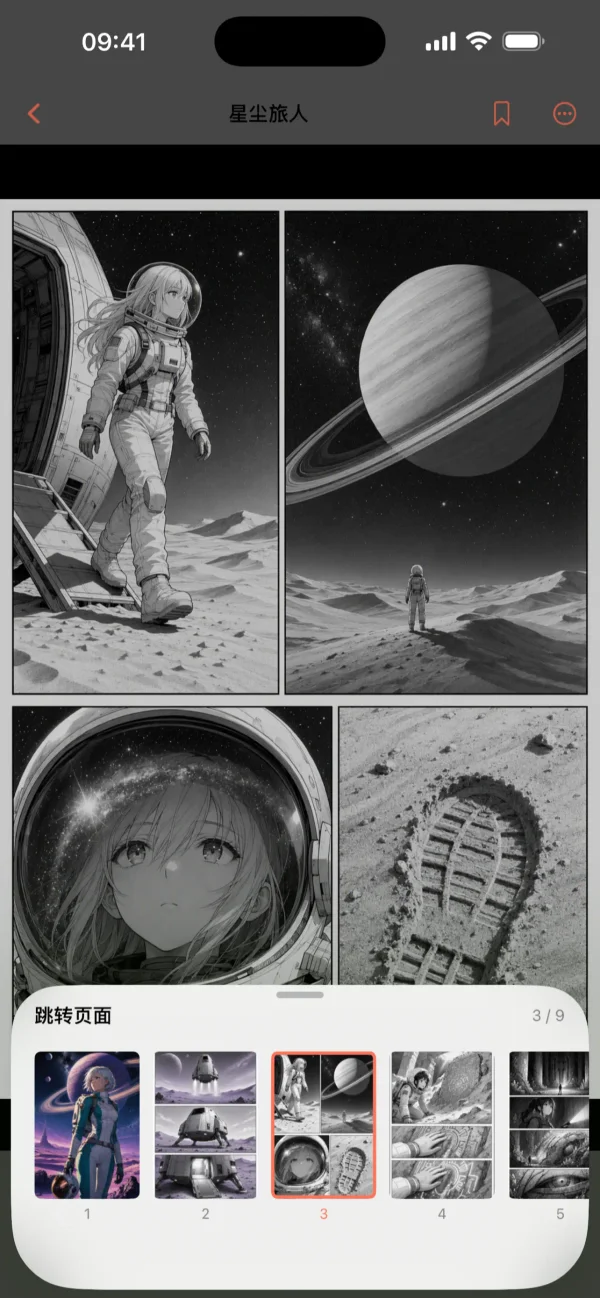
Double-tap for a quick zoom and pinch all the way to native pixels (6x at most on
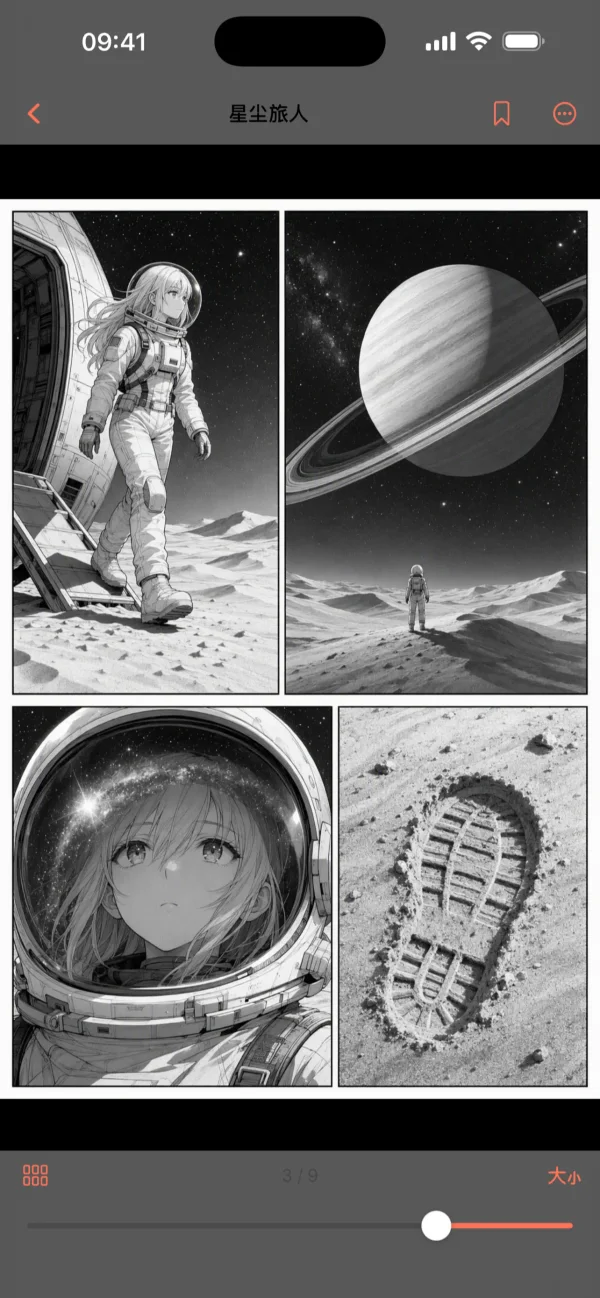
very large scans), thumbnail navigation, bookmarks, a scrubber with page preview,
automatic border trimming, screen-awake and brightness lock.
PixComic is free and ad-supported: a banner on the shelf and an occasional
interstitial before a book opens — never while you are reading.
App privacy
What PIXDYNE PTY LTD declares on the App Store about how this app handles data.
-
Data used to track you
May be used to track you across apps and websites owned by other companies.
- Identifiers
-
Data linked to you
May be collected and linked to your identity.
- Location
- Identifiers
- Usage data
-
Data not linked to you
May be collected but is not linked to your identity.
- Diagnostics
Privacy practices may vary, for example with the features you use or your age.
Information
- Seller
- PIXDYNE PTY LTD
- Category
- Books
- Version
- 1.0
- Updated
- Aug 25, 2026
- Released
- Aug 25, 2026
- Size
- 8.2 MB
- Requires
- iOS 17.0 or later
- Age rating
- 4+
- Price
- Free
- Languages
- English, Arabic, Japanese, Korean, Simplified Chinese, Spanish, Traditional Chinese
- Copyright
- © 2026 PIXDYNE PTY LTD
You might also like
-
 Manga Insyte: Manga TrackerCollect, shelve & relive manga
-
 Tsundoku: Manga & Book ReaderBooks
-
 Comicbreath: Comic Book ReaderCBZ, CBR & PDF manga on Duo
-
 Mango: Offline ReaderRead manga and comics anywhere
-
 ComicJet: Comic & Manga ReaderFast CBZ CBR 7Z PDF TXT viewer
-
 Vellum ReaderElegant Book Reader
-
 GIGA - Online Manga ReaderAI Reader: Web, Cloud & Local
-
 Bookshelf - Comic eBook PDFRead comics, ePubs, ZIPs, PDF.
-
 ShelfStream - Comic ReaderZIP/CBZ/RAR/PDF & Cloud Access
-
 爱看漫阅 - NAS书架&本地漫画阅读器Books